Répéteur AX1800
Toutes les questions
Répéteur AX1800
Comment configurer mon répéteur ?
Avant de configurer votre répéteur, veuillez consulter la procédure suivante pour déterminer son emplacement : Quel est le meilleur emplacement pour mon répéteur ?
1. Se connecterà l'interface utilisateur Web
Suivez l'une des procédures ci-dessous pour vous connecter à l'interface utilisateur Web :
- Comment puis-je me connecter à l'interface utilisateur Web du répéteur ? (Câble RJ45)
- Comment puis-je me connecter à l'interface utilisateur Web du répéteur ? (Wi-Fi)
2Sélectionnezle mode de votre répéteur
L'assistant de configuration du répéteur s'ouvre. Sélectionnez « Répéteur sans fil », puis cliquez sur « Suivant ».

3Sélectionnezle fuseau horaire
Sélectionnez le fuseau horaire dans la liste si celui qui a été détecté automatiquement est incorrect, puis cliquez sur « Suivant ».

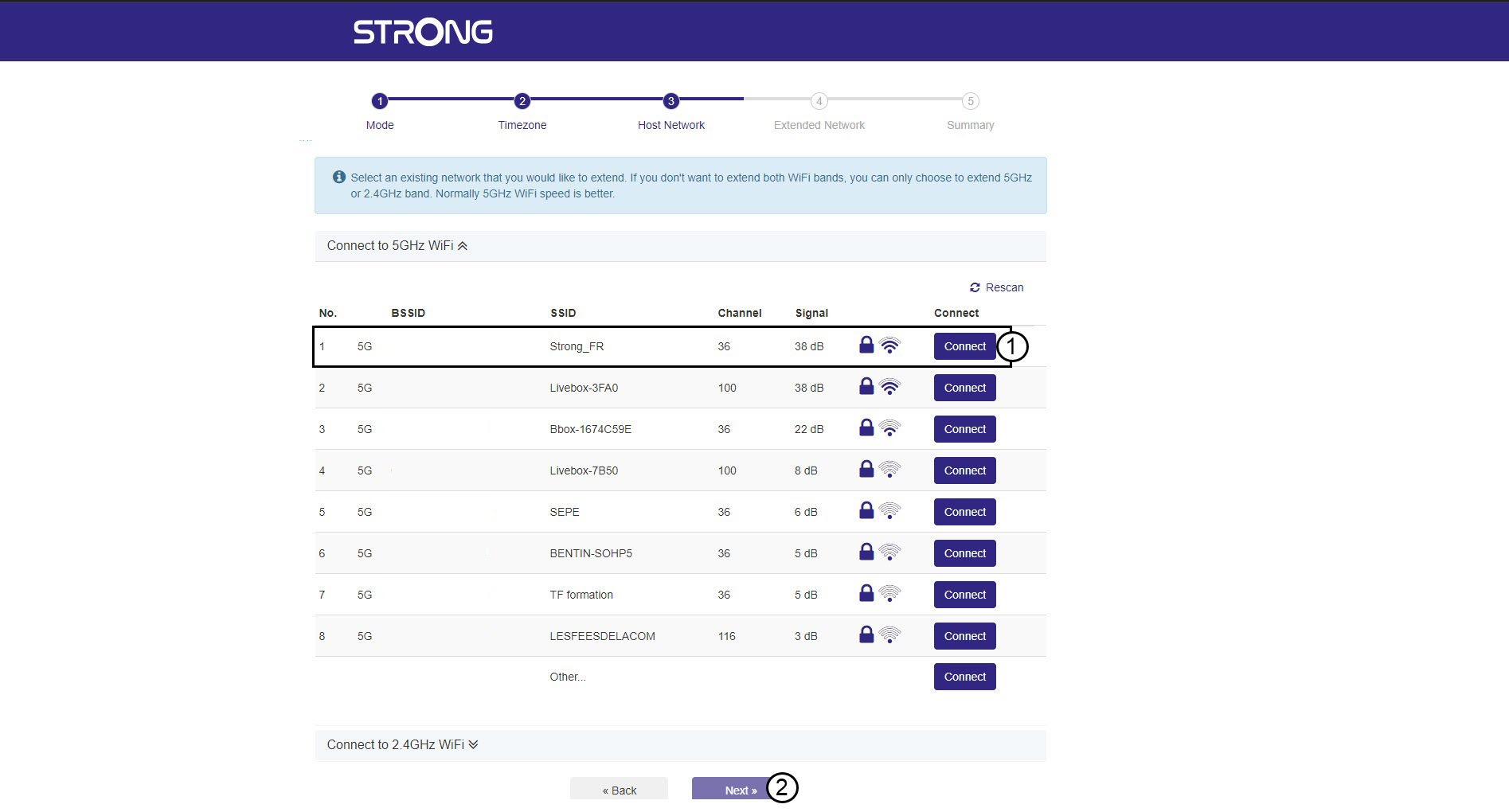
4. Analysedes réseaux disponibles
Votre répéteur va effectuer une recherche parmi tous les réseaux Wi-Fi 2,4 GHz et 5 GHz disponibles afin d'identifier le réseau hôte. Sélectionnez le nom du réseau Wi-Fi de votre routeur. Cliquez ensuite sur « Se connecter », puis sur « Suivant ».
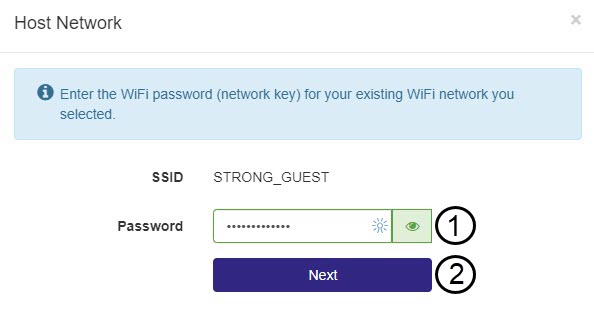
5. Saisissezle mot de passe du réseau Wi-Fi hôte
Saisissez le mot de passe Wi-Fi de votre routeur, puis cliquez sur « Suivant ».
Vous pouvez cliquer sur l'icône en forme d'œil pour afficher le mot de passe que vous êtes en train de saisir.
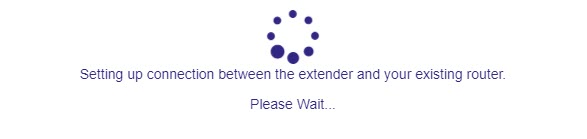
6. Patientezpendant la configuration
Veuillez patienter pendant la configuration du répéteur.
7. Validerla configuration
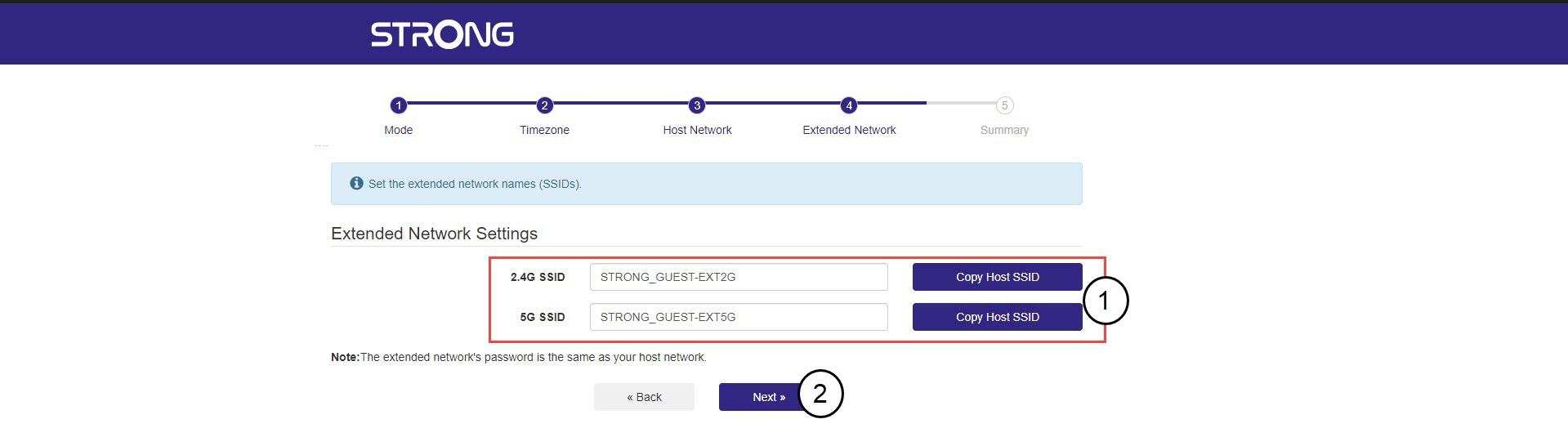
Cliquez sur « Suivant » pour valider la configuration.
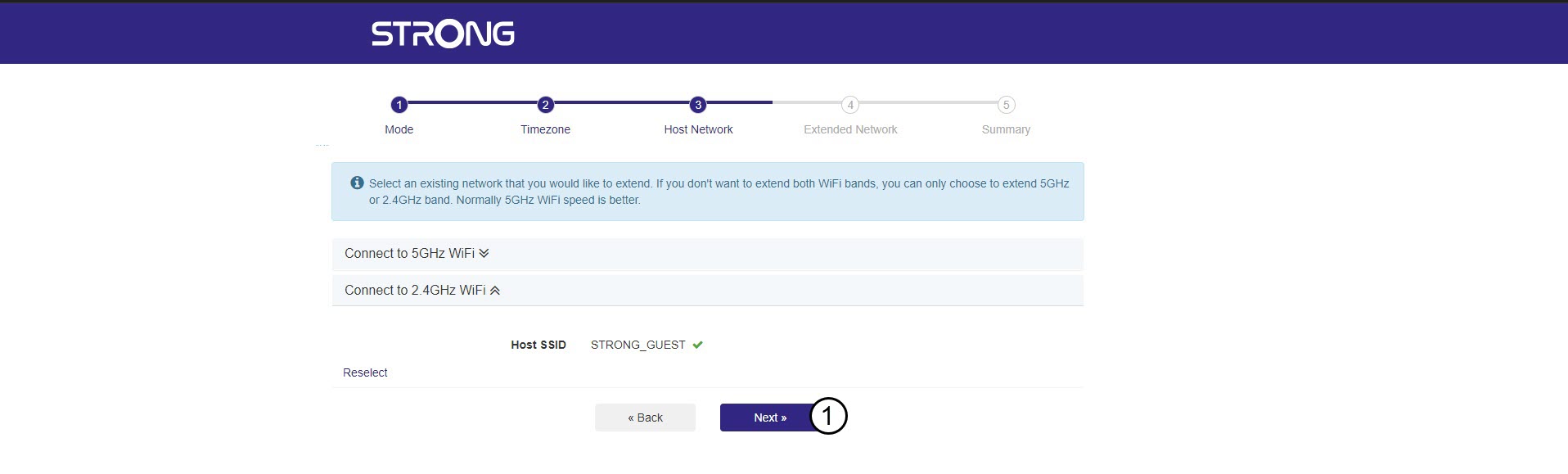
8. Notezles informations relatives au réseau
Notez les informations relatives aux nouveaux réseaux Wi-Fi, puis cliquez sur « Suivant ».