Routeur 4G LTE 300 Mini UK
Toutes les questions
Routeur 4G LTE 300 Mini UK
Comment puis-je connecter mes appareils via le WPS ?

Vous pouvez utiliser la fonction WPS pour configurer la connexion Wi-Fi entre votre routeur et vos ordinateurs et/ou votre imprimante, par exemple. Il n'est pas possible de connecter un téléphone portable à l'aide de la fonction WPS. Pour connecter facilement votre téléphone au réseau Wi-Fi, veuillez scanner le code QR situé à l'arrière de votre routeur ; cela vous permettra de vous connecter automatiquement au réseau sans avoir à saisir le mot de passe Wi-Fi.
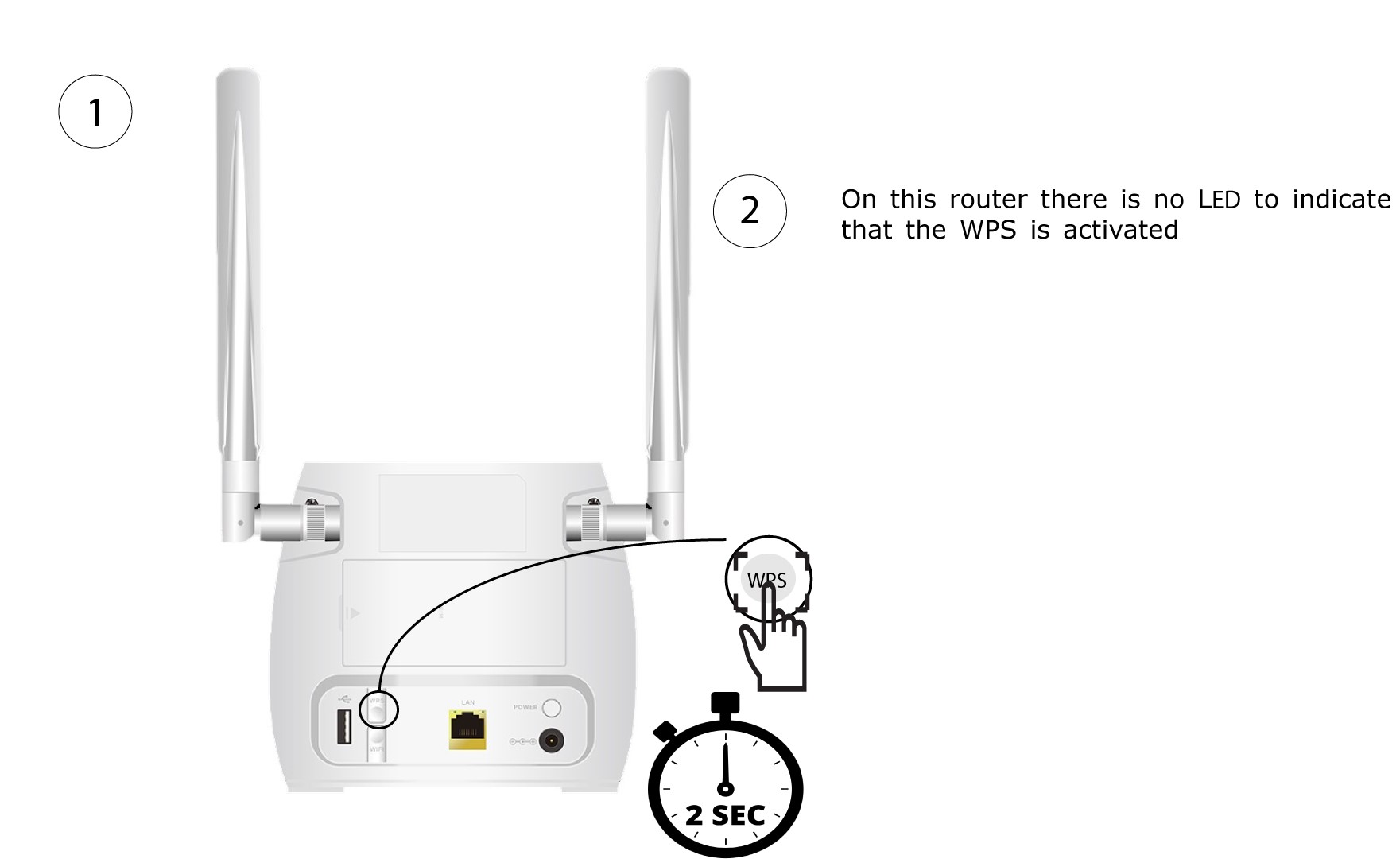
1. Appuyez surle bouton WPS
Appuyez pendant 2 secondes sur le bouton WPS situé à l'arrière du routeur pour permettre à tout appareil compatible de votre domicile de se connecter automatiquement au réseau Wi-Fi du routeur.
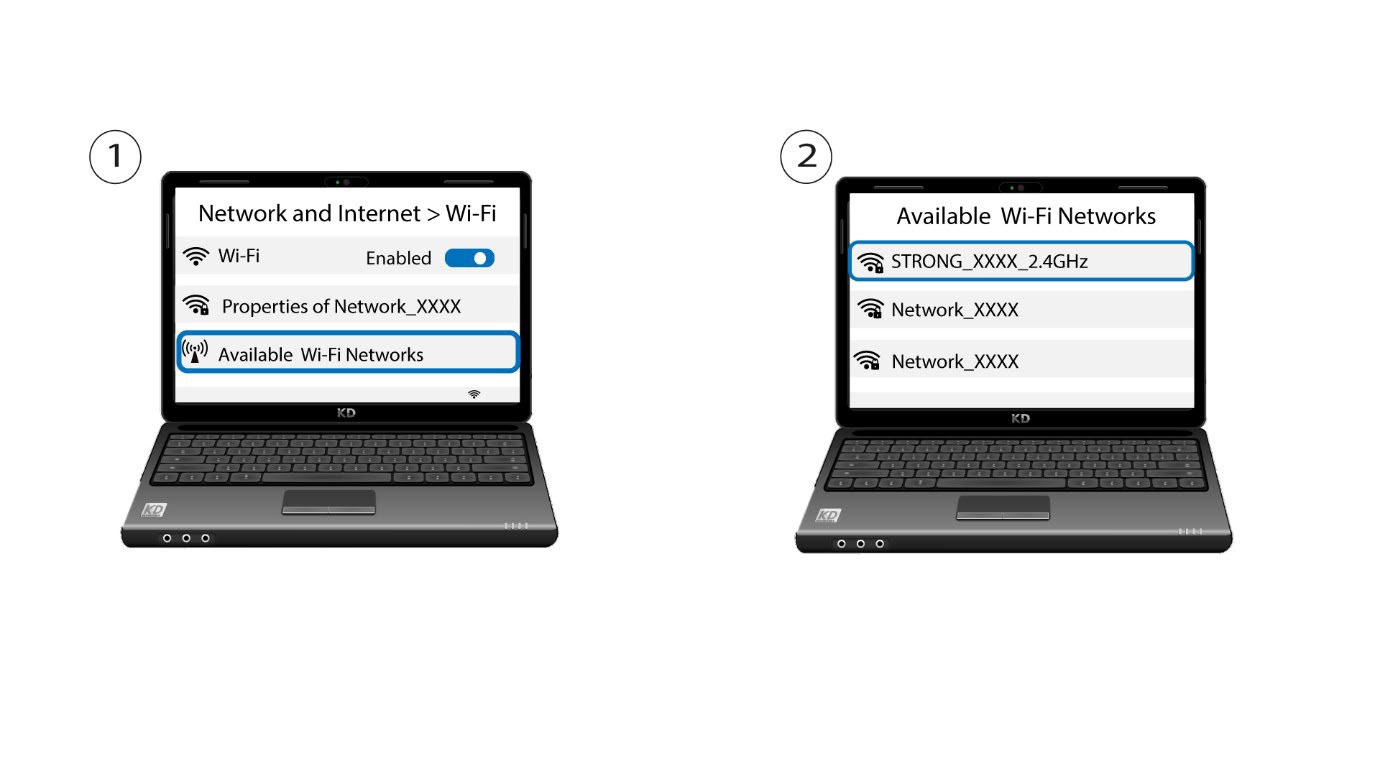
2. Sélectionnezle réseau Wi-Fi du routeur
Accédez aux paramètres Wi-Fi de votre ordinateur ou de votre téléphone, puis cliquez sur le nom du routeur pour le sélectionner.
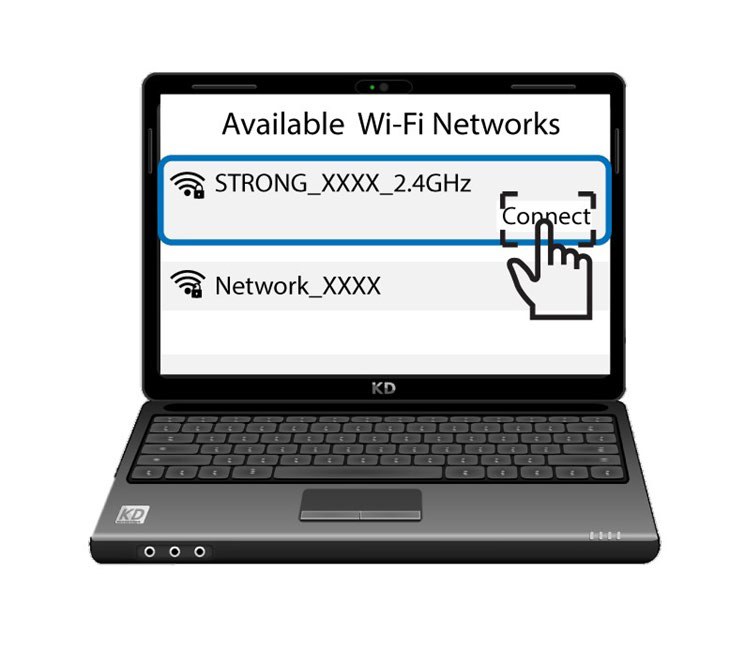
3. Se connecterau Wi-Fi
Ensuite, cliquez sur le bouton « Se connecter »