
Point d'accès Wi-Fi 4G+ AIRSPOT 510
Aucun élément n'a été trouvé.
Aucun élément n'a été trouvé.
Toutes les questions
Point d'accès Wi-Fi 4G+ AIRSPOT 510
Aucun élément n'a été trouvé.
Aucun élément n'a été trouvé.
Comment puis-je gérer les paramètres APN de mon appareil ?
Il arrive parfois que vous rencontriez des problèmes avec le réseau de données mobiles après avoir configuré votre appareil et saisi votre code PIN. Dans ce cas, suivez la procédure ci-dessous pour vérifier vos informations APN.
1. Accéder àl'interface utilisateur Web
Pour vous connecter à l'interface utilisateur Web, veuillez suivre la procédure suivante : Comment accéder à l'interface utilisateur Web ?
2.Configuration de l'APN ouvert
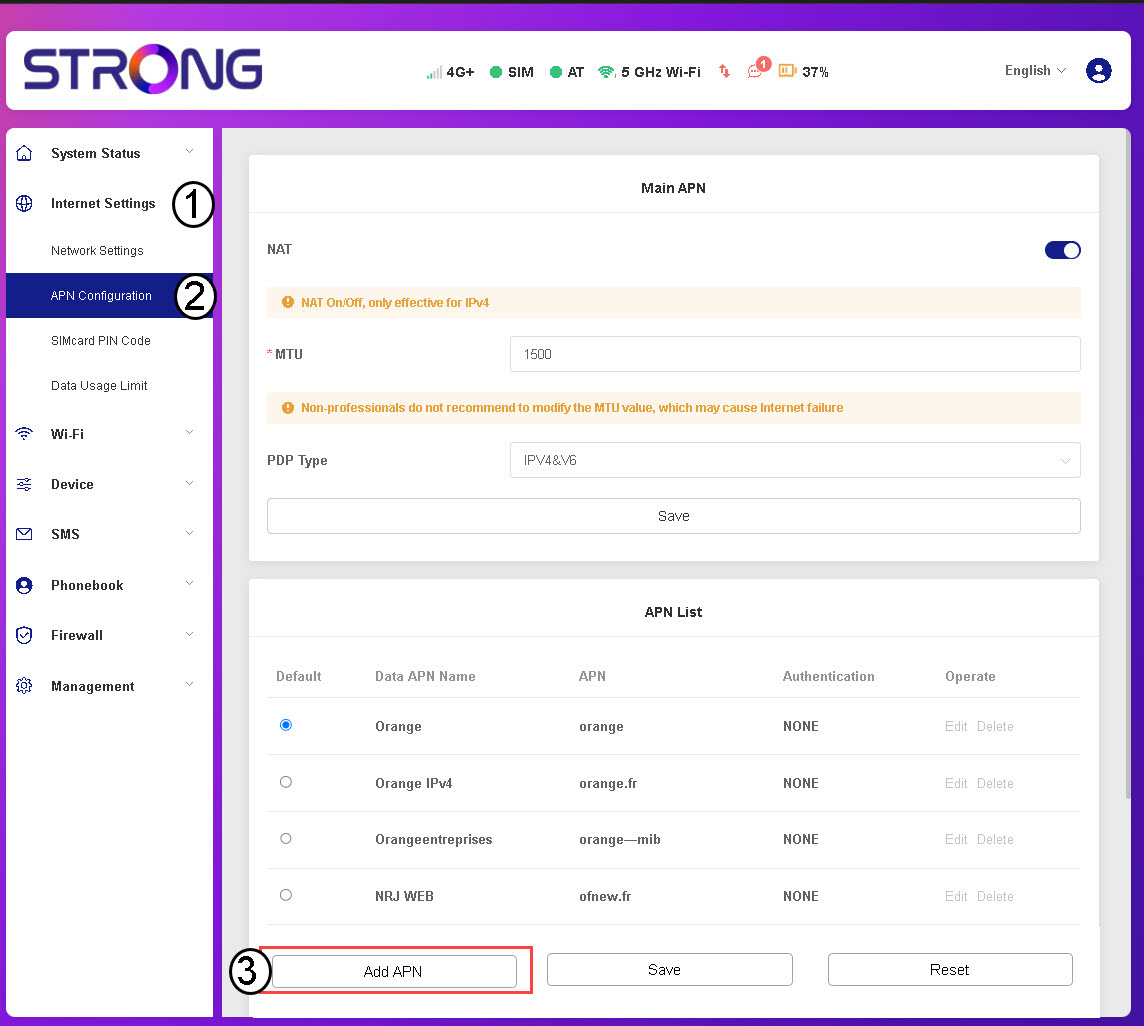
Cliquez sur « Paramètres Internet » puis sur « Configuration APN ». Cliquez ensuite sur « Ajouter un APN ».
3. Saisiret enregistrer les informations APN
Saisissez les informations suivantes avant de cliquer sur « Enregistrer » :
- Nom de l'APN de données : saisissez le nom de l'APN fourni par votre opérateur.
- APN : Saisissez l'APN fourni par votre opérateur.
- Authentification : sélectionnez le type d'authentification dans la liste en fonction des informations fournies par votre fournisseur d'accès.