Aucun élément n'a été trouvé.
LEAP AIR | Google TV 4K avec HDR10+
Aucun élément n'a été trouvé.
Toutes les questions
Aucun élément n'a été trouvé.
LEAP AIR | Google TV 4K avec HDR10+
Aucun élément n'a été trouvé.
Comment redémarrer mon LEAP AIR ?
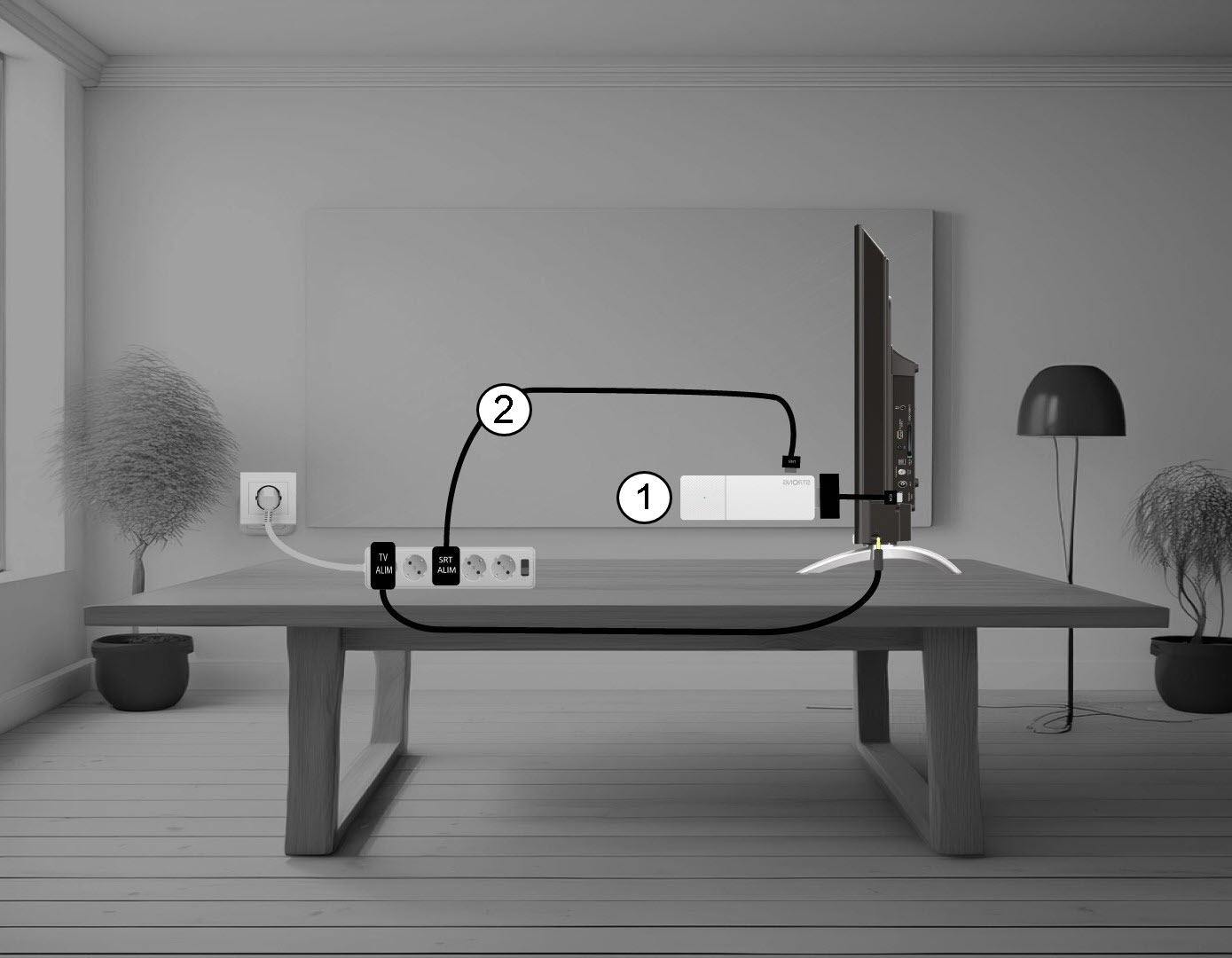
1. Débranchezle LEAP AIR de votre téléviseur
Débranchez l'Stick HDMI du téléviseur (1) et le câble USB du LEAP AIR (2).
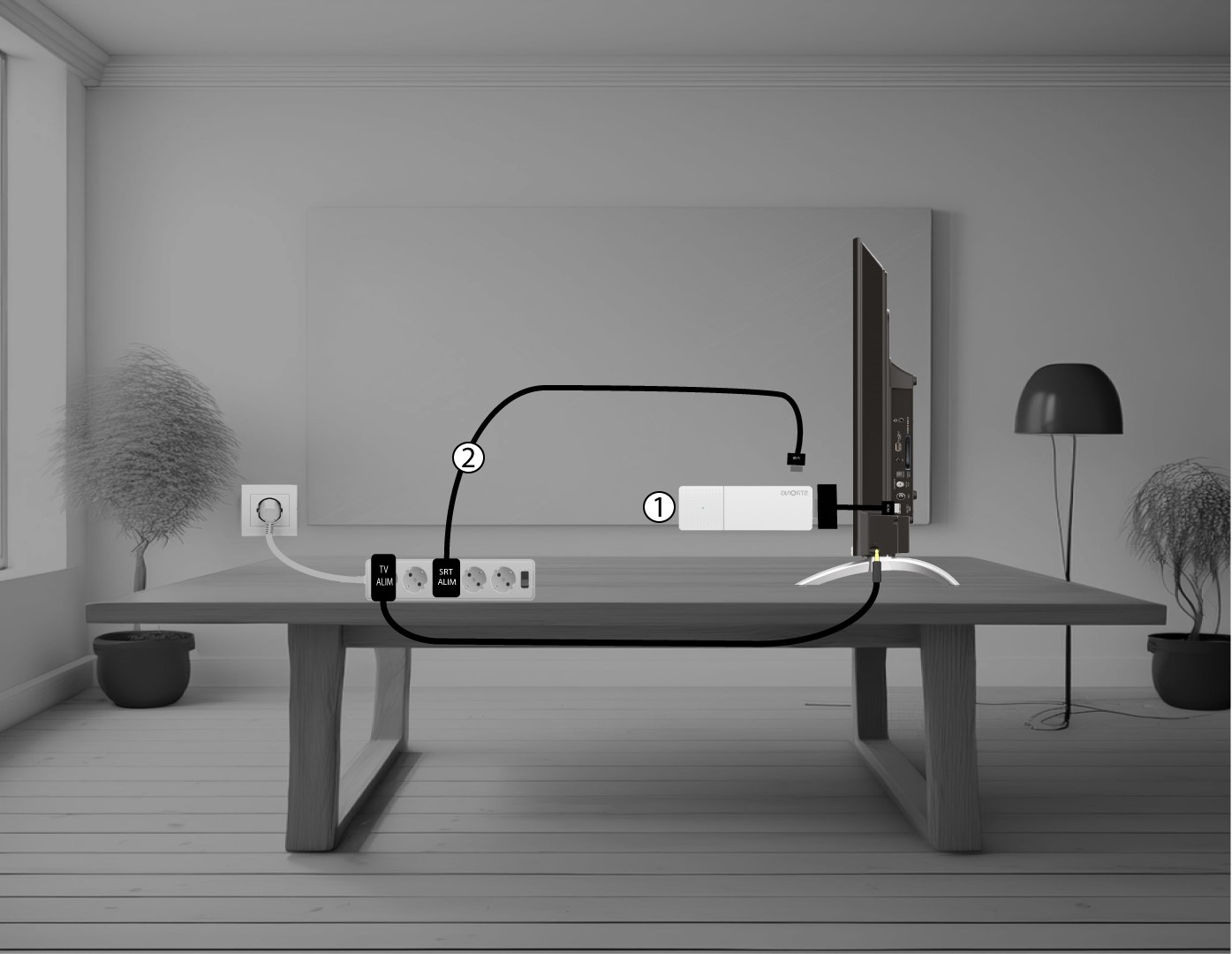
2. Connectezle LEAP AIR à votre téléviseur
Rebranchez l'stick HDMI au téléviseur (1) et le câble USB (2). Ensuite, branchez le téléviseur sur le secteur.