Point d'accès Wi-Fi 4G AIRSPOT 220 avec écran
Toutes les questions
Point d'accès Wi-Fi 4G AIRSPOT 220 avec écran
Comment réinitialiser mon routeur aux paramètres d'usine ?
Il peut arriver que votre appareil ne fonctionne pas correctement et que vous n'ayez pas accès à Internet. Dans ce cas, nous vous recommandons de réinitialiser votre appareil aux paramètres d'usine, puis de mettre à jour son micrologiciel si nécessaire.
Vous avez deux possibilités : vous pouvez réinitialiser l'appareil en appuyant sur le bouton de réinitialisation ou via l'interface utilisateur Web.
CAS N° 1 : Bouton de réinitialisation.
Pour ce faire, retirez le cache situé à l'arrière du routeur et appuyez sur le bouton RESET pendant 2 secondes à l'aide d'un trombone.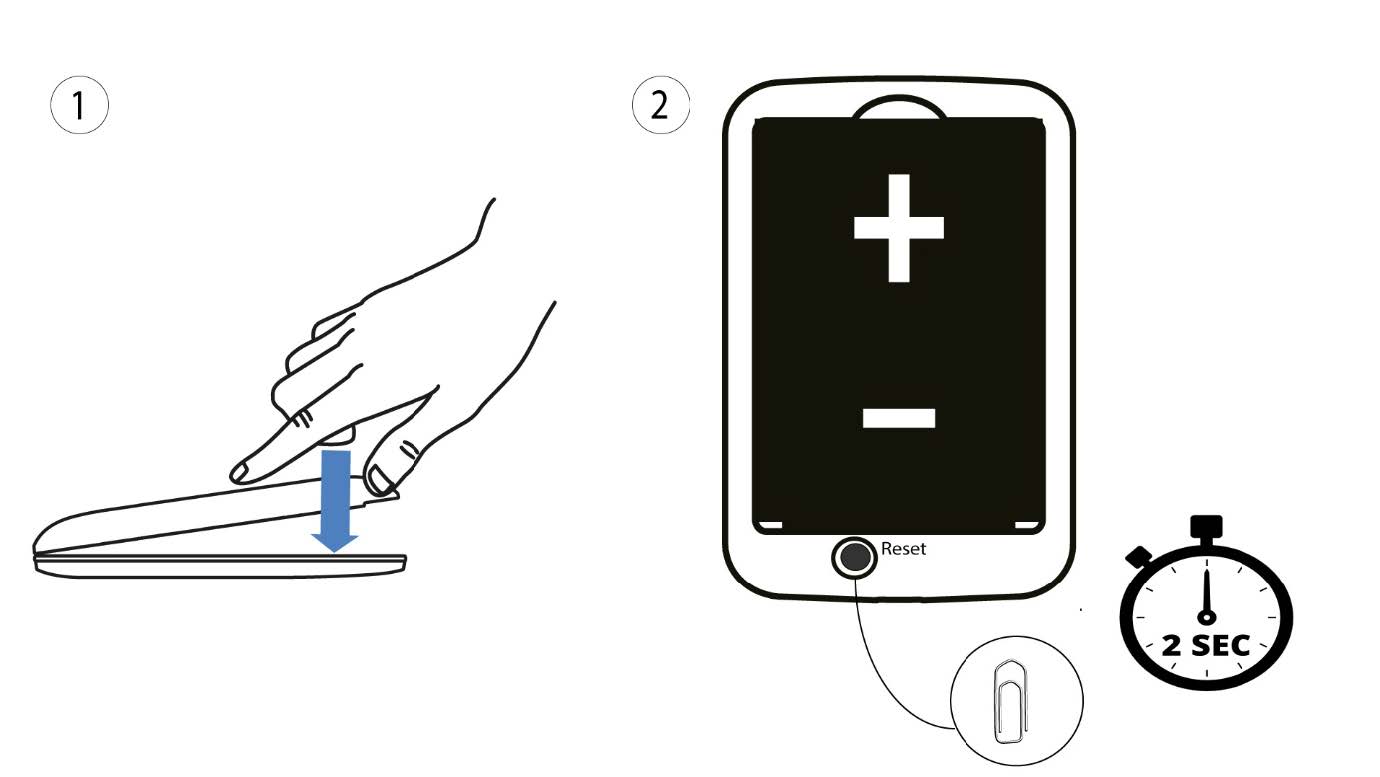
1Casn° 2 : réinitialisation via l'interface utilisateur Web
1. Vous devez vous connecter au réseau Wi-Fi de votre appareil.

2Accédezà l'adresse IP de l'interface utilisateur Web
Saisissez ensuite l'adresse IP suivante : 192.168.188.1 dans votre navigateur.

3Connexion
Vous devez saisir le mot de passe.

4Paramètres
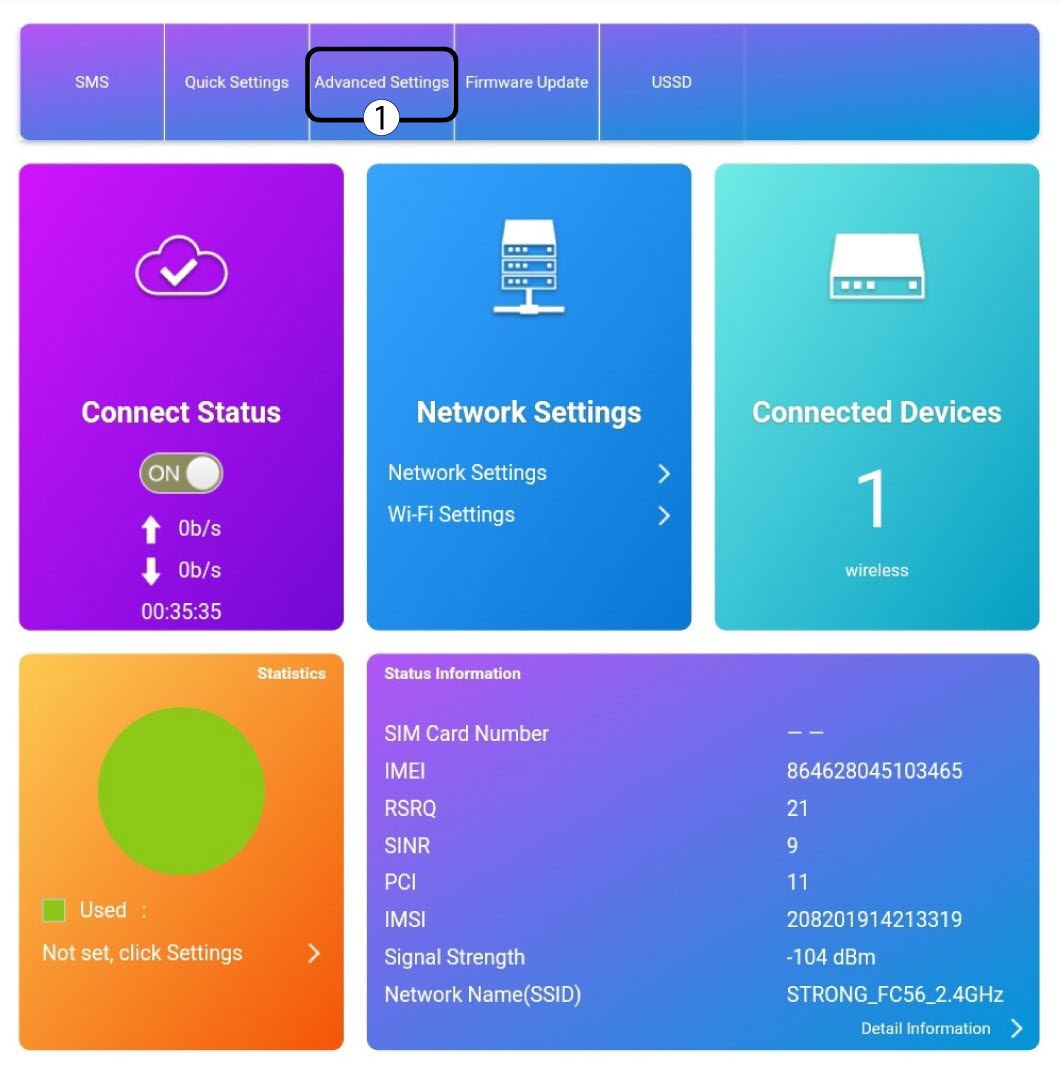
Cliquez ensuite sur « Paramètres avancés ».
5Réinitialisationaux paramètres d'usine
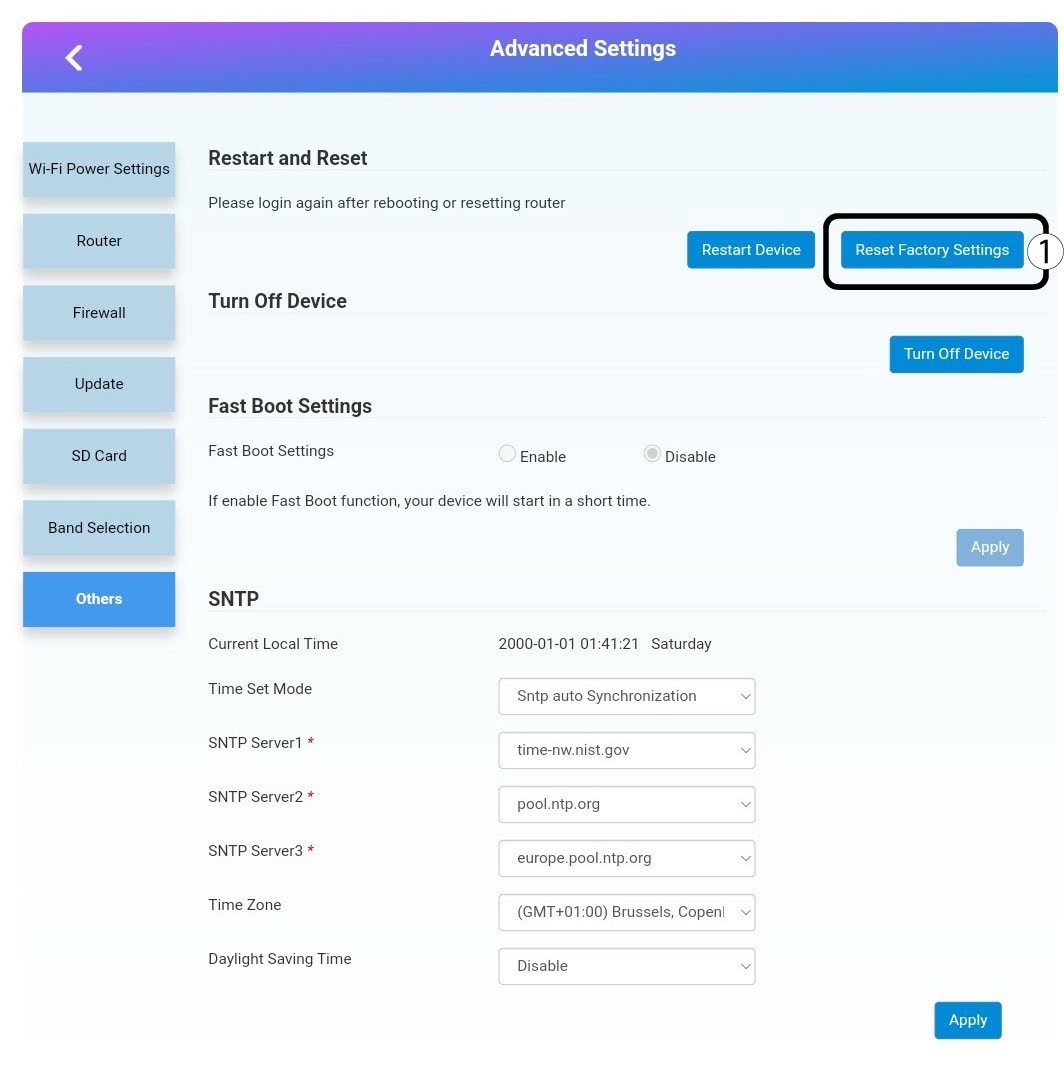
Cliquez sur « Autres ». Dans la section « Redémarrage et réinitialisation », cliquez sur « Réinitialiser les paramètres d'usine ».
6. Confirmation
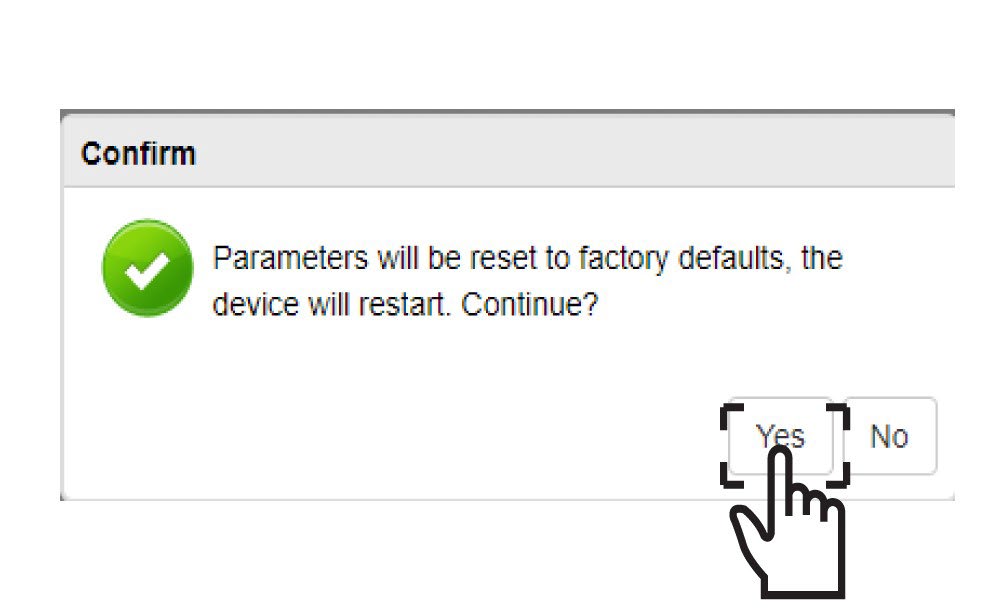
Cliquez sur« OUI » dans la fenêtre contextuelle.