
CPL 1000 Triple Mini UK
Toutes les questions
Je n'ai pas accès à Internet et/ou le voyant de l'icône « Accueil » ne s'allume pas.
1. Branchezles adaptateurs sur une multiprise
Branchez les adaptateurs les uns après les autres sur une multiprise.
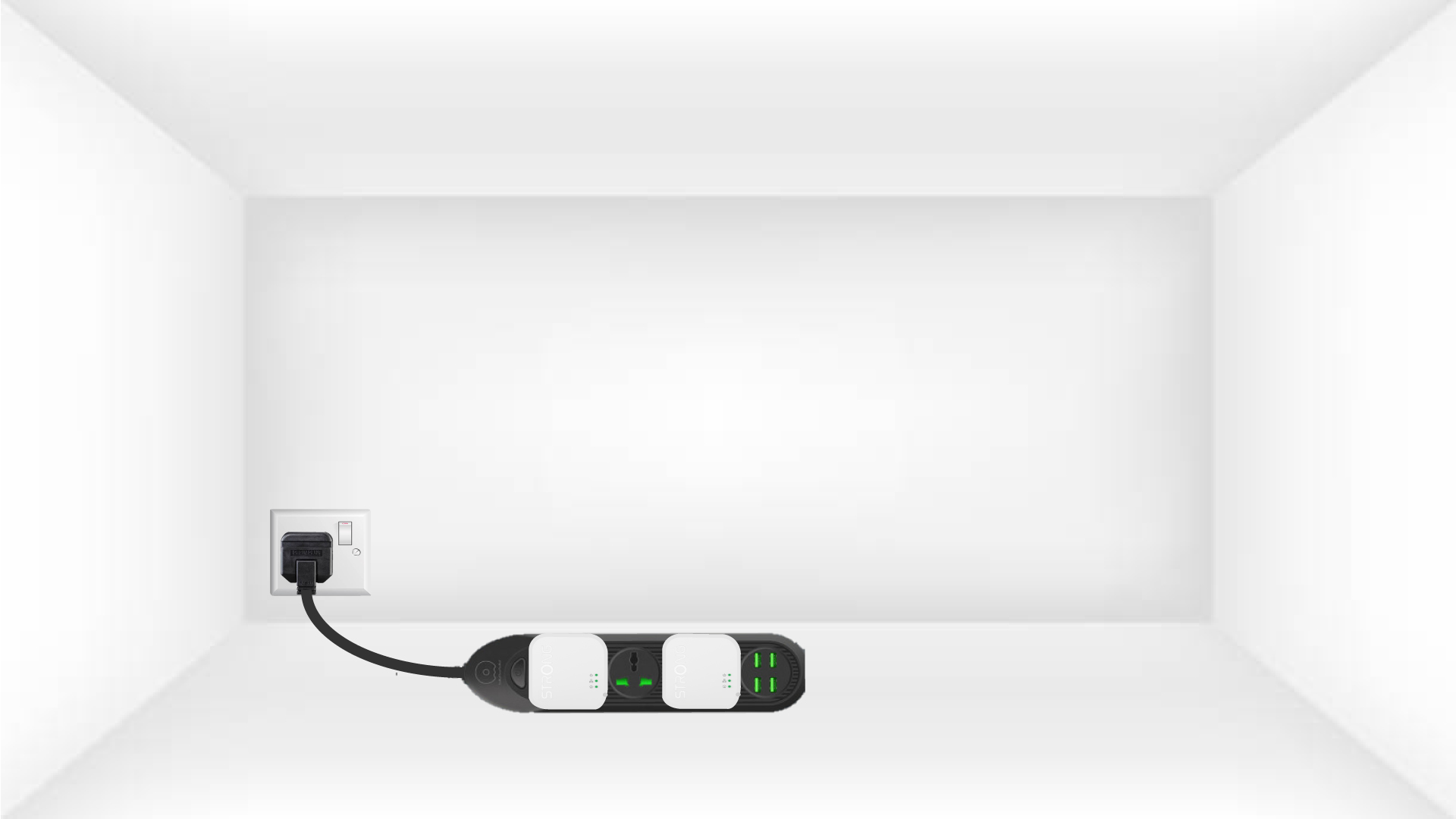
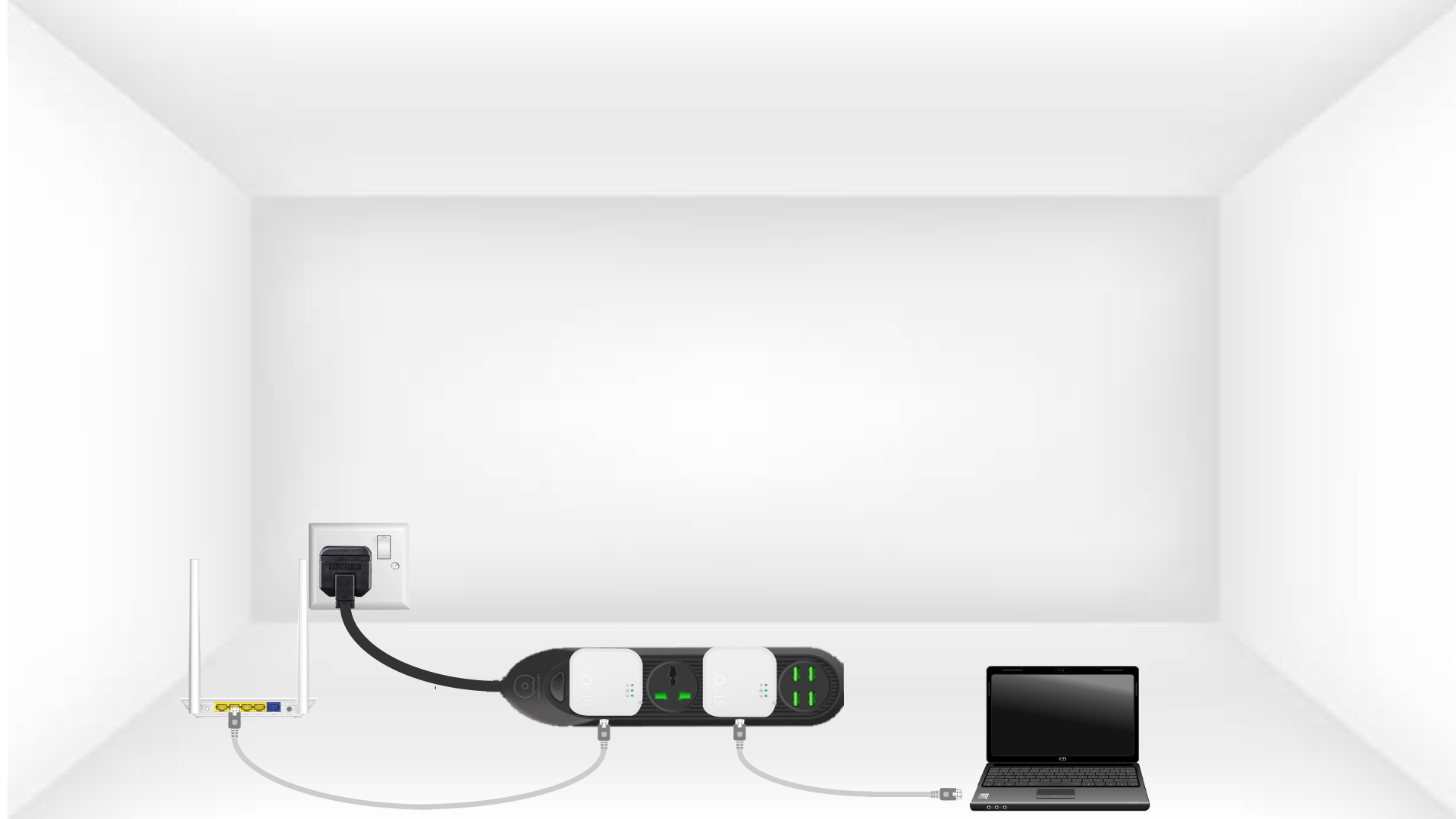
2. Connectezles adaptateurs à Internet
Connectez chaque adaptateur à un appareil en état de marche (routeur/passerelle Internet, Android box, Smart TV, ordinateur, etc.) à l'aide d'un câble Ethernet. Une communication doit être établie entre les appareils, sinon l'adaptateur passera automatiquement en mode veille.
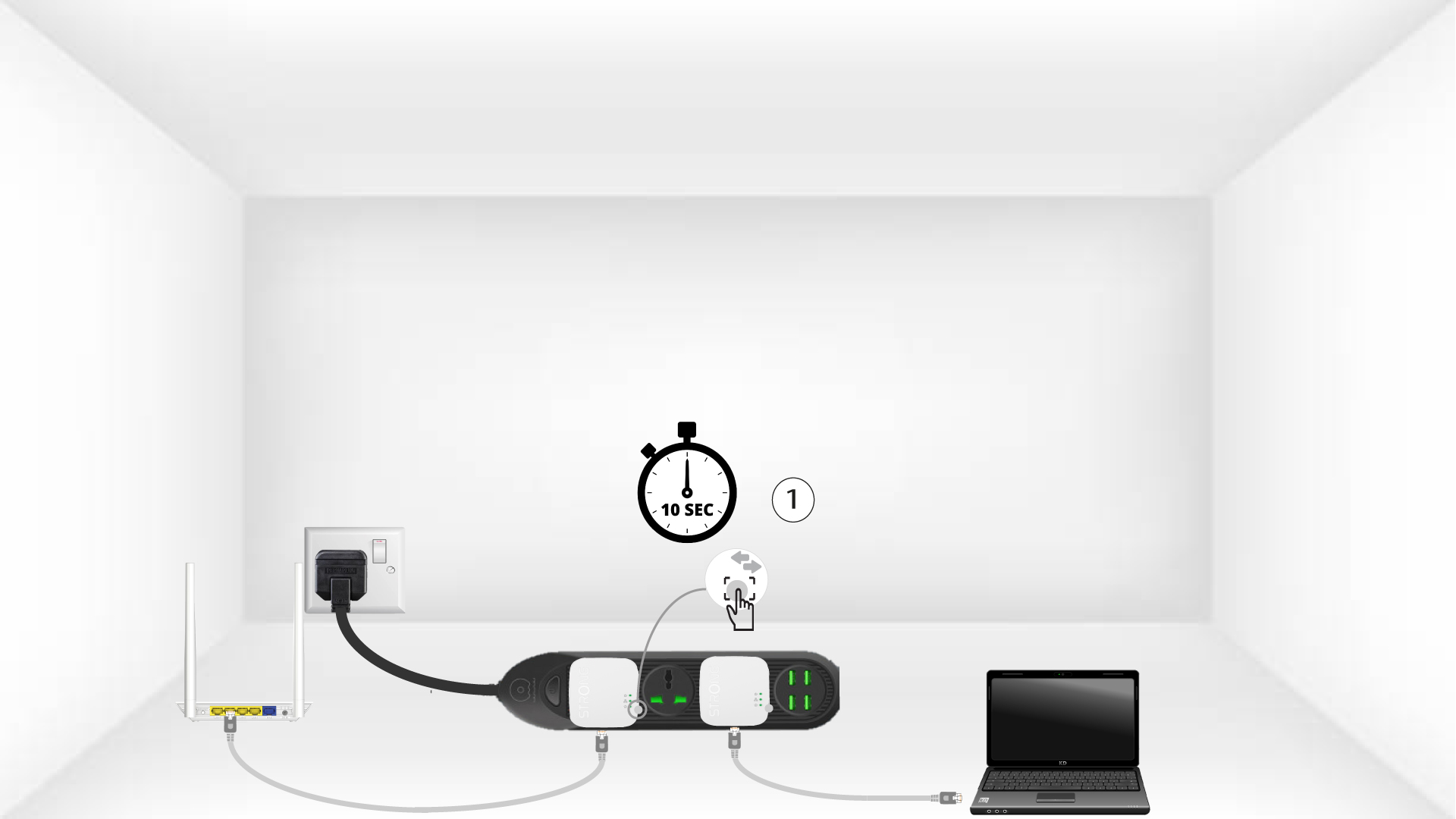
3Appuyez surle bouton « Connect & Secure » (premier adaptateur)
Une fois l'adaptateur branché et connecté au réseau Ethernet, il suffit d'appuyer pendant 10 secondes sur le bouton « Connect & Secure » situé sur le côté droit de l'appareil.
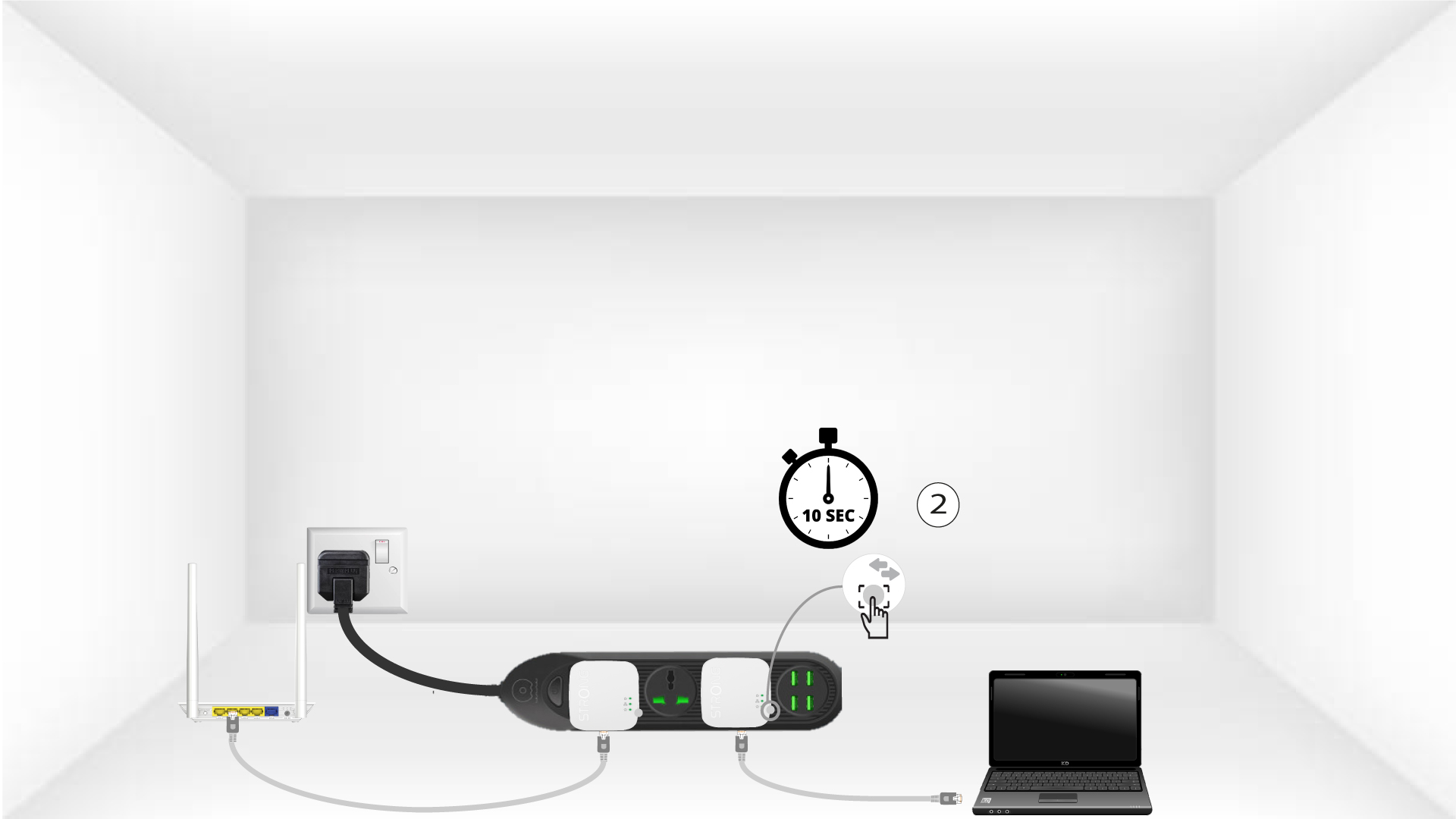
4Appuyez surle bouton « Connect & Secure » (deuxième adaptateur)
Appuyez pendant 10 secondes sur le bouton « Connect & Secure » situé sur le côté droit du deuxième appareil.
5Le voyant LED « Home» clignote
La LED représentant l'icône « Maison » devrait commencer à clignoter.
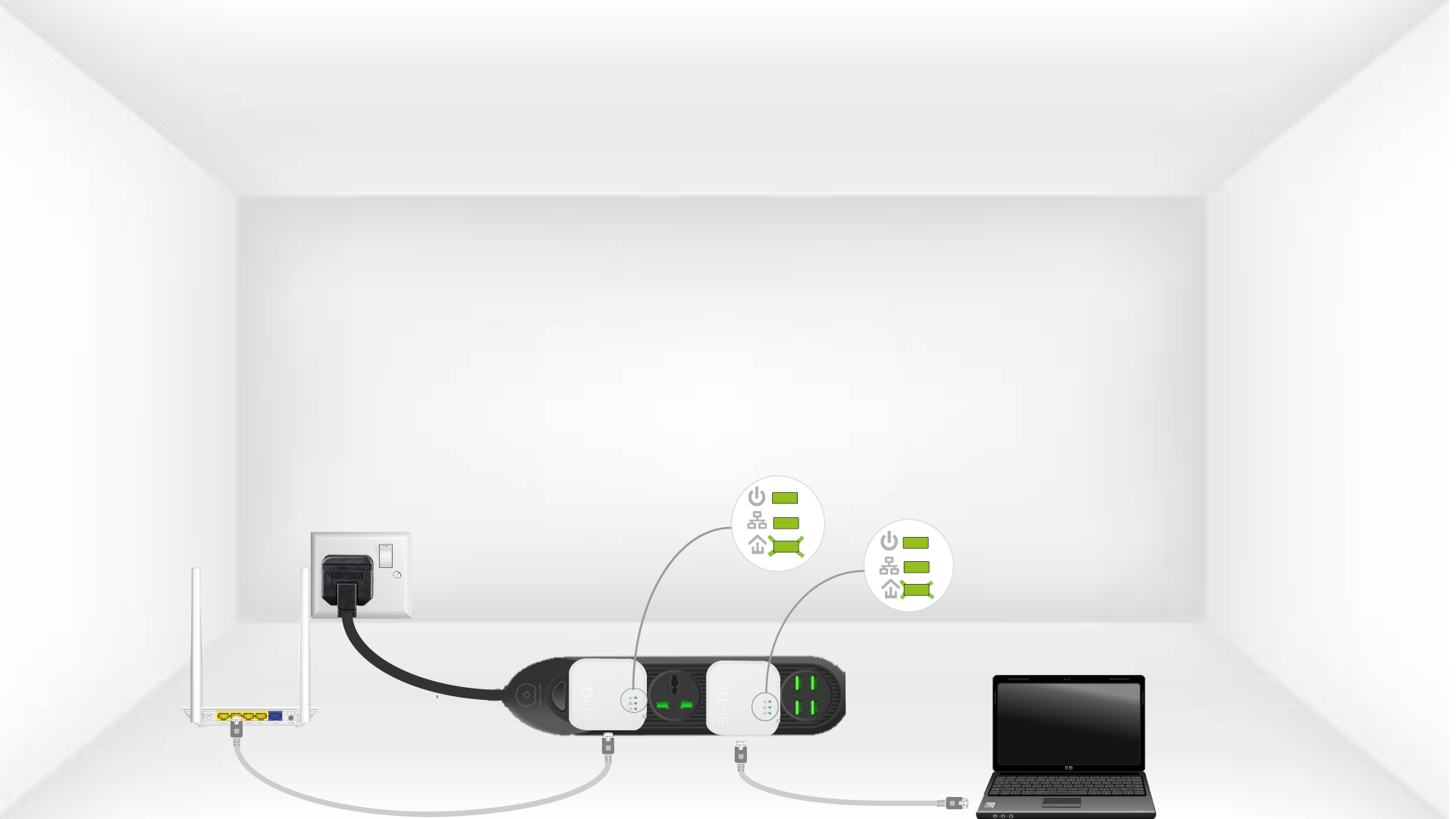
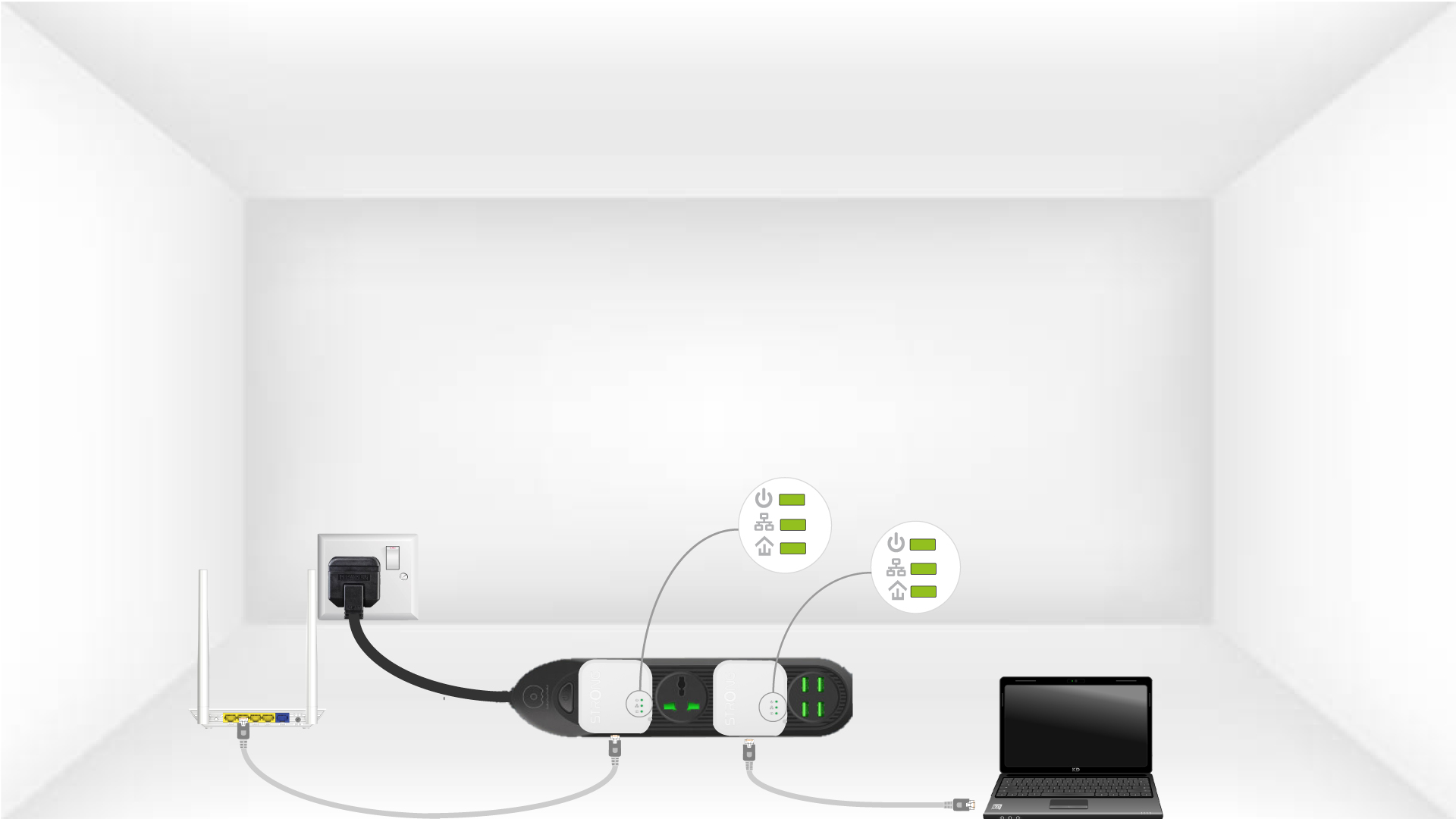
6Les adaptateurssont réinitialisés
À la fin des opérations, toutes les LED doivent être vertes.
Répétez la même opération pour une troisième « CPL ». Vous pouvez connecter jusqu’à huit « CPL 1000 Mini» sur le même circuit électrique.
Une fois tous les appareils appairés, vous pouvez les installer dans la pièce où vous en avez besoin.