Lot de trois CPL Wi-Fi
Aucun élément n'a été trouvé.
Aucun élément n'a été trouvé.
Toutes les questions
Aucun élément n'a été trouvé.
Aucun élément n'a été trouvé.
Le voyant LED représentant l'icône « Maison » est allumé sur l'adaptateur Wi-Fi, mais je n'arrive pas à me connecter au réseau Wi-Fi de l'CPL 500.
1. Connectez-vousau Wi-Fi
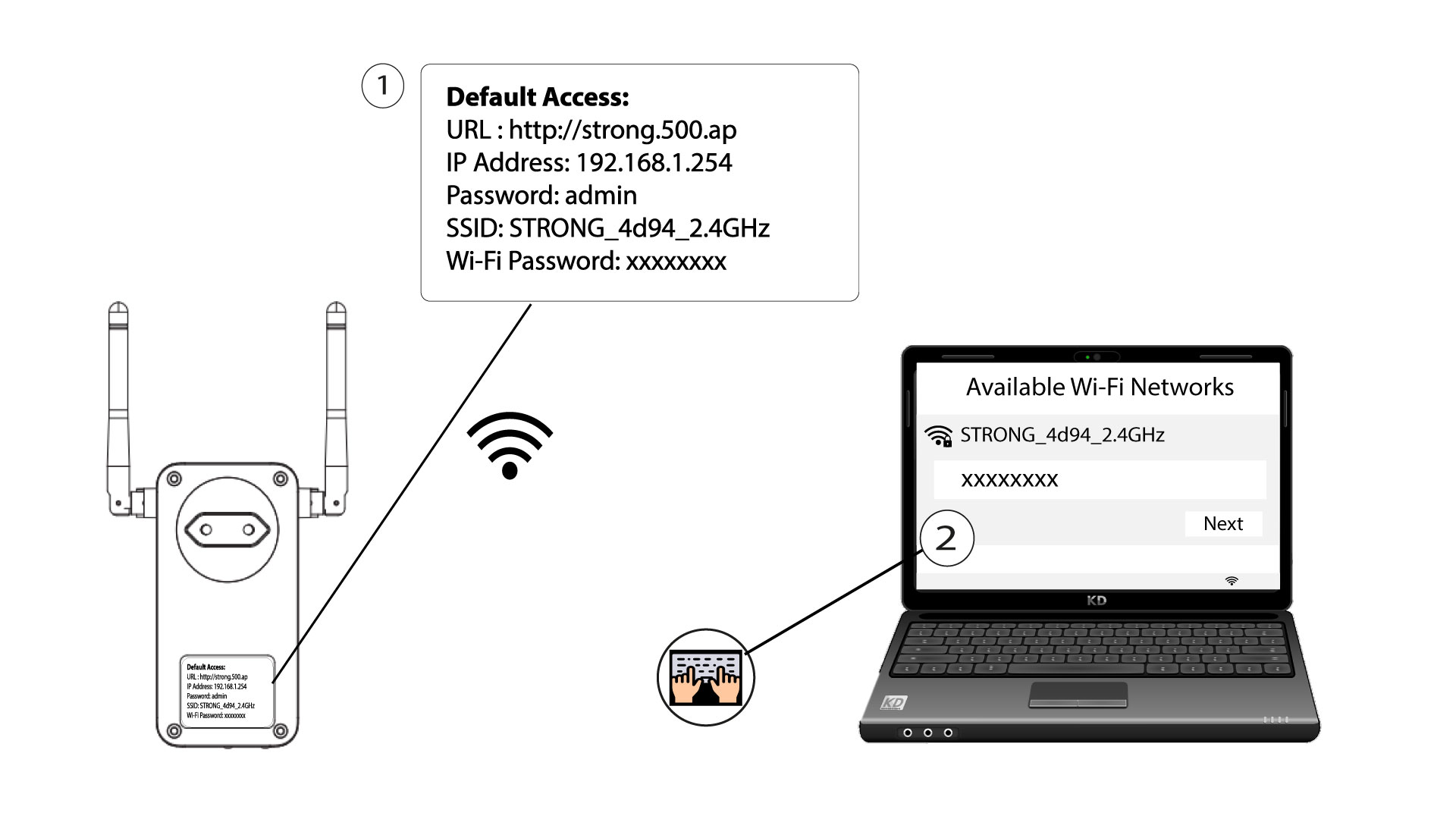
Pour vous connecter pour la première fois au réseau Wi-Fi de votre « CPL », vous devez vous connecter au SSID indiqué au dos de l'appareil et utiliser le mot de passe Wi-Fi également indiqué.
Veuillez noter que le « L » minuscule peut être confondu avec le « i » majuscule ; essayez donc les différentes possibilités.
2. Réinitialisezla carte Wi-Fi
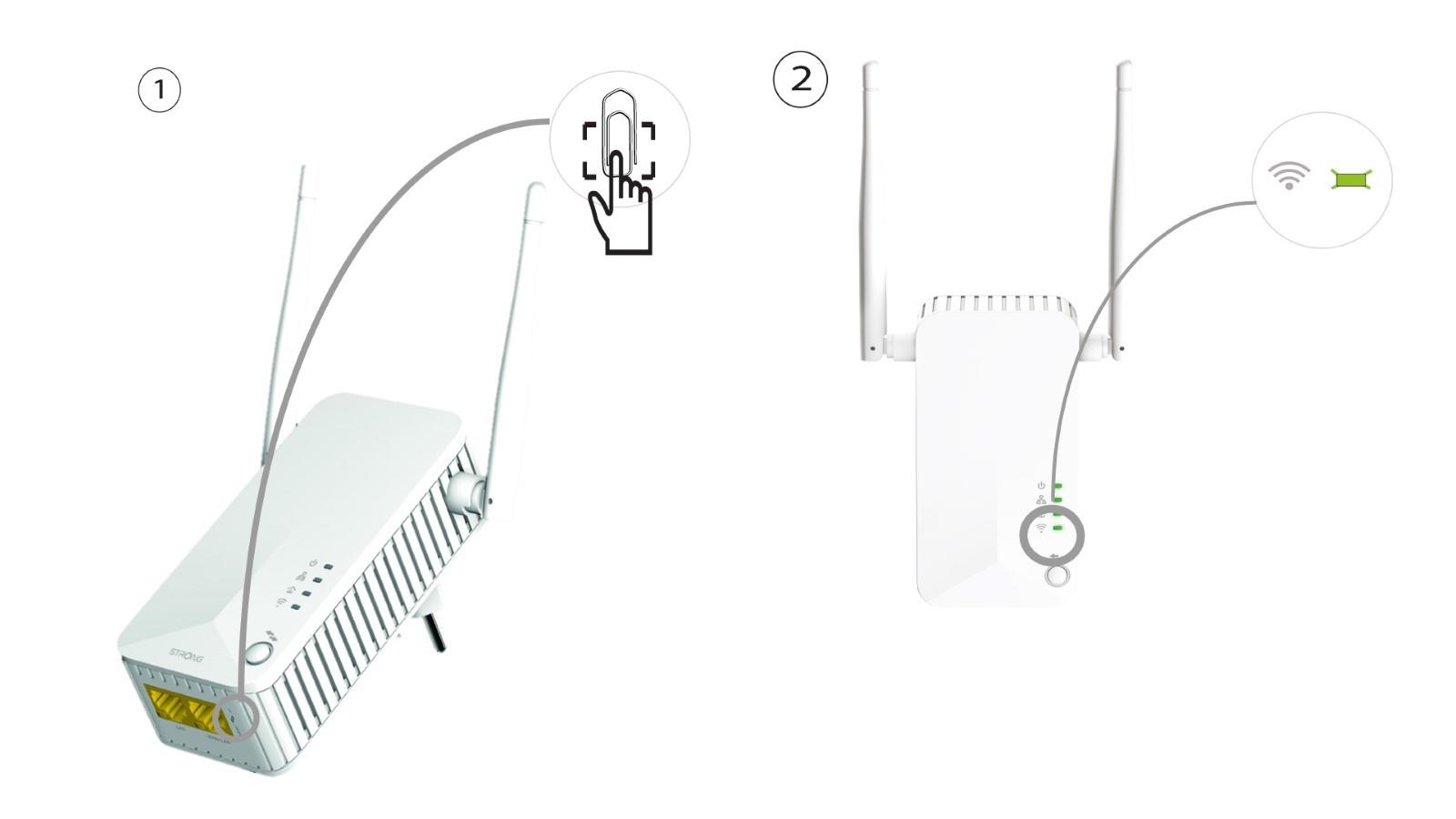
Si vous ne parvenez toujours pas à vous connecter au Wi-Fi de l'CPL e 500, veuillez réinitialiser le Wi-Fi de l'CPL en enfonçant un trombone dans l'orifice situé sous l'appareil jusqu'à ce que les voyants clignotent.