
Powerline 600 Duo Wi-Fi Mini UK
Sva pitanja
Powerline 600 Duo Wi-Fi Mini UK
Mogu li onemogućiti Wi-Fi funkciju Wi-Fi modula tako da radi kao jednostavni Powerline?
Da, moguće je onemogućiti Wi-Fi. Da biste to učinili, slijedite dolje navedene korake.
1. Spojite se na Powerline Wi-Fi mrežu
Spojite se na Wi-Fi mrežu Powerlinea.
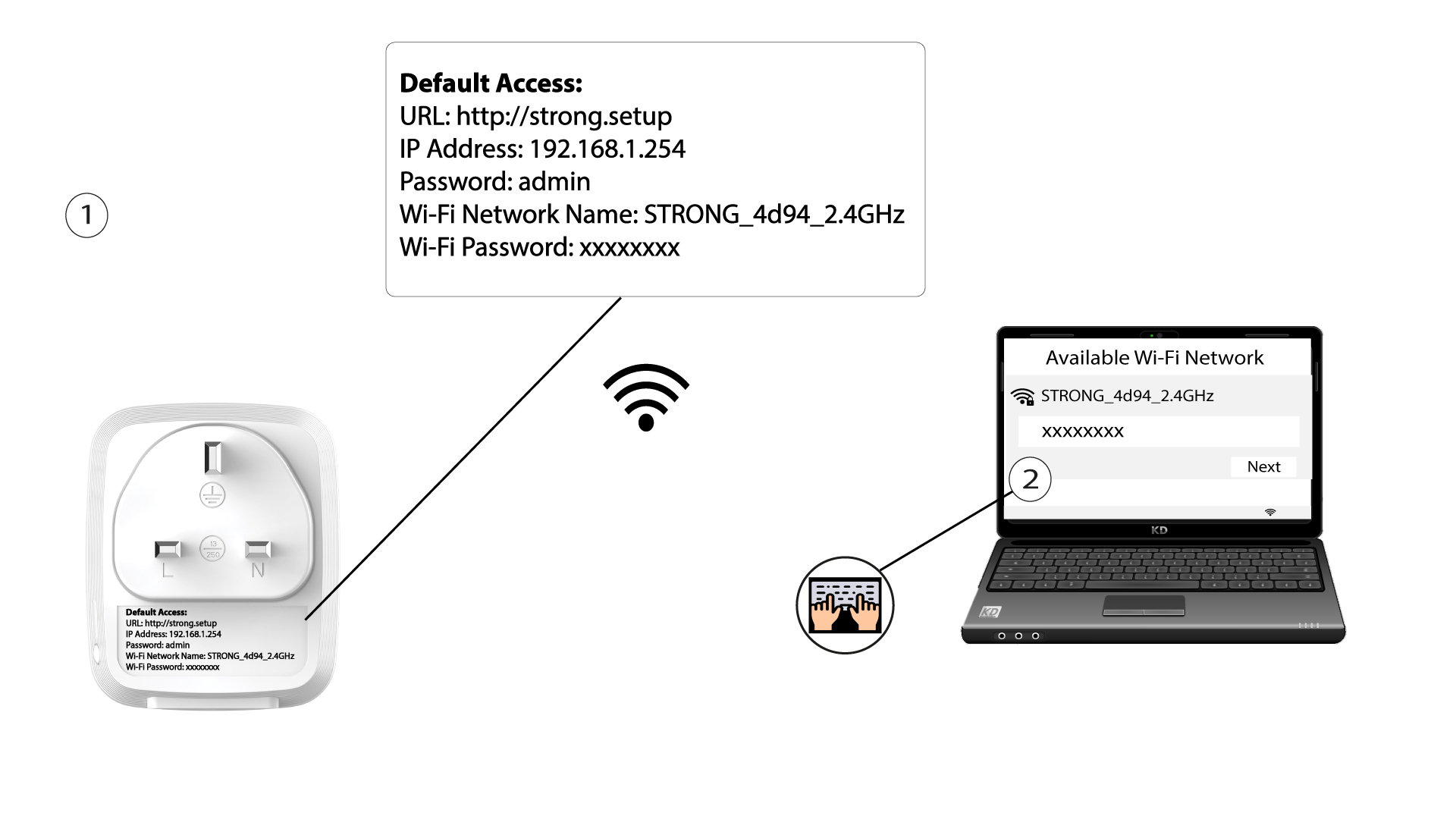
2. Pregledajte IP adresu web sučelja
Spojite se na korisničko sučelje Powerline Wi-Fi modula putem Wi-Fi-ja ili upisivanjem http://strong.setup u adresnu traku vašeg internetskog preglednika, sučelje bi se trebalo pojaviti.

3 Unesite svoje vjerodajnice
Nakon što ste na početnoj stranici, unesite lozinku: admin

4 Postavke WLAN-a
Kliknite postavke WLAN- a, a zatim odaberite Osnovne postavke .

5 Deaktivirajte Wi-Fi
Poništite odabir okvira Omogući u retku Bežično, prema vašim potrebama, i kliknite Spremi .


Imajte na umu da ćete se za ponovnu aktivaciju Wi-Fi mreže putem korisničkog sučelja modula morati spojiti putem RJ45 kabela. Drugo rješenje za ponovnu aktivaciju Wi-Fi mreže je resetiranje Powerline Wi-Fi mreže pomoću spajalice dok LED diode ne počnu treperiti. Svi uređaji koji su bili spojeni na Wi-Fi mrežu automatski će se isključiti.