ATRIA Wi-Fi 5 Mesh Sustav 2100 (pakiranje od 2 komada)
Nema pronađenih stavki.
Nema pronađenih stavki.
Sva pitanja
ATRIA Wi-Fi 5 Mesh Sustav 2100 (pakiranje od 2 komada)
Nema pronađenih stavki.
Nema pronađenih stavki.
Kako mogu pristupiti web sučelju različitih Mesh jedinice?
1 Priključak na Wi-Fi
Da biste to učinili, unesite SSID (naziv Wi-Fi mreže) i lozinku za Wi-Fi usmjerivač u svoj uređaj:

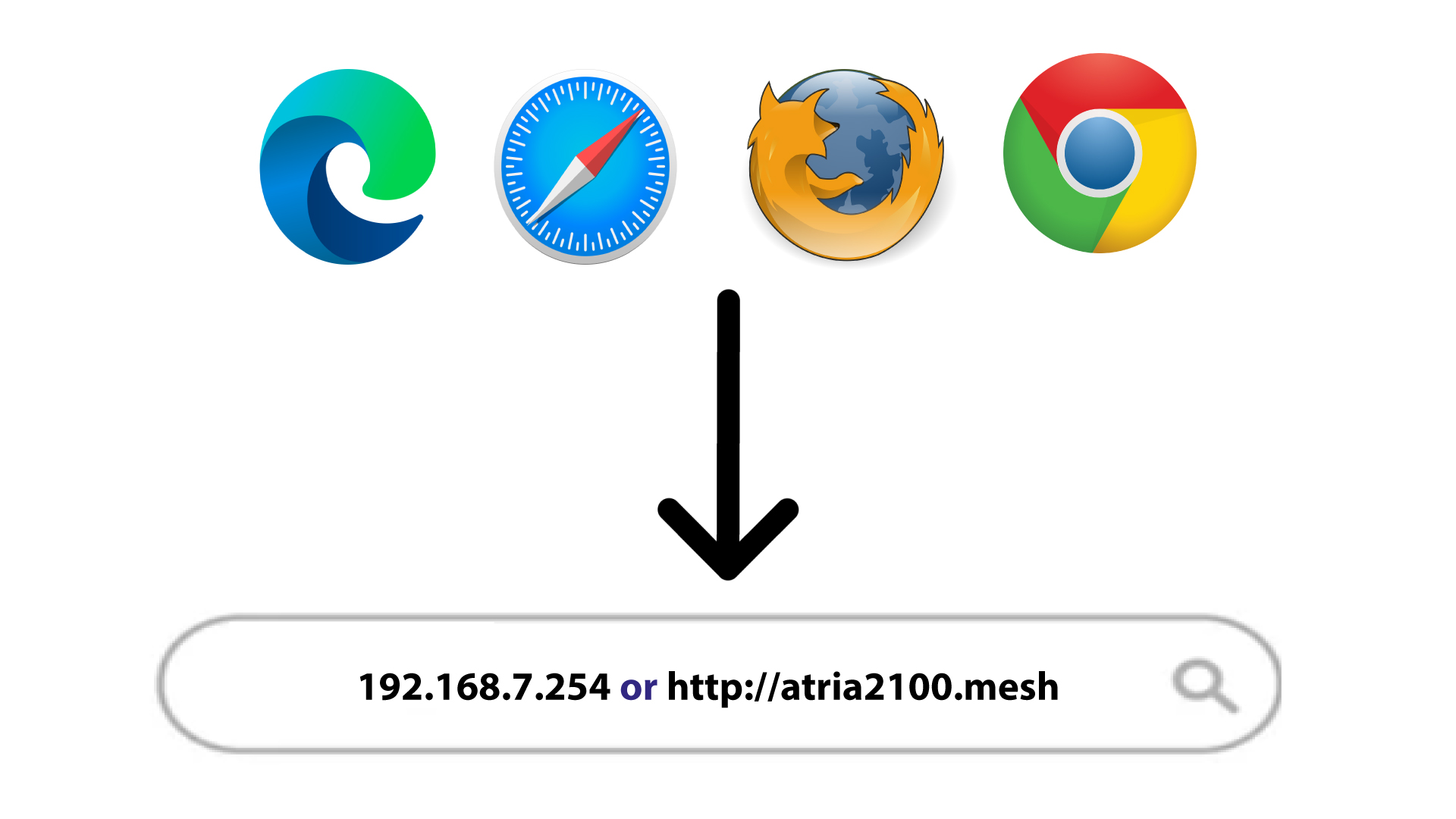
2 IP adresa web sučelja u pregledniku
Zatim u preglednik unesite sljedeću IP adresu: 192.168.7.254 ili upišite sljedeću adresu: http: mesh
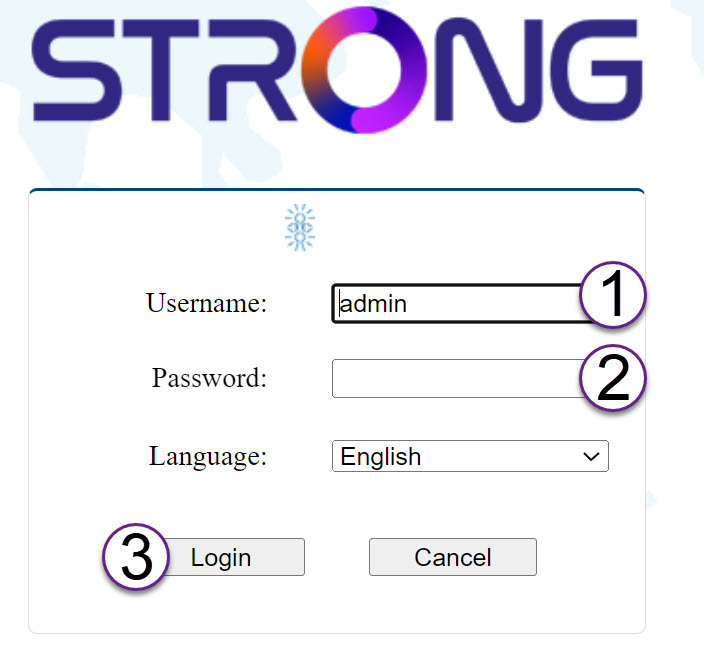
3 vjerodajnice
Morate unijeti korisničko ime (admin) i lozinku (admin) (imajte na umu da ćete nakon prvog povezivanja kreirati svoju osobnu administratorsku lozinku, što znači da lozinka napisana na naljepnici proizvoda više neće raditi).
Zatim kliknite Prijava .
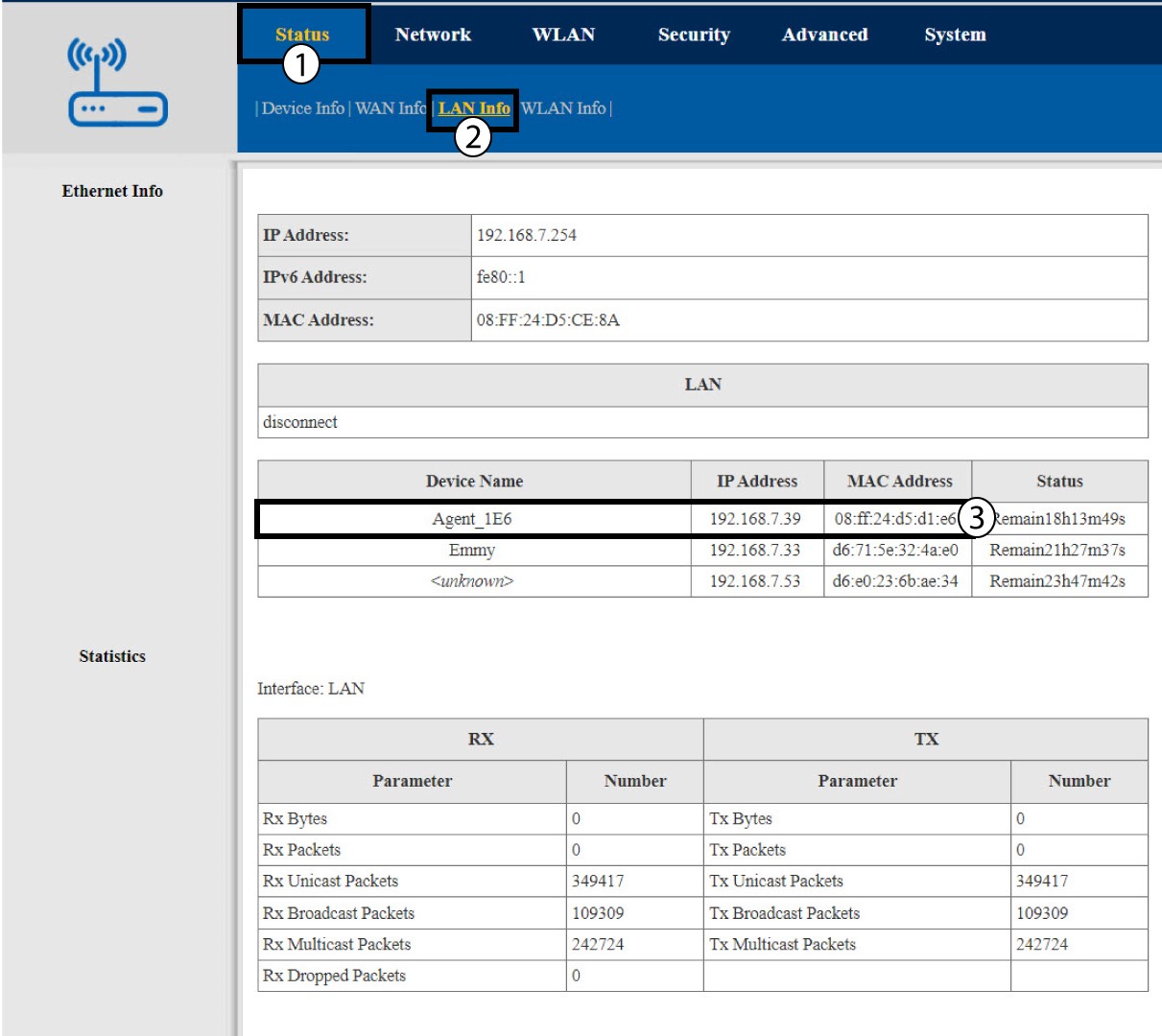
4 Informacije o lokalnoj mreži
Kliknite Status i LAN informacije . Zatim u informacijama o povezanom uređaju potražite IP adresu dodatnog mesh jedinice koje se zovu Agent xxxx .