
Powerline 1000 Duo Wi-Fi Mini UK
Sva pitanja
Powerline 1000 Duo Wi-Fi Mini UK
Kako mogu promijeniti SSID naziv i lozinku za Powerline 1000 Wi-Fi mrežu?
1. Spojite se na Wi-Fi mrežu električne mreže
Povežite se s Wi-Fi mrežom uređaja Powerline 1000 Wi-Fi Mini.
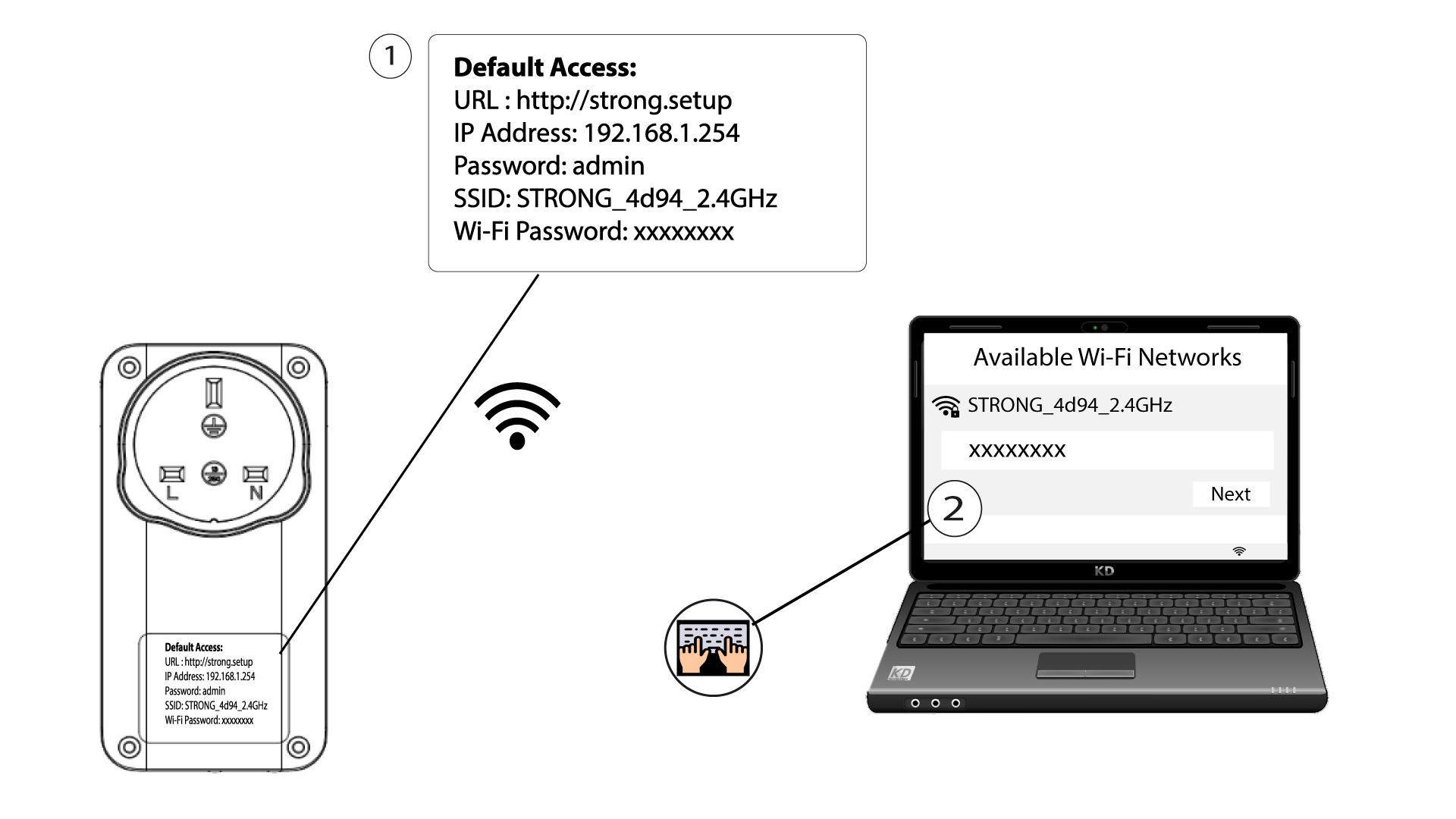
2. Pregledajte IP adresu web sučelja
Pristupite korisničkom sučelju unosom URL-a: http://strong.setup u adresnu traku vašeg internetskog preglednika.

3 Unesite svoje vjerodajnice
Zatim upišite lozinku: admin

4 Brzo postavljanje
Idite u izbornik, odaberite Brzo postavljanje , zatim kliknite Pristupna točka (AP) i kliknite DALJE .

5 Unesite nove podatke o mreži
Uredite SSID i lozinku. Prilikom definiranja nove lozinke izbjegavajte korištenje velikog slova I i malog slova l jer se lako mogu zamijeniti. Također vam savjetujemo da stvorite lozinku koja se sastoji od naizmjeničnih velikih slova, malih slova i brojeva. Kada završite s uređivanjem, kliknite DALJE za spremanje.

6 Zapišite nove podatke o mreži
Zapišite novi SSID i lozinku na papir, a zatim ponovno spojite sve svoje uređaje na Powerline 1000 Wi-Fi Mini koristeći nove postavke.
