
Atrija Mesh ekstender trio 1200 UK
Nema pronađenih stavki.
Nema pronađenih stavki.
Sva pitanja
Atrija Mesh ekstender trio 1200 UK
Nema pronađenih stavki.
Nema pronađenih stavki.
Kako mogu promijeniti SSID (naziv Wi-Fi mreže) i lozinku svoje Wi-Fi mreže mesh mreža? (SLUČAJ 1: Aplikacija)
Kako mogu promijeniti SSID (naziv Wi-Fi mreže) i lozinku svoje Wi-Fi mreže mesh mreža? (SLUČAJ 1: Web korisničko sučelje)
1 Pristup aplikaciji
Za povezivanje s aplikacijom, molimo pogledajte ovaj postupak: Kako se koristi aplikacija Atria Mesh ?
2 Wi-Fi postavke
Kliknite na Postavke Wi-Fi-ja .

3. Promijenite podatke o Wi-Fi mreži
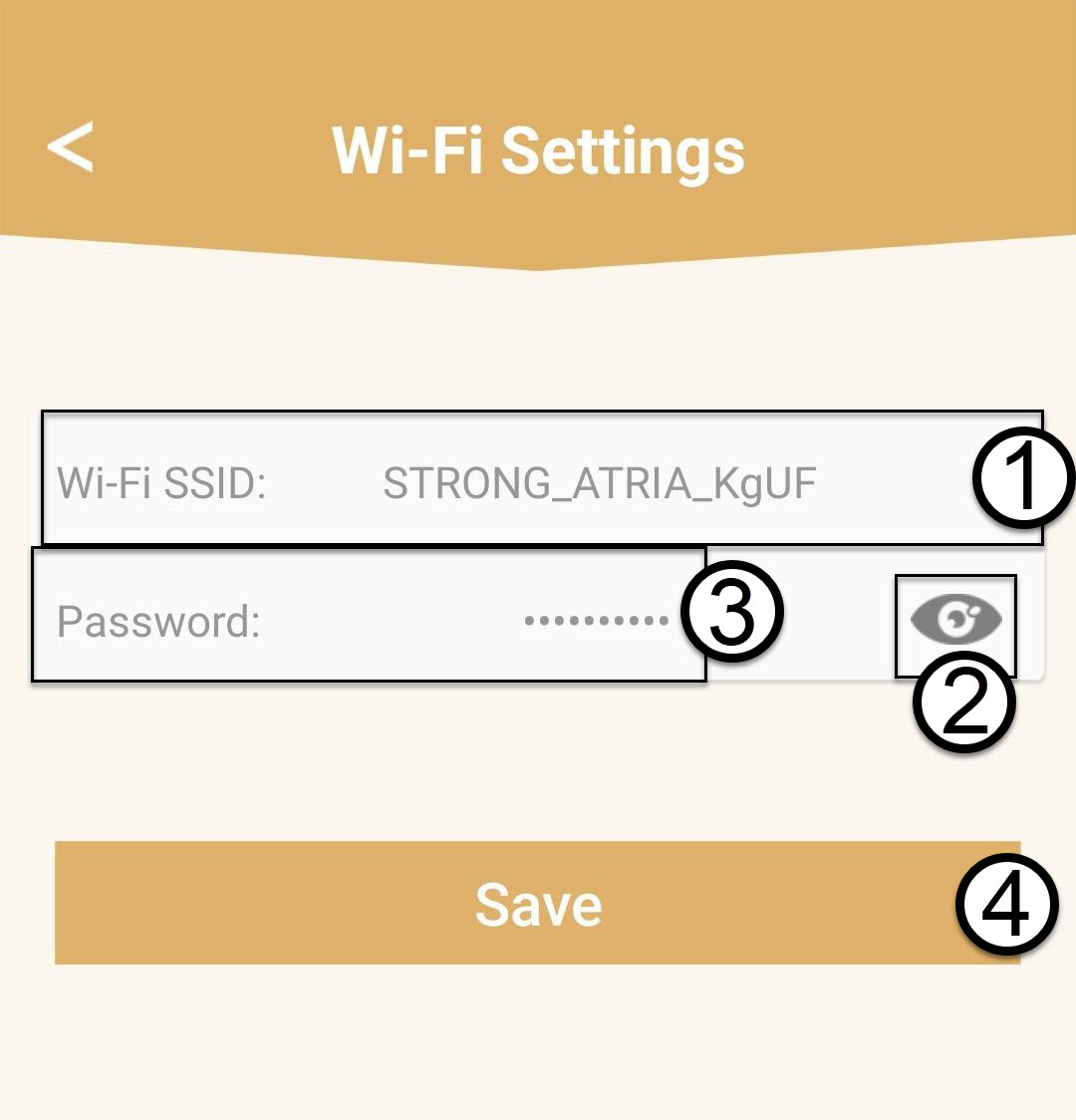
Unesite novi SSID Wi-Fi i kliknite ikonu oka za prikaz lozinke te je prije toga promijenite.
klikom na Spremi .
Imajte na umu da morate unijeti lozinku duljine između 8 i 32 znaka koja sadrži velika slova, mala slova, broj i barem jedan poseban znak (@, $, !, %, *, ?, &)
4 Zapišite nove podatke o mreži
Zapišite nove podatke o mreži na komad papira.
