
ATRIJ Mesh ekstender kit 1200 UK
Nema pronađenih stavki.
Nema pronađenih stavki.
Sva pitanja
ATRIJ Mesh ekstender kit 1200 UK
Nema pronađenih stavki.
Nema pronađenih stavki.
Kako mogu promijeniti SSID (naziv Wi-Fi mreže) i lozinku svoje Wi-Fi mreže mesh mreža? (SLUČAJ 1: Web korisničko sučelje)
1 Pristup web sučelju
Za spajanje na web sučelje, molimo pogledajte ovaj postupak: Kako pristupiti web sučelju?
2 Wi-Fi postavke
Kliknite na Wi-Fi u lijevoj traci.
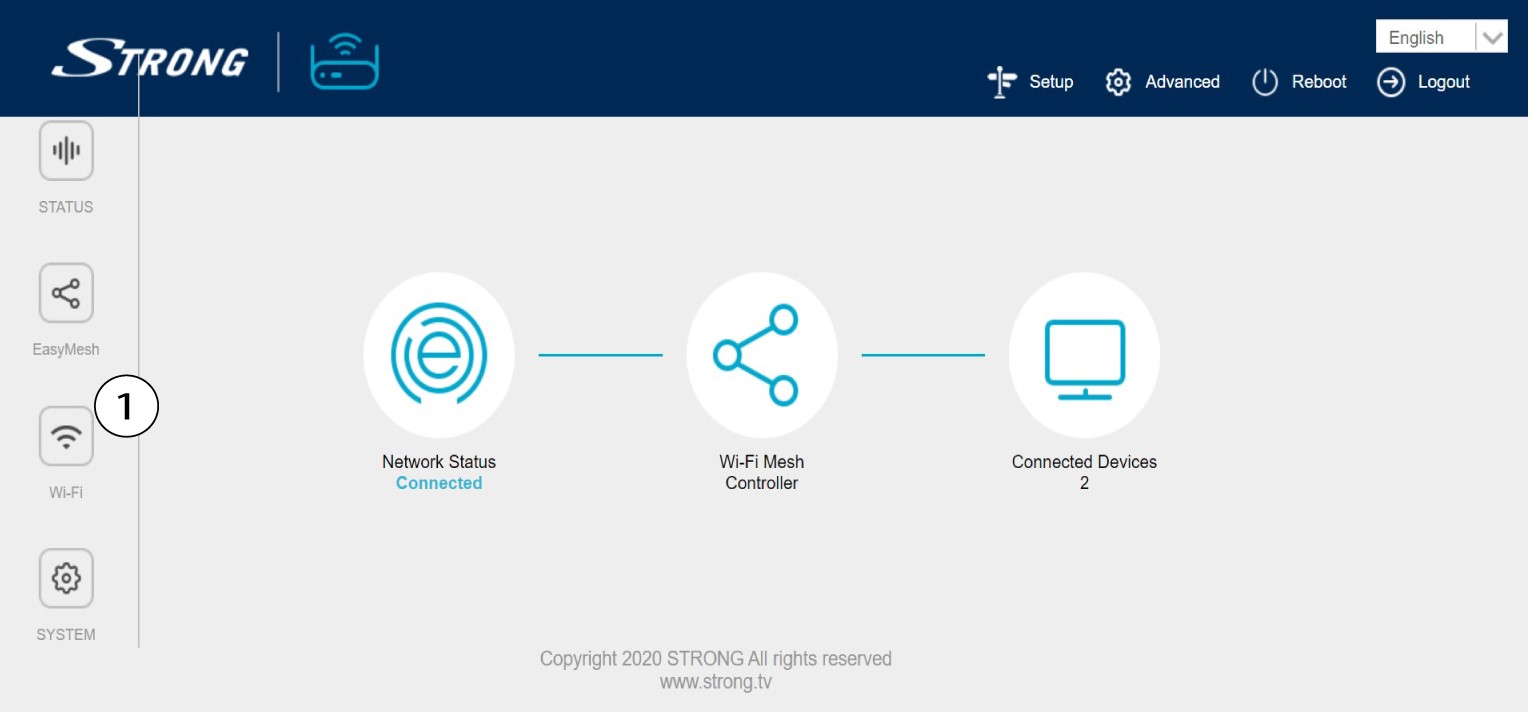
3. Promijenite podatke o Wi-Fi mreži
Kliknite 5 G WLAN ili 2.4 G WLAN . Zatim unesite sljedeće podatke prije nego što kliknete Primijeni :
o SSID : Unesite novi naziv mreže
o Wi-Fi ključ: Unesite novu lozinku. (označite okvir za prikaz kako biste potvrdili da ste ispravno upisali
lozinka koju ste željeli)
Imajte na umu da morate unijeti lozinku duljine između 8 i 32 znaka koja sadrži velika slova, mala slova, broj i barem jedan poseban znak (@, $, !, %, *, ?, &)

4 Zapišite nove podatke o mreži
Zapišite nove podatke o mreži na komad papira.
