
Dvopojasni repetitor 750 UK V2
Nema pronađenih stavki.
Nema pronađenih stavki.
Sva pitanja
Dvopojasni repetitor 750 UK V2
Nema pronađenih stavki.
Nema pronađenih stavki.
Kako konfigurirati repetitor kao pristupnu točku?
SAVJETI: Prije konfiguriranja repetitora, provjerite sljedeći postupak kako biste odredili lokaciju repetitora: Koja je najbolja lokacija za moj repetitor?
1. Spojite se na web sučelje
Za povezivanje s web-sučeljem slijedite jedan od dolje navedenih postupaka:
- Kako se mogu spojiti na web sučelje repetitora? (RJ45 kabel)
- Kako se mogu spojiti na web sučelje repetitora? (Wi-Fi)
2 Odaberite način rada pristupne točke
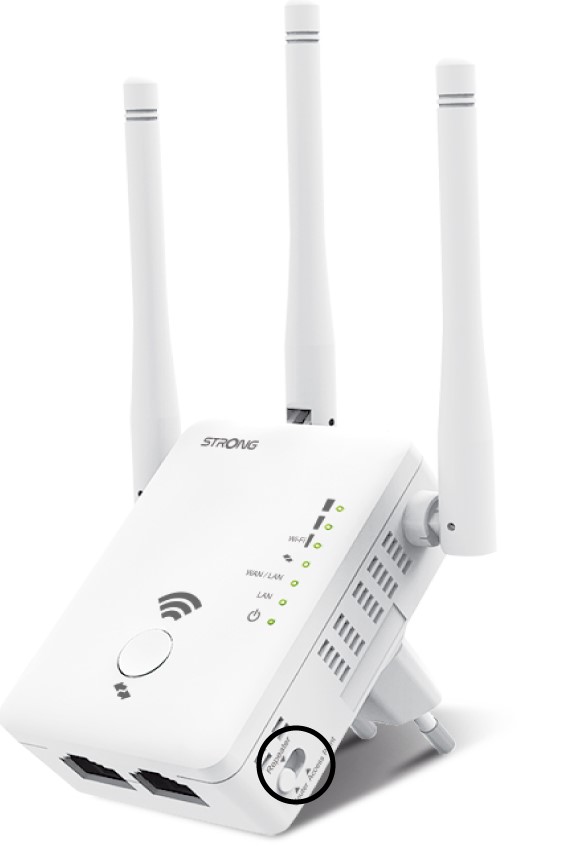
U načinu rada switch koji se nalazi s desne strane repetitora, odaberite položaj pristupne točke.
3 Čarobnjak za pristupnu točku
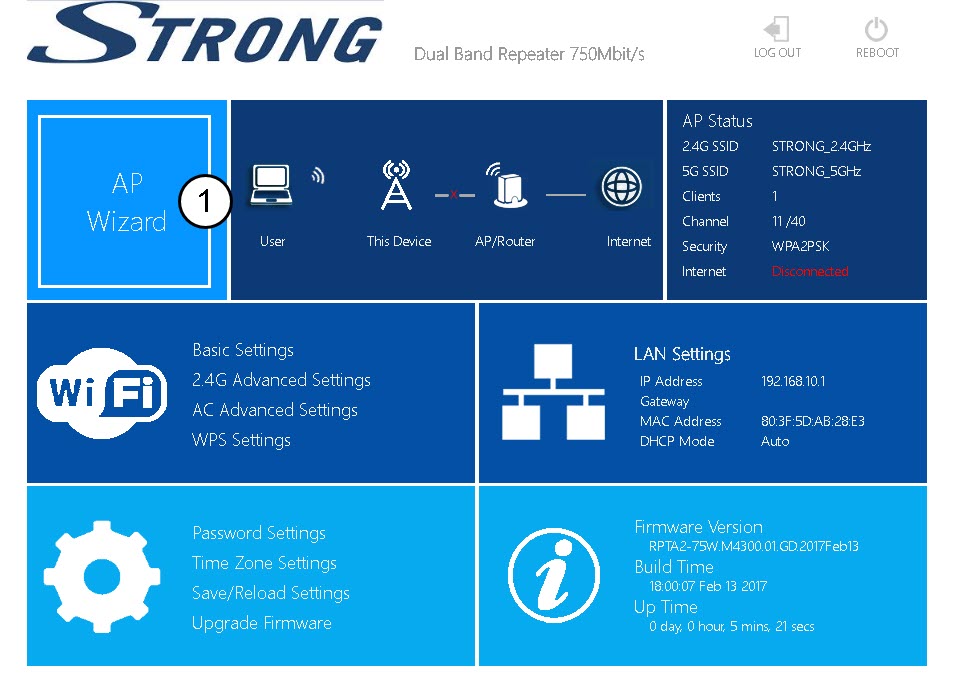
Kliknite Čarobnjak za pristupnu točku.
4 Postavljanje pristupne točke
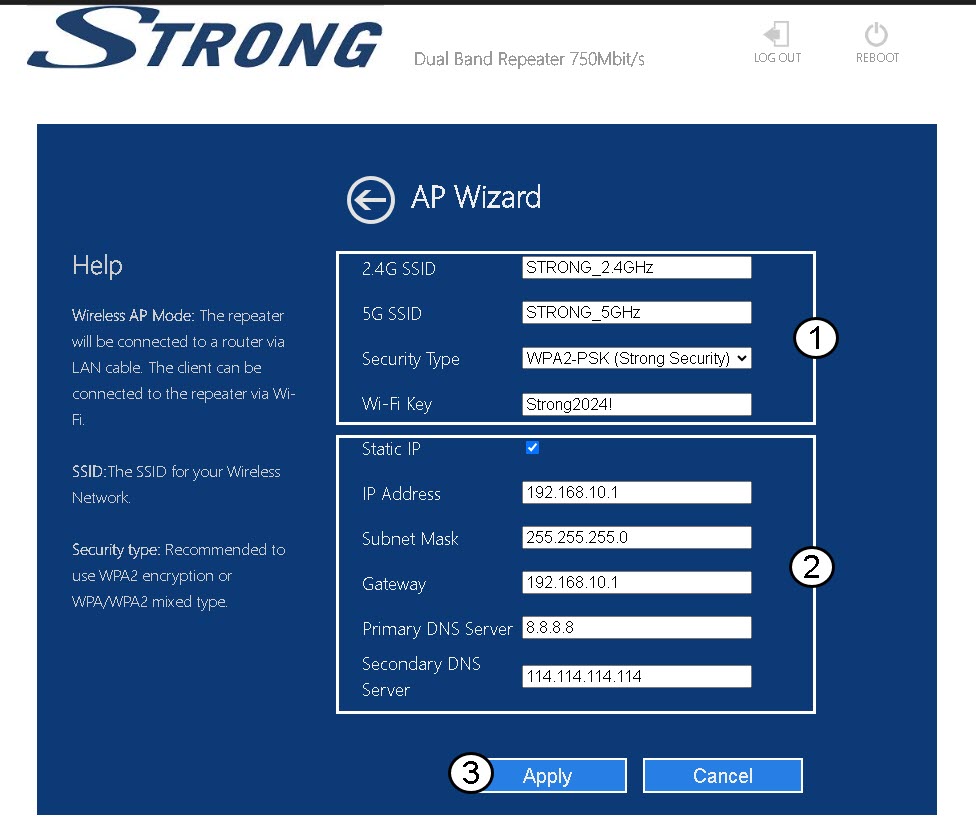
Odaberite opciju Statička IP adresa za konfiguraciju mreže . Unesite naziv za svaki SSID i odaberite vrstu sigurnosti svoje mreže. Preporučujemo korištenje opcije WPA2-PSK . Kliknite Primijeni za potvrdu .
SAVJETI: Moći ćete se povezati s web sučeljem pomoću IP adrese repetitora .
5 Pričekajte tijekom konfiguracije
Molimo pričekajte dok se repetitor konfigurira.
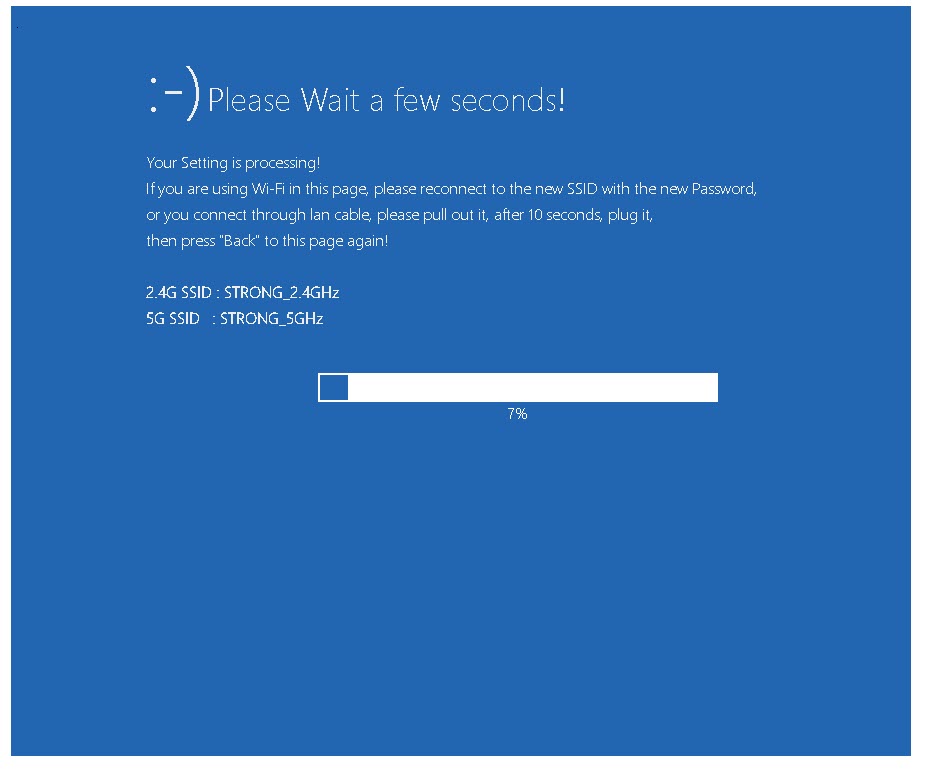

Upozorenje: Zapišite lozinke i nazive Wi-Fi mreža.