Univerzalni repetitor 300S
Nema pronađenih stavki.
Nema pronađenih stavki.
Sva pitanja
Univerzalni repetitor 300S
Nema pronađenih stavki.
Nema pronađenih stavki.
Kako ažuriram firmware repetitora?
1. Posjetite odjeljak za preuzimanje na https://www.strong-eu.com/
Prije ažuriranja morate posjetiti odjeljak za preuzimanje na našoj web stranici kako biste vidjeli je li dostupna nova verzija softvera.
2 Preuzmi
Za pristup preuzimanjima kliknite Pomoć i Preuzimanje u gornjoj traci i njezinom podmeniju.

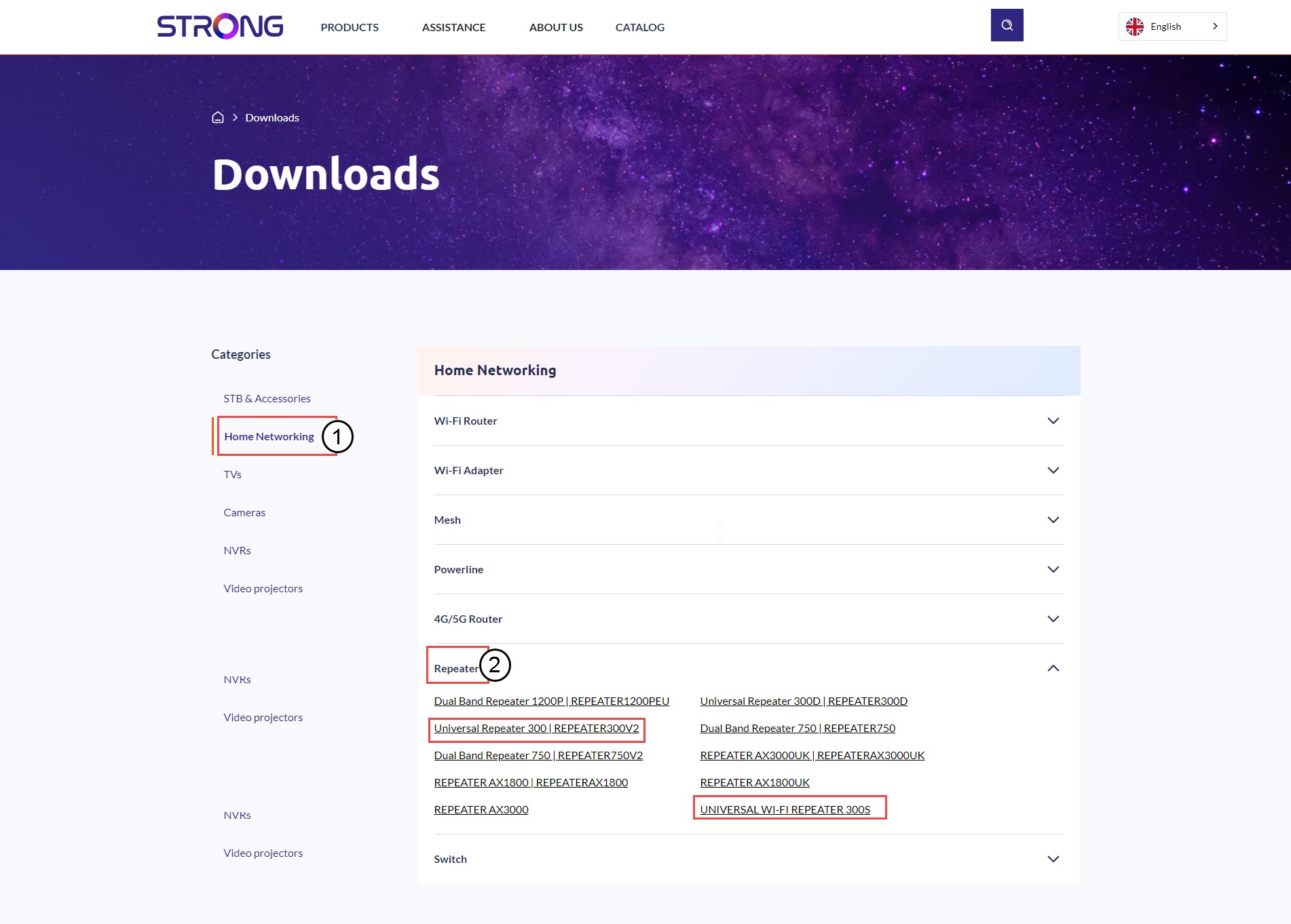
3 Odaberite referencu proizvoda
Nakon što ste pregledali stranicu Preuzimanja, kliknite Kućne mreže i repetitor i kliknite referencu proizvoda.
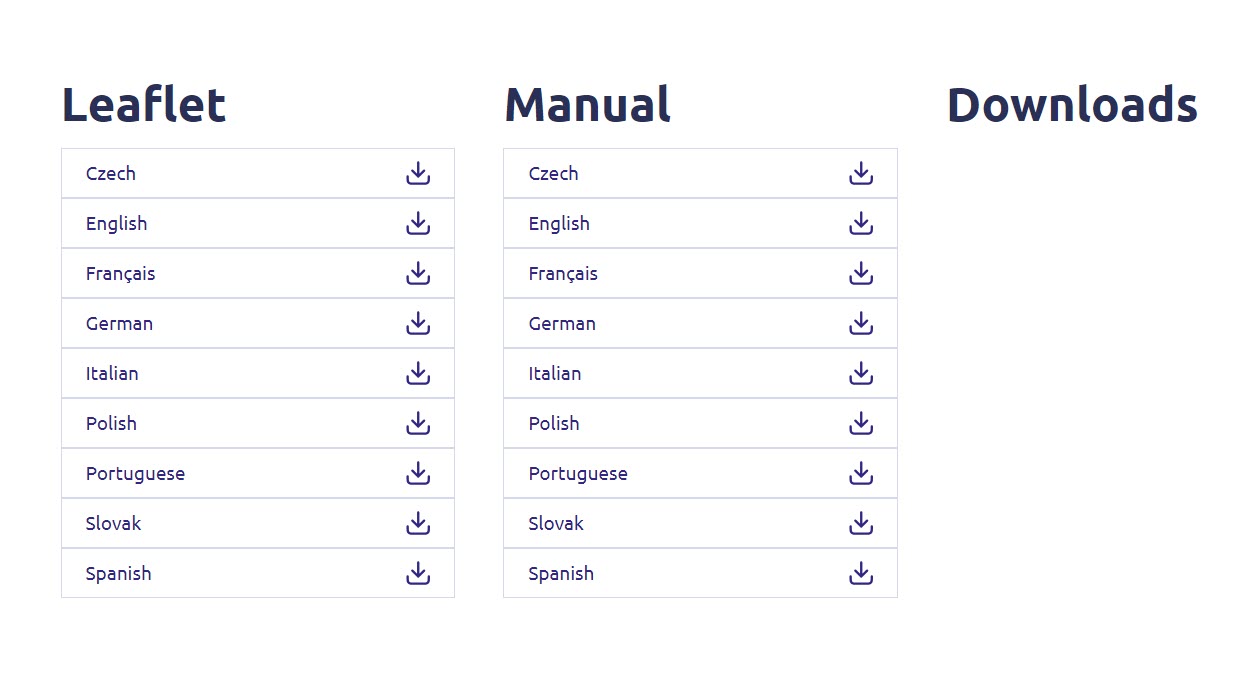
4. Odjeljak firmvera
Na donjoj stranici pronaći ćete novu verziju softvera u odjeljku firmvera.
Ako na stranici za preuzimanje ne vidite odjeljak s firmverom, to znači da nema dostupne nove verzije softvera.
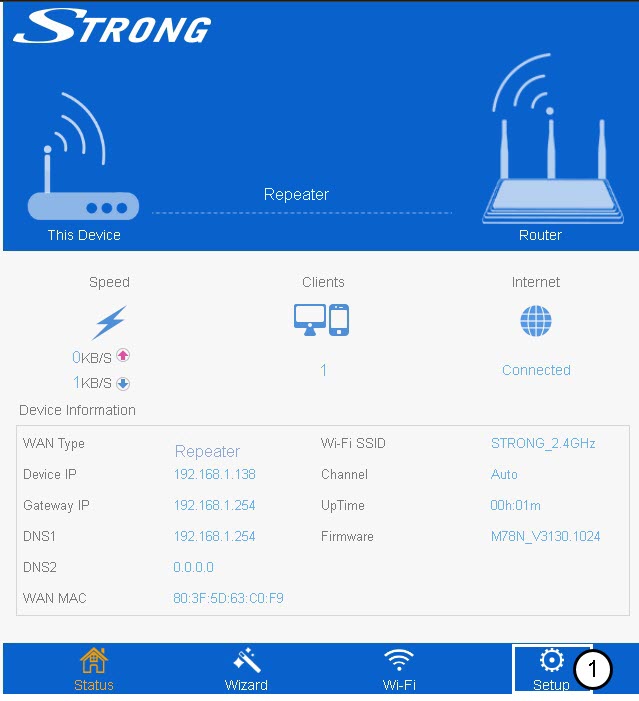
5. Spojite se na web sučelje
Slijedite ovaj postupak za povezivanje s web-sučeljem.
6 Postavljanje
Kliknite Postavi .
7 Nadogradnja firmvera
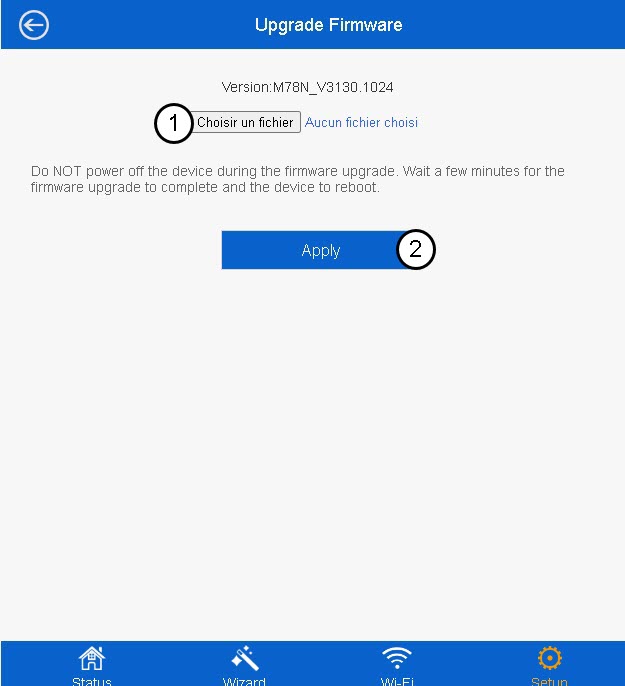
Kliknite Nadogradi firmver.
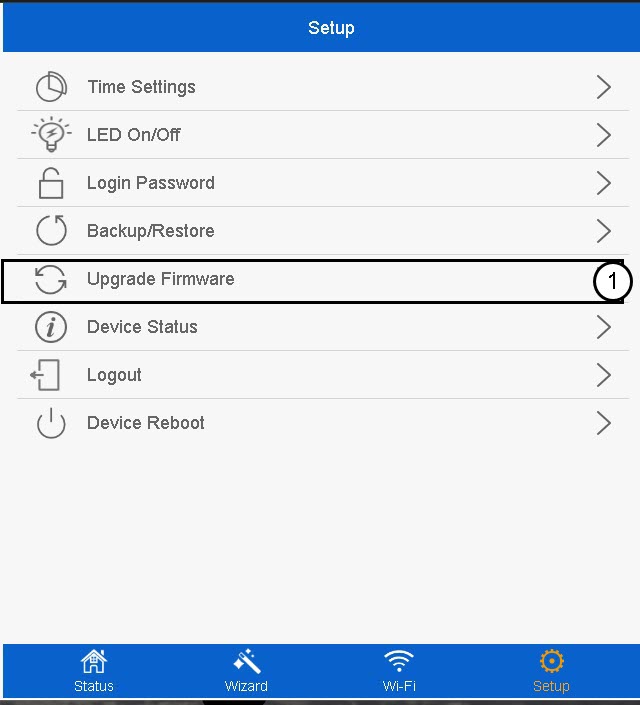
8 Odaberite datoteku firmvera
Odaberite datoteku firmvera na svom uređaju i kliknite Primijeni .