CPL 600 Duo Wi-Fi FR V2
Sva pitanja
CPL 600 Duo Wi-Fi FR V2
Zašto moj 2,4 GHz Wi-Fi ima prekide i kako promjena kanala na 1, 6 ili 11 može pomoći?
Zašto moj 2,4 GHz Wi-Fi ima prekide i kako promjena kanala na 1, 6 ili 11 može pomoći?
Kako biste smanjili smetnje, preporučujemo promjenu WiFi kanala na 1, 6 ili 11. Ovi kanali su dovoljno udaljeni kako bi se izbjeglo preklapanje, što smanjuje mogućnost smetnji od drugih mreža i uređaja koji rade u blizini. Odabirom jednog od ovih kanala možete poboljšati stabilnost i performanse svoje WiFi veze.
Za promjenu kanala, pristupite postavkama svog Powerline Wi-Fi uređaja putem njegovog web sučelja. Potražite odjeljak WLAN postavke > Osnovne postavke, odaberite Kanal 1, 6 ili 11.
1. Povežite se s Wi-Fi mrežom
Da biste to učinili, unesite SSID i lozinku usmjerivača u svoj uređaj.

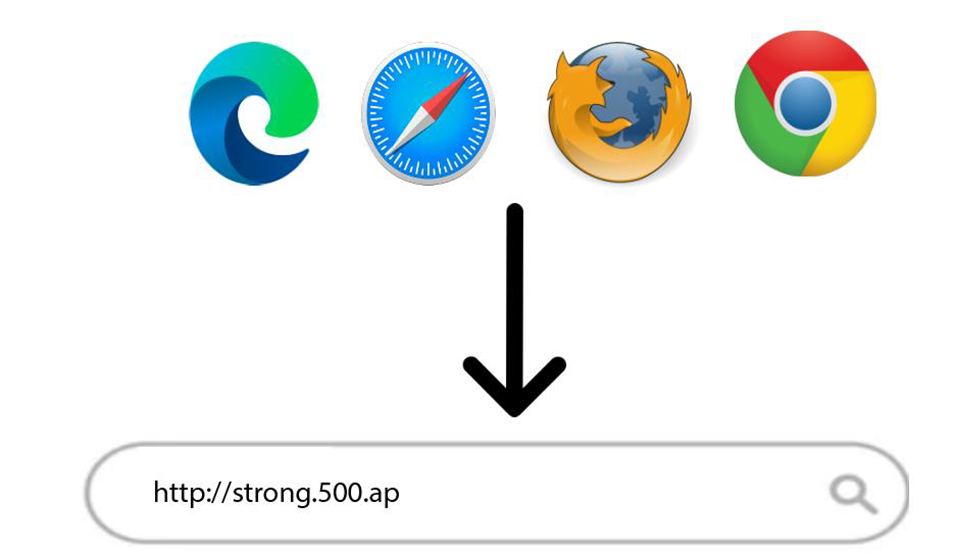
2 Unesite IP adresu web sučelja
Zatim unesite sljedeću IP adresu u svoj preglednik: http://strong.500.ap
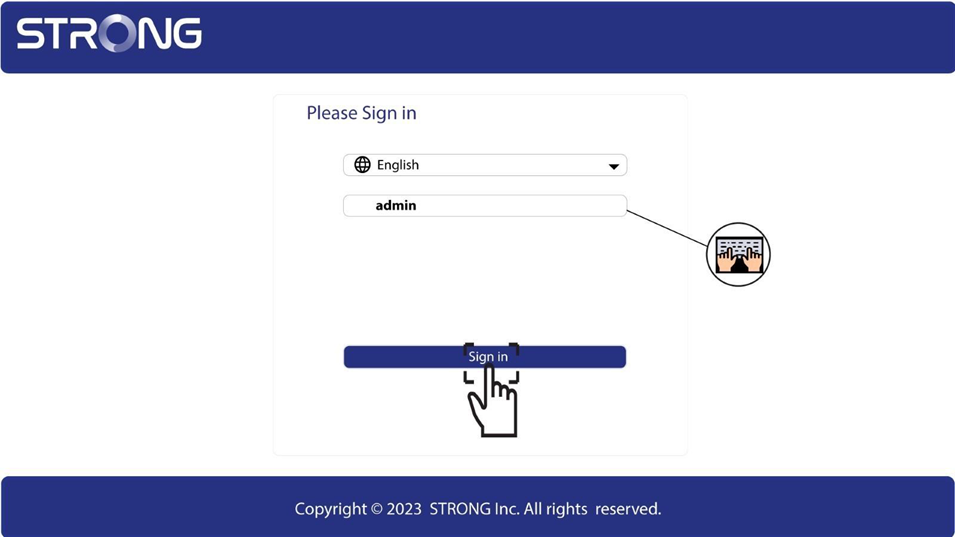
3 Stranica za prijavu
Nakon što ste pregledali IP adresu, kliknite , morate unijeti korisničko ime (admin). Zatim kliknite Prijava .
4 Postavke WLAN-a
Kliknite na WLAN postavke i Osnovne postavke.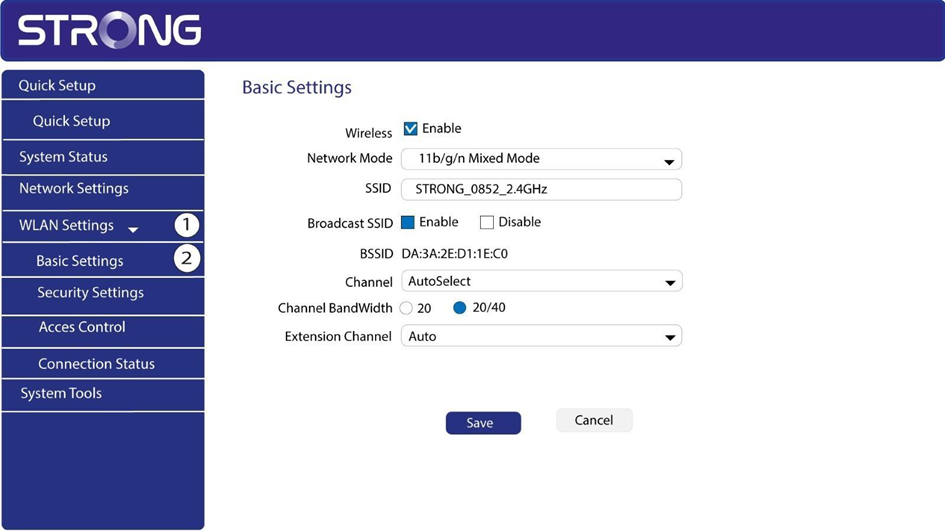
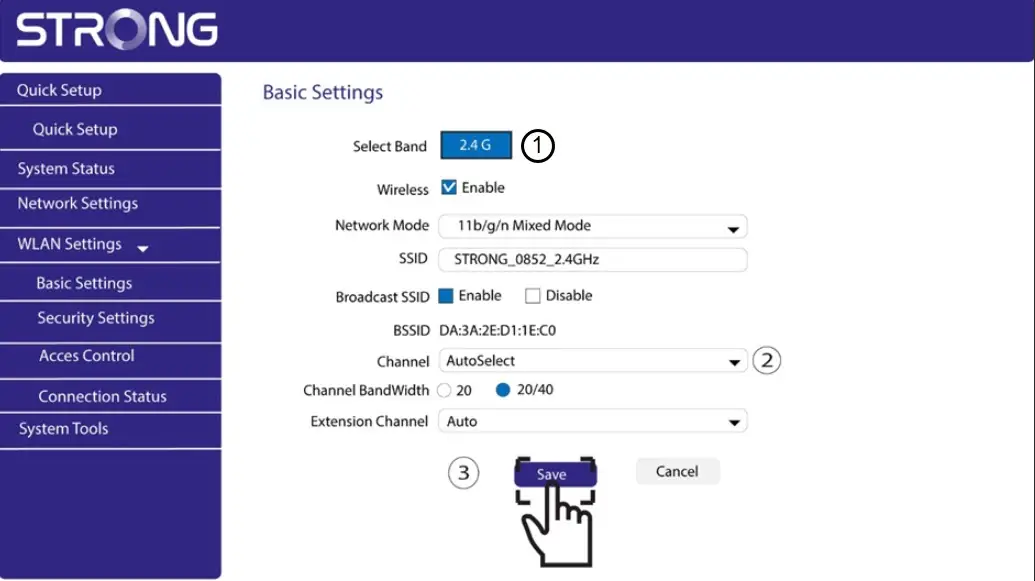
5 Odaberite mrežni opseg
Odaberite mrežni opseg između 2.4G . Zatim odaberite kanal s padajućeg popisa (1, 6 ili 11) i kliknite Spremi.