ATRIA Wi-Fi 5 Mesh 2100 (2 db-os csomag)
Nem találtunk tárgyakat.
Nem találtunk tárgyakat.
Minden kérdés
ATRIA Wi-Fi 5 Mesh 2100 (2 db-os csomag)
Nem találtunk tárgyakat.
Nem találtunk tárgyakat.
Hogyan érhetem el a különböző „ Mesh ” egységek webes felhasználói felületét?
1. Csatlakozása Wi-Fi-hez
Ehhez írja be a készülékébe az útválasztó SSID-jét (Wi-Fi-hálózat nevét) és a Wi-Fi-jelszavát:

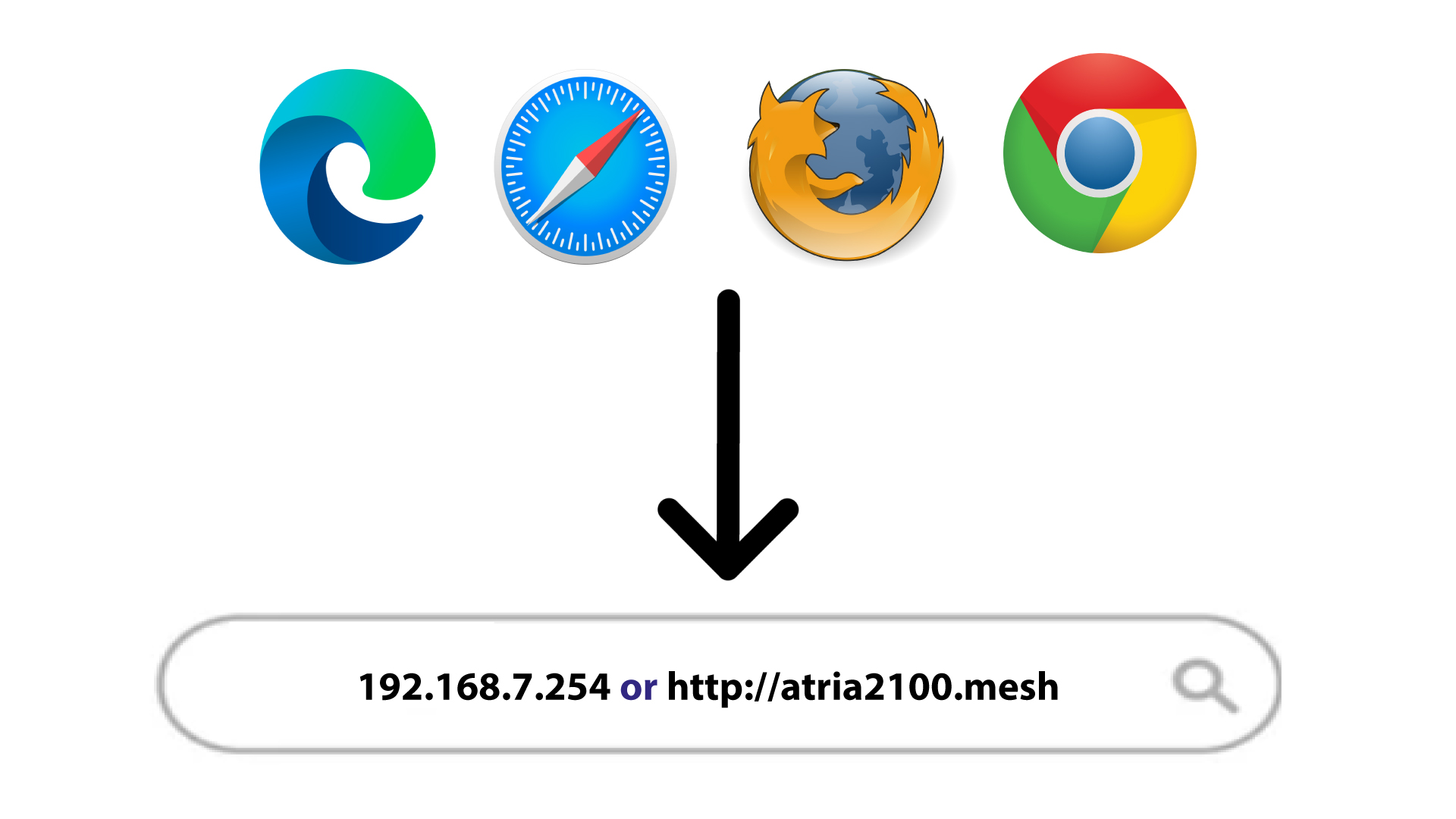
2.A böngészőben megjelenő webes felhasználói felület IP-címe
Ezután írja be a böngészőjébe a következő IP-címet: 192.168.7.254, vagy írja be a következő címet: http://atria2100.mesh
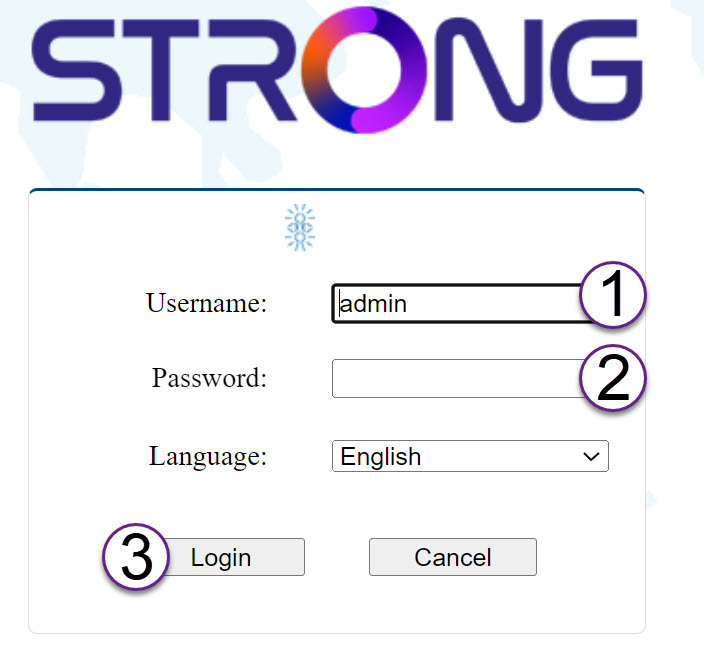
3. Hitelesítő adatok
Be kell írnia a felhasználónevet (admin) és a jelszót (admin) (kérjük, vegye figyelembe, hogy az első bejelentkezés után létrehozza a saját rendszergazdai jelszavát, ami azt jelenti, hogy a termék címkéjén szereplő jelszó többé nem lesz érvényes).
Ezután kattintson a „Bejelentkezés” gombra.
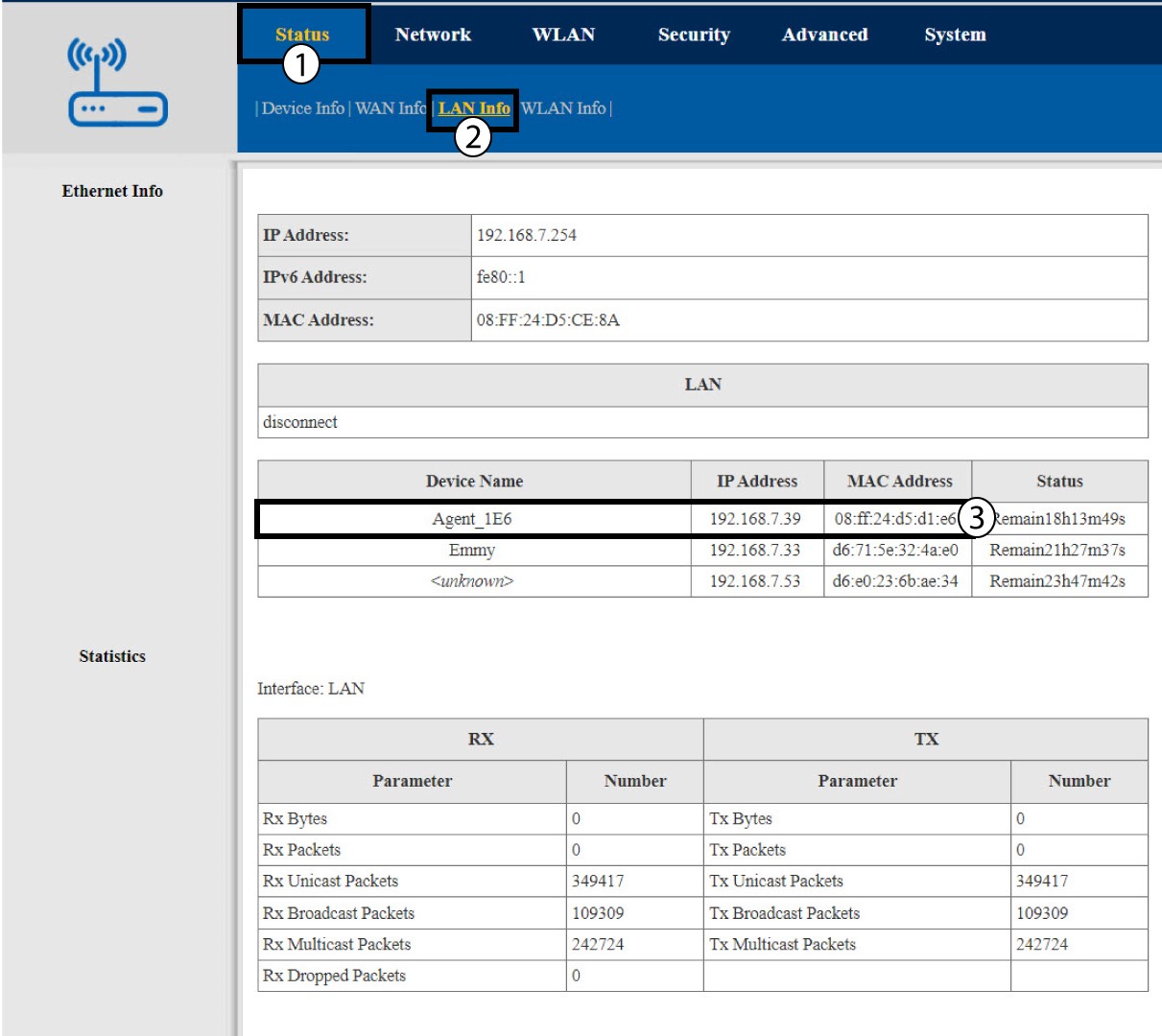
4LANinformációk
Kattintson az „Állapot” és a „LAN-adatok” elemre. Ezután a csatlakoztatott eszközök adatai között keresse meg az „Agent xxxx” néven szereplő további mesh egységek IP-címét.