
ATRIA Wi-Fi 5 Mesh 2100 (2 db-os csomag)
Minden kérdés
ATRIA Wi-Fi 5 Mesh 2100 (2 db-os csomag)
Hogyan frissíthetem az „ Mesh ” készülék firmware-jét?
Az „ mesh ” egység szoftverének frissítéséhez csatlakoznia kell a webes felhasználói felülethez.

Figyelem: Először a mesh ügynököket (az internetes útválasztóhoz nem csatlakozó egységeket) kell frissítenie, majd az mesh vezérlőt (mesh , amely RJ45-kábelen keresztül csatlakozik az internetes útválasztóhoz).
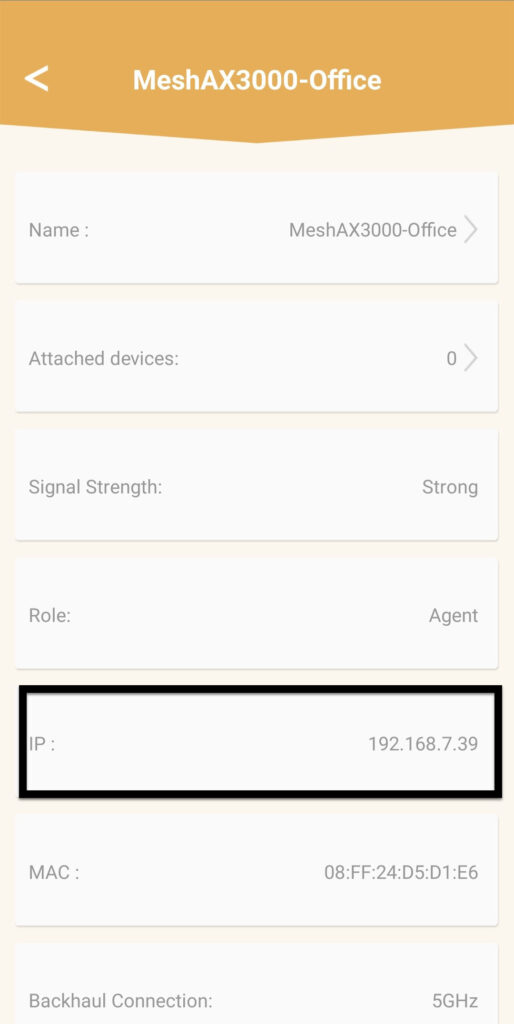
Fel kell jegyeznie az összes mesh egység IP-címét, hogy az egyes egységek webes felhasználói felületéhez (
) külön-külön tudjon csatlakozni.
Termékeink új szoftververziói itt érhetők el (letöltések -> szoftver):
https://eu.strong-eu.com/downloads/product-downloads/atria-wi-fi-mesh-home-kit-2100/. Ha a
szakasz üres, az azt jelenti, hogy a termékhez nincs elérhető frissítés.
Az „ mesh ” egység szoftverének frissítéséhez csatlakoznia kell a webes felhasználói felülethez.
1Letöltésioldal
Lépjen a következő oldalra: https://eu.strong-eu.com/downloads/product-downloads/atria-wi-fi-meshhome-kit-2100/ és töltse le a fájlt.
2Atria„ Mesh ” alkalmazás
Töltse le az„ATRIA MESH ” okostelefonos alkalmazást az App Store-ból vagy a Google Play Store-ból.

3. Hitelesítő adatok
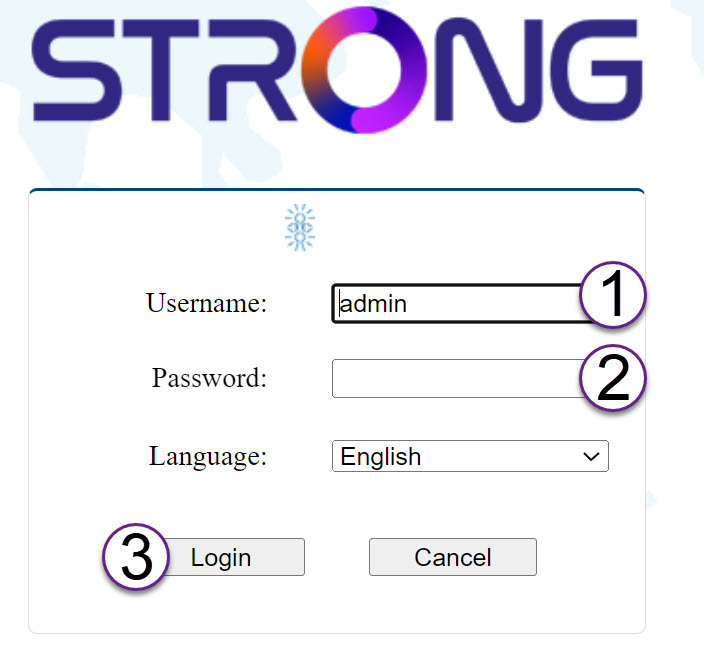
Ezután okostelefonjával csatlakoznia kell az „ Mesh ” Wi-Fi-hálózatához, majd be kell jelentkeznie az alkalmazásba a bejelentkezési adataival, amelyek – amennyiben nem módosította őket –„admin” és„admin” kell, hogy legyenek.

4Ahálózatom
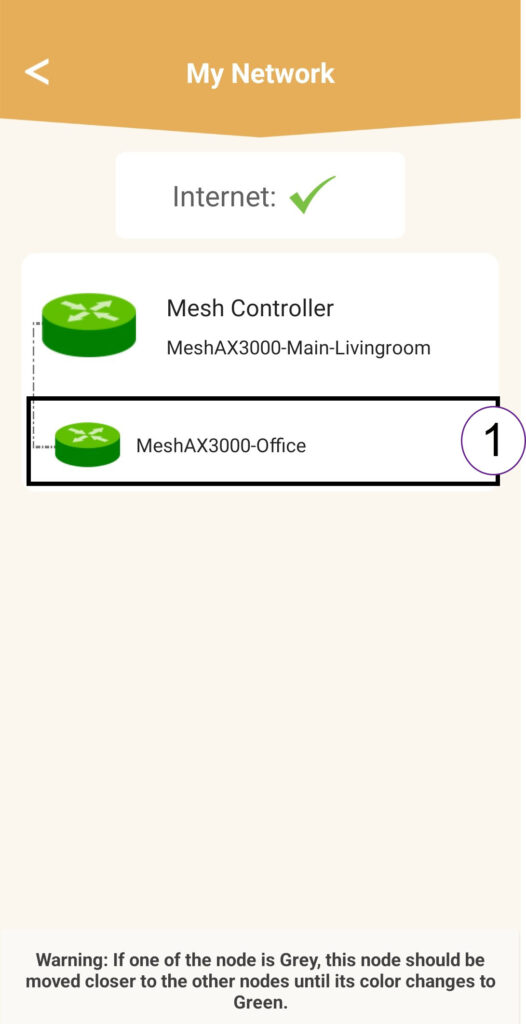
Kattintson a „Saját hálózat” elemre.

5. „Mesh ” ügynök
Kattintson az „ mesh ” ügynök nevére.
6.IP-cím
Az ügynök IP-címének azonosítása:
7.Az ügynök webes felhasználói felületének IP-címe a böngészőben
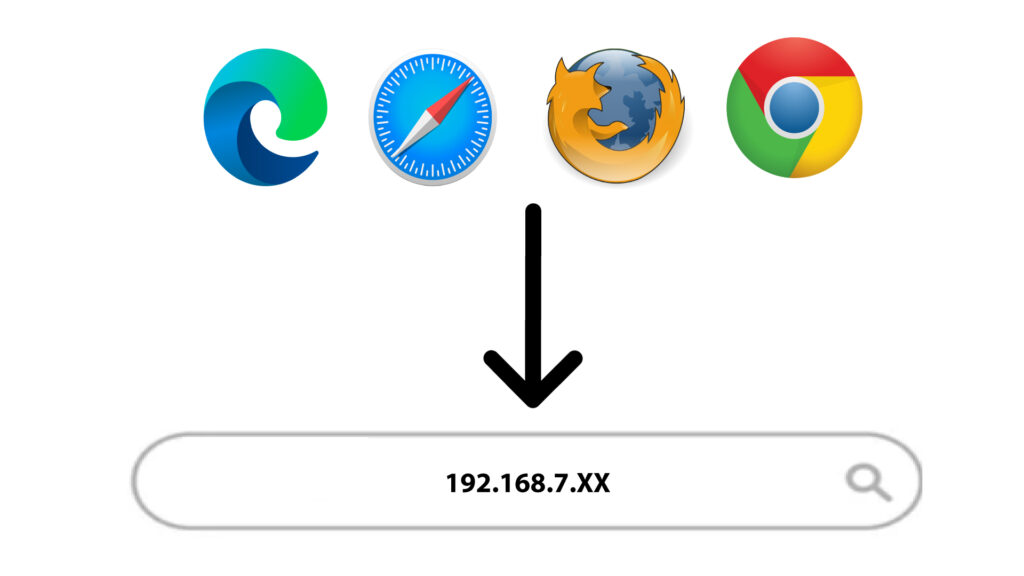
Keresse meg az ügynök IP-címét.
8. Jogosultsági adatok
A „Bejelentkezés” gombra kattintás előtt adja meg a felhasználónevet és a jelszót.
9Frissítés
Kattintson a „Rendszer” menüpontra, majd a „Frissítés” gombra. Ezután kattintson a „Fájl kiválasztása” gombra, hogy feltöltse a weboldalunkról korábban letöltött fájlt, majd kattintson a „Megerősítés” gombra.
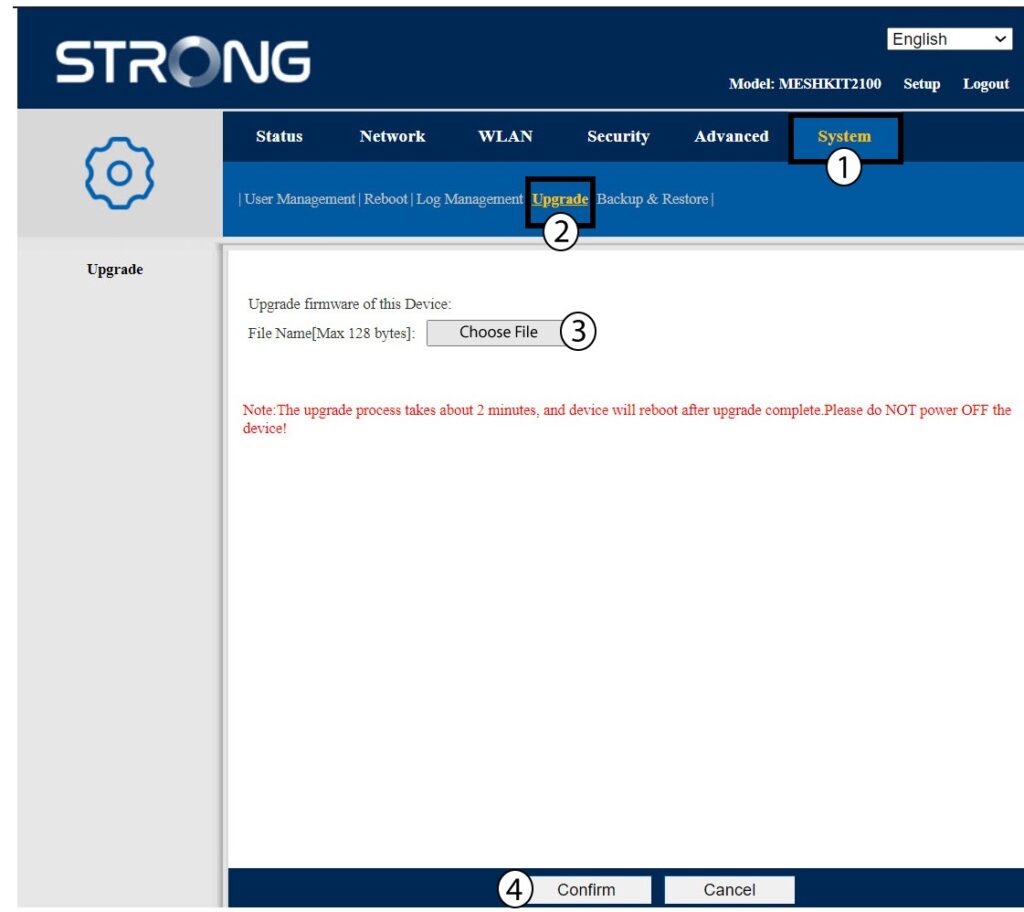
Figyelem: Ismételje meg ezeket a lépéseket az összes ügynök esetében, majd frissítse a vezérlőt.