
ATRIA Wi-Fi 5 Mesh 2100 (add-on)
Nem találtunk tárgyakat.
Nem találtunk tárgyakat.
Minden kérdés
ATRIA Wi-Fi 5 Mesh 2100 (add-on)
Nem találtunk tárgyakat.
Nem találtunk tárgyakat.
Hogyan párosíthatom az „ mesh ” csomópontjaimat, ha azok Ethernet-kábelen keresztül kapcsolódnak az internetes átjárómhoz?
1Főoldal Mesh
Az „ mesh ” készüléket a bekapcsoláshoz csatlakoztatnia kell az áramellátáshoz (a készüléken nincs bekapcsológomb), majd RJ45-kábellel kell összekötnie a modemmel.
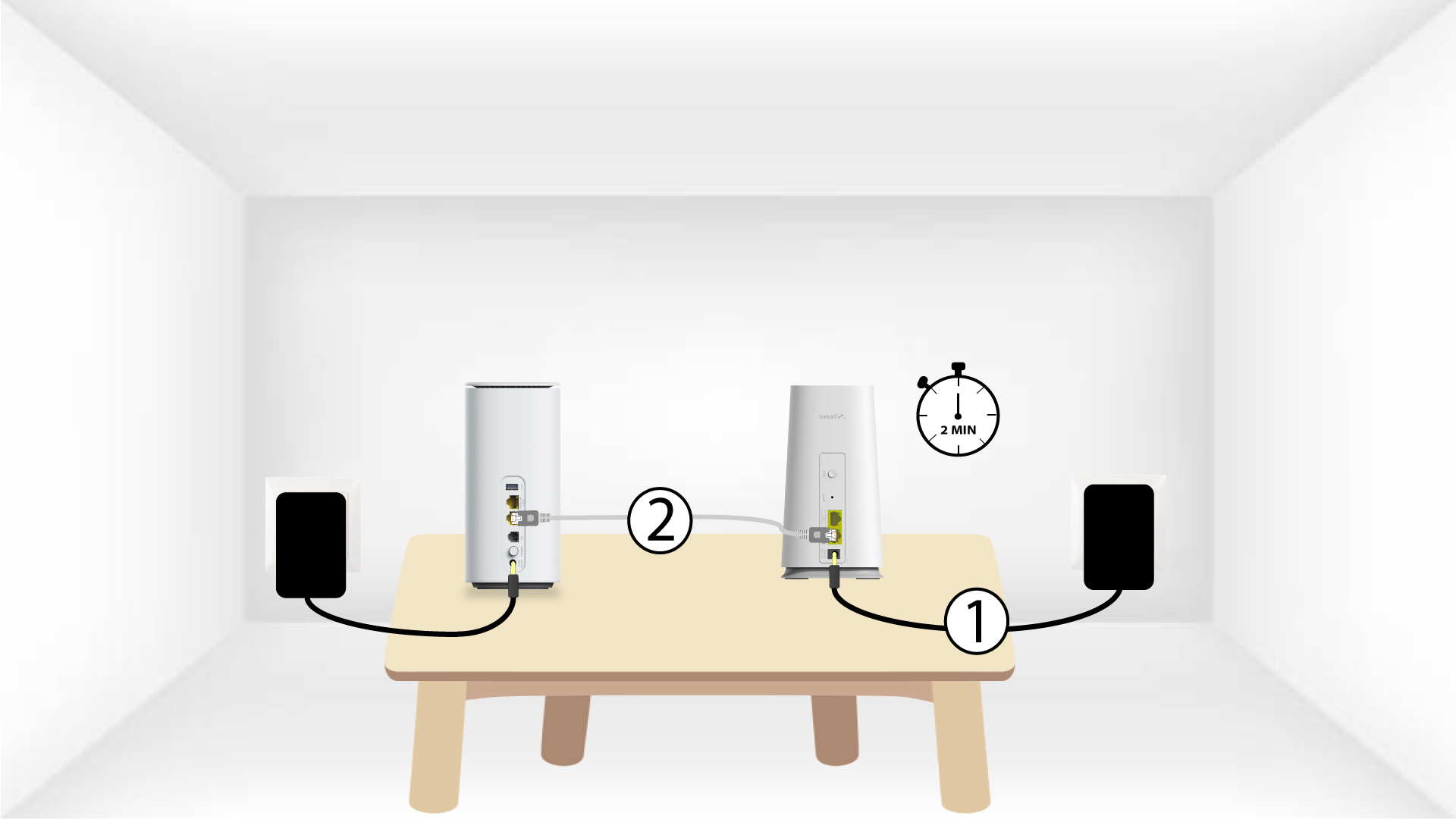
2Second„ Mesh ” készülék
A második mesh készüléket is be kell dugnia a konnektorba, hogy bekapcsolódjon, majd RJ45-kábellel csatlakoztatnia kell a fő mesh készülékhez (LAN-port).
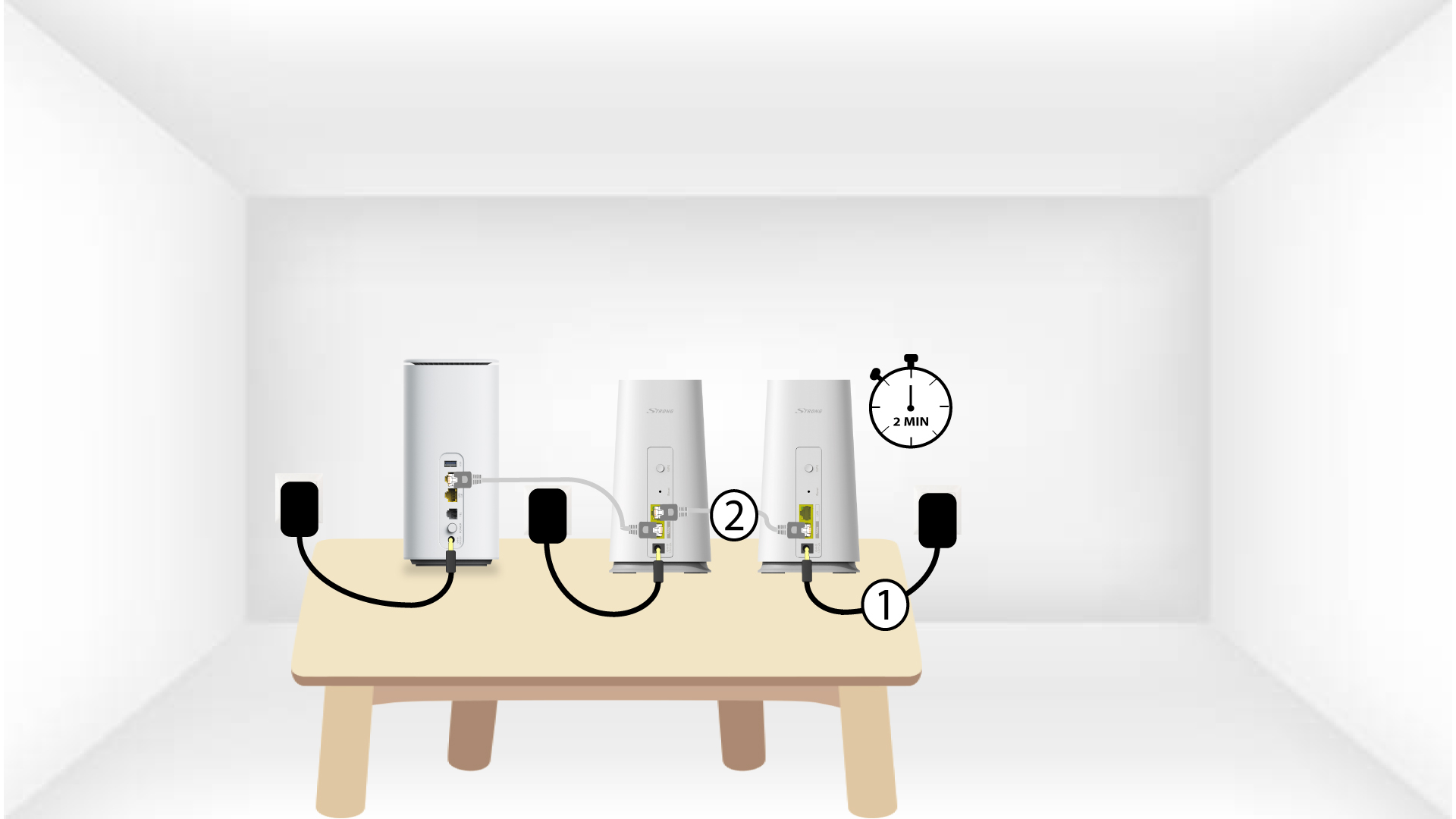
3LED
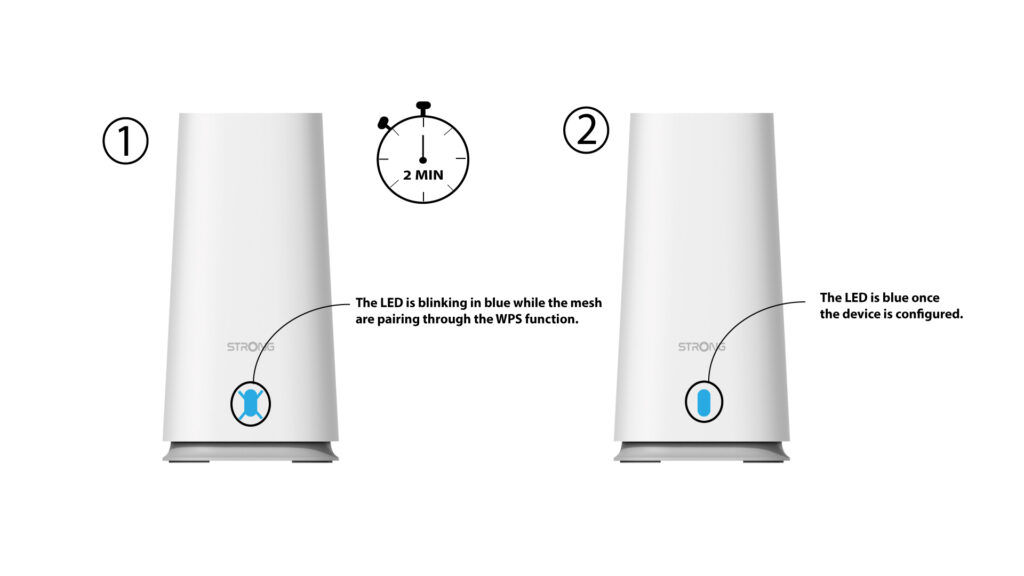
Várjon néhány percet, amíg mindkét mesh egység felismeri az internetes beállításokat. Amint mindkét eszközön kék színűvé válnak a LED-ek, a beállítások elkészültek.

Figyelem: A második „ mesh ” egységről el kell távolítania az RJ45-kábelt, és ki kell húznia a csatlakozóját, hogy azt abban a helyiségben szerelhesse fel, ahol használni kívánja.