
Ismétlő AX1800
Minden kérdés
Ismétlő AX1800
Hogyan állítsam be az átjátszóm hozzáférési pontként?
1. Csatlakozása webes felhasználói felülethez
A webes felhasználói felülethez való csatlakozáshoz kövesse az alábbi eljárások egyikét:
- Hogyan csatlakozhatok az átjátszó webes felhasználói felületéhez? (RJ45-kábel)
- Hogyan tudok csatlakozni az átjátszó webes felhasználói felületéhez? (Wi-Fi)
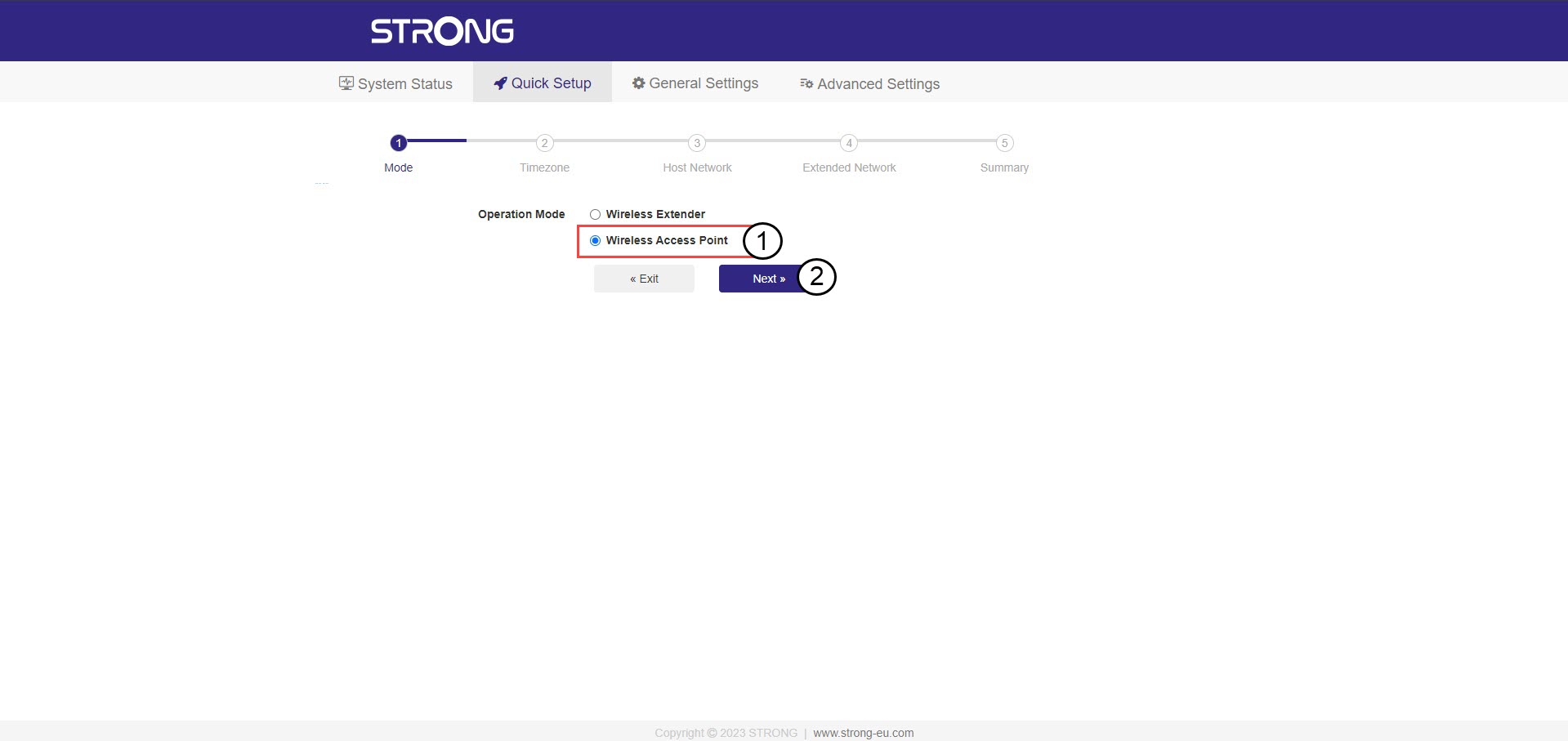
2. Válassza kiaz átjátszó üzemmódját
Megnyílik az ismétlő beállítási varázsló. Válassza ki a „Vezeték nélküli hozzáférési pont” lehetőséget, majd kattintson a „Tovább” gombra.
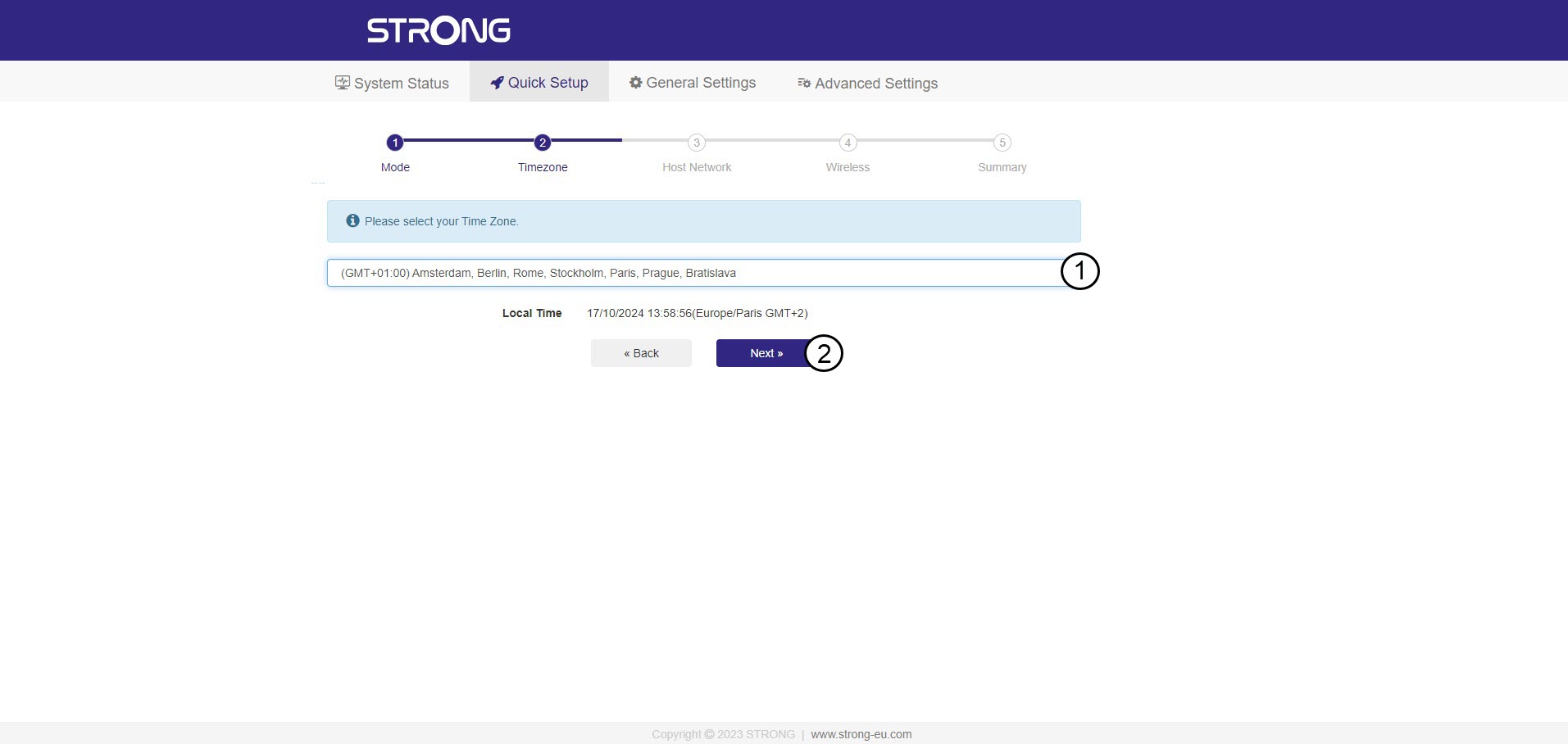
3. Válassza kiaz időzónát
Ha az automatikusan felismert időzóna nem helyes, válassza ki a megfelelőt a listából, majd kattintson a „Tovább” gombra.
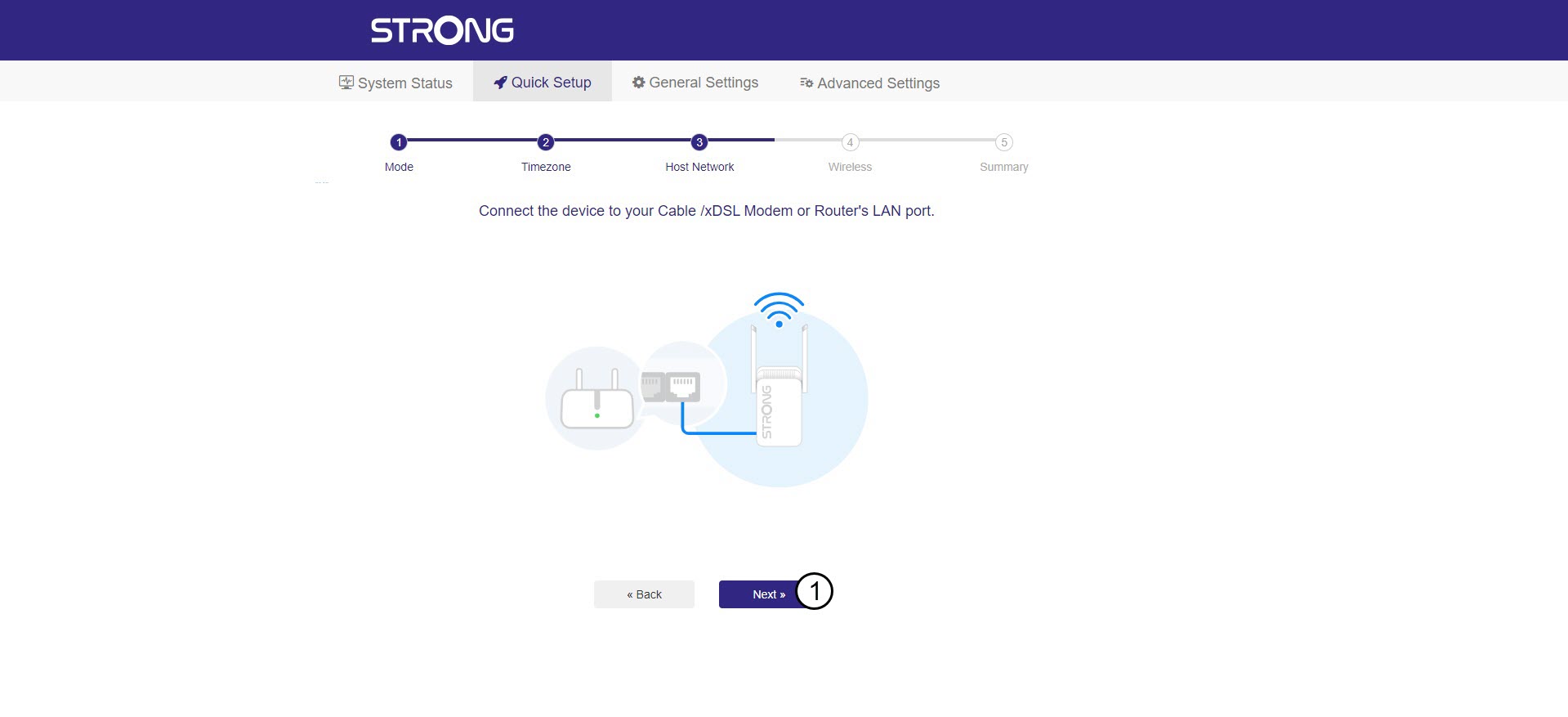
4. A rendelkezésre álló hálózatok átkutatása
Csatlakoztassa az átjátszót a modemhez/routerhez úgy, hogy egy RJ45-kábelt dug be a WAN/LAN-csatlakozóba.
Ezután kattintson a „Tovább” gombra.
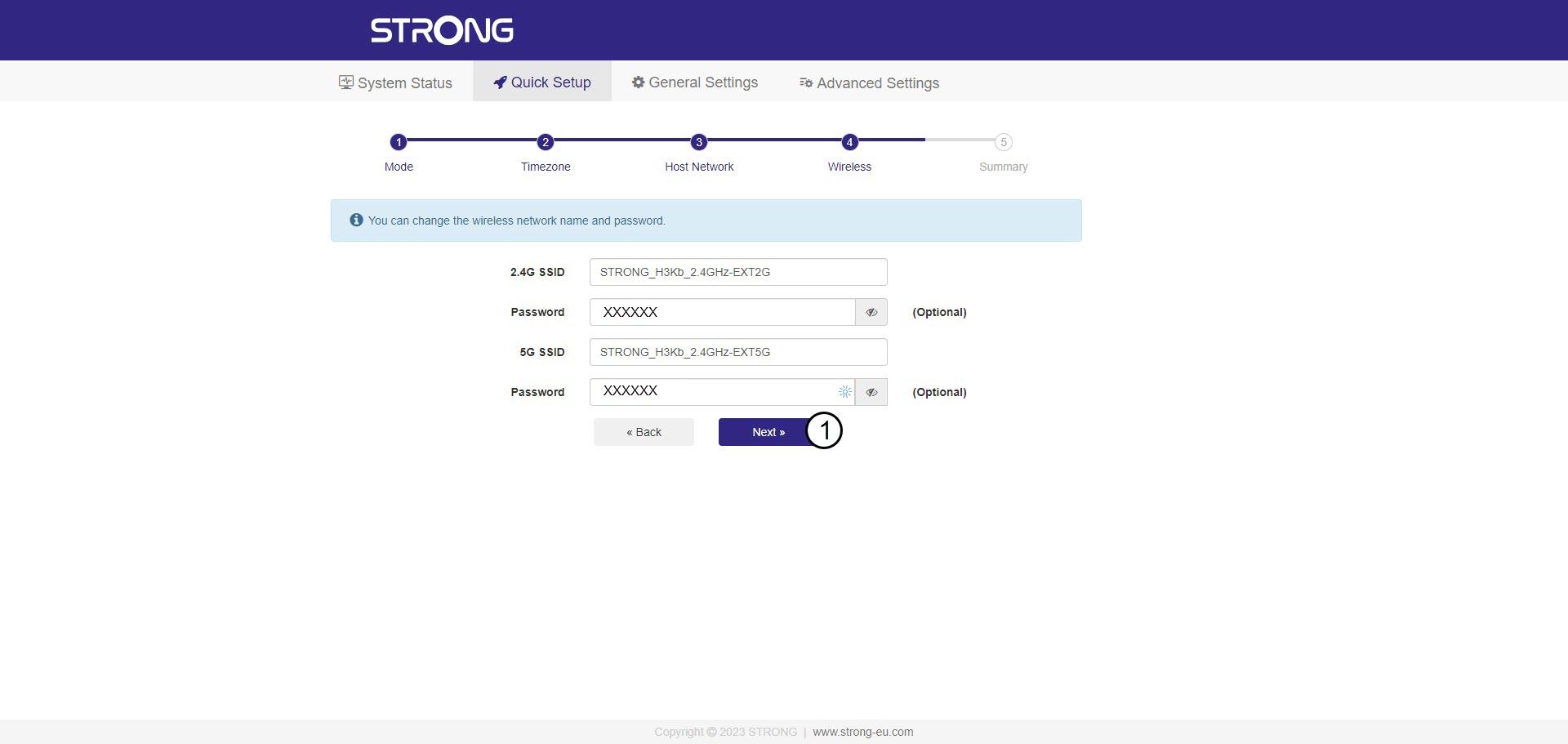
5. Írja bea Wi-Fi-gazdagép hálózat jelszavát
Ellenőrizze az új Wi-Fi-hálózatok jelszavát, majd kattintson a „Tovább” gombra.
A szem ikonra kattintva megjelenítheti a beírt jelszót.
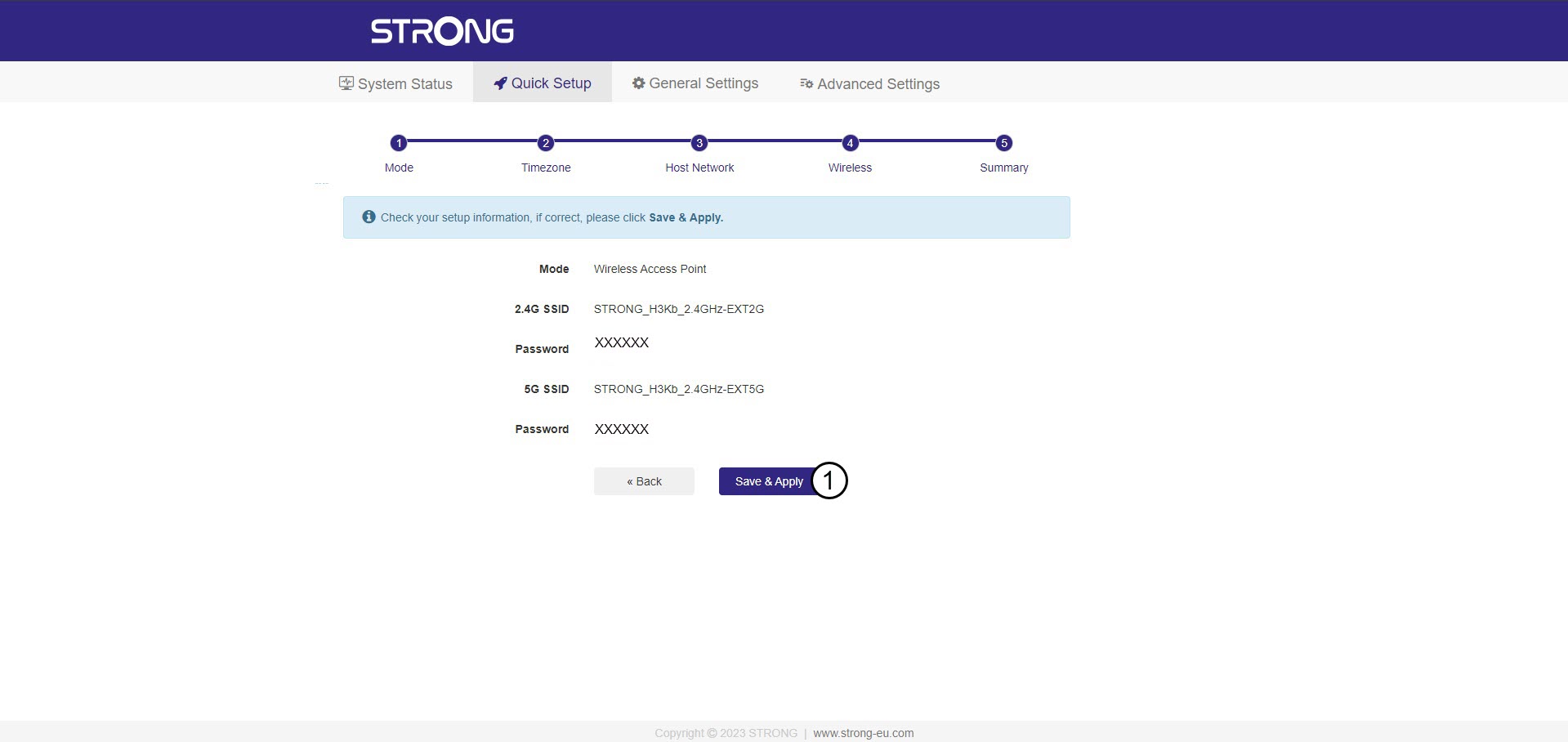
6. A beállítások megerősítése
Megjelenik az új hálózatokra vonatkozó információk összefoglalása. Kattintson a „Mentés és alkalmazás” gombra.
Írja le az új hálózati adatokat. Szüksége lesz rájuk a felhasználói felülethez való csatlakozáshoz.
7. Várjona konfigurálás során
Kérjük, várjon, amíg az átjátszó beállítódik.


Figyelem: A beállítások elvégzése után csatlakoznia kell az újonnan létrehozott hálózatokhoz.