
Ismétlő AX1800
Nem találtunk tárgyakat.
Nem találtunk tárgyakat.
Minden kérdés
Ismétlő AX1800
Nem találtunk tárgyakat.
Nem találtunk tárgyakat.
Hogyan állíthatok be statikus IP-címet az ismétlőmre?
1. Csatlakozása webes felhasználói felülethez
Kövesse az alábbi lépéseket a webes felhasználói felülethez való csatlakozáshoz.
2. A rendszerállapota
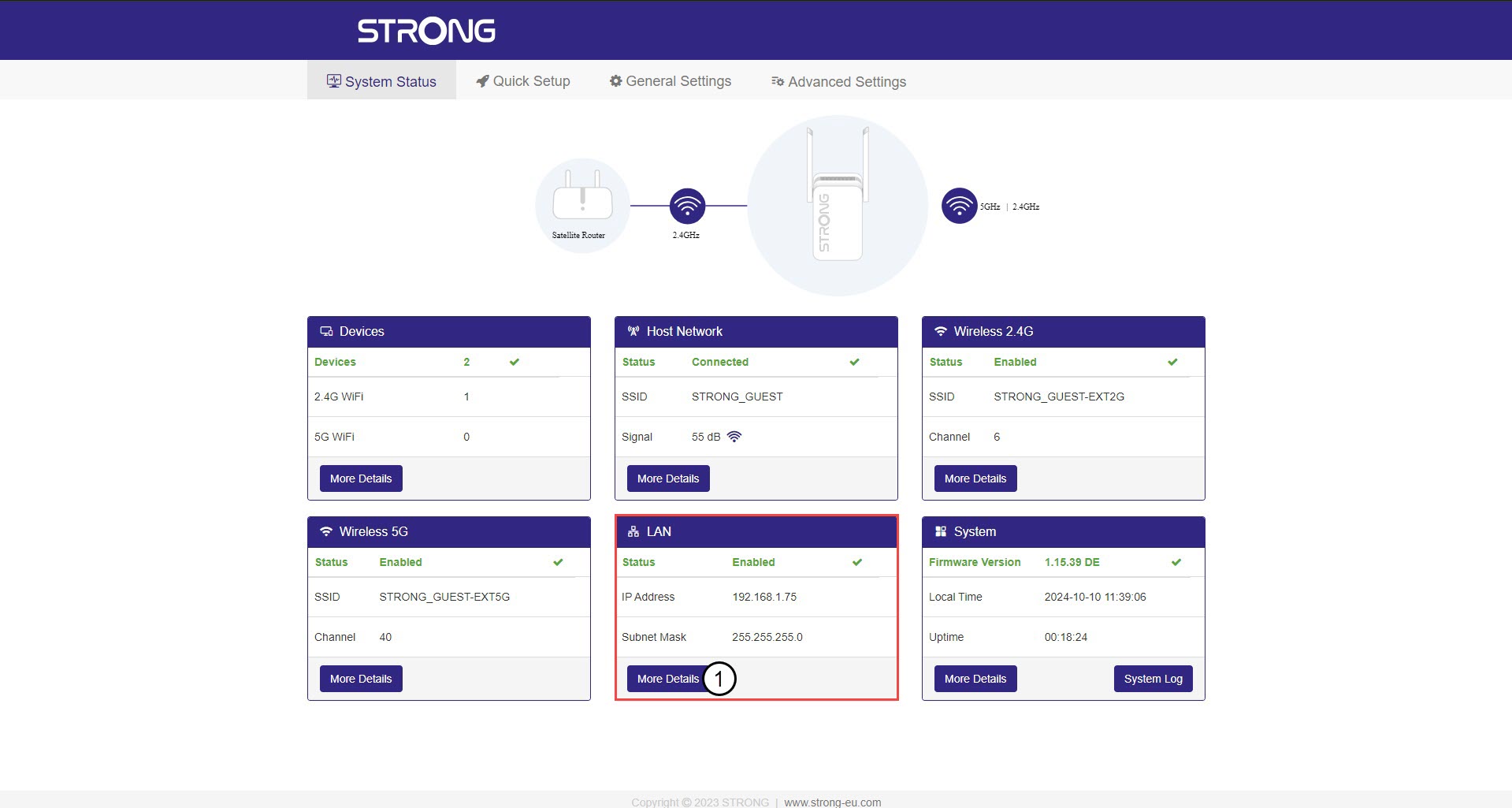
A „Rendszerállapot” képernyőn kattintson a „További részletek” gombra a „LAN” szakaszban.
3. ÁllandóIP-cím
Kattintson a „Beállítások” menüpontra, majd a „Statikus cím” kapcsolóra. Ezután adja meg az alábbi adatokat, mielőtt a „Mentés és alkalmazás” gombra kattintana:
- IP-cím: Írja be az átjátszó IP-címét.
- Alhálózati maszk: Válassza ki az alhálózati maszkot a listából
- Alapértelmezett átjáró: Írja be az átjátszó IP-címét
- Elsődleges DNS: Ugyanazt az értéket adhatja meg, mint az előző mezőben.
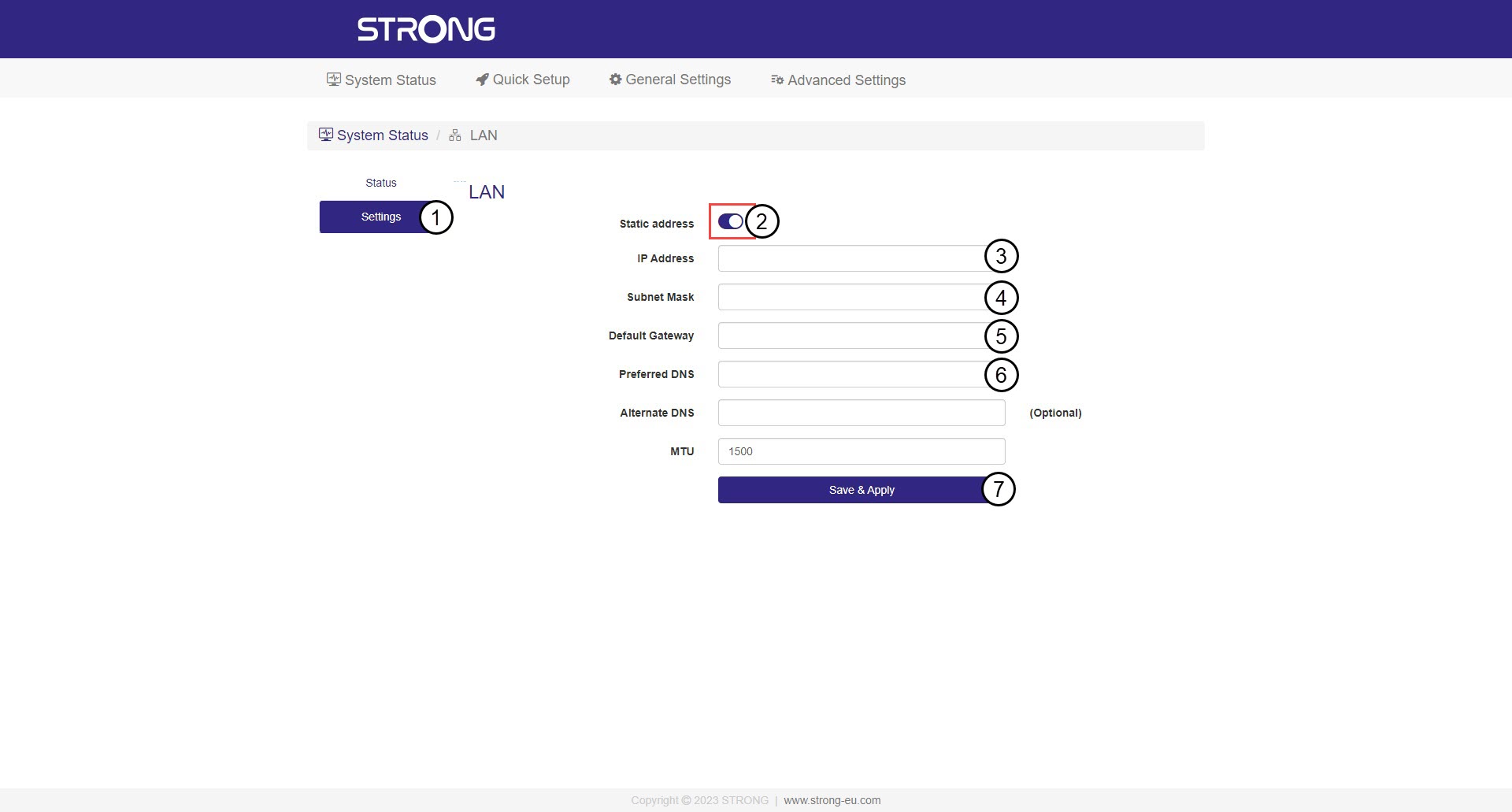

Figyelem: Jegyezze fel a hálózat új IP-címét! Ezt fogja használni a továbbiakban a webes felhasználói felülethez való csatlakozáshoz.