Nem találtunk tárgyakat.
Nem találtunk tárgyakat.
12 CSATORNÁS HÁLÓZATI VIDEORÖGZÍTŐ
Minden kérdés
Nem találtunk tárgyakat.
Nem találtunk tárgyakat.
12 CSATORNÁS HÁLÓZATI VIDEORÖGZÍTŐ
Hogyan hozhatok létre felhasználói profilokat az NVR-en?
Hozzáadhat olyan felhasználókat, akik hozzáférhetnek az NVR-hez, és beállíthat konkrét jogosultságokat a különböző felhasználótípusok számára.
1. Nyissa mega Felhasználói beállításokat
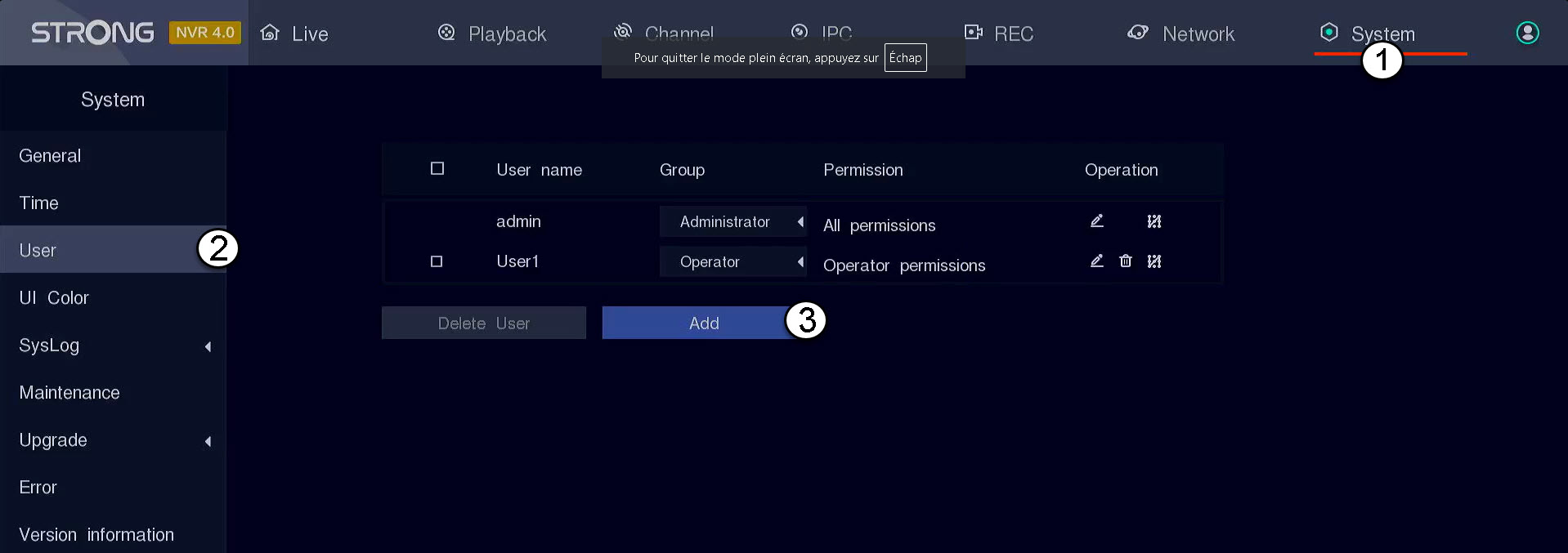
Kattintson a „Rendszer” menüpontra, majd válassza ki a „Felhasználó” lehetőséget. Ezután kattintson a „Hozzáadás” gombra.
2. Adjameg a felhasználói adatokat
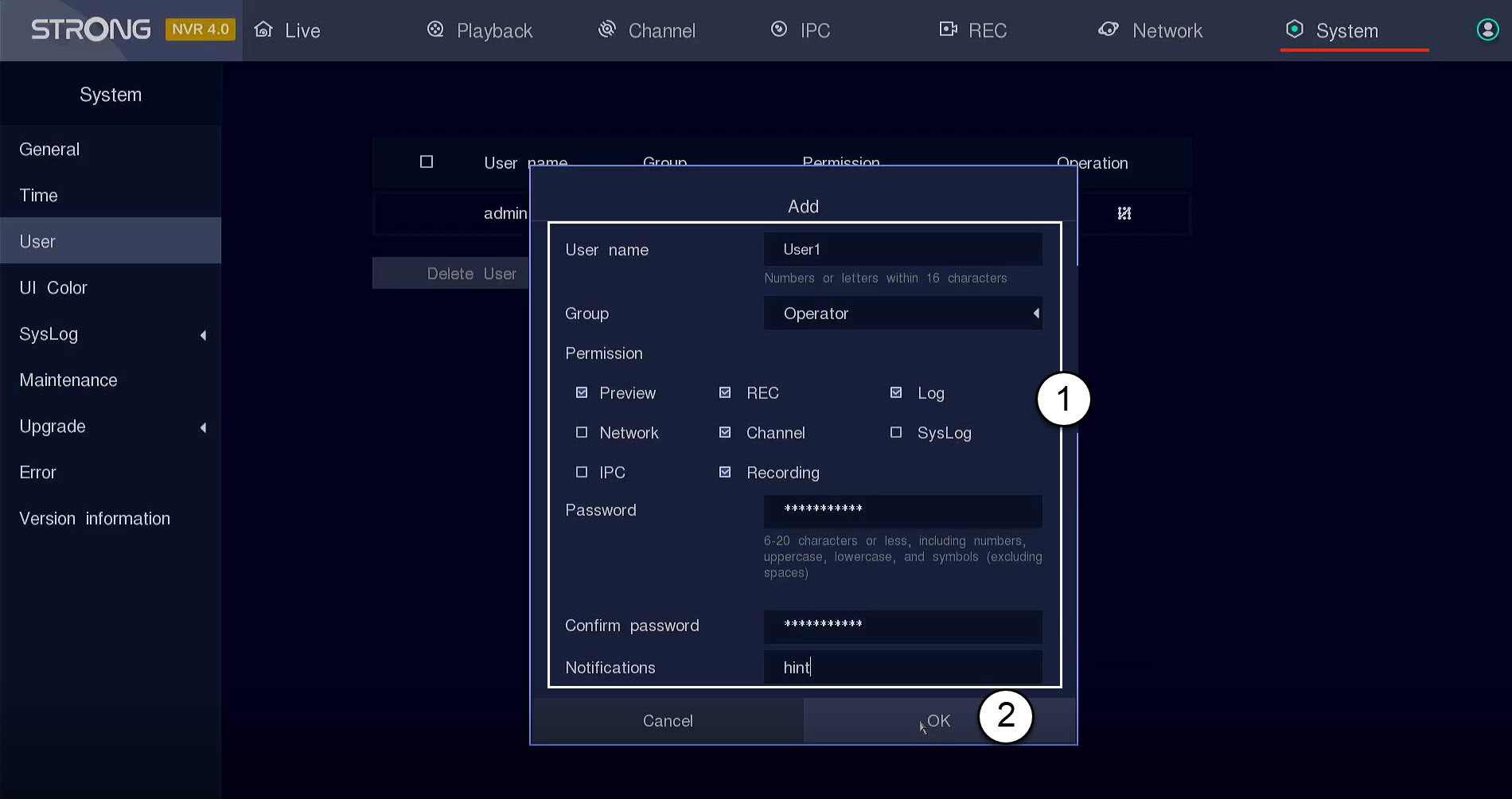
Mielőtt az „OK” gombra kattintana, töltse ki az alábbi mezőket:
- Felhasználónév: Adjon meg egy nevet a felhasználói profilhoz. Ez a név lesz használatos a felhasználói felületre való bejelentkezéshez.
- Csoport: Válassza ki a csoport típusát a jogosultsági szint alapján (rendszergazda: hozzáférés az összes funkcióhoz, operátor: hozzáférés a rendszergazda által meghatározott bizonyos funkciókhoz, felhasználó: hozzáférés a rendszergazda által meghatározott bizonyos funkciókhoz, például felvétel, csatorna, előnézet)
- Jogosultság: Válassza ki azokat a funkciókat, amelyekhez a felhasználó a felhasználói csoportja alapján hozzáférhet.
- Jelszó: Adjon meg egy jelszót a felhasználó számára. Ezt fogja használni a felhasználói felületre való bejelentkezéshez.
- Jelszó megerősítése: Írja be azt a jelszót, amelyet korábban megadott.
- Értesítés: Írjon be egy leírást.