4G AIRSPOT 220 Wi-Fi kijelzővel
Nem találtunk tárgyakat.
Nem találtunk tárgyakat.
Minden kérdés
4G AIRSPOT 220 Wi-Fi kijelzővel
Nem találtunk tárgyakat.
Nem találtunk tárgyakat.
Hogyan állíthatom vissza a routeremet a gyári beállításokra?
Előfordulhat, hogy a készülék nem működik megfelelően, és nincs internet-hozzáférésed. Ebben az esetben azt javasoljuk, hogy állítsd vissza a készüléket a gyári beállításokra, majd szükség esetén frissítsd újra a firmware-t.
Kétféleképpen teheti meg: a reset gomb megnyomásával vagy a webes felhasználói felületen keresztül állíthatja vissza az eszközt.
1. ESET: Visszaállítási gomb.
Ehhez vegye le a router hátoldalán található fedelet, majd egy gemkapoccsal nyomja meg a RESET gombot 2 másodpercig.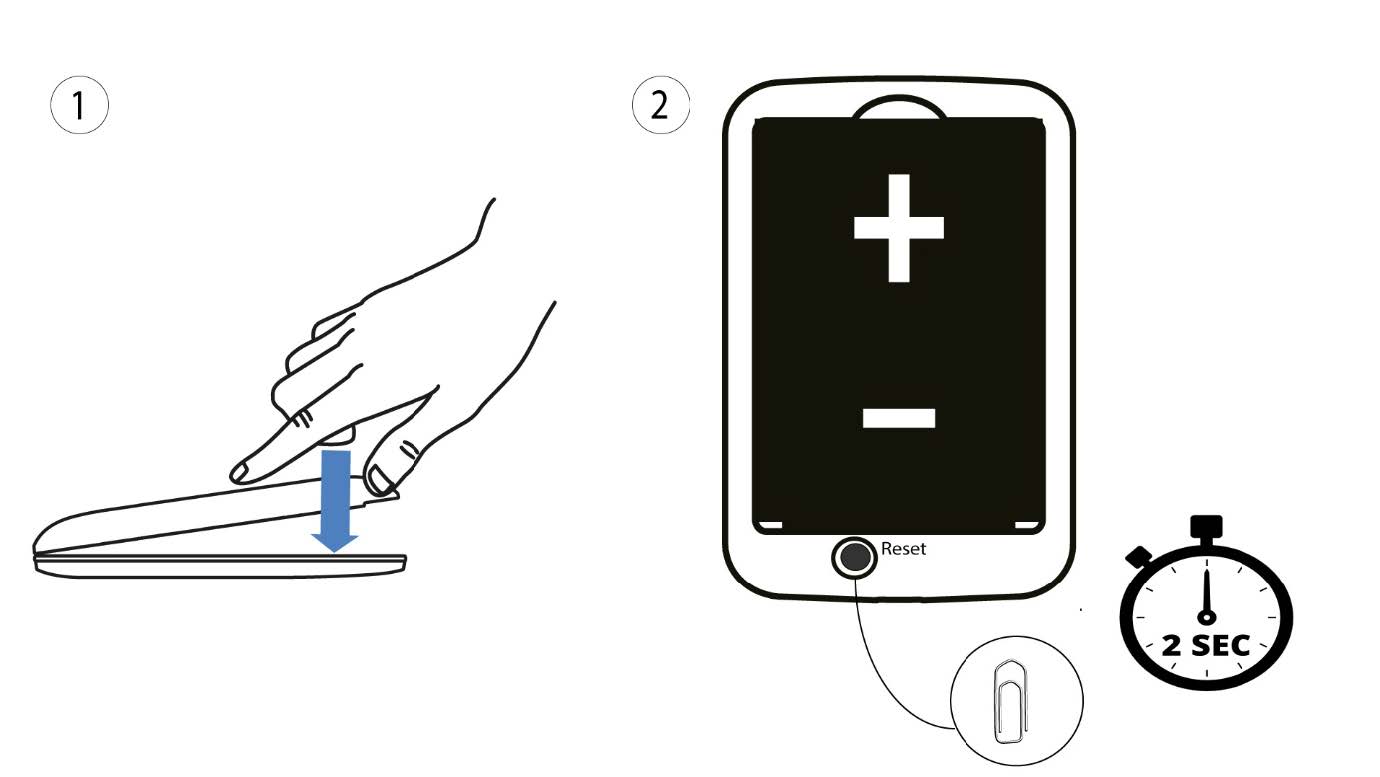
1.2. eset: visszaállítás a webes felhasználói felületen
1. Csatlakoznia kell a készülék Wi-Fi-hálózatához.

2Keressemeg a webes felhasználói felület IP-címét
Ezután írja be a böngészőjébe a következő IP-címet: 192.168.188.1.

3Bejelentkezés
Be kell írnia a jelszót.

4Beállítások
Ezután kattintson a „Speciális beállítások” gombra.
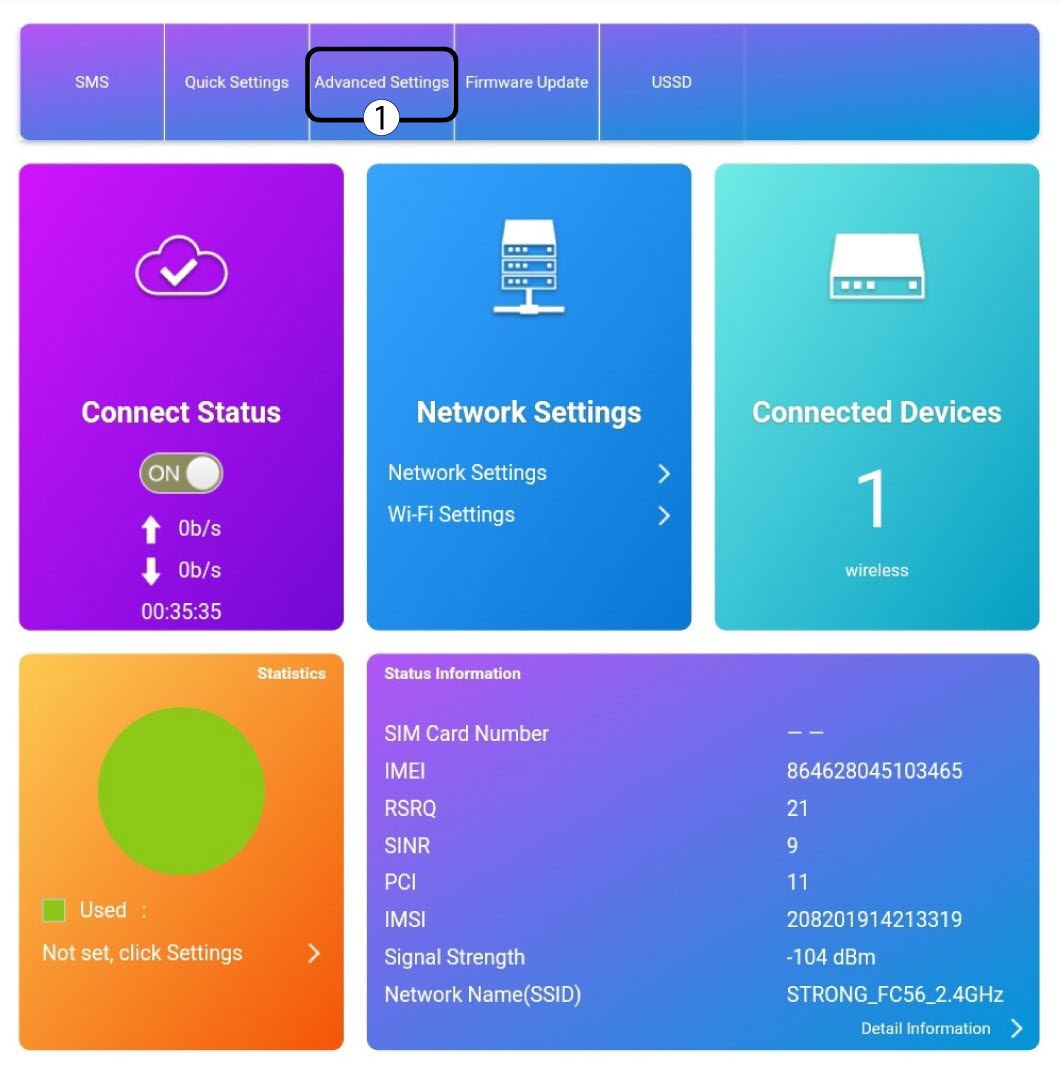
5. Gyári beállítások visszaállítása
Kattintson az „Egyéb” gombra. Az „Újraindítás és visszaállítás” részben kattintson a „Gyári beállítások visszaállítása” gombra.
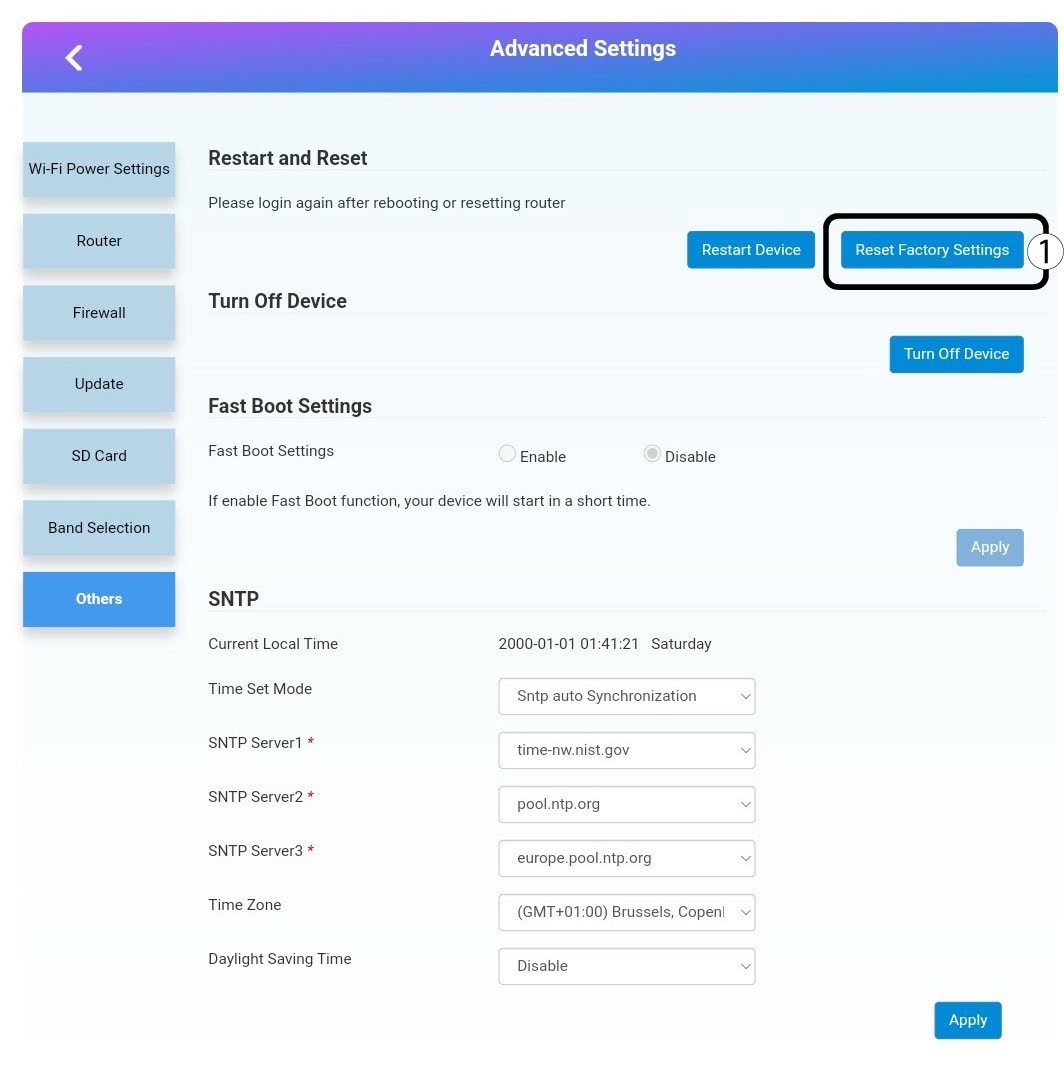
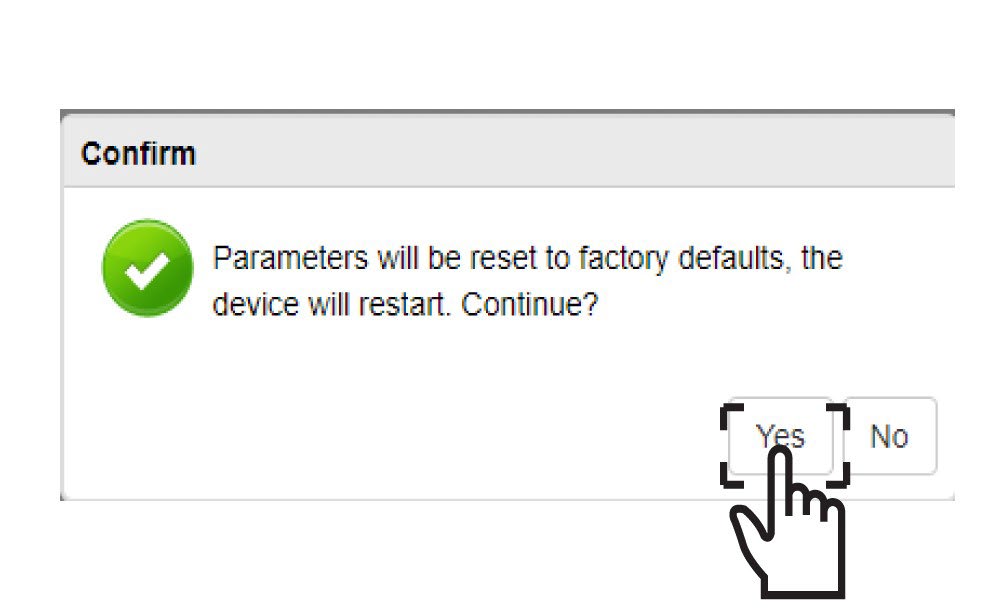
6. Megerősítés
Kattintsonaz IGEN gombra a felugróüzenetben .