ATRIA Wi-Fi 5 Mesh 1200 (2 db-os csomag)
Minden kérdés
ATRIA Wi-Fi 5 Mesh 1200 (2 db-os csomag)
Hogyan szervezzem meg a „ Mesh ” hálózatomat a Wi-Fi-hálózatom optimalizálása érdekében?
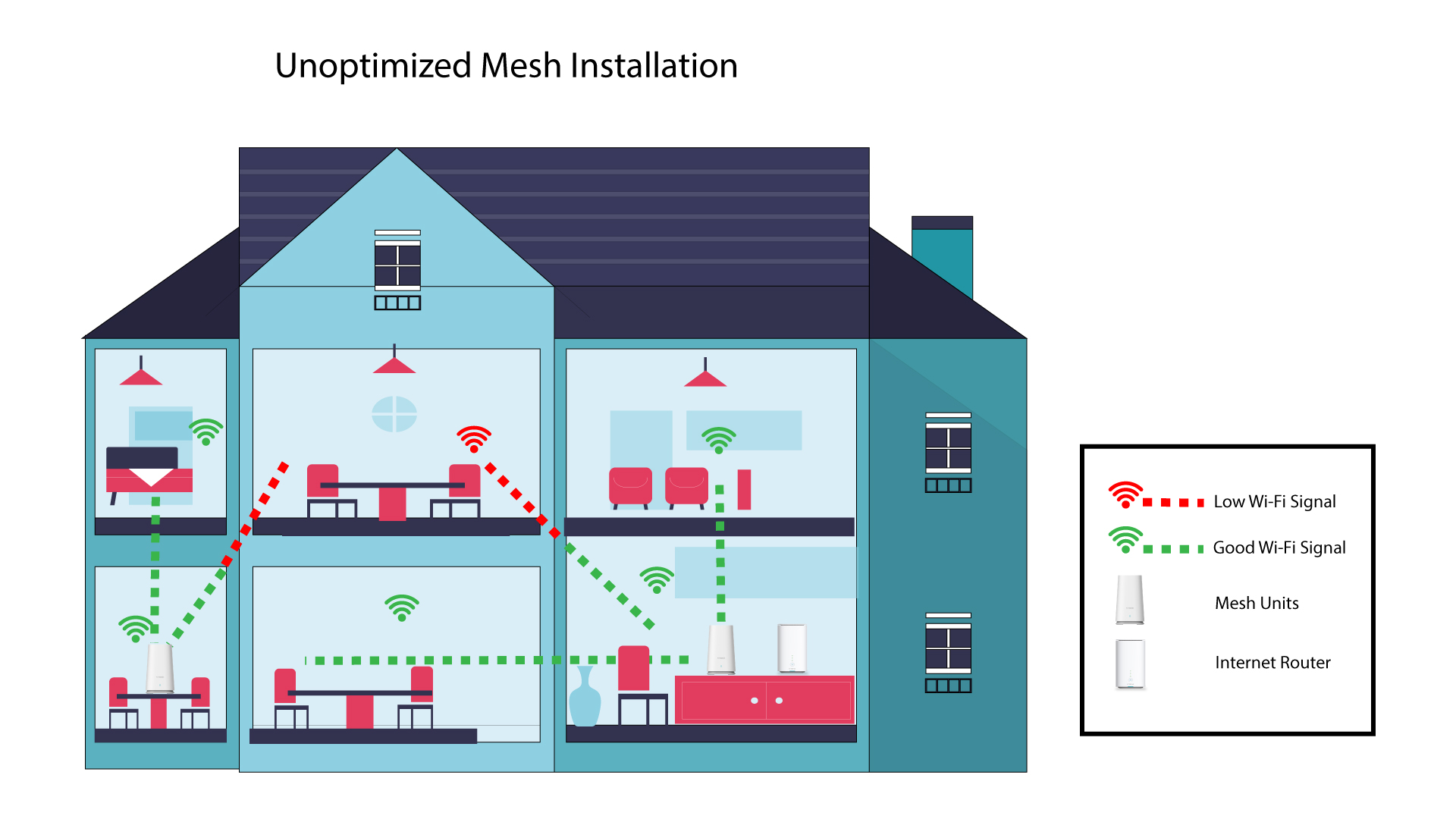
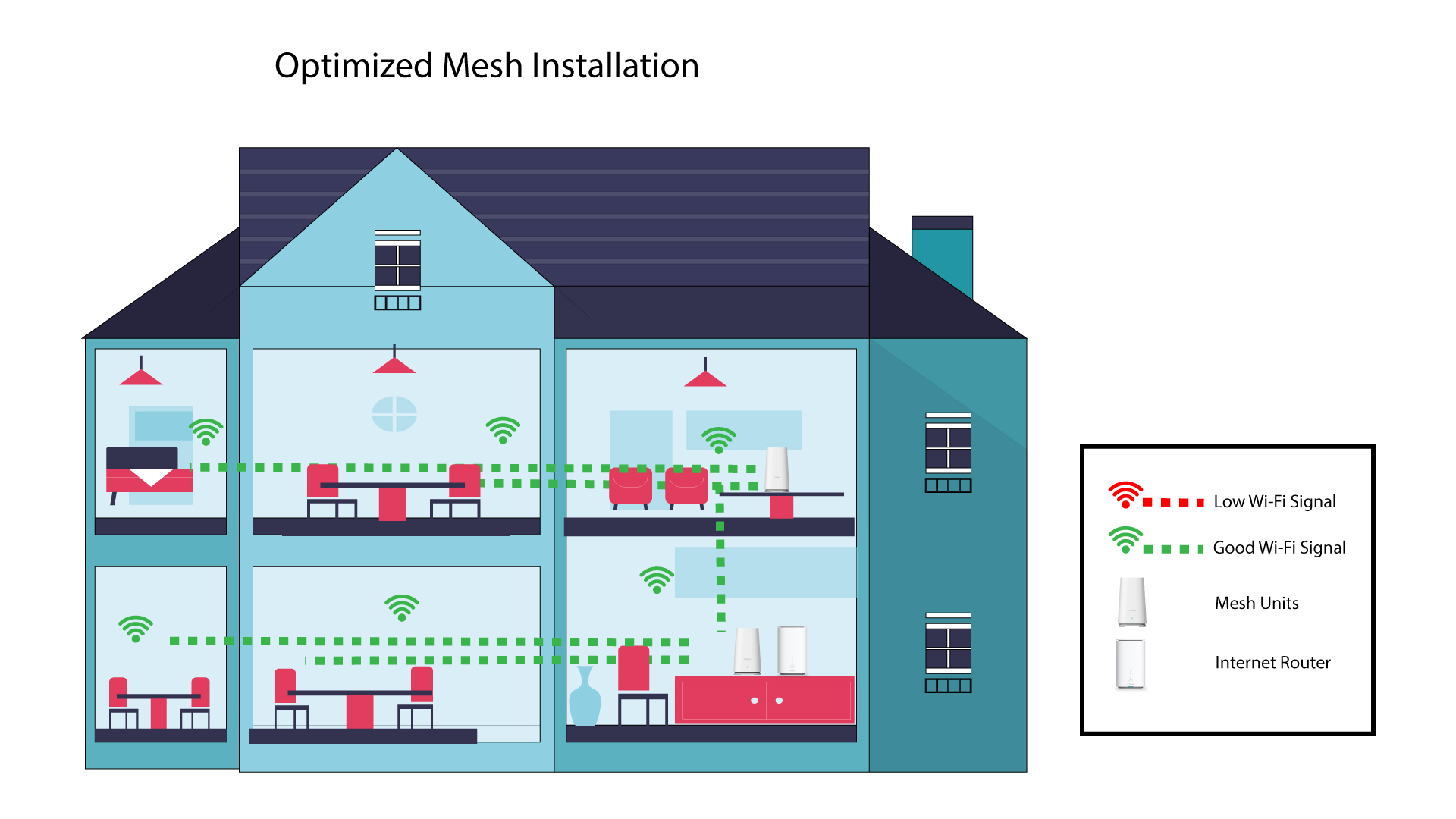
A lefedettség optimalizálása érdekében az „ mesh ” készüléket azon a helyen kell felszerelni, ahol lefedettségi problémák merülnek fel, hogy az otthonában a lehető legnagyobb területet lefedje. Kérjük, ügyeljen arra, hogy az „ mesh ” egységek ne legyenek olyan helyiségben, ahol teherhordó fal található, mivel minél vastagabb a fal, annál nehezebb a Wi-Fi-jelnek áthatolnia rajta.
Az alábbi ábra egy ház belsejében a Wi-Fi-lefedettséget szemlélteti, ahol az „ mesh ” csomópontok nem a ház megfelelő területén helyezkednek el a megfelelő lefedettség biztosításához.
Az alábbi ábra egy házon belüli Wi-Fi-lefedettséget mutatja, ahol a „ mesh ” csomópontok a ház megfelelő részén helyezkednek el a megfelelő lefedettség biztosítása érdekében.
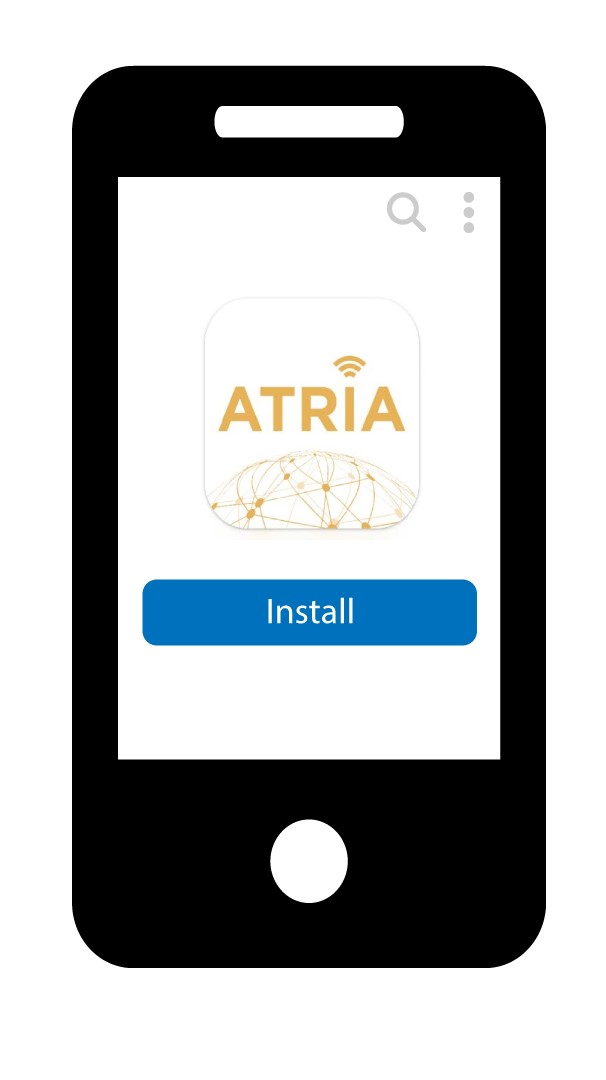
1. Töltsd leaz alkalmazást
Töltsd le az Atria „ Mesh ” alkalmazást.
2Csatlakozza következő Wi-Fi-hálózathoz: mesh
Csatlakozzon az „ mesh ” készülék Wi-Fi-hálózatához.

3. Csatlakozzaz alkalmazáshoz
Írja be a felhasználónevet és a jelszót, mielőtt a „Bejelentkezés” gombra kattintana.

4Ahálózatom
Kattintson a „Saját hálózat” gombra

5 AMesh hálózat állapota
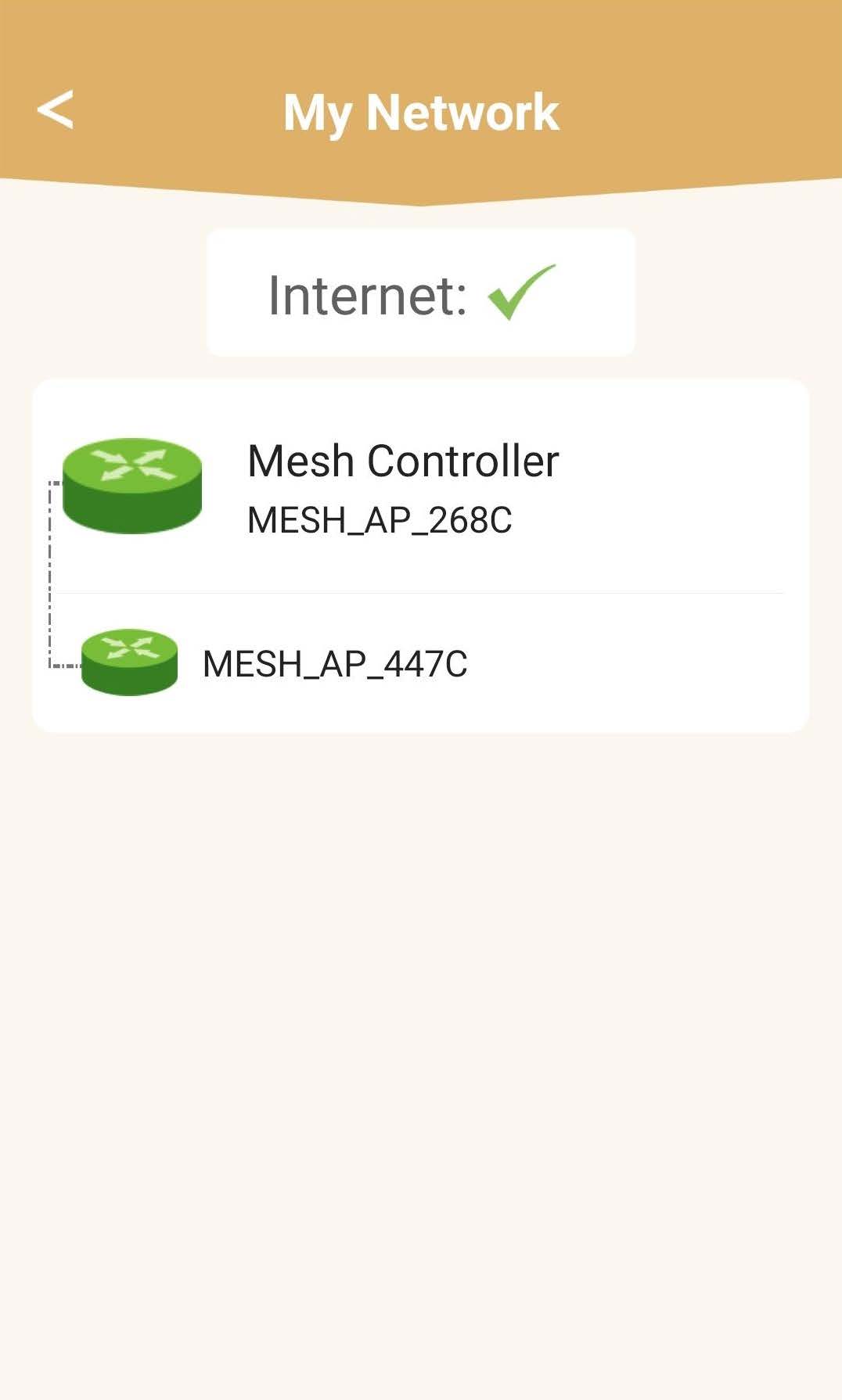
Megtekintheti az „ mesh ” készülékei által biztosított lefedettség állapotát.
Felhívjuk figyelmét, hogy amennyiben a mesh készülékek szürkén jelennek meg, az az adott készülék által biztosított lefedettség nem elegendő. Ebben az esetben módosítania kell a mesh készülék elhelyezkedését.
Ha a „ mesh ” egységek zöld színnel jelennek meg, az azt jelenti, hogy megfelelően működnek, és elegendő lefedettséget biztosítanak.