
ATRIA Wi-Fi 5 Mesh 1200 (2 db-os csomag)
Minden kérdés
ATRIA Wi-Fi 5 Mesh 1200 (2 db-os csomag)
A rendszergazdai jelszó megváltoztatása (webes felhasználói felület)
1. Csatlakozza készüléked Wi-Fi-hálózatához mesh
Ehhez írja be a készülékébe az útválasztó SSID-jét (Wi-Fi-hálózat nevét) és a Wi-Fi-jelszavát:

2. Keressemeg az IP-címet
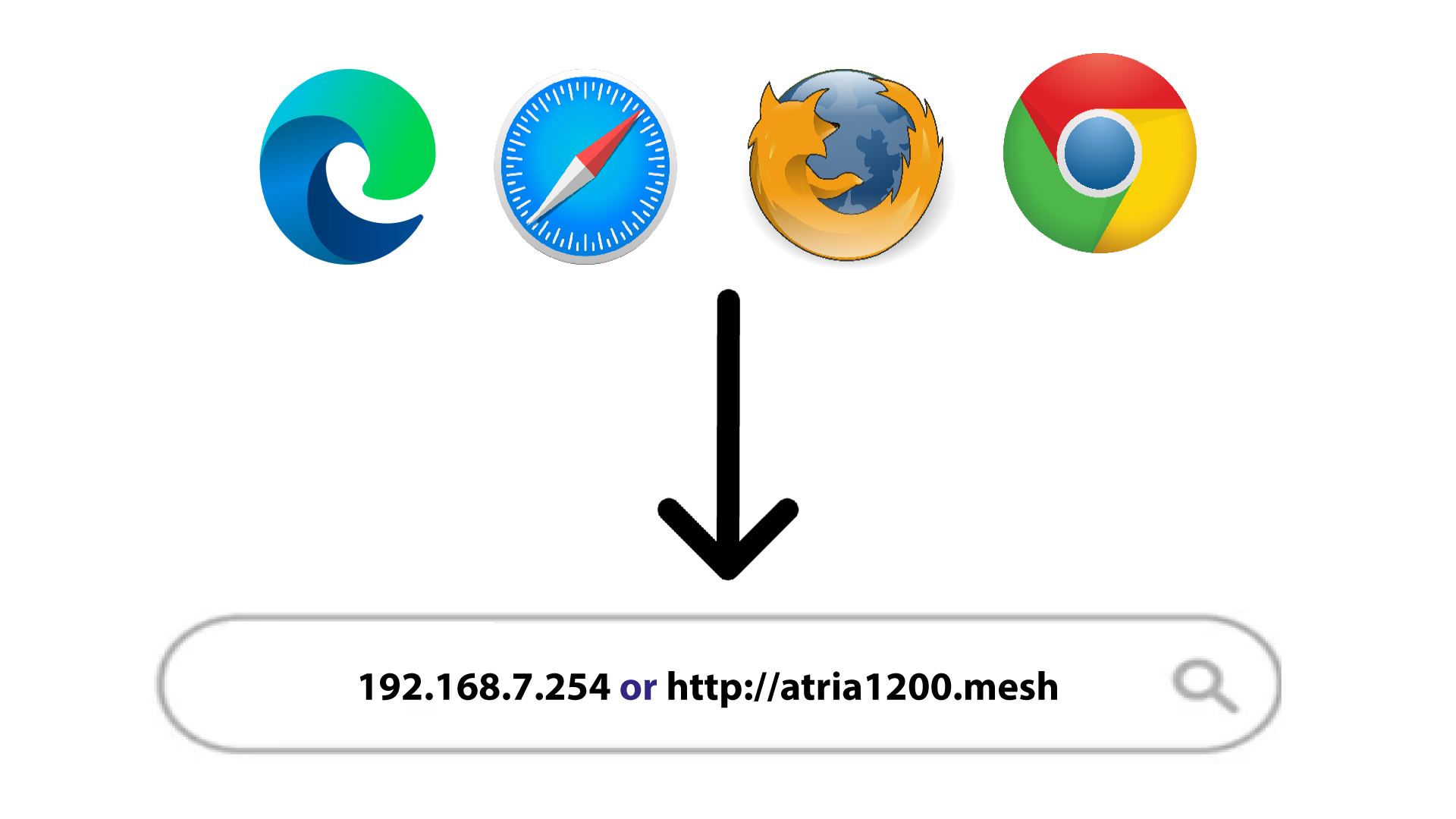
Ezután írja be a böngészőjébe a következő IP-címet: 192.168.7.254, vagy írja be a következő címet: http://atria1200.mesh
3. Adja mega bejelentkezési adatait
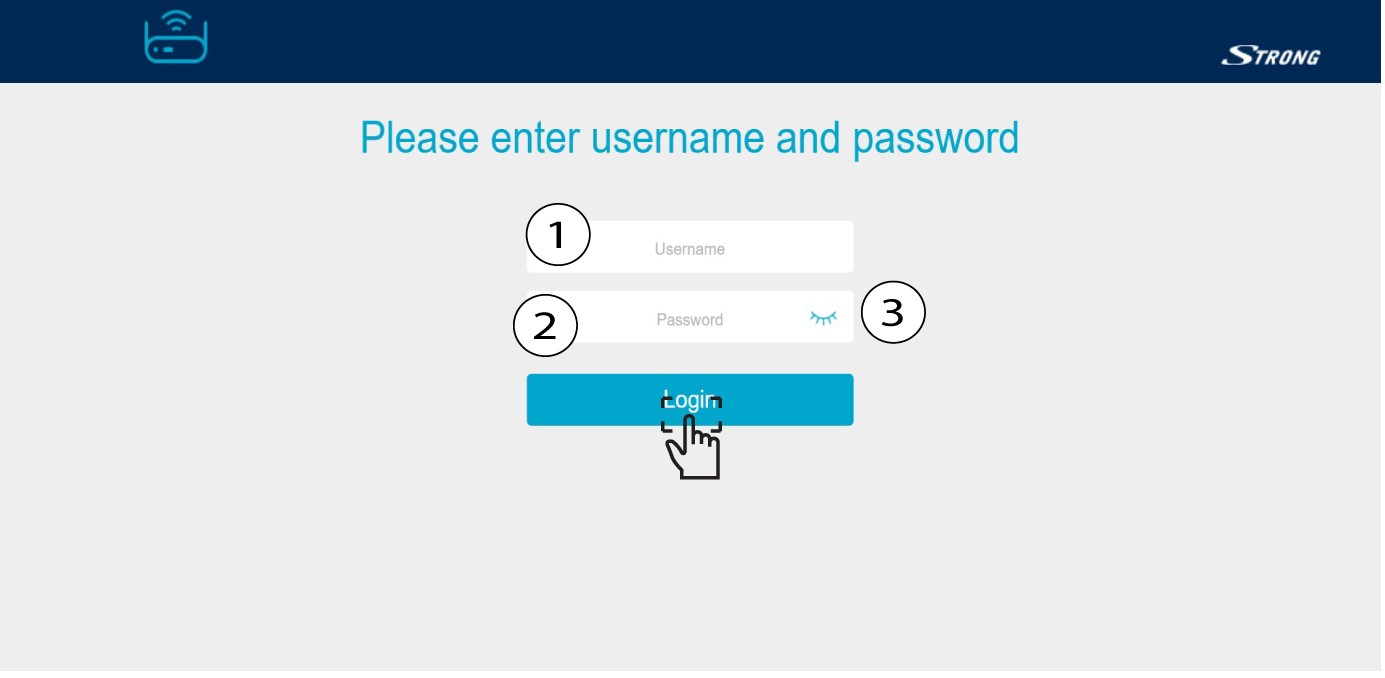
Be kell írnia a felhasználónevet (admin) és a jelszót (admin). Ezután kattintson a „Bejelentkezés” gombra.
4. Rendszerbeállítások
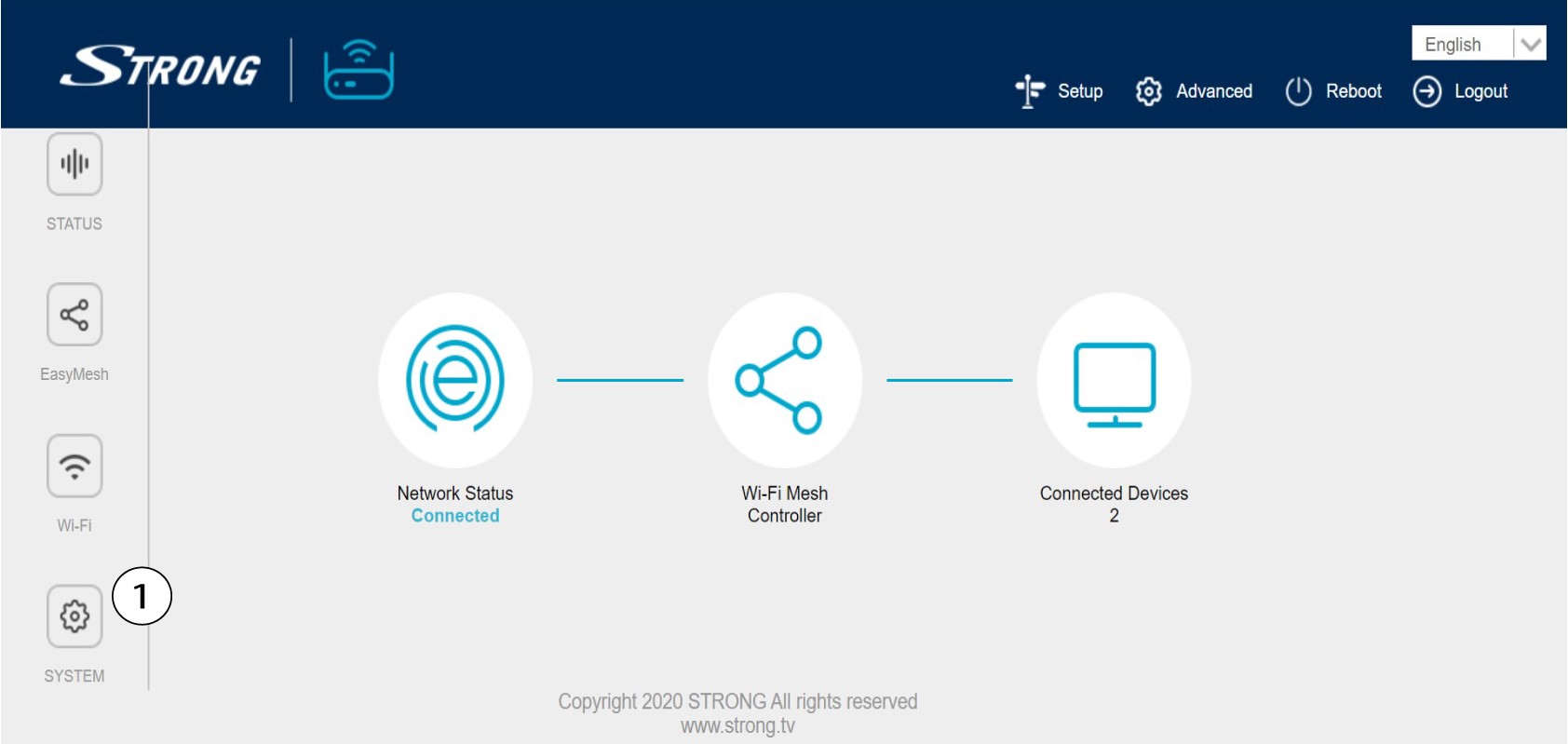
Jelenleg a webes felhasználói felület főoldalán tartózkodik. Előfordulhat, hogy az első bejelentkezés után módosítania kell a webes felhasználói felület rendszergazdai jelszavát; ehhez kérjük, kövesse az alábbi utasításokat. Ehhez kattintson a bal oldali sávban a „Rendszer” elemre.
5. Az admin jelszó szerkesztése
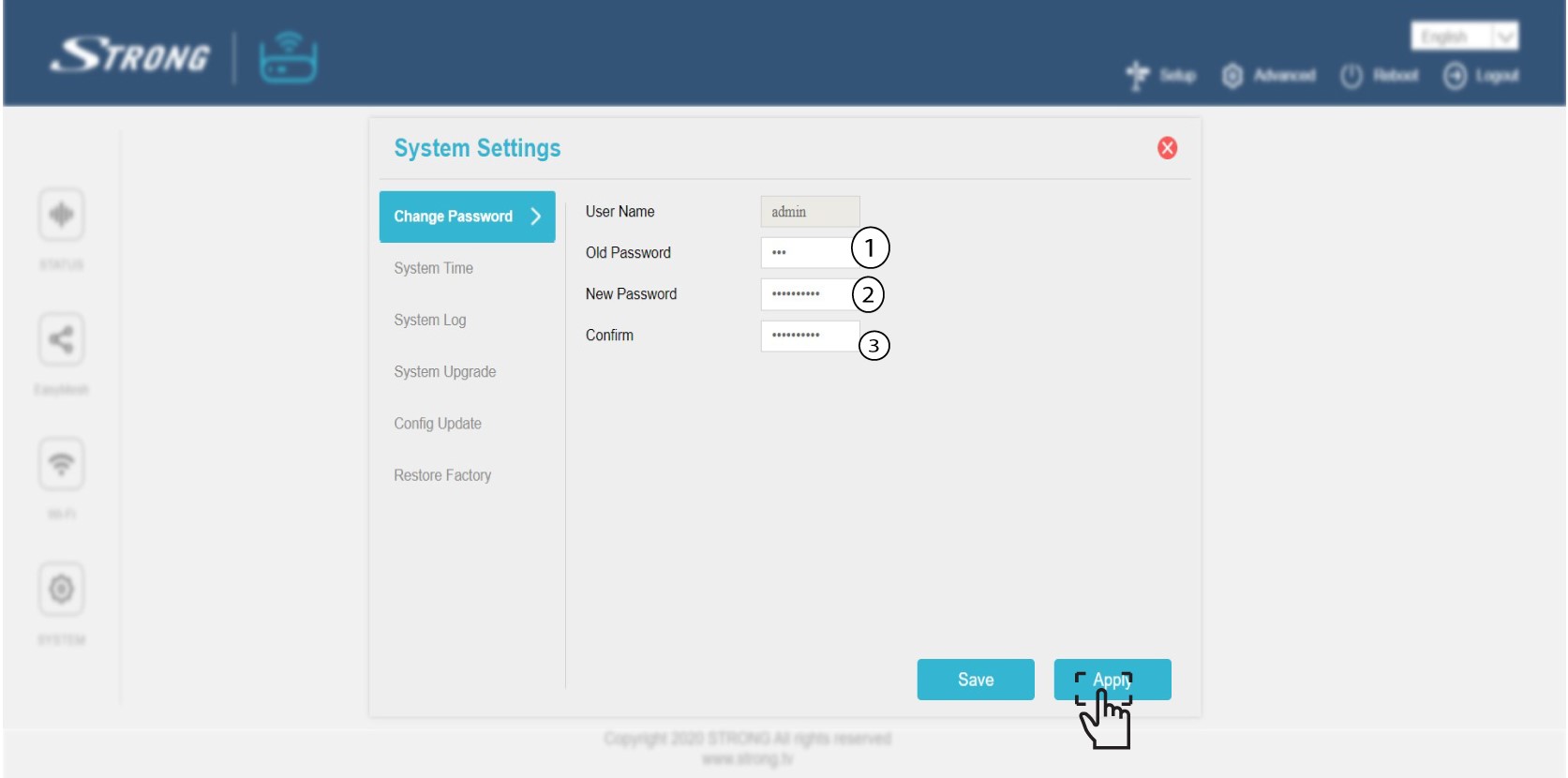
A „Megerősítés” gombra kattintás előtt adja meg az alábbi adatokat:
o Régi jelszó: Írja be a régi rendszergazdai jelszót
o Új jelszó: Írja be az új jelszót.
o Jelszó megerősítése: Írja be ugyanazt a jelszót, mint az előző lépésben.
Figyelem: Kérjük, vegye figyelembe, hogy 8 és 32 karakter közötti hosszúságú jelszót kell megadnia, , amely nagy- és kisbetűket, számokat, valamint legalább egy speciális karaktert (@, $, !, %, *, ?, &) tartalmaz
6. Írjale az új jelszót
Írd le az új jelszót egy papírra, és ragasszd fel a „ mesh ” felirat alá.
