Powerline 500 Wi-Fi háromdarabos csomag
Nem találtunk tárgyakat.
Nem találtunk tárgyakat.
Minden kérdés
Powerline 500 Wi-Fi háromdarabos csomag
Nem találtunk tárgyakat.
Nem találtunk tárgyakat.
A Wi-Fi-adapteren a „home” ikon LED-je világít, de nem tudok csatlakozni a Powerline 500 Wi-Fi-hálózatához.
1. Csatlakozza Wi-Fi-hez
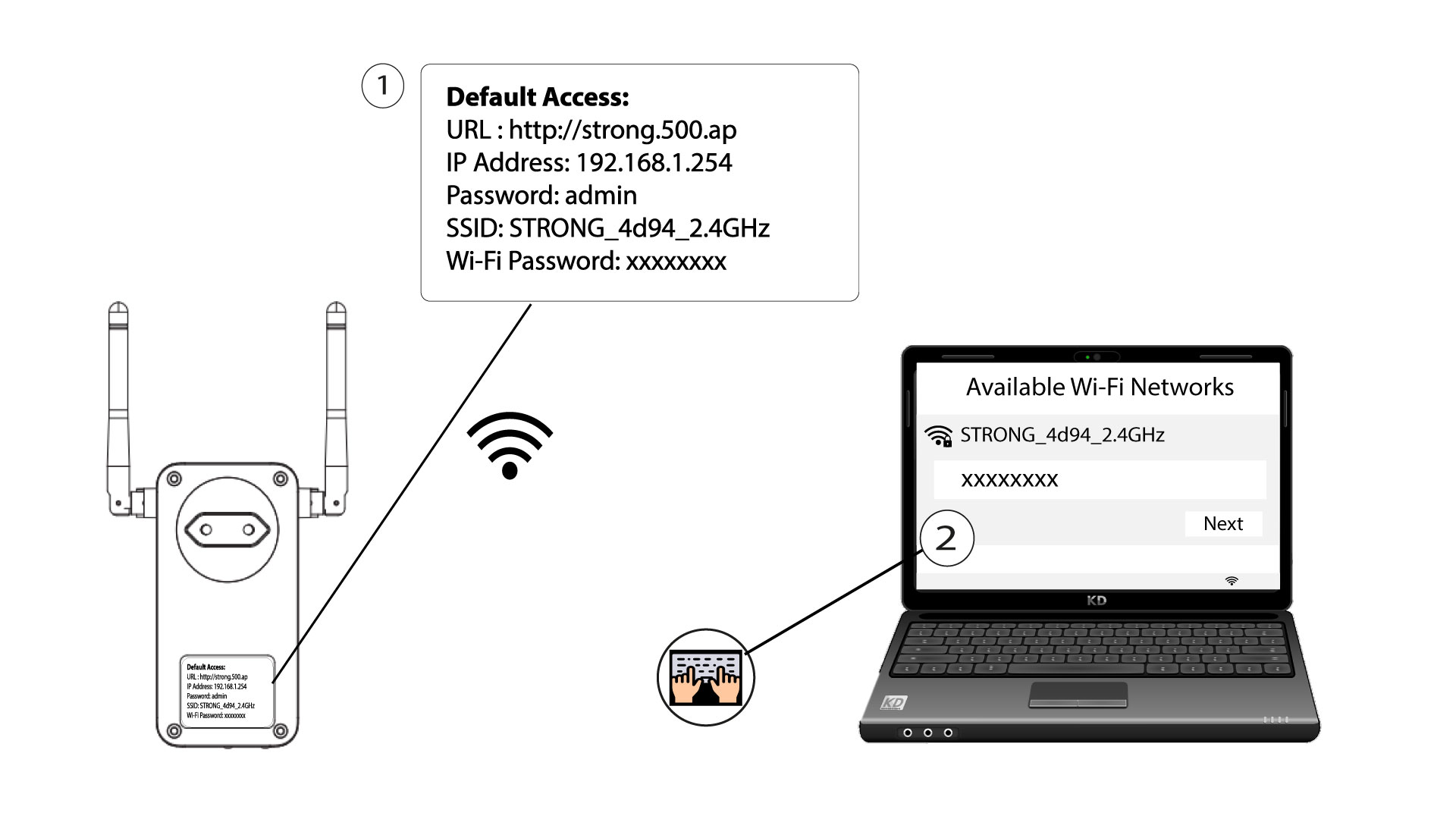
Ahhoz, hogy először csatlakozzon a Powerline Wi-Fi-hálózatához, csatlakoznia kell a termék hátulján feltüntetett SSID-hez, és a szintén ott megadott Wi-Fi-jelszót kell használnia.
Felhívjuk figyelmét, hogy a kisbetűs „L” összetéveszthető a nagybetűs „i”-vel, ezért kérjük, próbálja ki a különböző lehetőségeket
2. A Wi-Fi-adapter visszaállítása
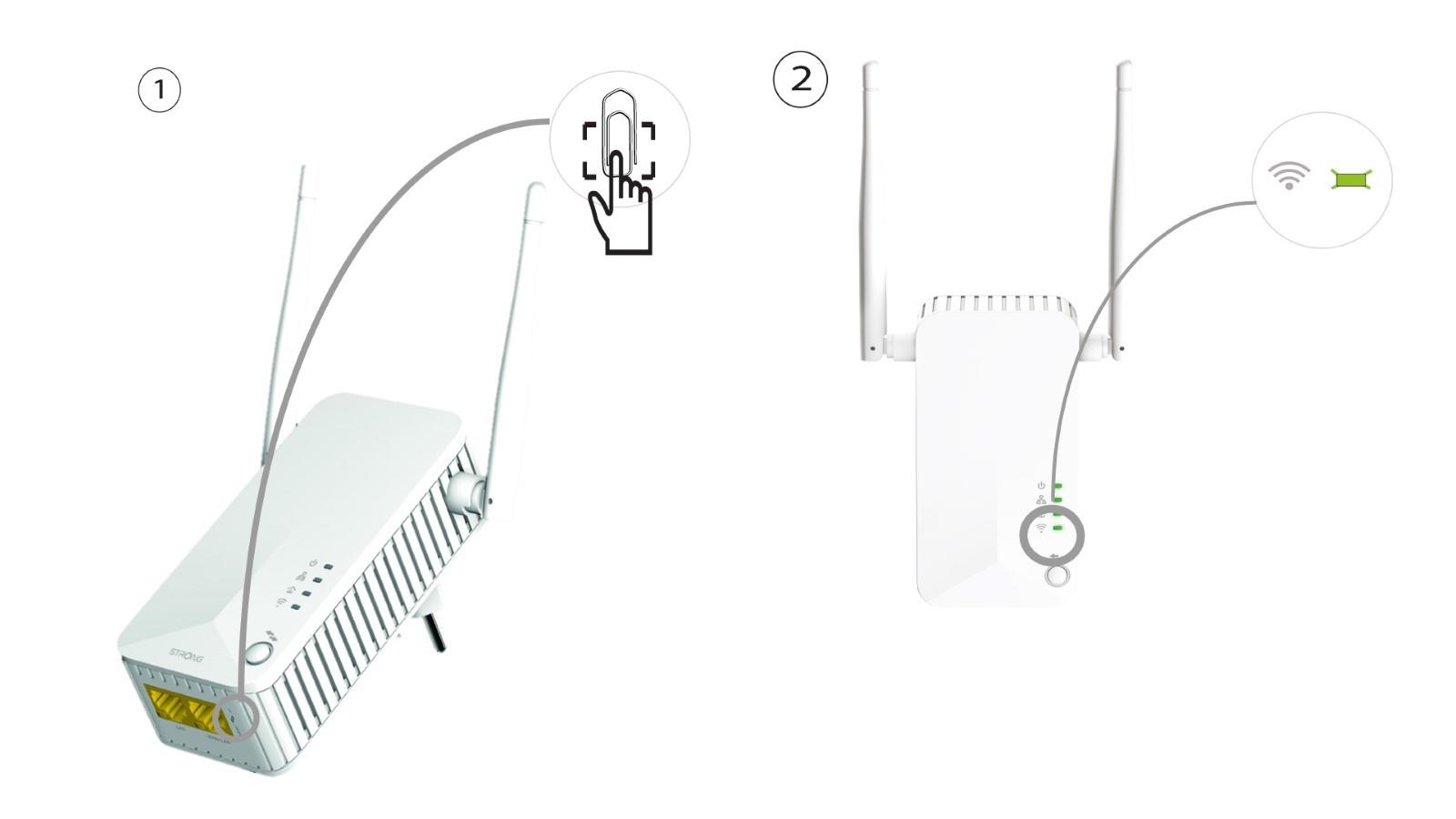
Ha továbbra sem sikerül csatlakoznia a Powerline 500 Wi-Fi-hez, kérjük, állítsa alaphelyzetbe a Powerline Wi-Fi-t úgy, hogy egy gemkapoccsal nyomja meg a készülék alján található nyílást, amíg a LED-ek villogni nem kezdenek.