
Powerline 1000 Duo Wi-Fi FR V2
Tutte le domande
Powerline 1000 Duo Wi-Fi FR V2
Posso disattivare la funzione Wi-Fi del modulo Wi-Fi in modo che funzioni come un semplice " Powerline"?
Sì, è possibile disattivare il Wi-Fi. Per farlo, segui i passaggi riportati di seguito.
1. Connettitialla rete Wi-Fi " powerline "
Connettiti alla rete Wi-Fi dell’ Powerline.
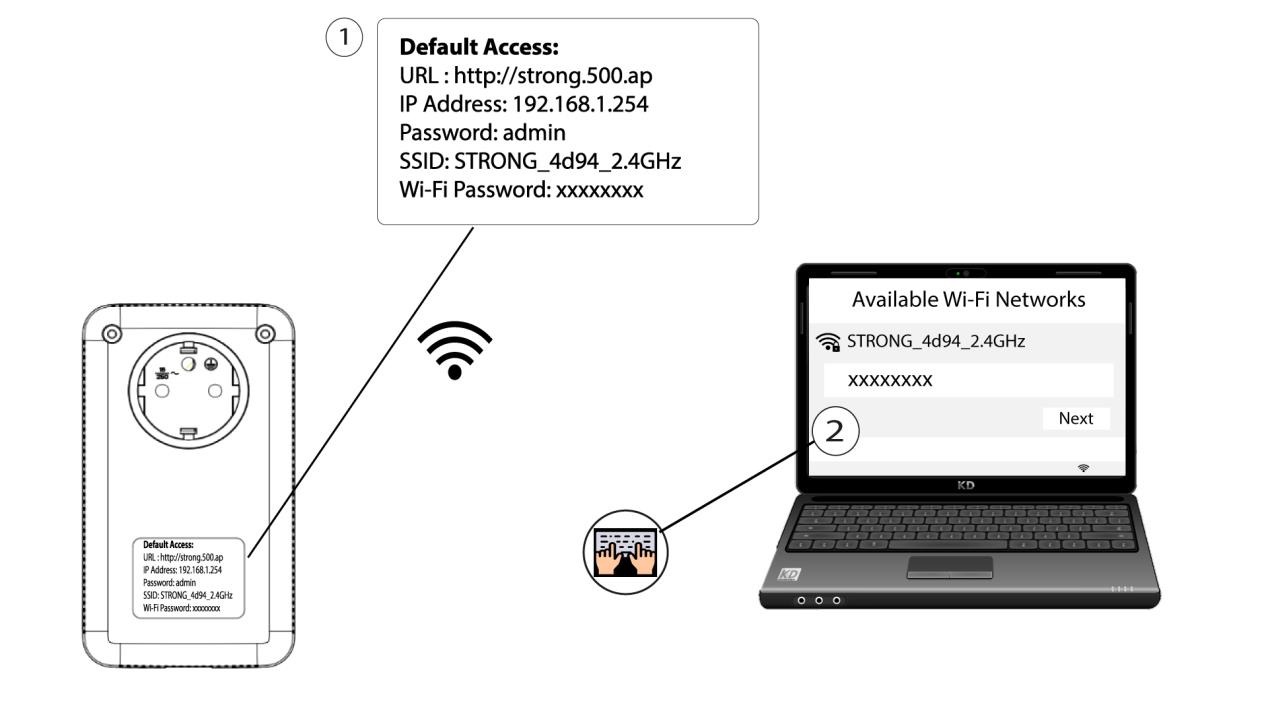
2. Accedereall'indirizzo IP dell'interfaccia utente web
Connettiti all'interfaccia utente del modulo Wi-Fi Powerline tramite Wi-Fi oppure digitando http://strong.500.ap nella barra degli indirizzi del tuo browser Internet: l'interfaccia dovrebbe apparire.

3. Inseriscile credenziali
Una volta sulla pagina iniziale, inserisci la password: admin

4. Impostazioni WLAN
Fare clic su “Impostazioni WLAN ”, quindi selezionare “Impostazioni di base”.

5. Disattivareil Wi-Fi
Deselezionare la casella di controllo "Abilita" nella riga "Wireless", in base alle proprie esigenze, quindi fare clic su "Salva".


Si prega di notare che, per riattivare il Wi-Fi tramite l'interfaccia utente del modulo, sarà necessario collegarsi tramite un cavo RJ45. L'altra soluzione per riattivare il Wi-Fi consiste nel resettare la rete Wi-Fi " Powerline " utilizzando una graffetta fino a quando i LED non lampeggiano. Tutti i dispositivi che erano connessi alla rete Wi-Fi " powerline " verranno automaticamente disconnessi.