Mesh Wi-Fi 5 ATRIA 2100 (add-on)
Nessun articolo trovato.
Nessun articolo trovato.
Tutte le domande
Mesh Wi-Fi 5 ATRIA 2100 (add-on)
Nessun articolo trovato.
Nessun articolo trovato.
Come posso accedere all'interfaccia utente web delle diverse unità Mesh ?
1. Connessioneal Wi-Fi
Per farlo, inserisci l'SSID (nome della rete Wi-Fi) e la password Wi-Fi del router sul tuo dispositivo:

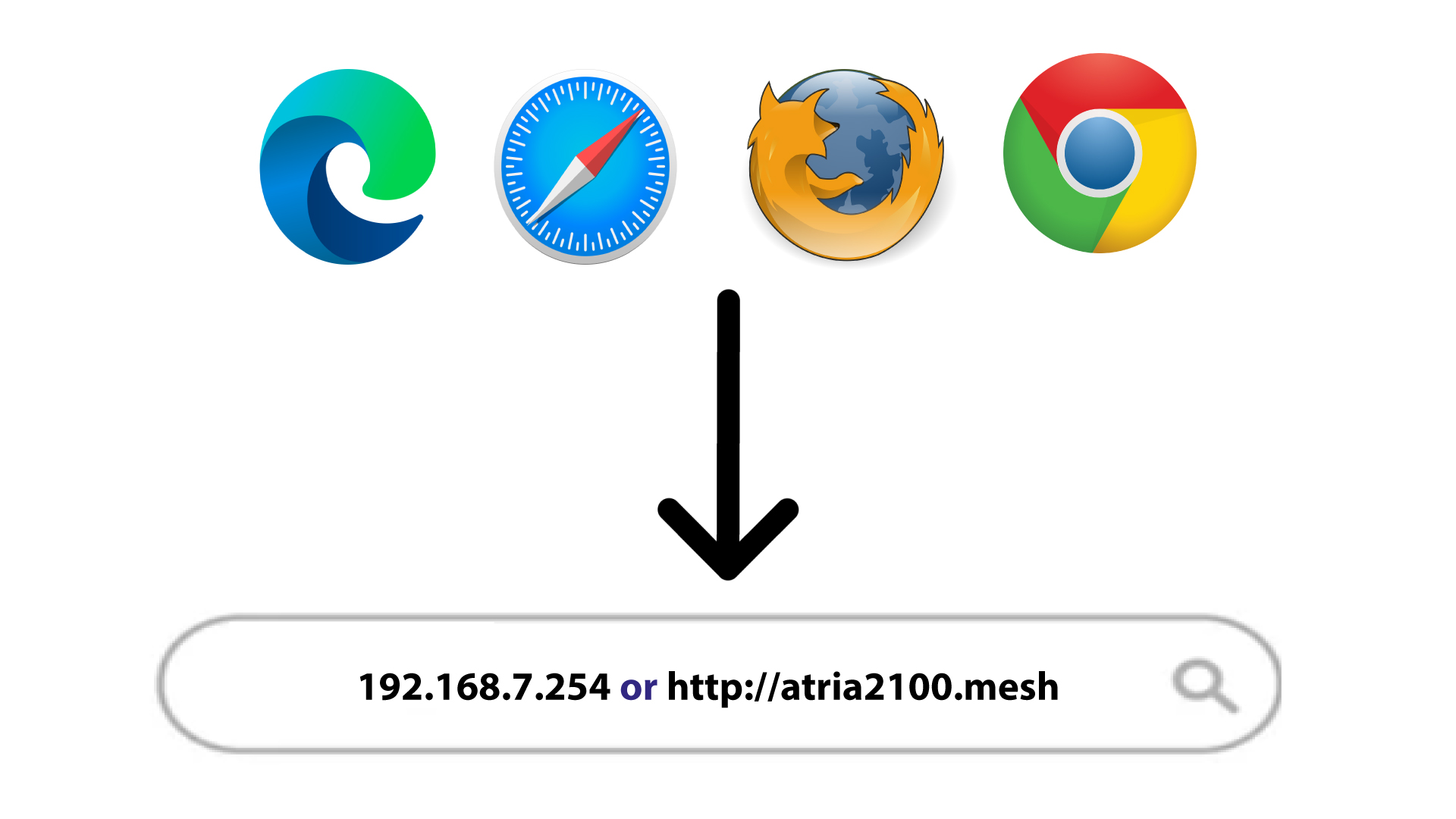
2.Indirizzo IPdell'interfaccia utente web nel browser
A questo punto, inserisci nel browser il seguente indirizzo IP: 192.168.7.254 oppure digita il seguente indirizzo: http://atria2100.mesh
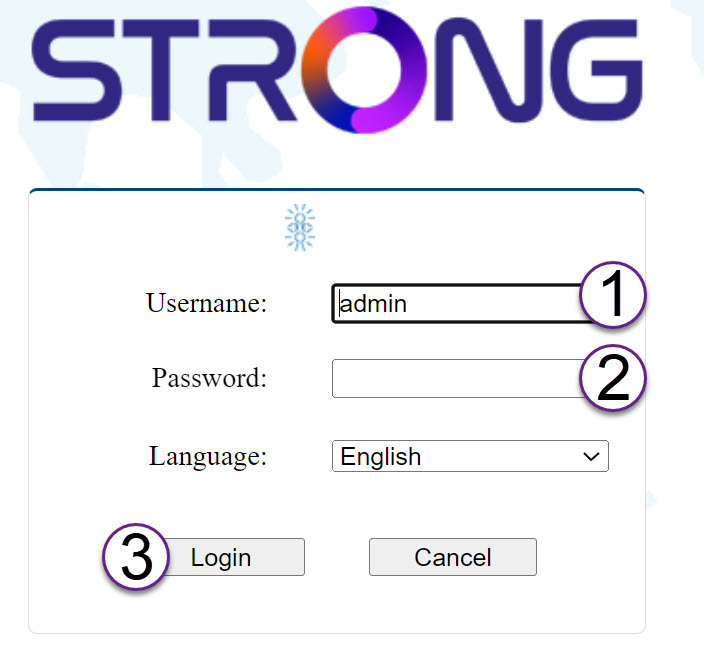
3. Titoli di studio
È necessario inserire il nome utente (admin) e la password (admin) (si prega di notare che, dopo il primo accesso, verrà creata la propria password di amministratore personale, il che significa che la password riportata sull'etichetta del prodotto non funzionerà più).
Quindi, clicca su " Accedi".
Informazioni su 4LAN
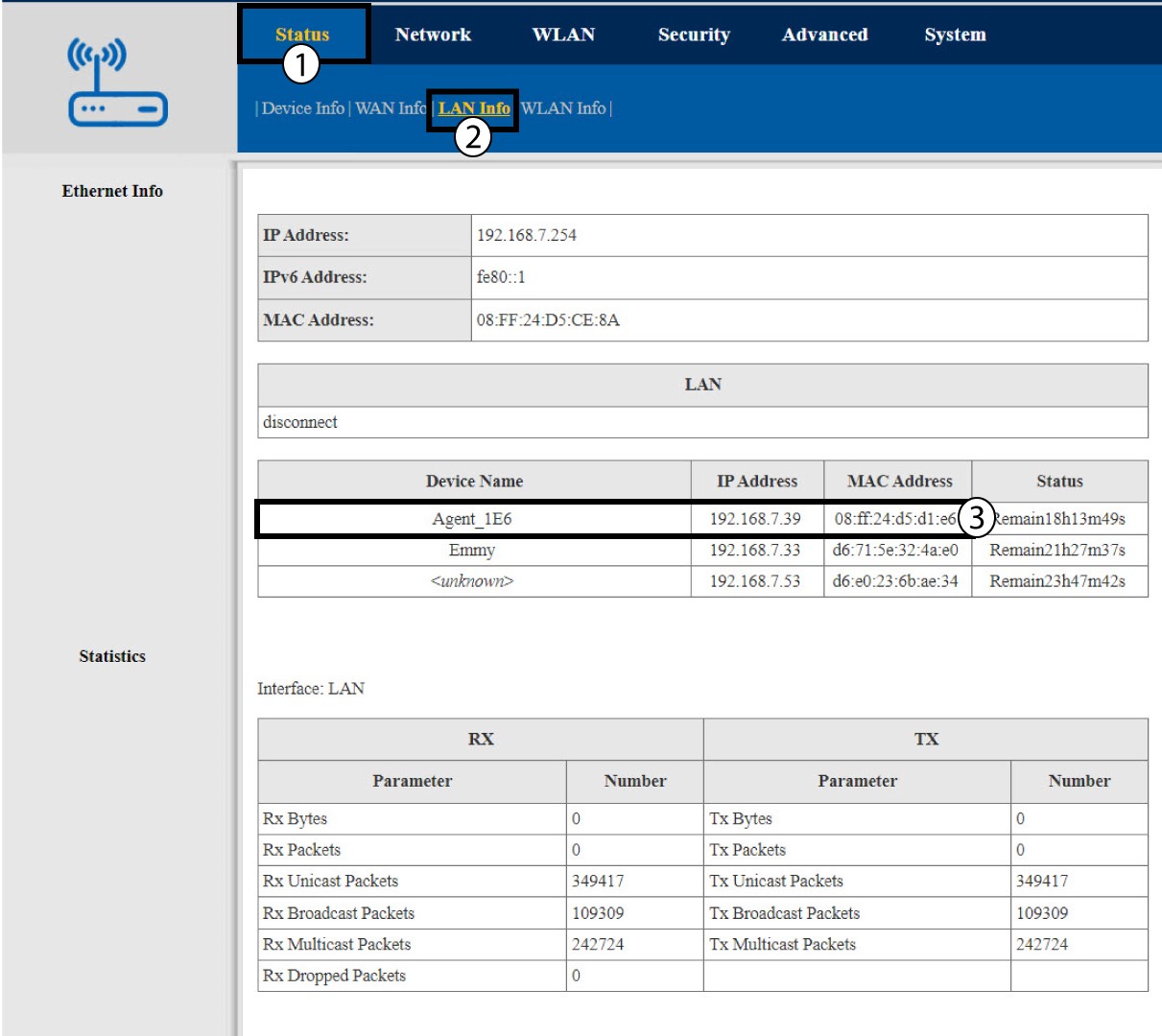
Fai clic su "Stato" e "Informazioni LAN". Quindi, nelle informazioni relative ai dispositivi collegati, cerca l'indirizzo IP delle unità aggiuntive mesh denominate " Agent xxxx".