Mesh Wi-Fi 5 ATRIA 2100 UK confezione da 2)
Nessun articolo trovato.
Nessun articolo trovato.
Tutte le domande
Mesh Wi-Fi 5 ATRIA 2100 UK confezione da 2)
Nessun articolo trovato.
Nessun articolo trovato.
Come posso aggiungere nuove unità Mesh alla rete esistente che ho appena configurato?
È semplicissimo aggiungere nuove unità mesh alla rete Mesh già esistente.
1. Caso1: Pulsante WPS
Per farlo, premi il pulsante WPS per 5 secondi sull'unità " Mesh " collegata al tuo router/modem "
" tramite cavo RJ45.
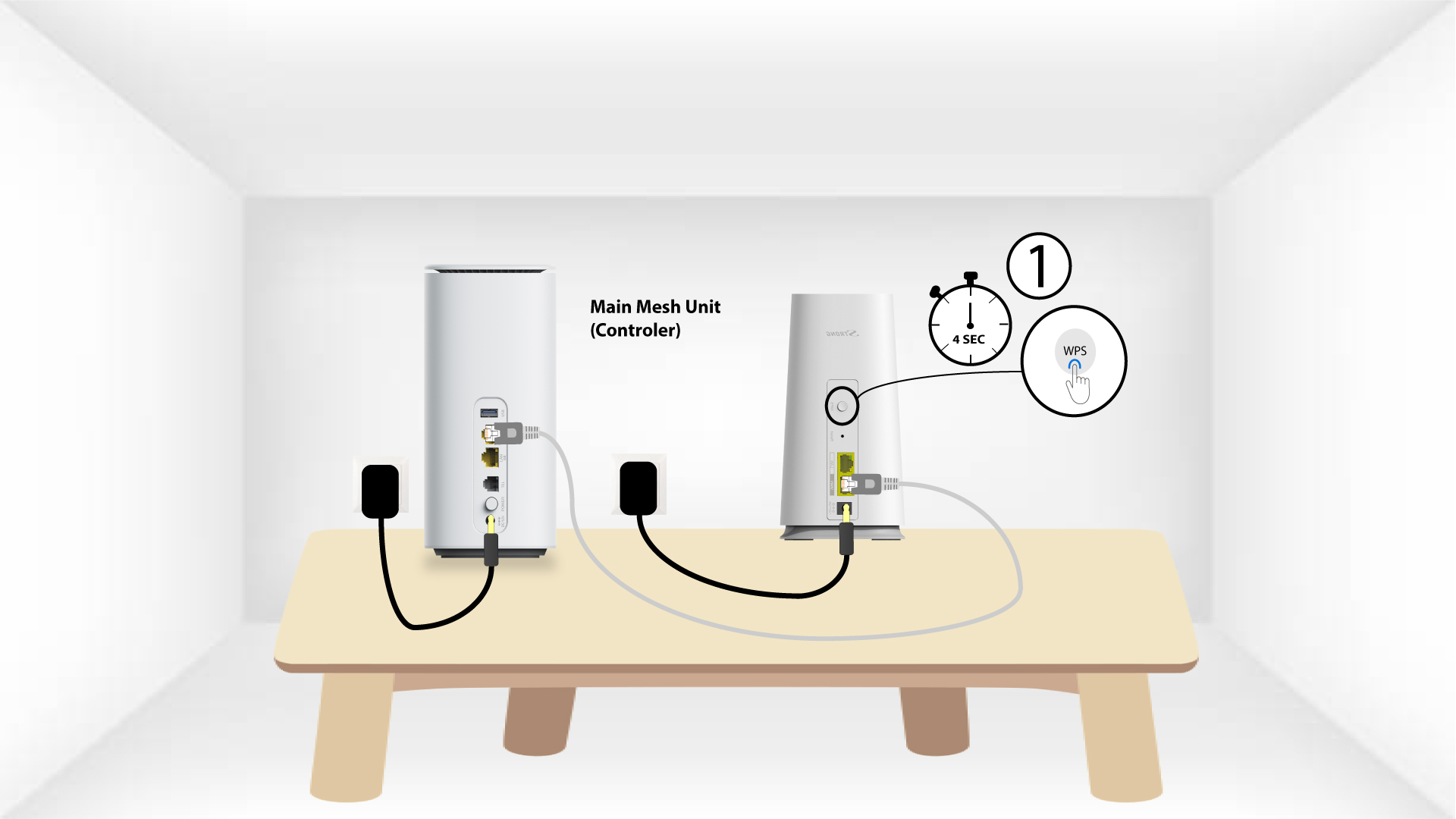
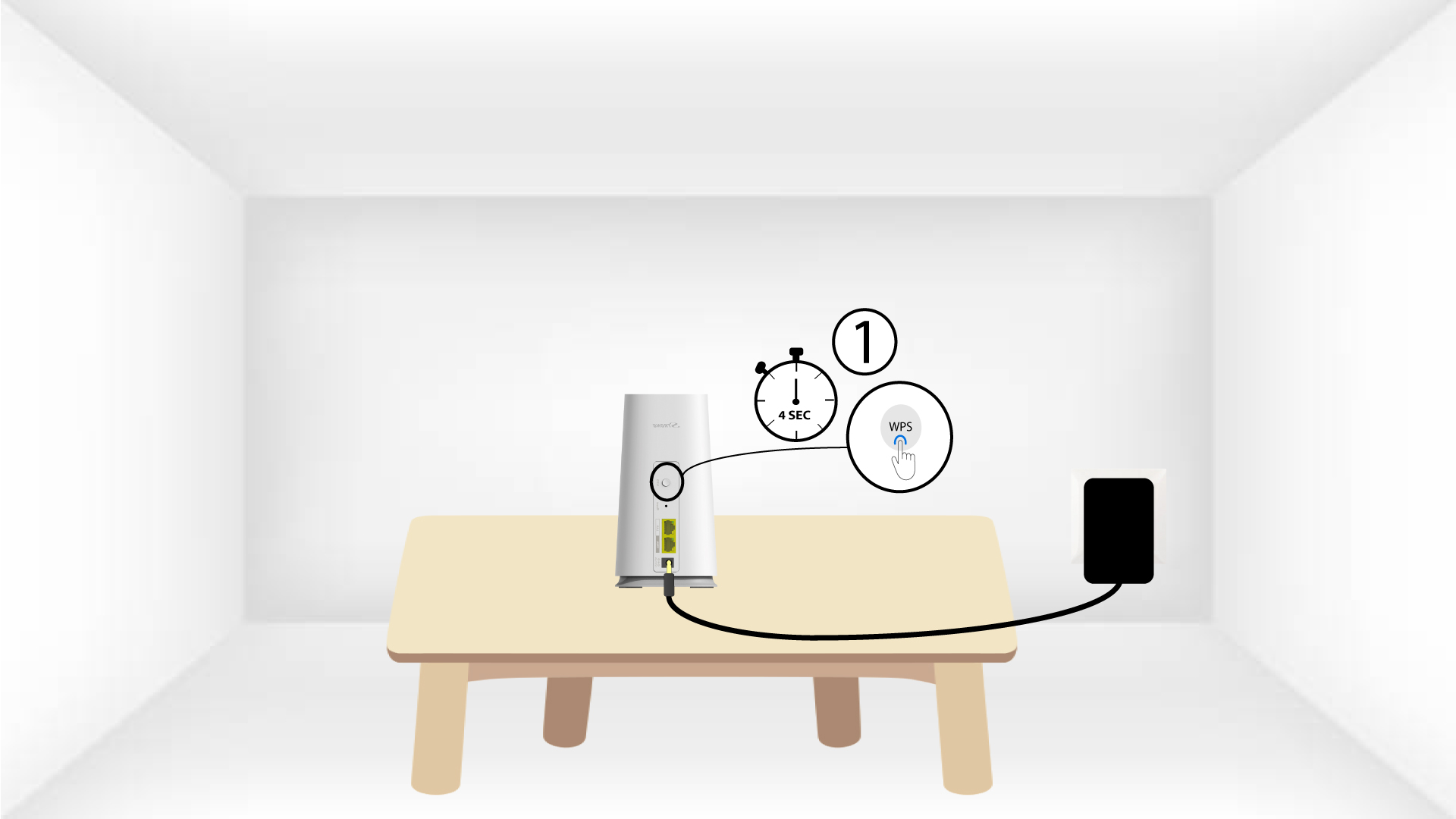
2WPSdel secondo dispositivo
Quindi, premere il pulsante WPS sulla nuova unità per 5 secondi.
1 Caso2: App Atria Mesh
È inoltre possibile aggiungere un nodo Mesh tramite l'app Atria Mesh .
Per farlo, connettiti alla rete Wi-Fi del dispositivo Mesh collegato al tuo router/modem.

2App Atria" Mesh "
Quindi scarica l'app Atria “ Mesh ”.

3. Titoli di studio
Inserisci il nome utente e la password (admin/admin) per effettuare l'accesso.

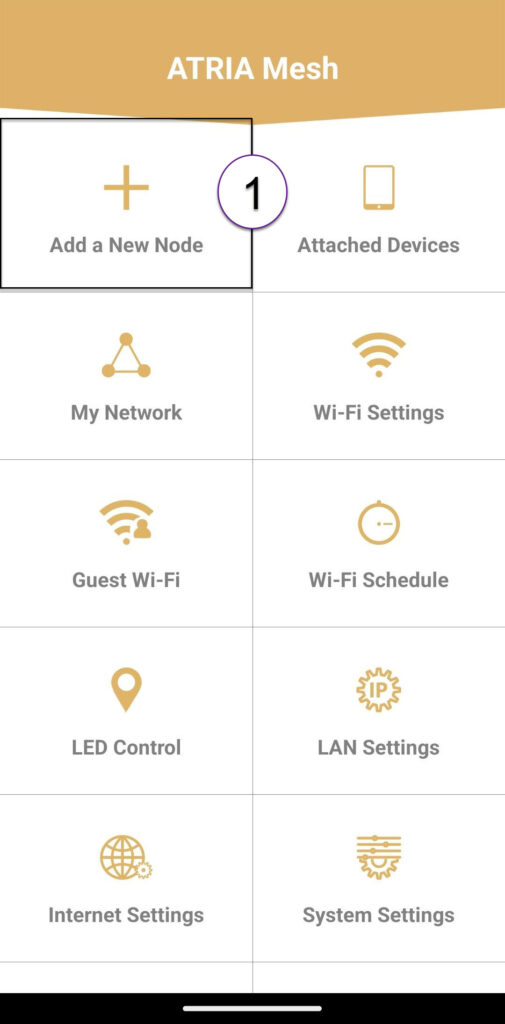
4Aggiungiun nuovo Mesh
Fare clic su “Aggiungi un nuovo nodo Mesh ”.
Codice QR 5
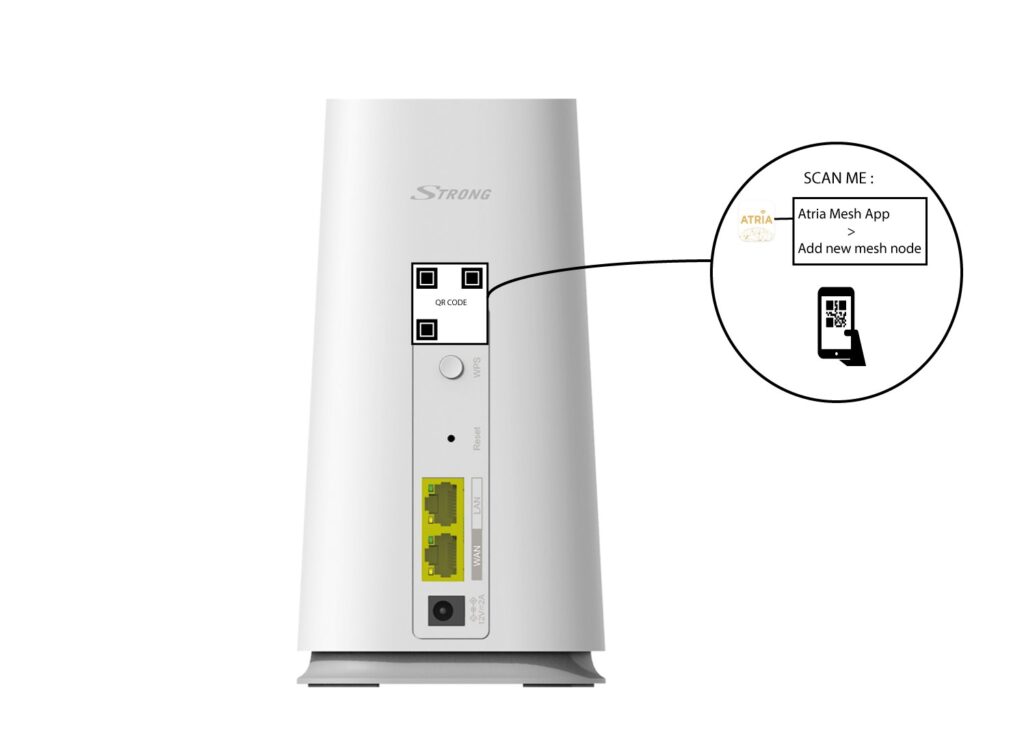
Scansiona il codice QR che si trova sul retro dell’ mesh e che desideri aggiungere.