Nessun articolo trovato.
LEAP
Nessun articolo trovato.
Tutte le domande
Nessun articolo trovato.
LEAP
Nessun articolo trovato.
Come posso aggiungere o rimuovere un'applicazione dalla schermata iniziale?
1Caso1: Aggiunta di un'app
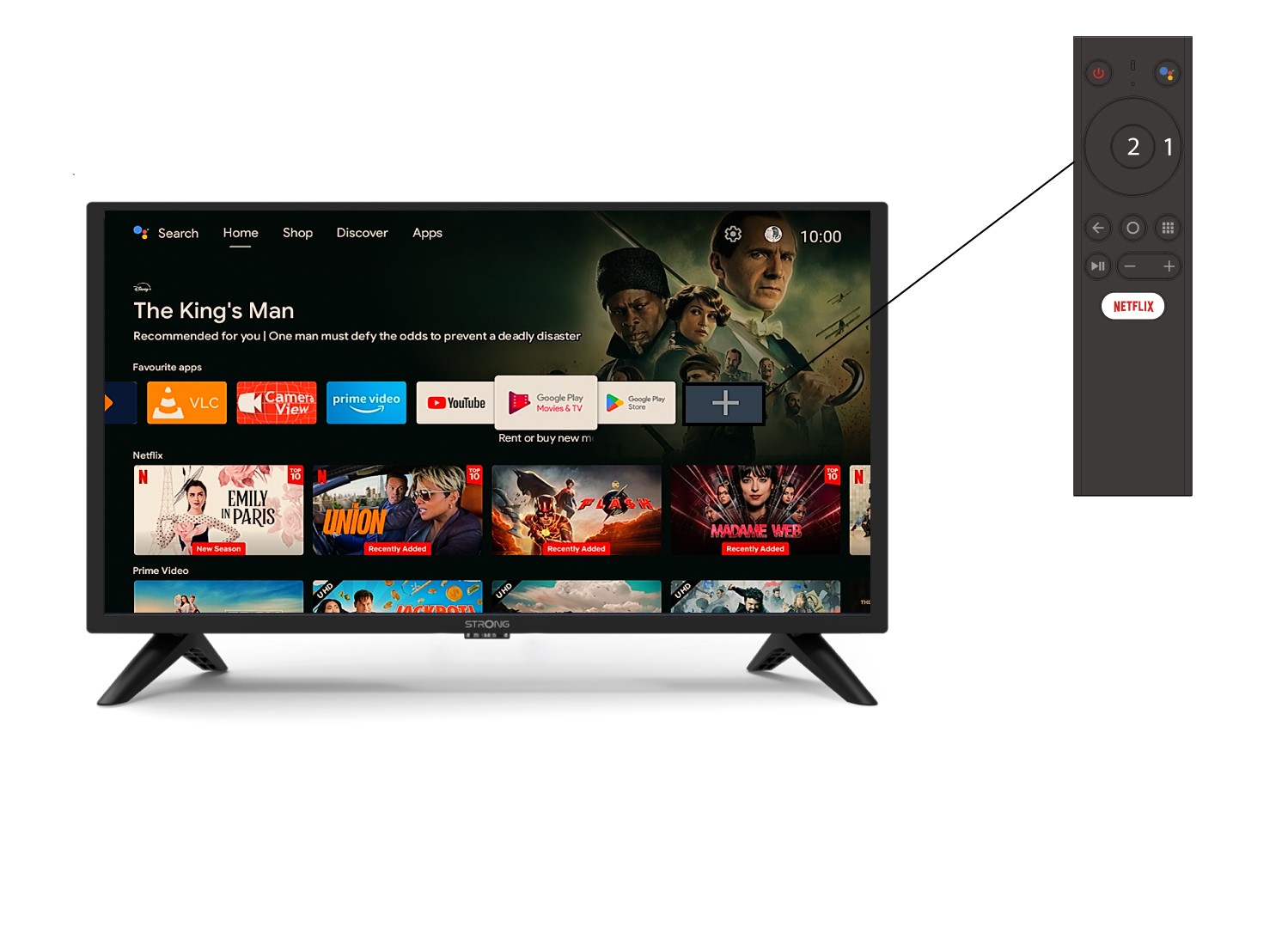
Per aggiungere un'applicazione alla schermata iniziale, vai sull'icona + situata alla fine dell'elenco delle applicazioni già presenti nella schermata iniziale, quindi premi « OK ».
2Elenco delle app
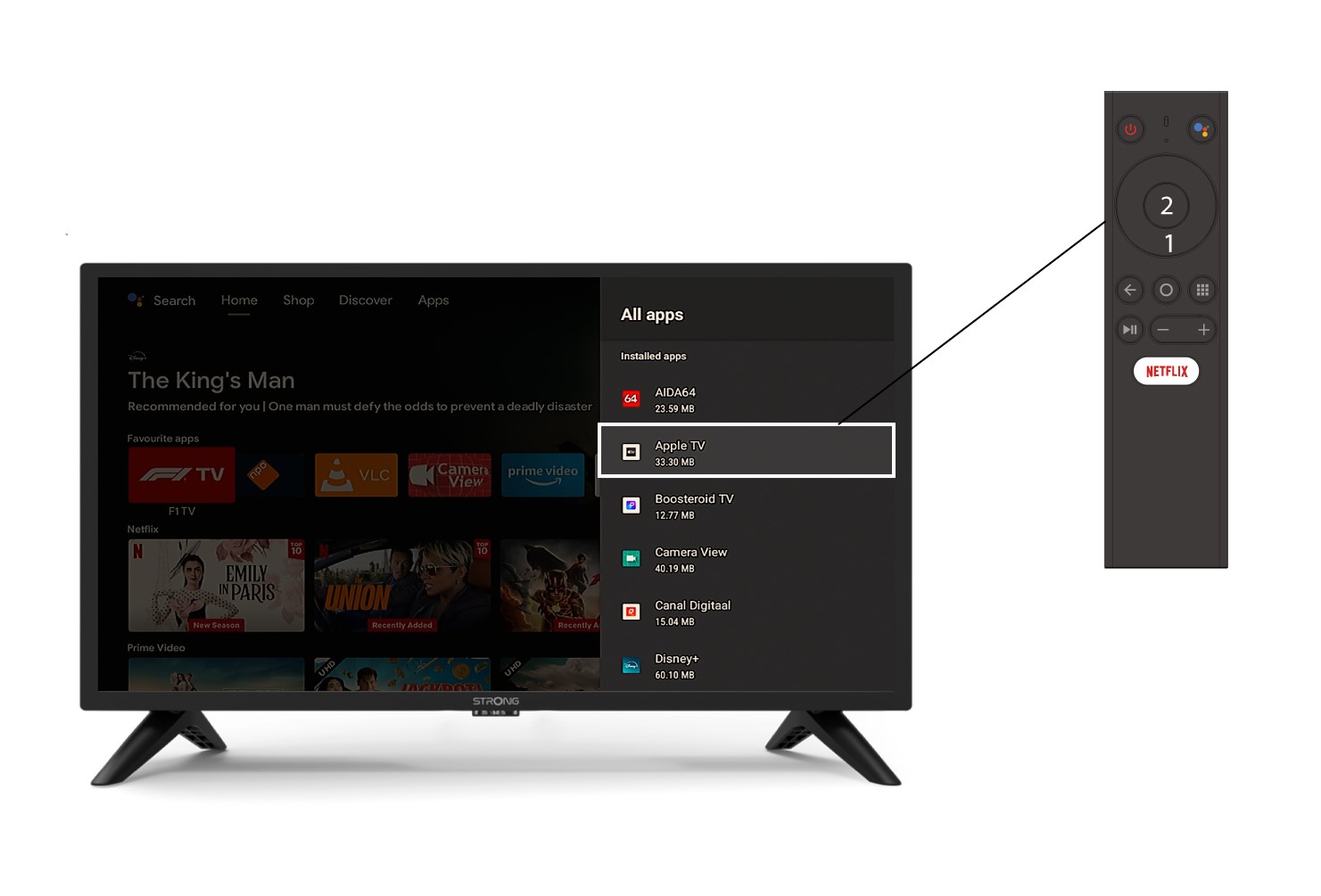
A questo punto si aprirà l'elenco delle applicazioni: seleziona l'applicazione che preferisci e premi il pulsante OK del tuo telecomando.
3Caso2: Rimozione di un'app
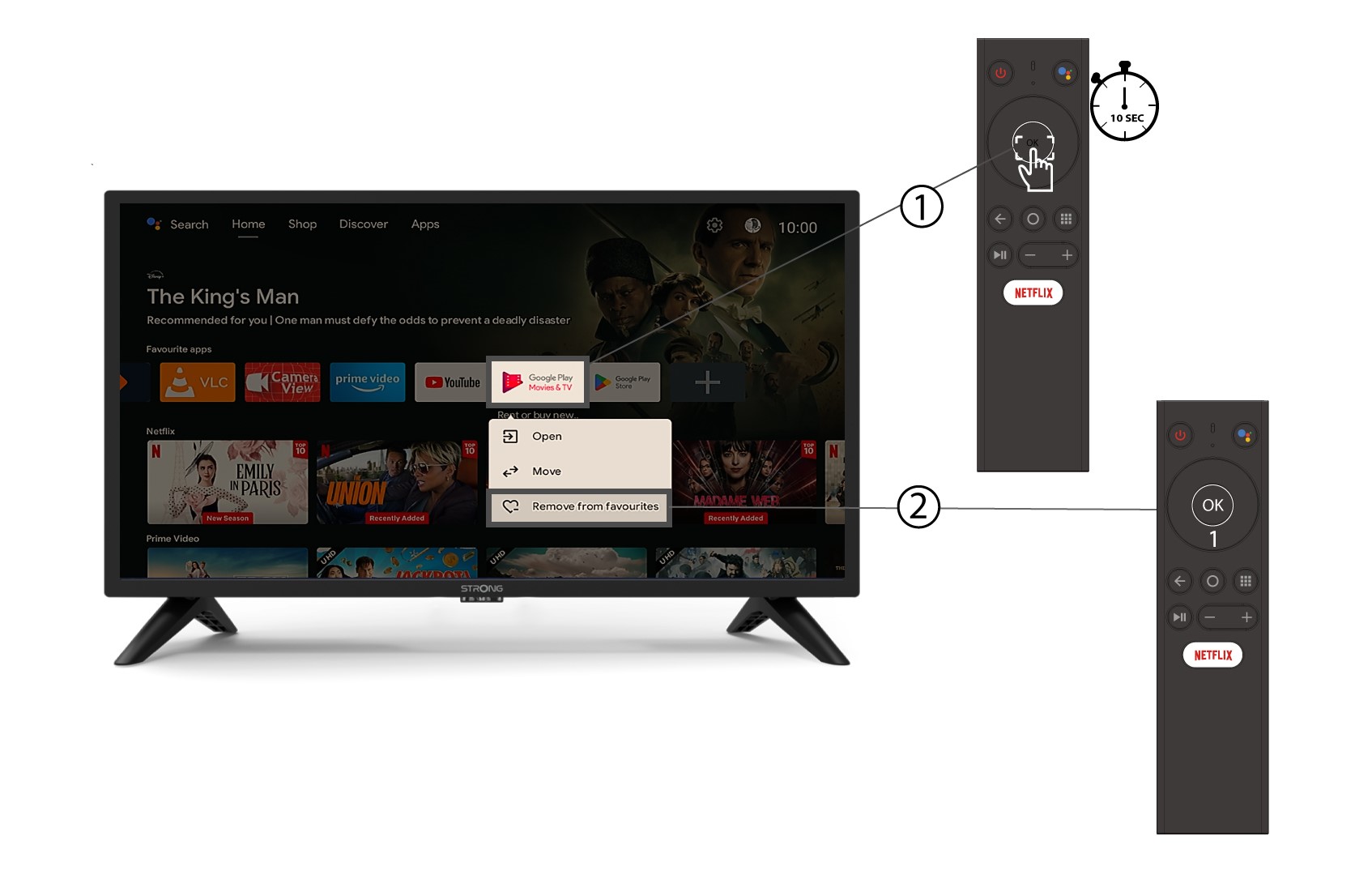
Per rimuovere un'applicazione dalla schermata iniziale, nell'elenco delle applicazioni già presenti sulla schermata iniziale, individua l'applicazione che desideri rimuovere, tieni premuto a lungo il pulsante « OK »; apparirà una finestra in cui dovrai selezionare « Rimuovi dai preferiti ».