
5G AIRHOME 1050 | Wi-Fi 6
Tutte le domande
5G AIRHOME 1050 | Wi-Fi 6
Come posso accedere all'interfaccia utente web?
Per accedere all'interfaccia utente web, è necessario essere connessi alla rete Wi-Fi del dispositivo dopo aver inserito la scheda SIM nell'apposito alloggiamento.
1. Connettitialla rete Wi-Fi del router
Per farlo, inserisci l'SSID (nome della rete Wi-Fi) e la password Wi-Fi del router sul tuo dispositivo:

2. Accedereall'indirizzo IP dell'interfaccia utente web
A questo punto, inserisci nel browser il seguente indirizzo IP: 192.168.0.1

3. Trovala tua credenziale
Per individuare le tue credenziali, consulta l'etichetta situata sul retro del dispositivo.
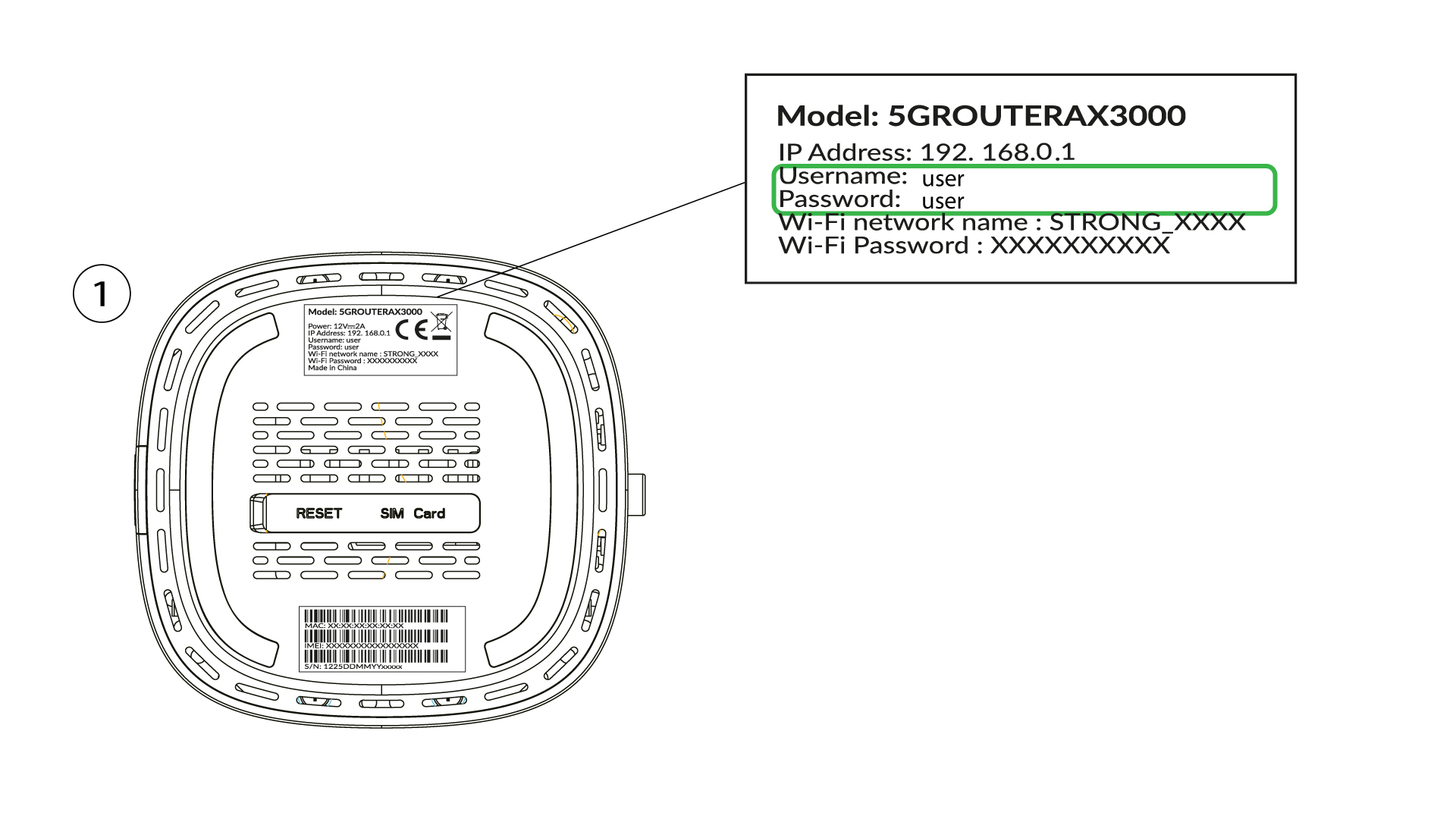
4. Inseriscile tue credenziali
È necessario inserire il nome utente e la password, quindi fare clic su "Accedi" ( per trovare le credenziali, fare riferimento al passaggio precedente).

5. Modificadella password di amministratore
Nella finestra pop-up che appare, dopo il primo accesso dovrai creare una nuova password di amministratore; per farlo, inserisci le seguenti informazioni prima di fare clic su “Conferma”:
- Modifica password: inserisci una password composta da un numero di caratteri compreso tra 8 e 32, contenente lettere maiuscole, minuscole, numeri e almeno un carattere speciale (@, $, !, %, *, ?, &)
- Conferma password: inserisci la stessa password.
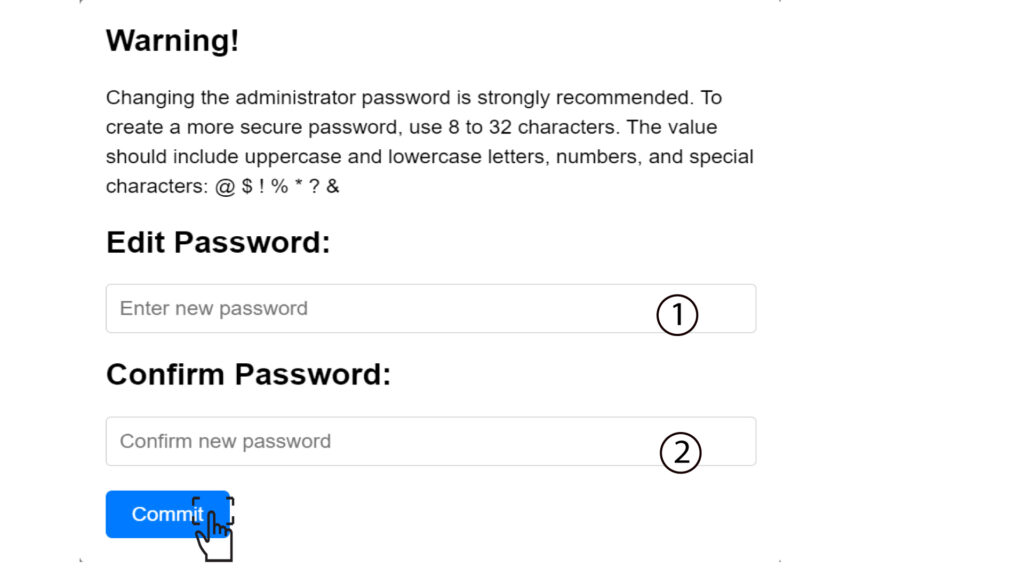
6. Inseriscile nuove credenziali
Si prega di annotare su un foglio di carta la nuova password di amministratore e il nome utente:
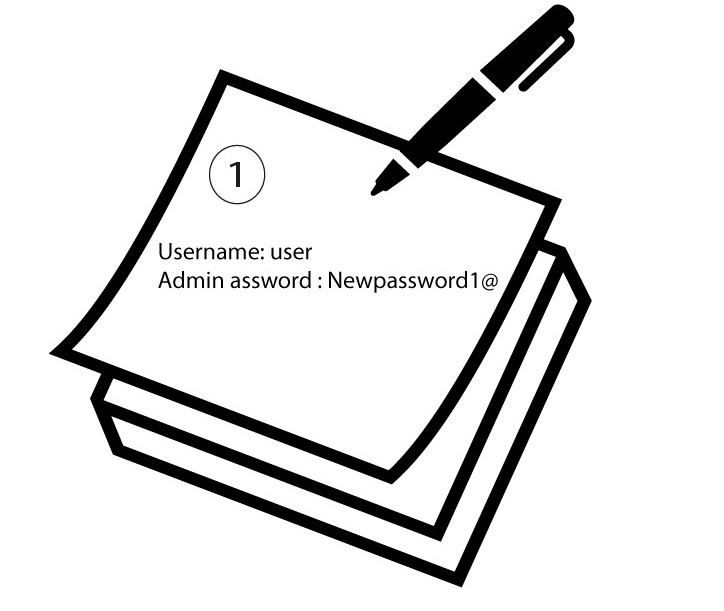

Avviso: se la password di amministrazione predefinita è impostata su "user", è necessario modificarla dopo il primo accesso per proteggere l'accesso al router e prevenire eventuali attacchi hacker. Dopo aver impostato la nuova password, si prega di prenderne nota.