
Powerline 1000 Duo Wi-Fi EU V2
Tutte le domande
Powerline 1000 Duo Wi-Fi EU V2
Come posso modificare il nome SSID e la password della rete Wi-Fi dell'Powerline e 1000?
1. Connettitialla rete Wi-Fi " powerline "
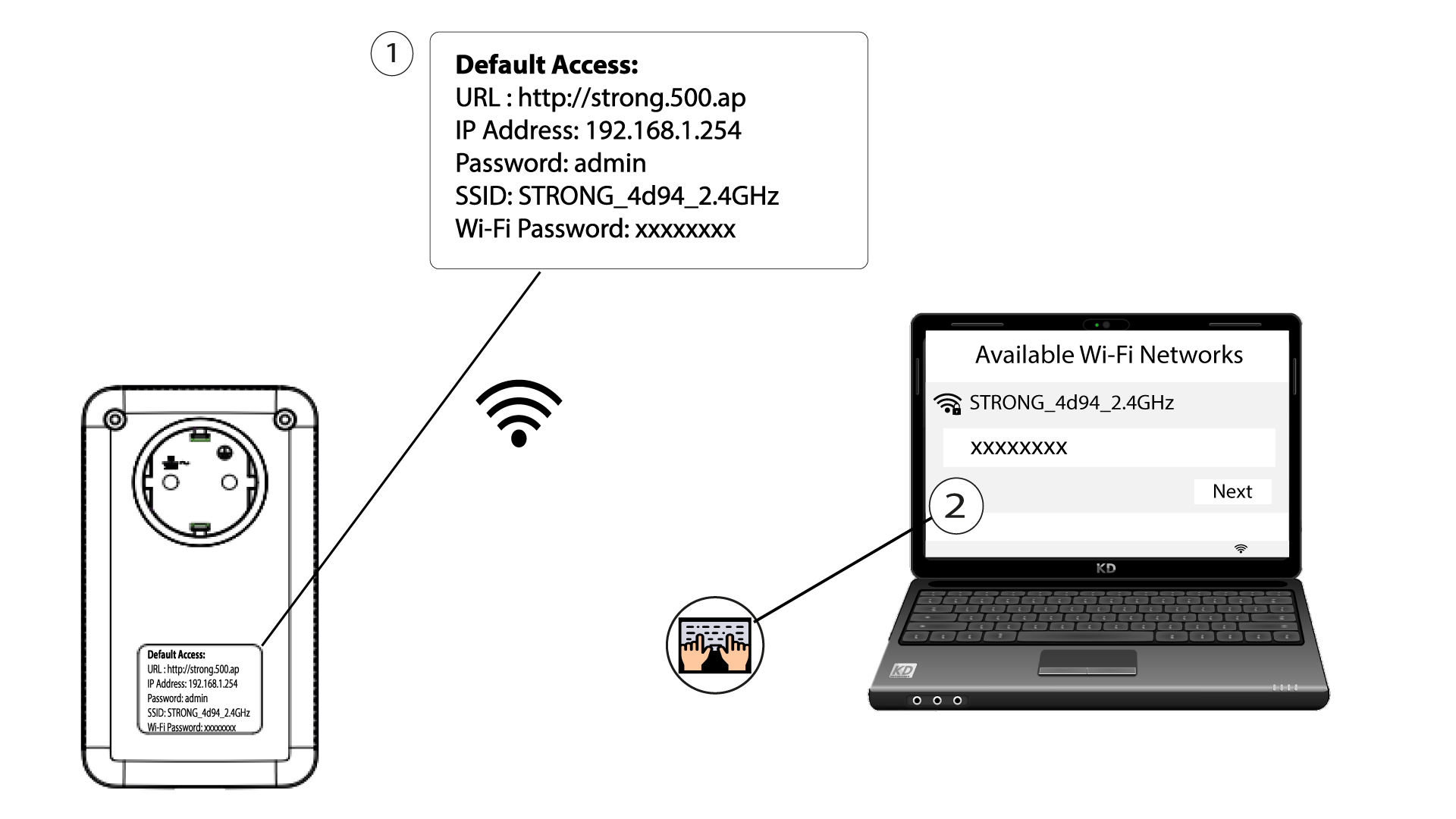
Connettiti alla rete Wi-Fi dell'Powerline 1000.
2. Accedereall'interfaccia utente web
Per accedere all'interfaccia utente, digita l'URL http://strong.500.ap nella barra degli indirizzi del tuo browser.

3. Inseriscile tue credenziali
Quindi, digita la password: admin

4. Configurazione rapida
Accedere al menu, selezionare “Configurazione rapida”, quindi fare clic su “Access Point (AP)” e poi su “AVANTI”.

5. Inseriscile nuove informazioni di rete
Modifica l'SSID e la passphrase. Quando definisci la nuova passphrase, evita di utilizzare la "I" maiuscola e la "l" minuscola, poiché possono essere facilmente confuse. Ti consigliamo inoltre di creare una passphrase composta da lettere maiuscole, minuscole e numeri alternati. Una volta terminate le modifiche, fai clic su AVANTI per salvare.

6. Annotarele informazioni di rete
Si prega di annotare su un foglio di carta il nuovo SSID e la nuova passphrase, quindi ricollegare tutti i dispositivi alla rete Wi-Fi dell’ powerline 1000 utilizzando le nuove impostazioni.
