
Powerline 600 Duo Wi-Fi Mini
Tutte le domande
Powerline 600 Duo Wi-Fi Mini
Come posso modificare il nome SSID e la password della rete Wi-Fi dell’ Powerline e 600 Mini?
Come posso modificare il nome SSID e la password della rete Wi-Fi Mini dell'Powerline e 600?
1. Connettitial Wi-Fi
Connettiti alla rete Wi-Fi dell’ Powerline 600 Wi-Fi Mini.
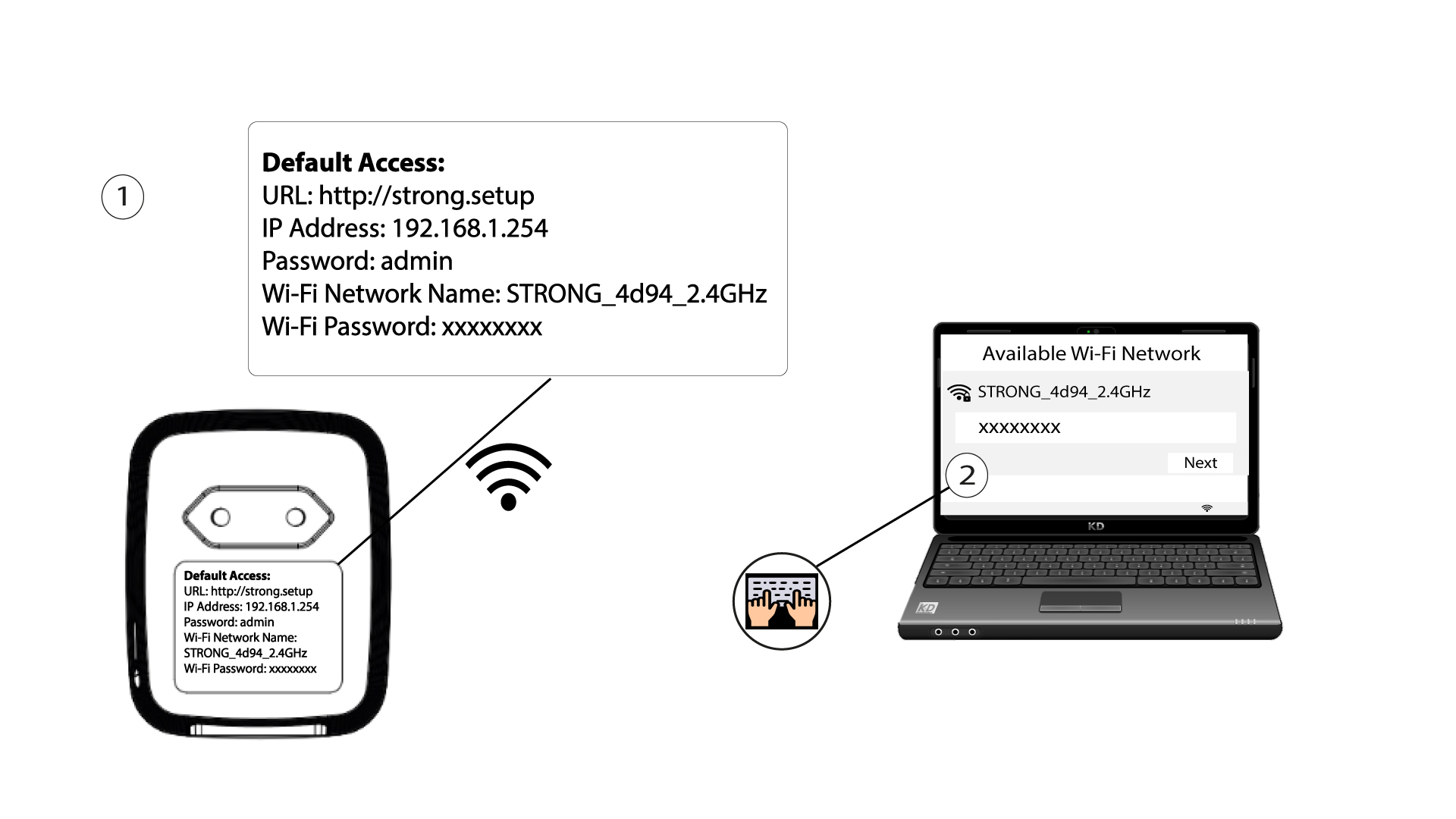
2. Accedereall'indirizzo IP dell'interfaccia utente web
Per accedere all'interfaccia utente, digita l'URL http://strong.setup nella barra degli indirizzi del tuo browser.

3. Inseriscile tue credenziali
Quindi, digita la password: admin

4. Configurazione rapida
Accedere al menu, selezionare “Configurazione rapida”, quindi fare clic su “Access Point (AP)” e poi su “AVANTI”.

5. Inseriscile nuove informazioni di rete
Modifica l'SSID e la passphrase. Quando definisci la nuova passphrase, evita di utilizzare la "I" maiuscola e la "l" minuscola, poiché possono essere facilmente confuse. Ti consigliamo inoltre di creare una passphrase composta da lettere maiuscole, minuscole e numeri alternati. Una volta terminate le modifiche, fai clic su AVANTI per salvare.

6. Annotarele nuove informazioni di rete
Si prega di annotare su un foglio di carta il nuovo SSID e la nuova passphrase, quindi ricollegare tutti i dispositivi all’ Powerline 600 Duo Wi-Fi Mini utilizzando le nuove impostazioni.
