Router 4G LTE 300 UK
Tutte le domande
Router 4G LTE 300 UK
Come faccio a connettere i miei dispositivi tramite WPS?

È possibile utilizzare la funzione WPS per configurare la connessione Wi-Fi, ad esempio, tra il router e i computer (Linux/Windows). Non è possibile connettere un telefono cellulare tramite WPS. Per connettere facilmente il telefono al Wi-Fi, scansiona il codice QR situato sul retro del router: ti connetterà automaticamente alla rete senza dover inserire la password Wi-Fi.
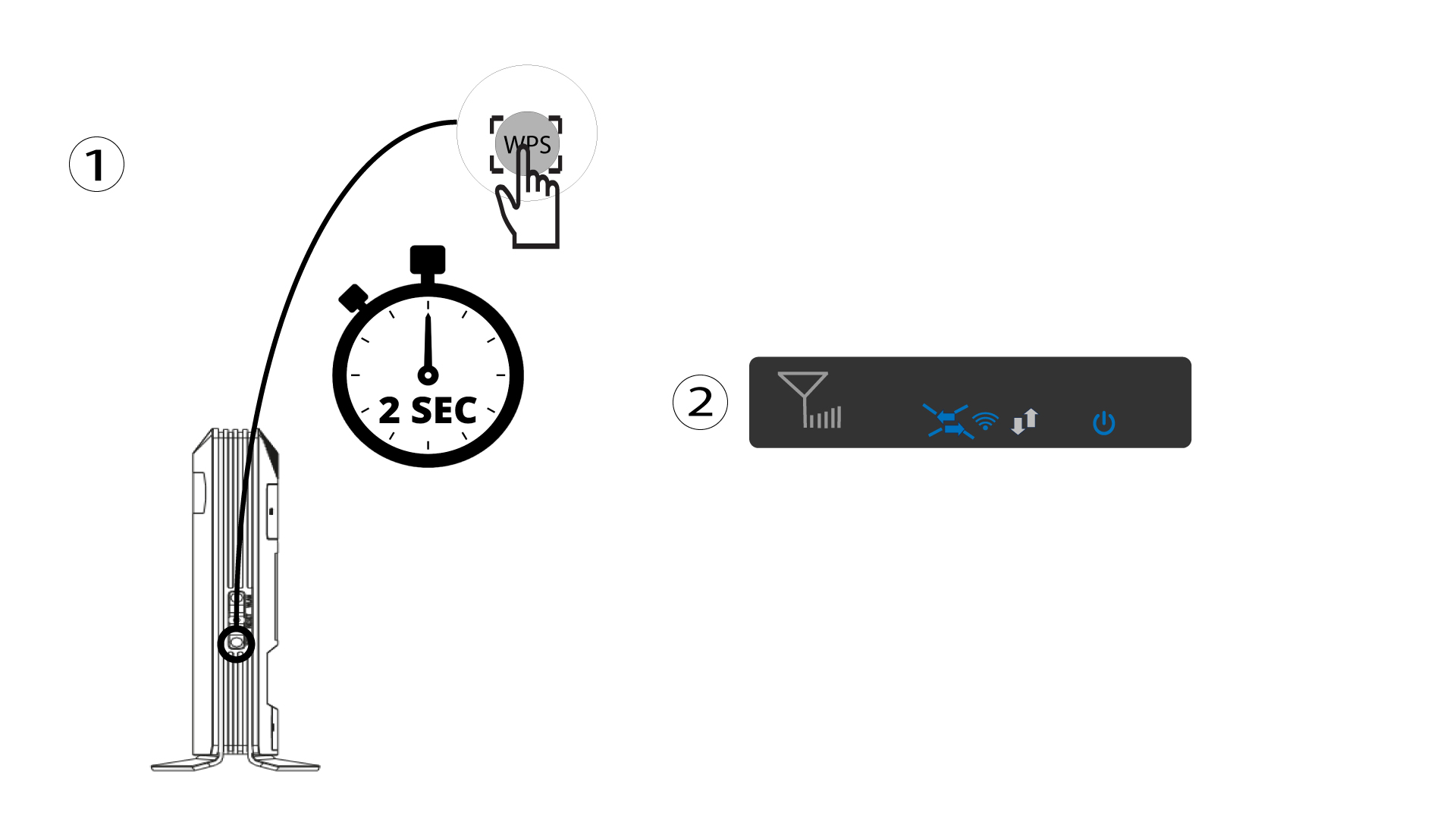
1. Premereil pulsante WPS
Premere il pulsante WPS per 2 secondi per consentire a qualsiasi dispositivo compatibile presente in casa di connettersi automaticamente alla rete Wi-Fi del router. Una volta attivato, le frecce orizzontali lampeggeranno in blu.
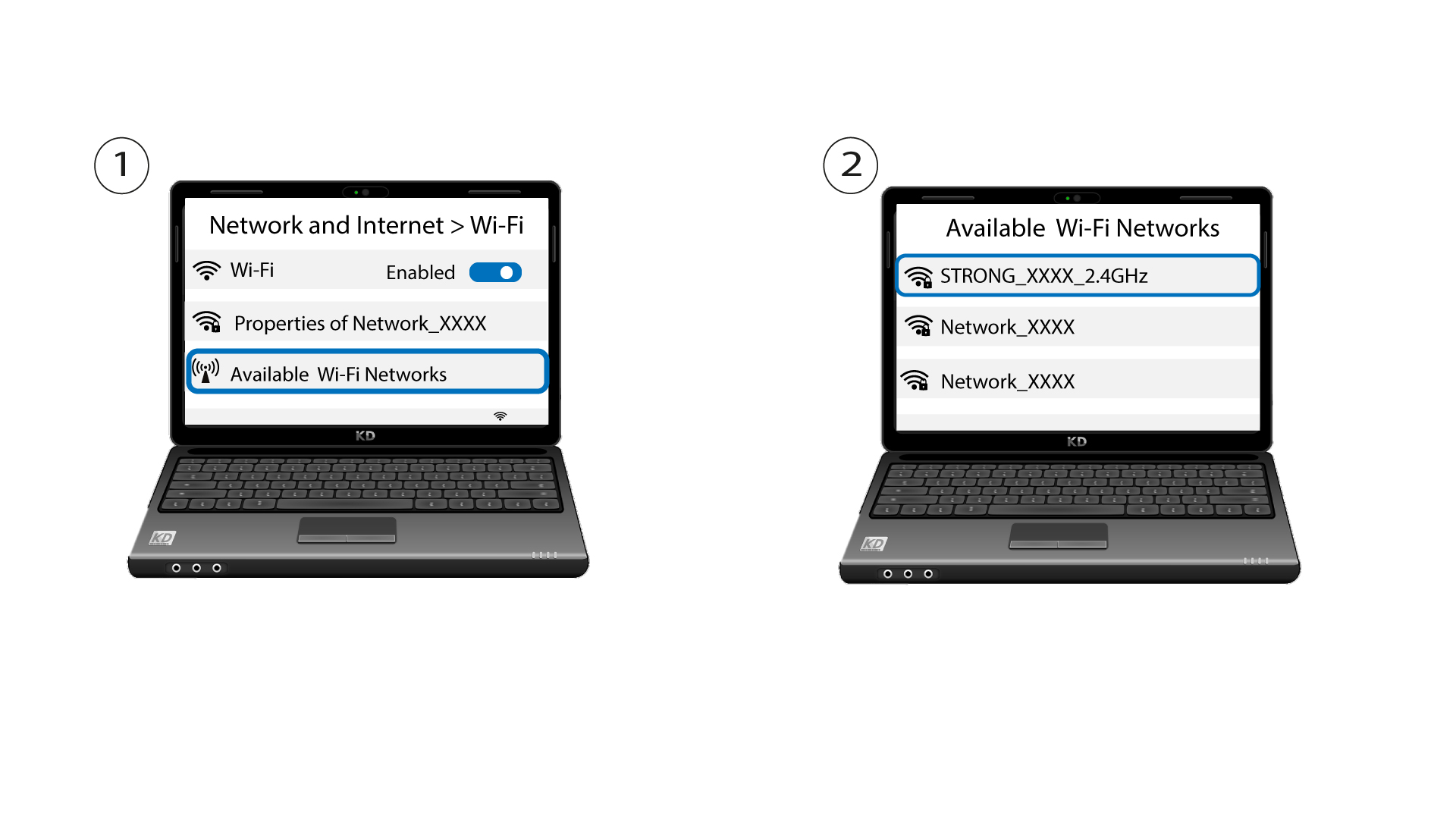
2. Selezionarela rete Wi-Fi tra quelle disponibili
Accedi alle impostazioni Wi-Fi del tuo computer o telefono e clicca sul nome del router per selezionarlo.
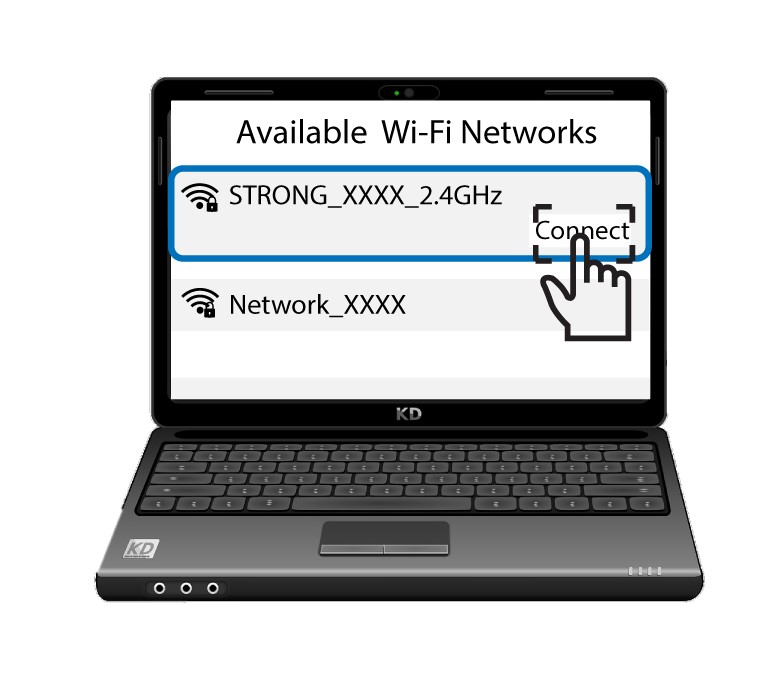
3. Connettitial Wi-Fi
A questo punto, clicca sul pulsante "Connetti".