4K GOOGLE TV BOX S3+ | DOLBY VISION ATMOS
Tutte le domande
4K GOOGLE TV BOX S3+ | DOLBY VISION ATMOS
Come posso modificare le impostazioni del volume del mio LEAP S3 quando il volume è troppo basso?
Se il volume del tuo LEAP S3 è troppo basso, puoi seguire la procedura riportata di seguito per ripristinare i parametri del tuo LEAP S3.
Durante l'installazione del LEAP S3, è possibile configurare il controllo del volume tramite HDMI-CEC. Quando questa opzione è abilitata, è possibile utilizzare l'telecomando e del LEAP S3 per regolare il volume del televisore.
È possibile attivare o disattivare questa funzione nelle impostazioni di visualizzazione e audio del televisore. Il volume predefinito del LEAP S3 è impostato su un determinato livello, che potrebbe risultare troppo basso. Se il volume è troppo basso, è preferibile disattivare questa opzione.
Come si può attivare o disattivare questa funzione?
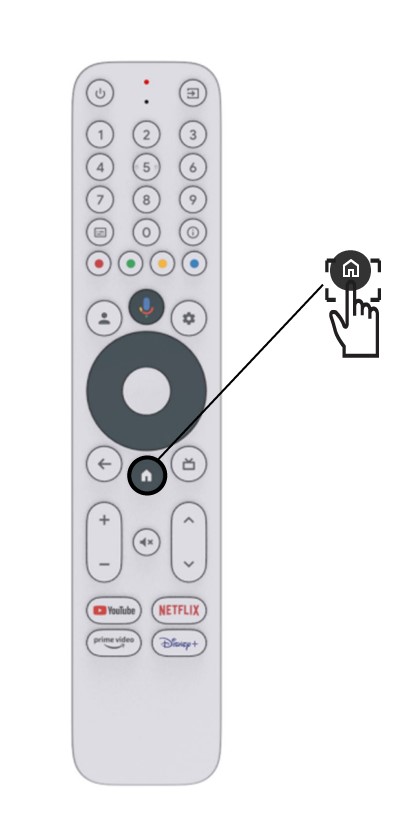
1. Premereil pulsante Impostazioni
In questo caso, premi il pulsante Impostazioni sul tuo Google telecomando , quindi premi OK

2 Impostazioni
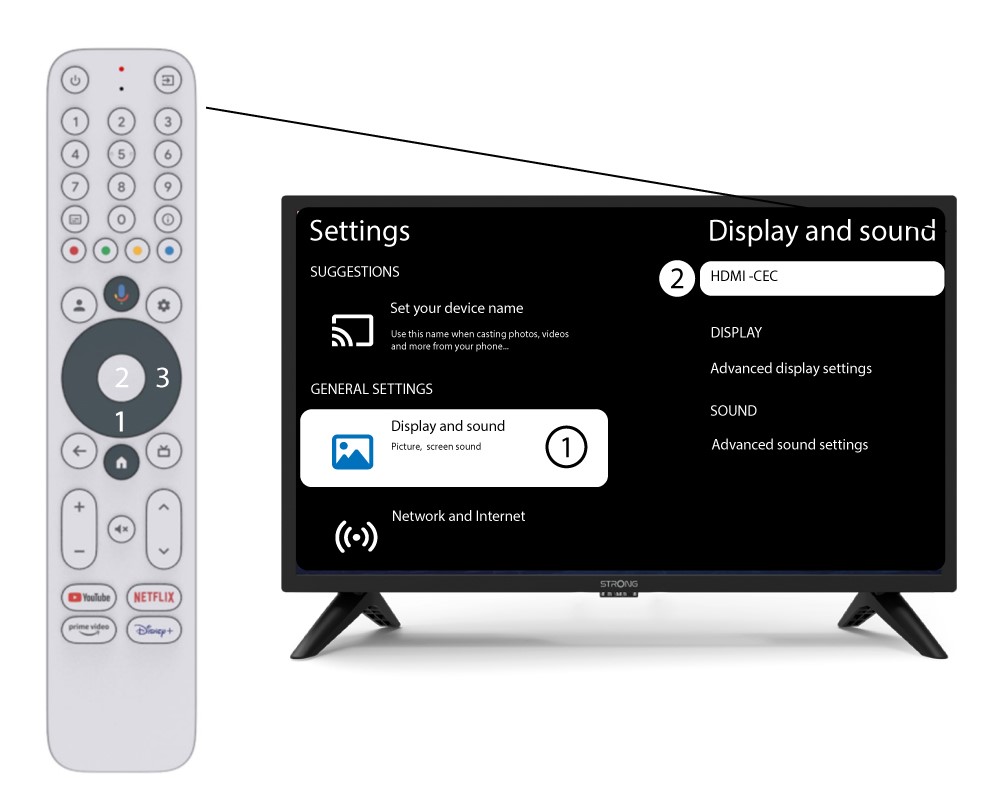
Nella pagina “Impostazioni” visualizzata sullo schermo, seleziona “Schermo e audio”. Quindi, premi il tasto di navigazione destro e seleziona“HDMI-CEC”.
3. Regolazione del volume
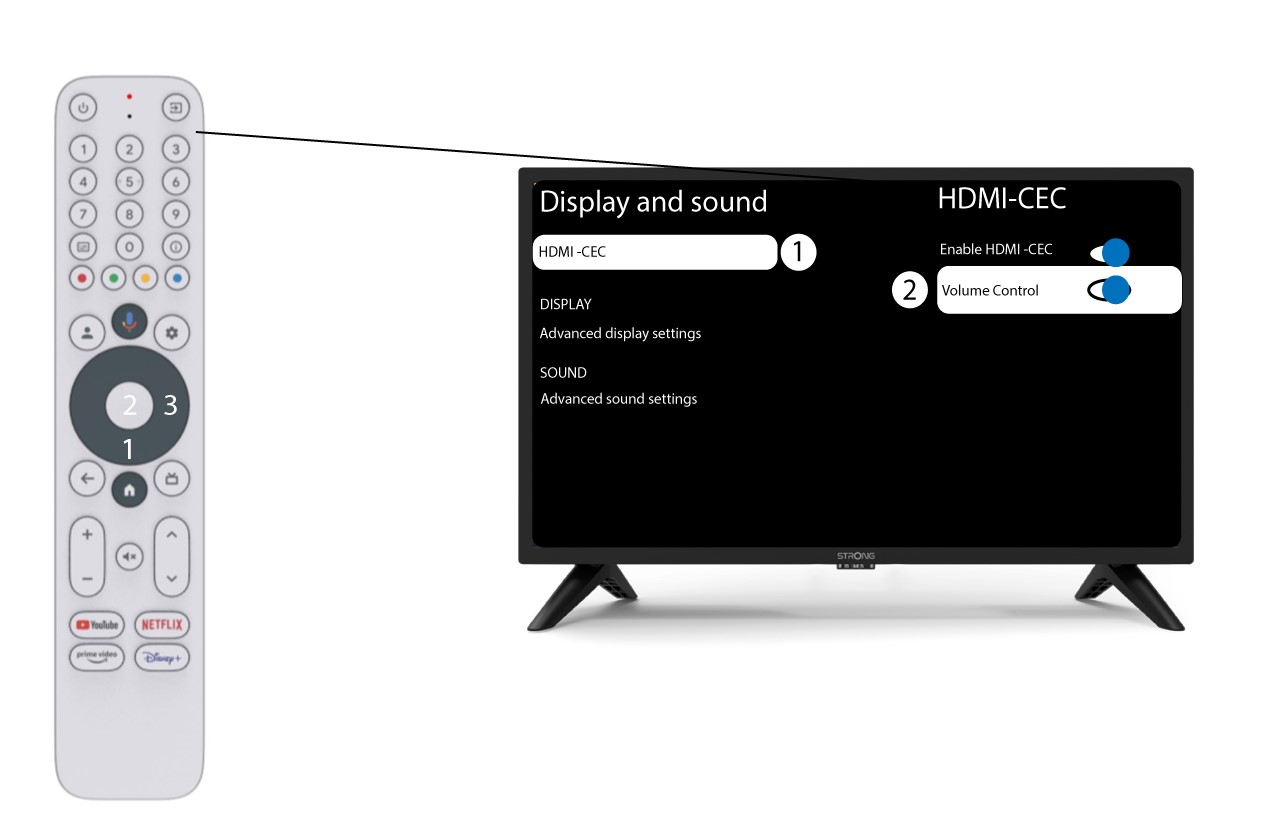
Selezionare “Controllo volume” e premere il tasto OK per disattivare ( switch ) questa funzione
4Tornaalla pagina iniziale
Premi il tasto HOME per tornare alla schermata iniziale.
La regolazione del volume può ora essere effettuata nuovamente tramite il controllo " LEAP-S3 " (telecomando ).