
Repeater Dual Band 1200
Nessun articolo trovato.
Nessun articolo trovato.
Tutte le domande
Repeater Dual Band 1200
Nessun articolo trovato.
Nessun articolo trovato.
Come posso aggiornare il firmware del mio repeater?
1Verificarela disponibilità di un aggiornamento del firmware
Prima dell'aggiornamento è necessario accedere alla sezione "Download" del nostro sito web per verificare se è disponibile una nuova versione del software.
2. Accedialla pagina " Downloads "
Fai clic su ASSISTENZA > Downloads.

3. Selezionail tuo prodotto
Una volta aperta la pagina Downloads , clicca su “Home Networking” e poi su “ repeater ”, quindi clicca sul codice del prodotto.
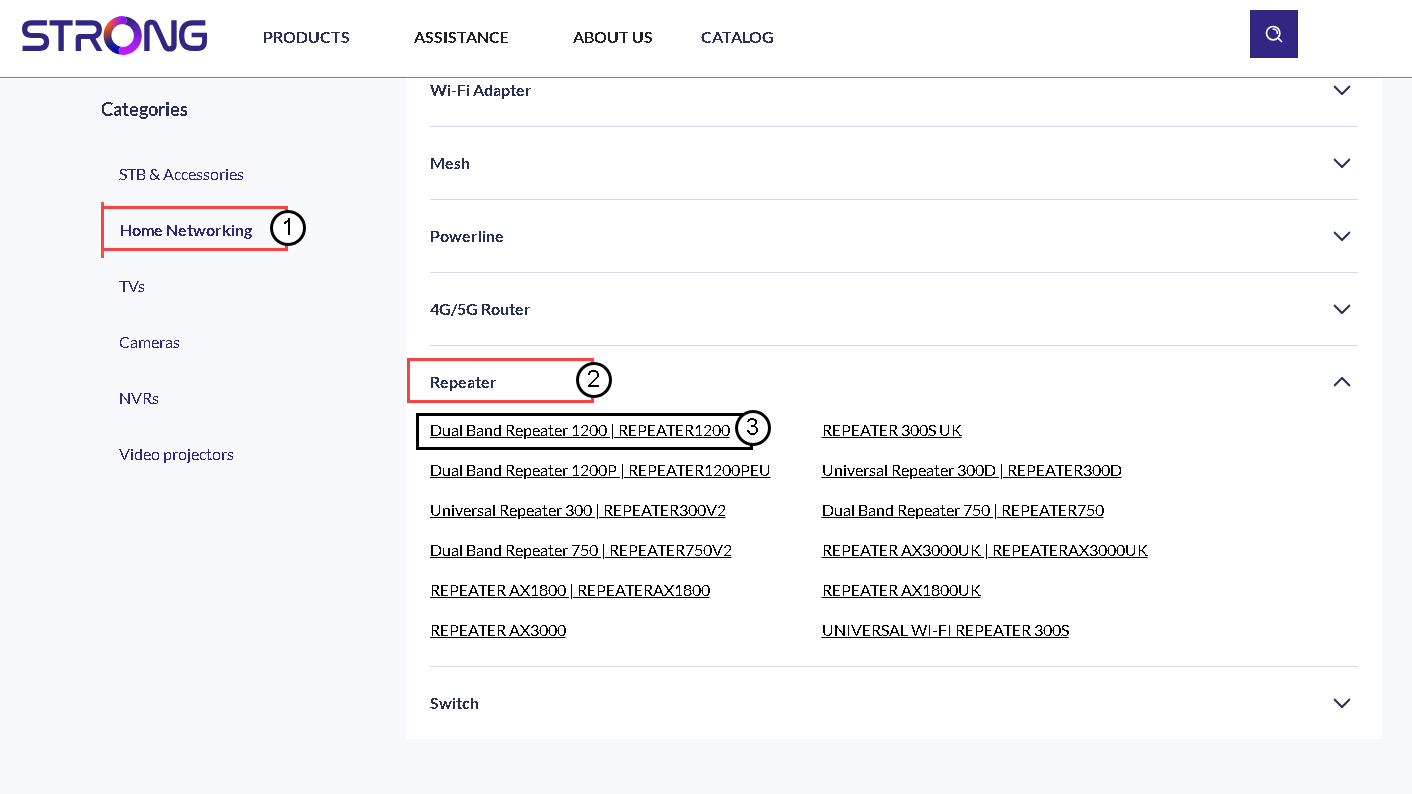
4. Scaricail firmware
Nella pagina sottostante troverete la nuova versione del software nella sezione dedicata al firmware. Se è disponibile un file, vi invitiamo a scaricarlo.
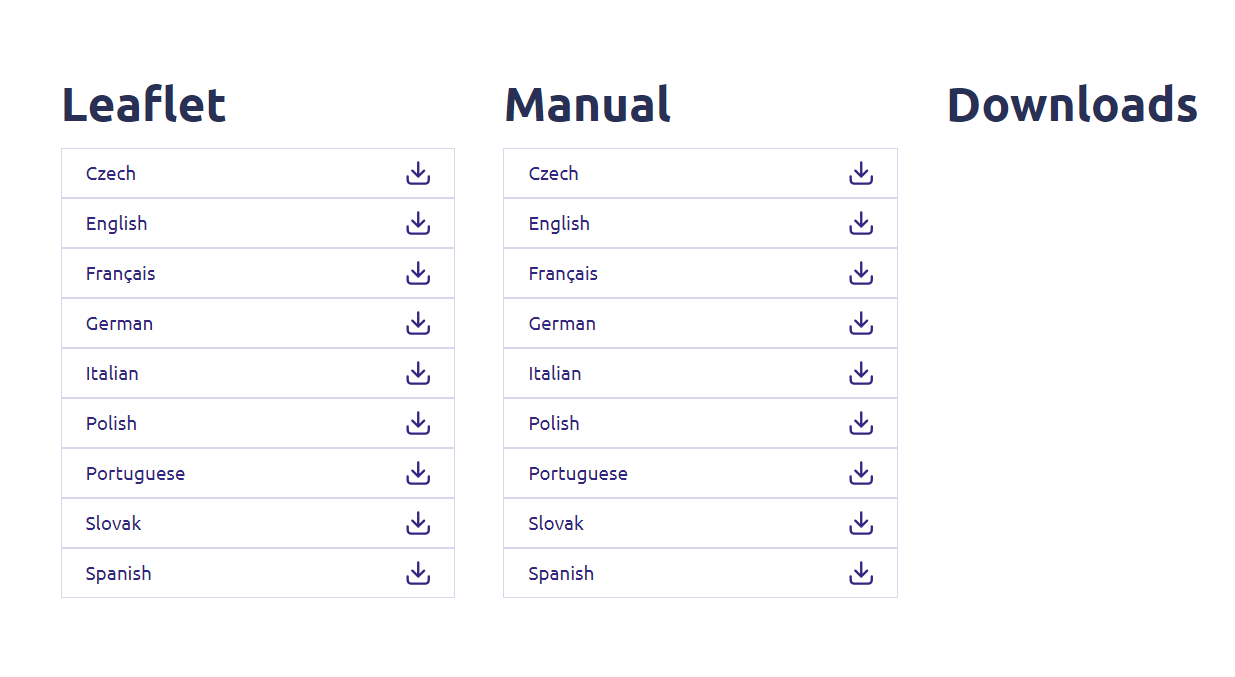
5. Collegarsial Repeater
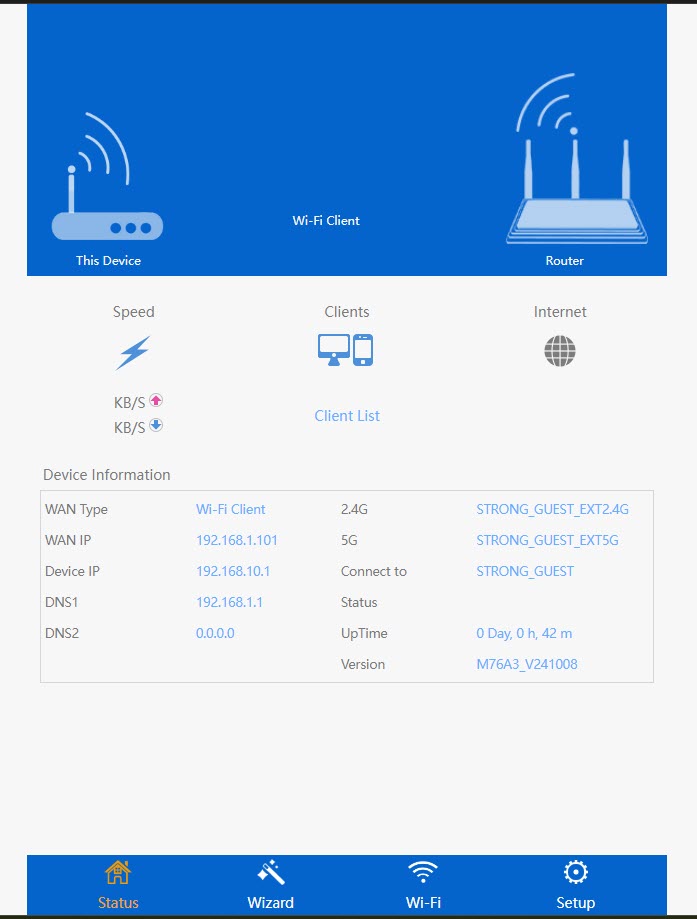
Una volta fatto ciò, connettiti alla rete Wi-Fi dell’ repeater.

6. Accedereall'interfaccia utente web
Accedi all'URL dell'interfaccia utente web.

7Apriil menu di configurazione
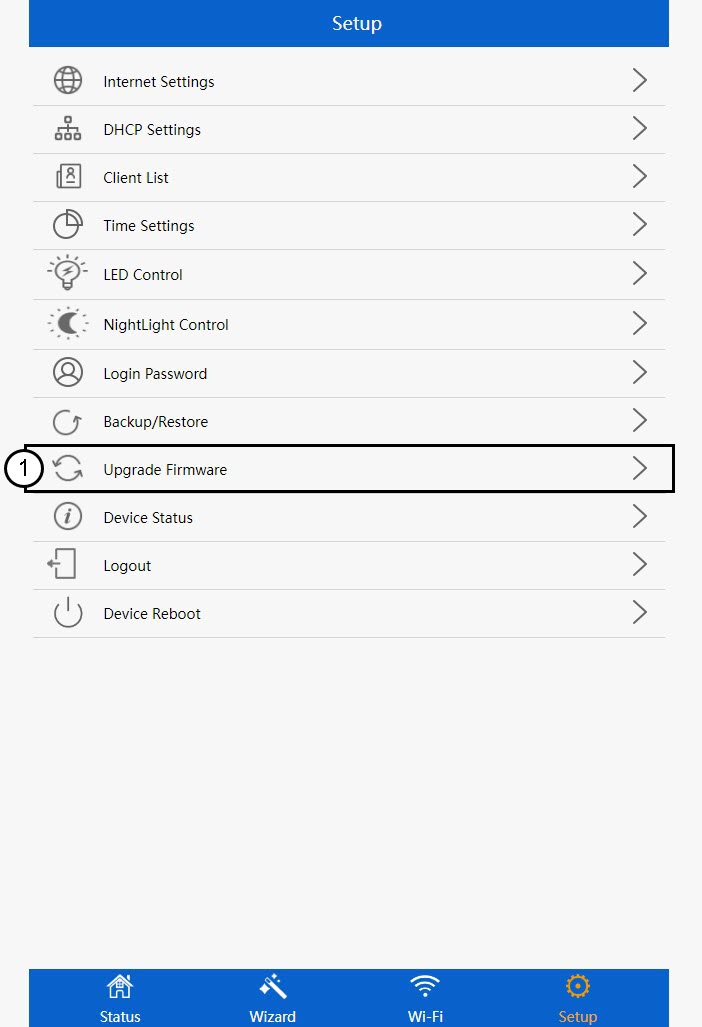
Fai clic su "Configurazione".
8Avvial'aggiornamento del firmware
Fai clic su "Aggiorna firmware".
9. Applicarel'aggiornamento
Seleziona il file e fai clic su "Applica". A questo punto, l'aggiornamento partirà automaticamente.
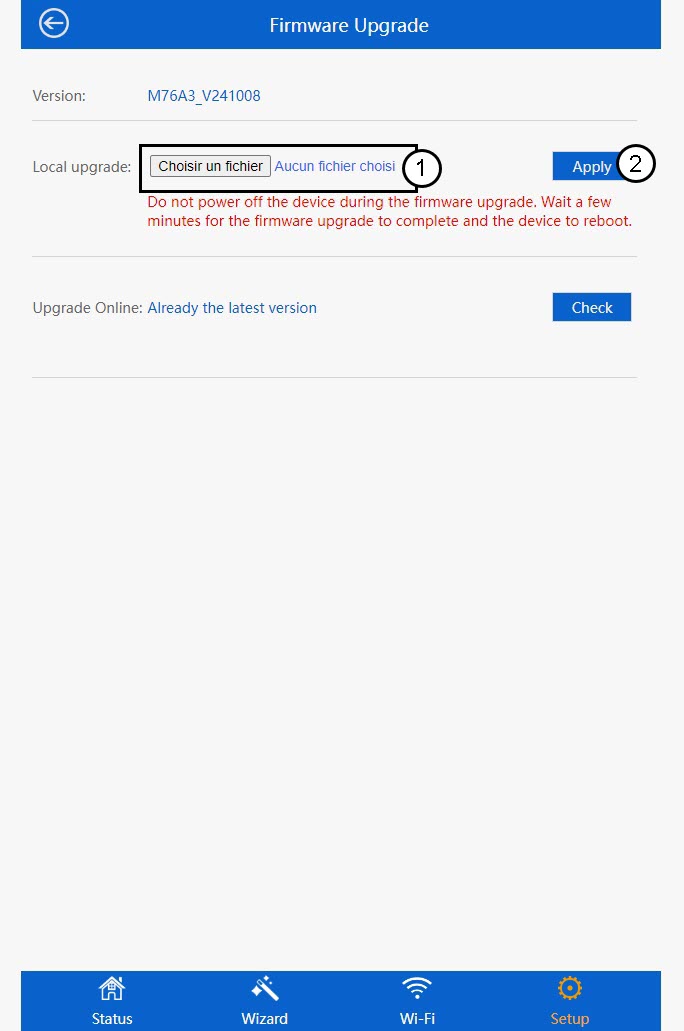
 Avviso: attendere il completamento dell'aggiornamento e il riavvio del dispositivo. Dopo l'aggiornamento, sarà necessario riconnettersi alla rete Wi-Fi.