
Pacchetto triplo Powerline 500 | PL500TRI
Tutte le domande
Pacchetto triplo Powerline 500 | PL500TRI
Come aggiungere un nuovo prodotto Strong powerline alla rete Wi-Fi esistente powerline con livello di sicurezza elevato 1?
Come aggiungere un nuovo prodotto " powerline " alla rete " powerline " esistente con un livello di sicurezza elevato
Poiché la rete esistente è stata configurata con il livello di sicurezza elevato 1, l'aggiunta di un prodotto avviene semplicemente tramite Plug & Play. Non è richiesta alcuna azione sul prodotto. È sufficiente collegare il nuovo prodotto " powerline " e questo verrà automaticamente aggiunto alla rete.
In genere, gli adattatori " powerline " sono abbinati in set da due o tre, quindi se è necessario aggiungere ulteriori prodotti " powerline " alla rete configurata con il livello di sicurezza elevato 1, è necessario seguire i passaggi riportati di seguito.
1. Collegareil dispositivo aggiuntivo
Collegare i dispositivi aggiuntivi a una presa di corrente.
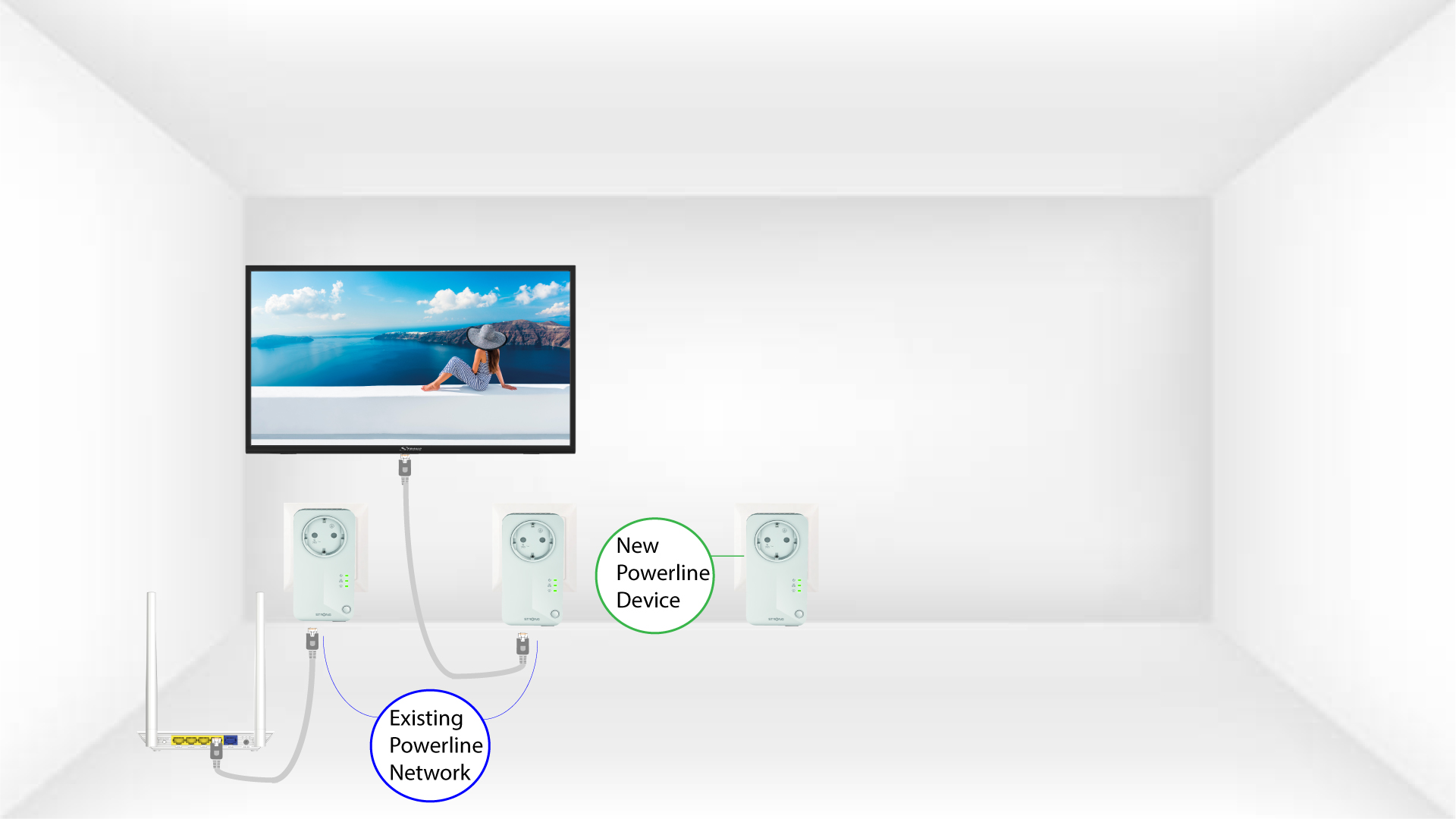
2. Collegarel'powerline a un dispositivo tramite RJ45
Collegare il dispositivo a un router/gateway Internet tramite connettore RJ45.

3 Tuttii LED sono verdi
Dopo aver collegato il nuovo dispositivo, tutti i LED sono verdi su tutti i dispositivi.
