
CPL Wi-Fi 500 Duo | POWERLWF500DUOFR
Nessun articolo trovato.
Nessun articolo trovato.
Tutte le domande
CPL Wi-Fi 500 Duo | POWERLWF500DUOFR
Nessun articolo trovato.
Nessun articolo trovato.
Come configurare il livello di sicurezza 2 sui prodotti powerline ?
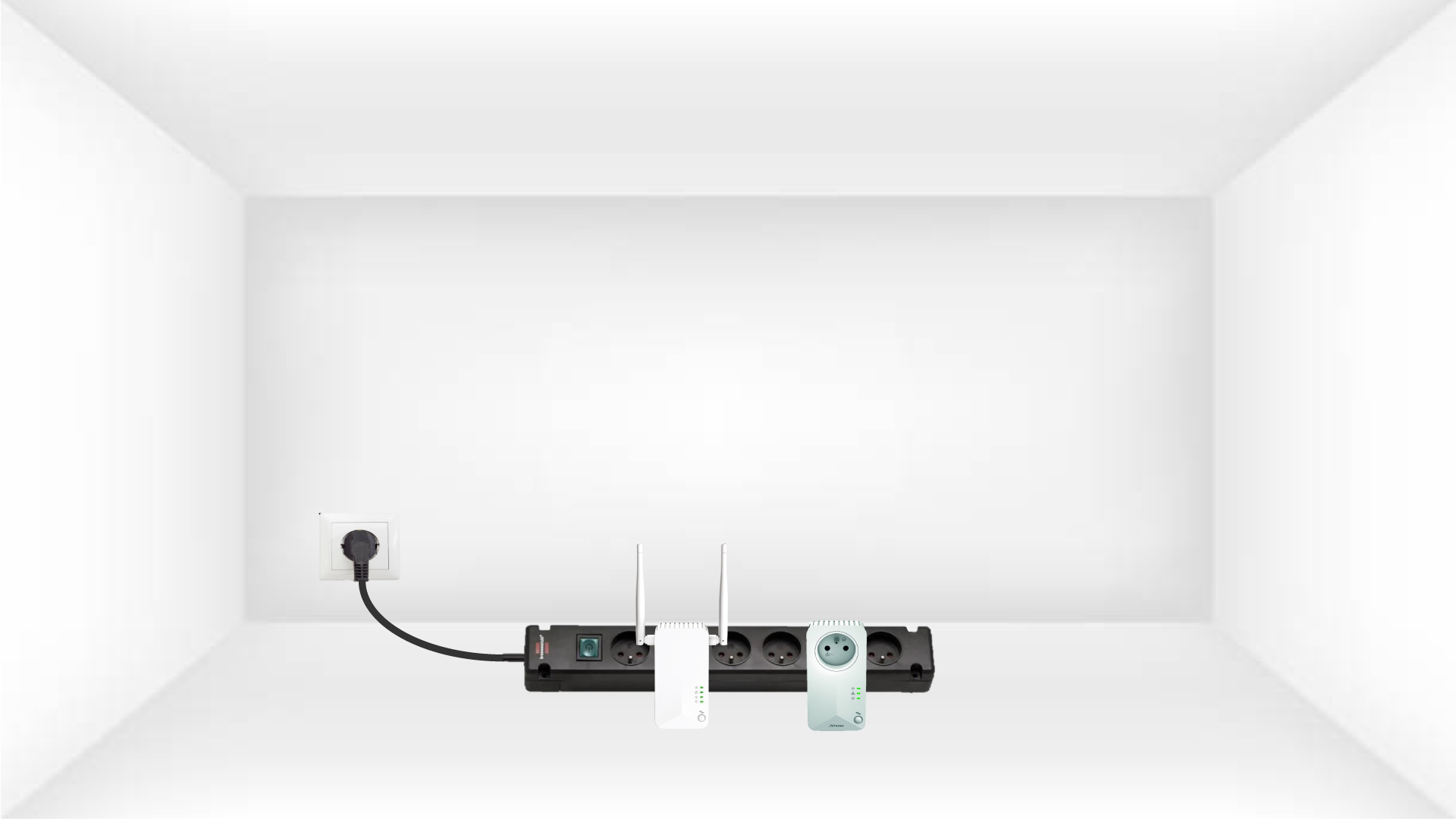
1. Collegaregli adattatori a una ciabatta
Prendi una ciabatta e collega tutti gli adattatori powerline .
2. Collegarel'adattatore a Internet
Collegare uno degli adattatori al gateway/router Internet tramite un cavo RJ45.

3Premereil pulsante "Connetti e proteggi" (primo dispositivo)
Quindi, premere il pulsante “Connect & Secure” per 2 secondi sul primo dispositivo.
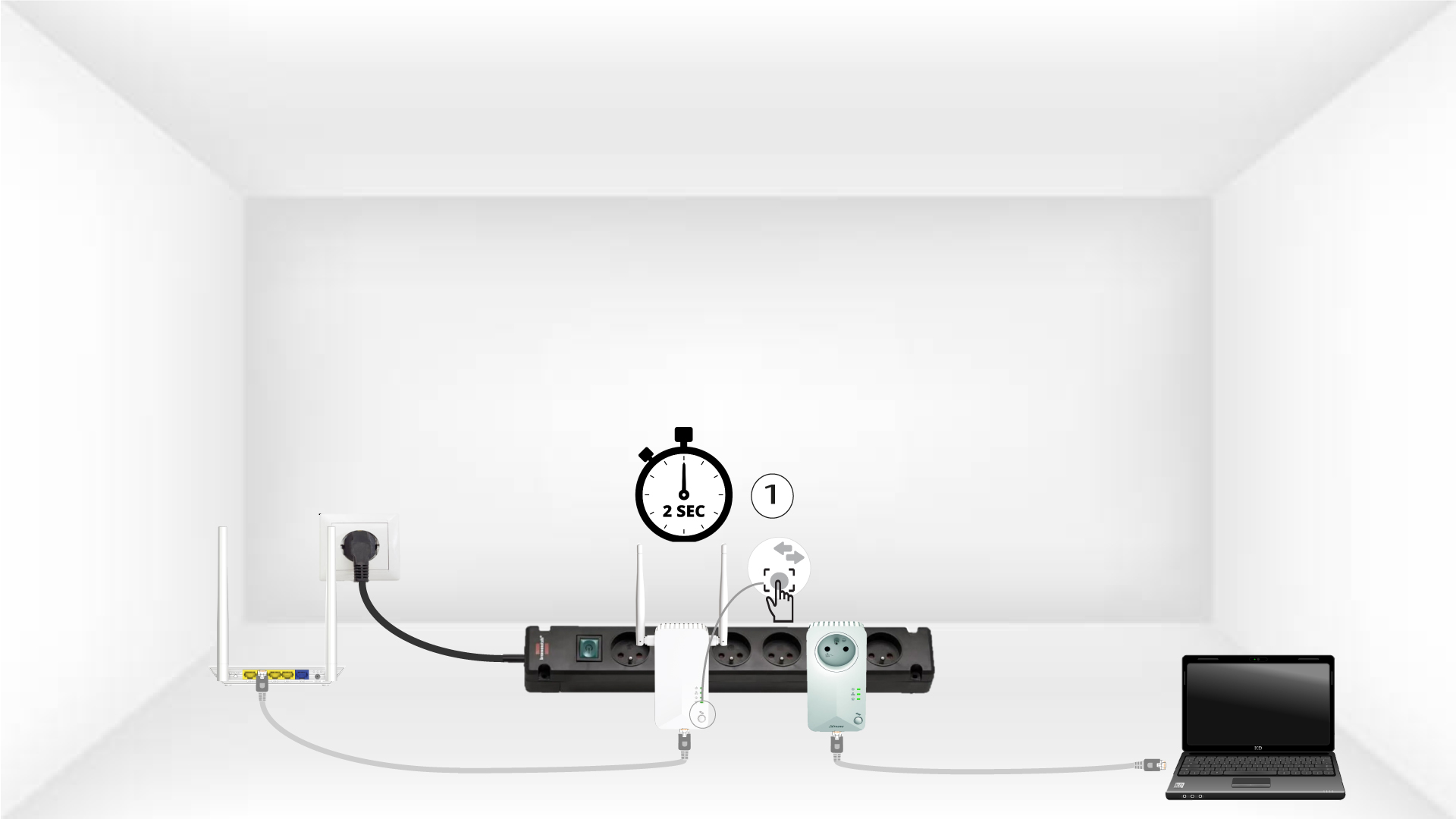
4Premereil pulsante "Connetti e proteggi" (secondo dispositivo)
Premere il pulsante “CONNECT & SECURE”sul secondo dispositivo per 2 secondi. Hai a disposizione fino a due minuti per farlo.
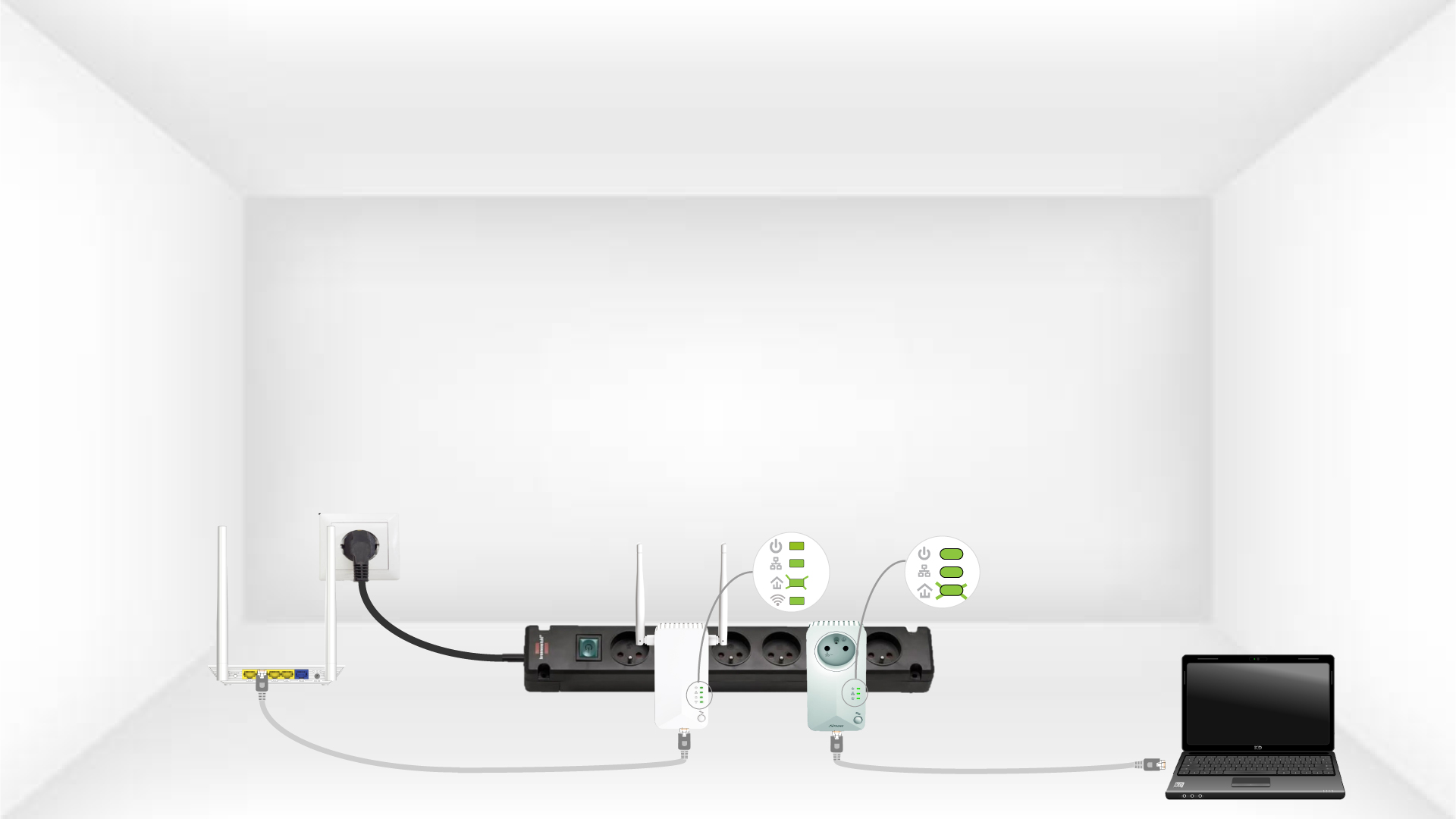
5.La spia LED "Home" lampeggia
Il LED "Home" dovrebbe lampeggiare su entrambi i dispositivi.
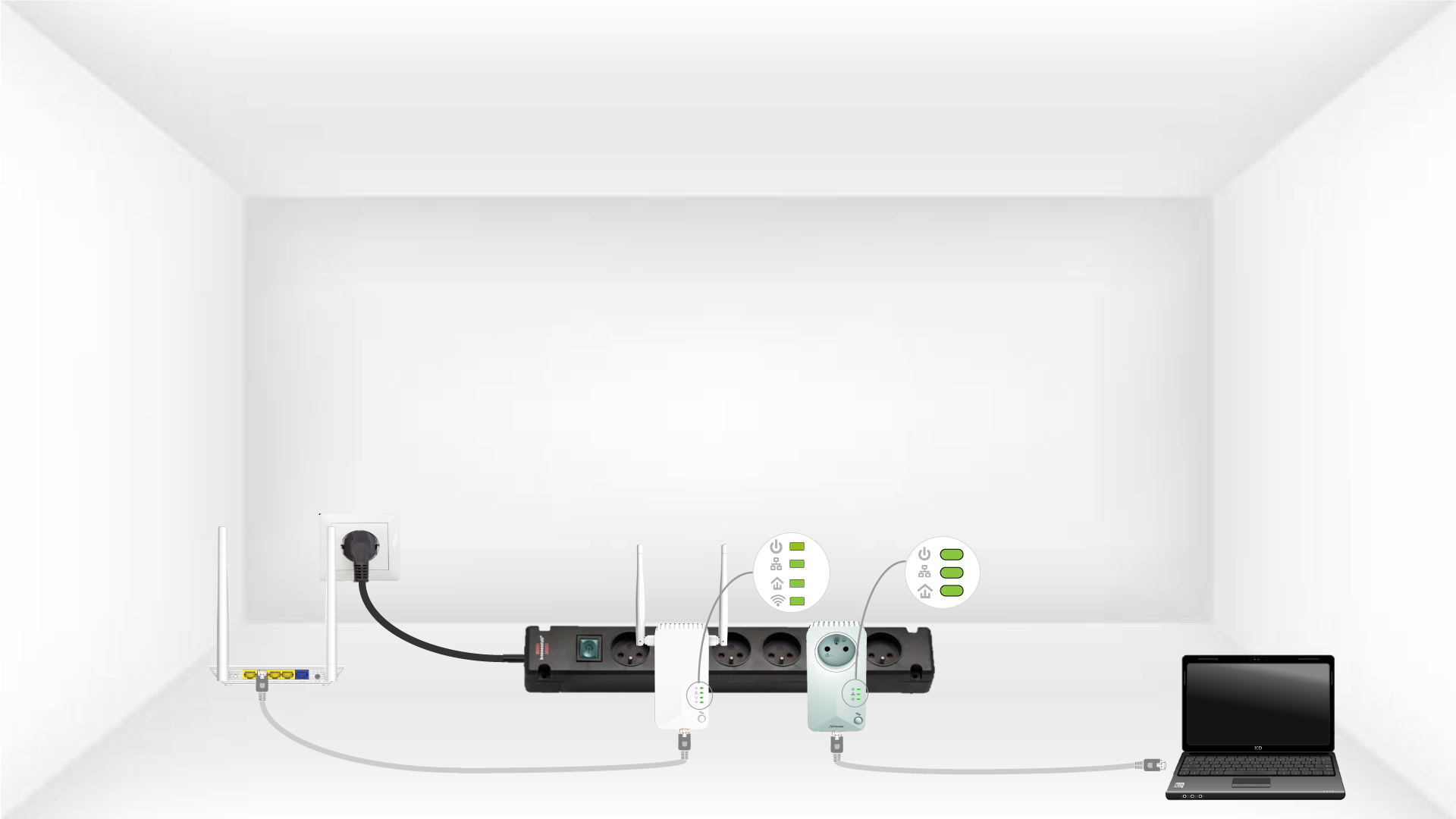
6. La chiave di crittografia univoca è stata impostata
La tua chiave di crittografia univoca è ora impostata e tutti i LED dei dispositivi dovrebbero essere verdi.
Ora è necessario installare gli adattatori nelle stanze in cui ne avete bisogno. Raccomandiamo vivamente di non collegare gli adattatori a una presa multipla.