
Powerline 600 Duo EU V2
Nessun articolo trovato.
Nessun articolo trovato.
Tutte le domande
Powerline 600 Duo EU V2
Nessun articolo trovato.
Nessun articolo trovato.
Come configurare il livello di sicurezza 2 sui prodotti powerline ?
1. Inseriregli adattatori in una presa multipla
Prendi una presa multipla e collegaci tutti gli adattatori powerline .

2. Collegaregli adattatori a Internet
Collegare uno degli adattatori powerline al gateway/router Internet tramite un cavo RJ45.
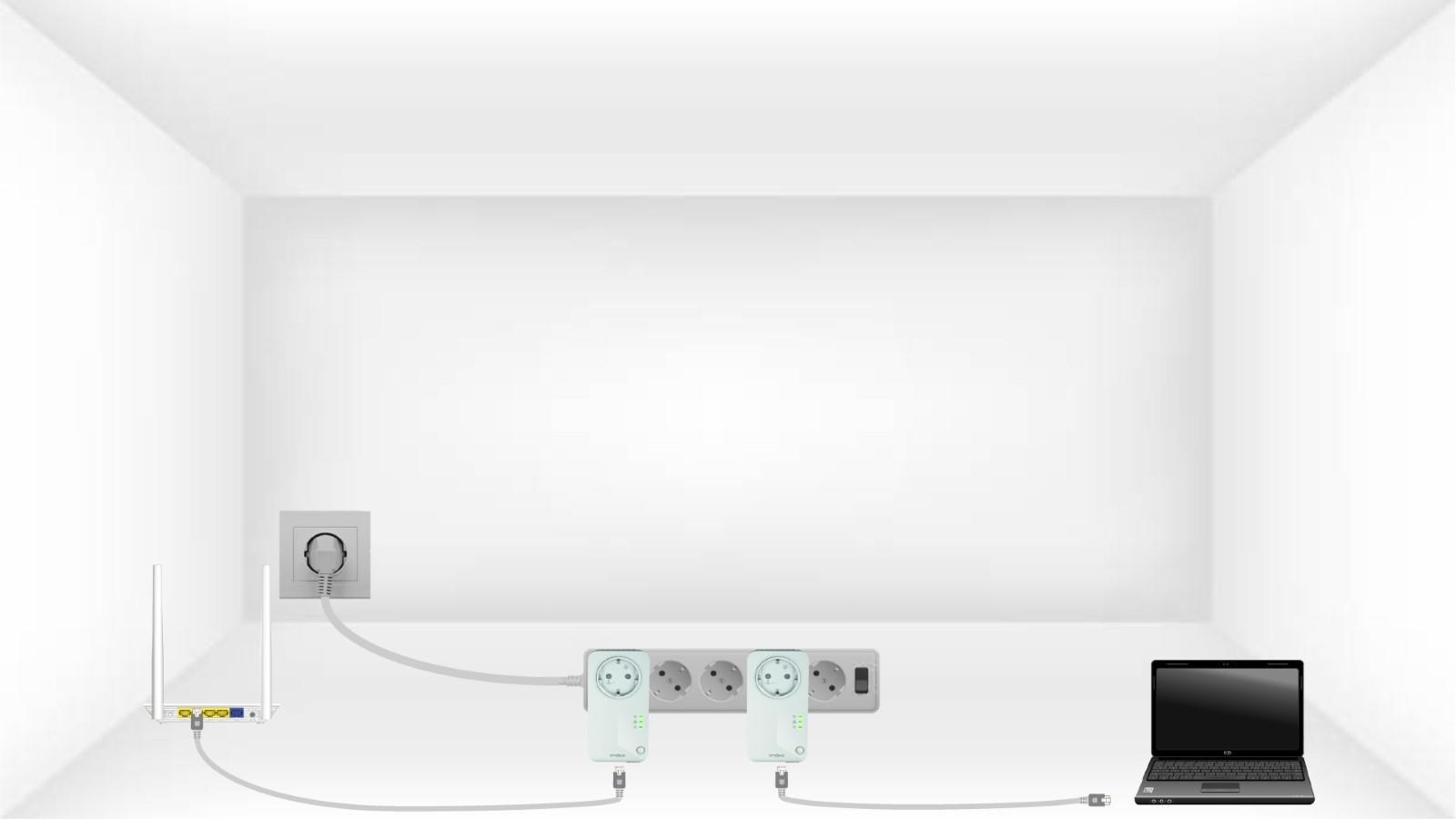
3Premereil pulsante "Connetti e proteggi" sul primo dispositivo
Quindi, premere il pulsante “CONNECT & SECURE” per 2 secondi sul primo dispositivo.
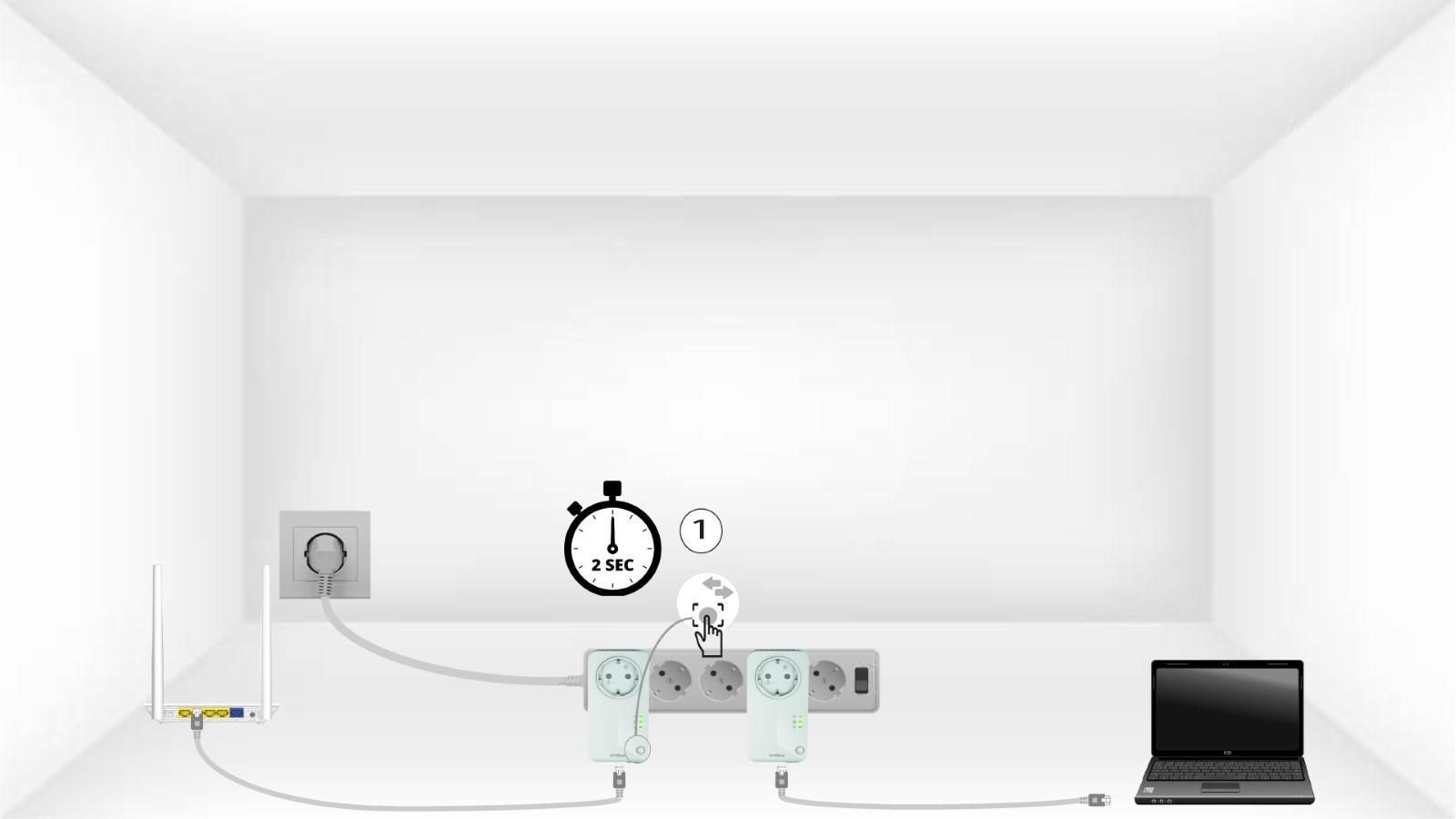
4Premereil pulsante “Secure & Connect” sul secondo dispositivo
Premere il pulsante “CONNECT & SECURE” sul secondo dispositivo per 2 secondi. Hai a disposizione fino a due minuti per farlo.

5.La spia LED "Home" lampeggia
Il LED "Home" dovrebbe lampeggiare su entrambi i dispositivi.
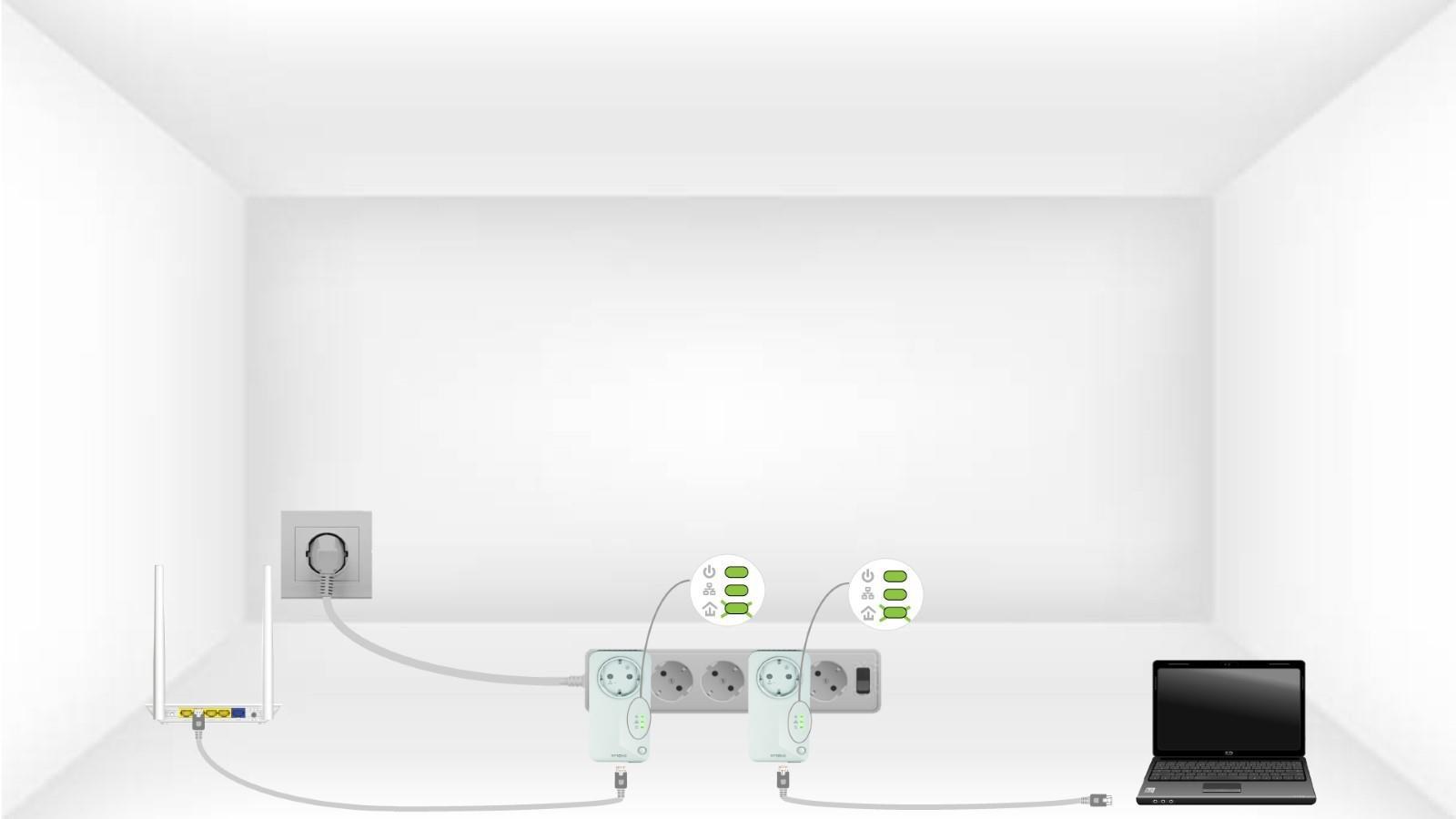
6Lachiave di crittografia è stata impostata
La tua chiave di crittografia univoca è ora impostata e tutti i LED dei dispositivi dovrebbero essere verdi.
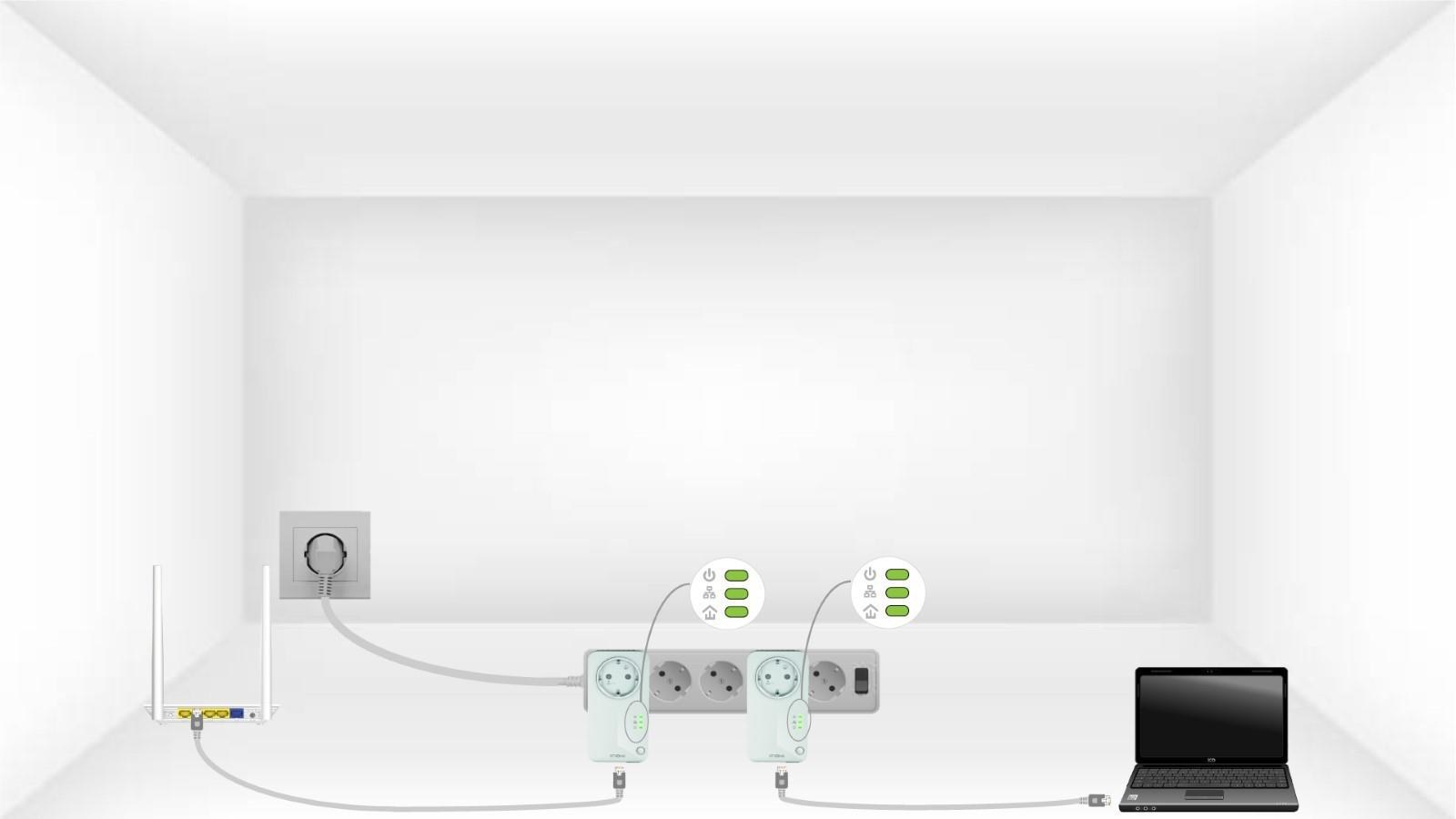
Ora è necessario installare gli adattatori nelle stanze in cui ne avete bisogno. Raccomandiamo vivamente di non collegare gli adattatori a una presa multipla.