
Powerline 600 Triplo UK V2
Tutte le domande
Powerline 600 Triplo UK V2
Non ho accesso a Internet e/o il LED dell'icona "home" non si accende.
È necessario ripristinare le impostazioni di fabbrica degli adattatori. Per farlo, seguire la procedura riportata di seguito.
1. Collegaregli adattatori a una ciabatta elettrica
Collegare gli adattatori uno dopo l'altro a una presa multipla.
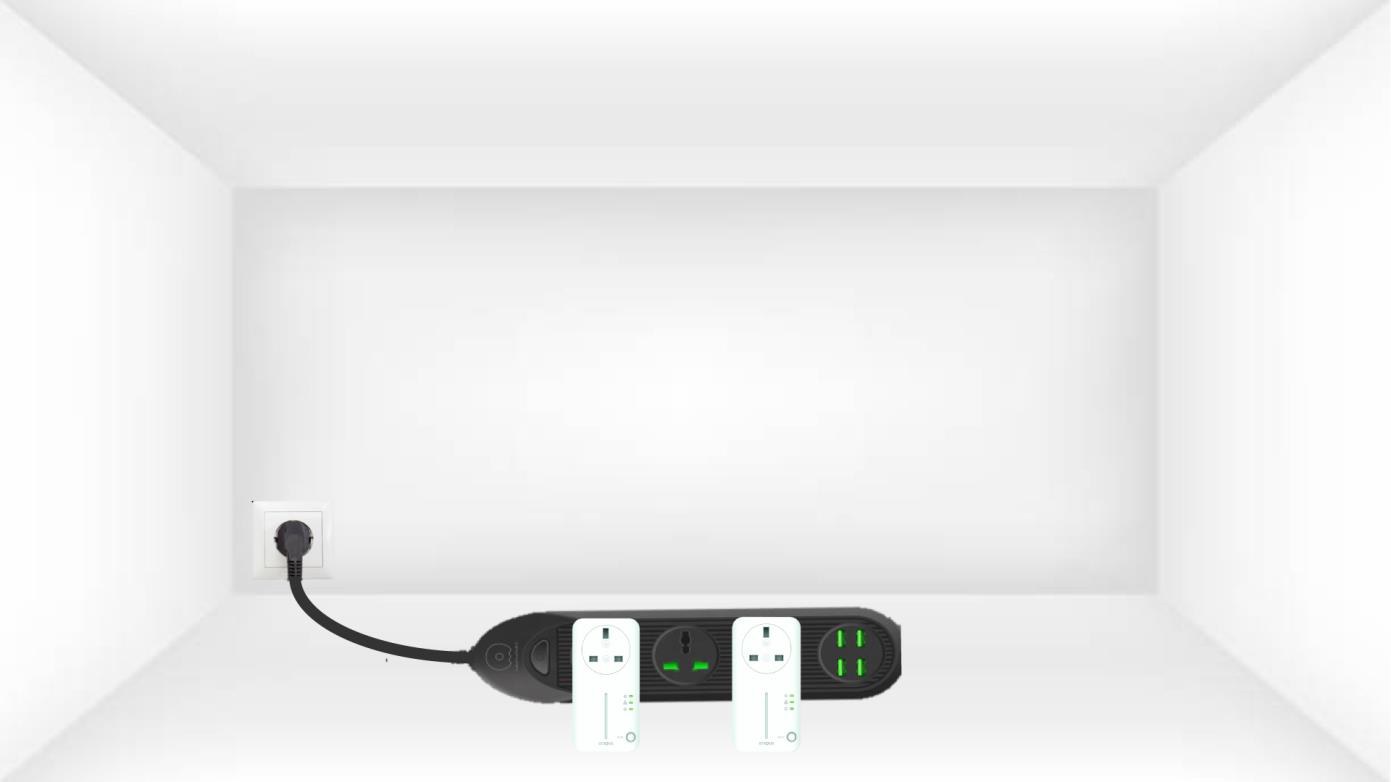
2. Collegaregli adattatori a Internet
Collegare ciascun adattatore a un dispositivo funzionante (router/gateway Internet, Android box, Smart TV, computer, ecc.) tramite un cavo Ethernet. Deve esserci una comunicazione tra i dispositivi; in caso contrario, l'adattatore passerà automaticamente in modalità standby.
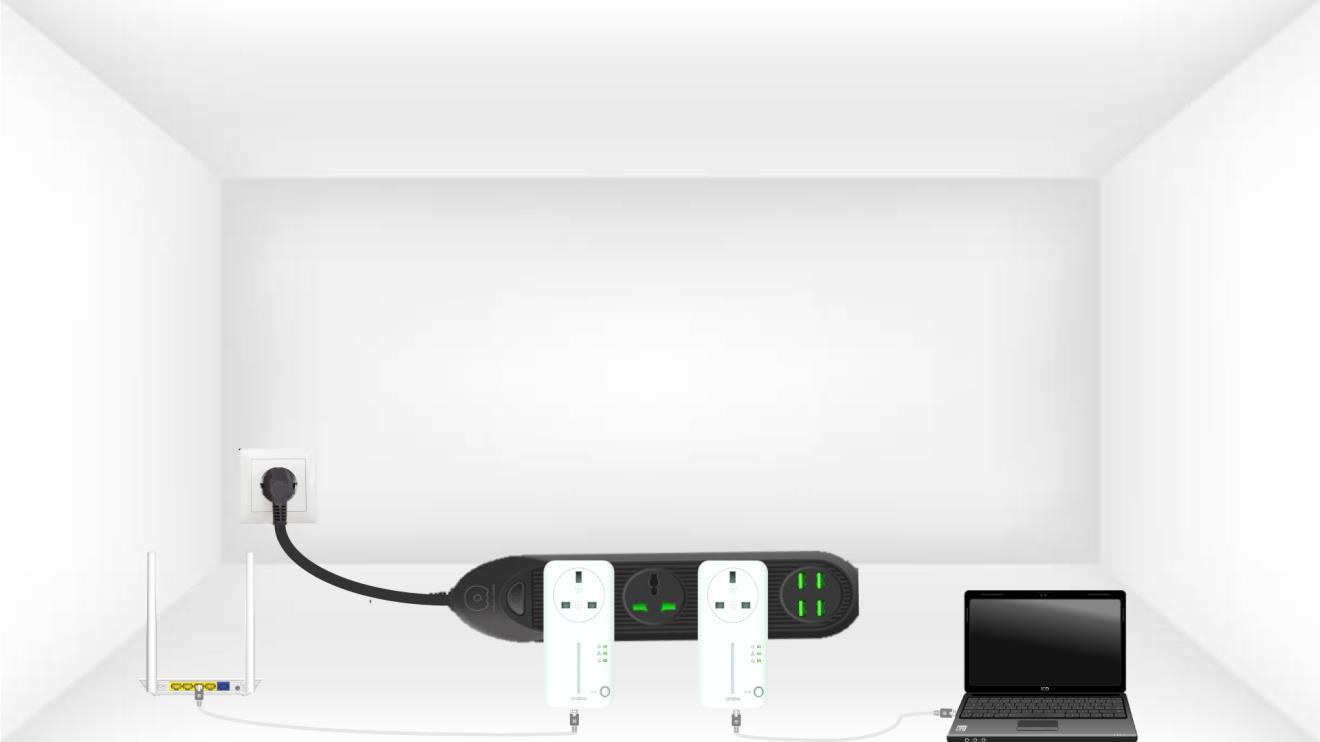
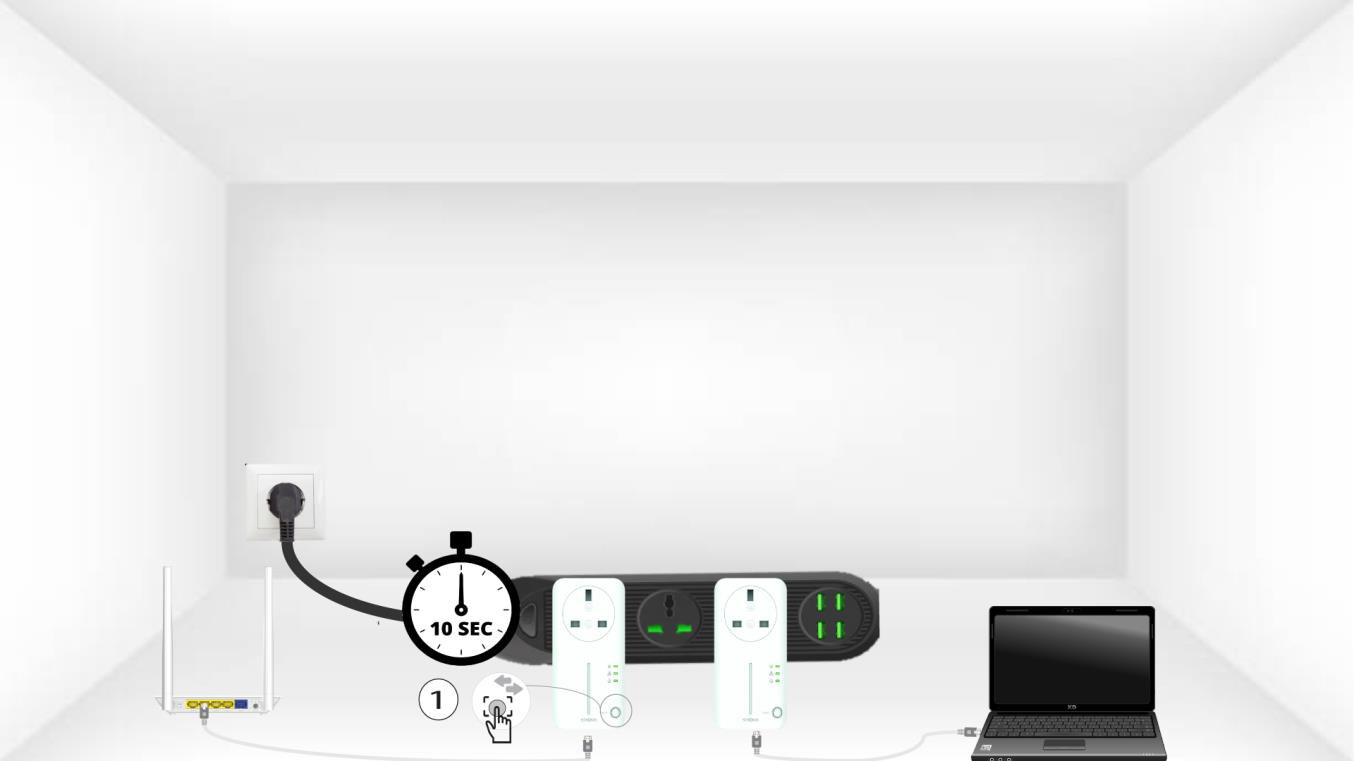
3. Premereil pulsante "Connect & Secure" (primo adattatore)
A) Una volta inserito l'adattatore e collegato alla rete Ethernet, è sufficiente premere il pulsante “Connect & Secure” sul pannello frontale per 10 secondi.
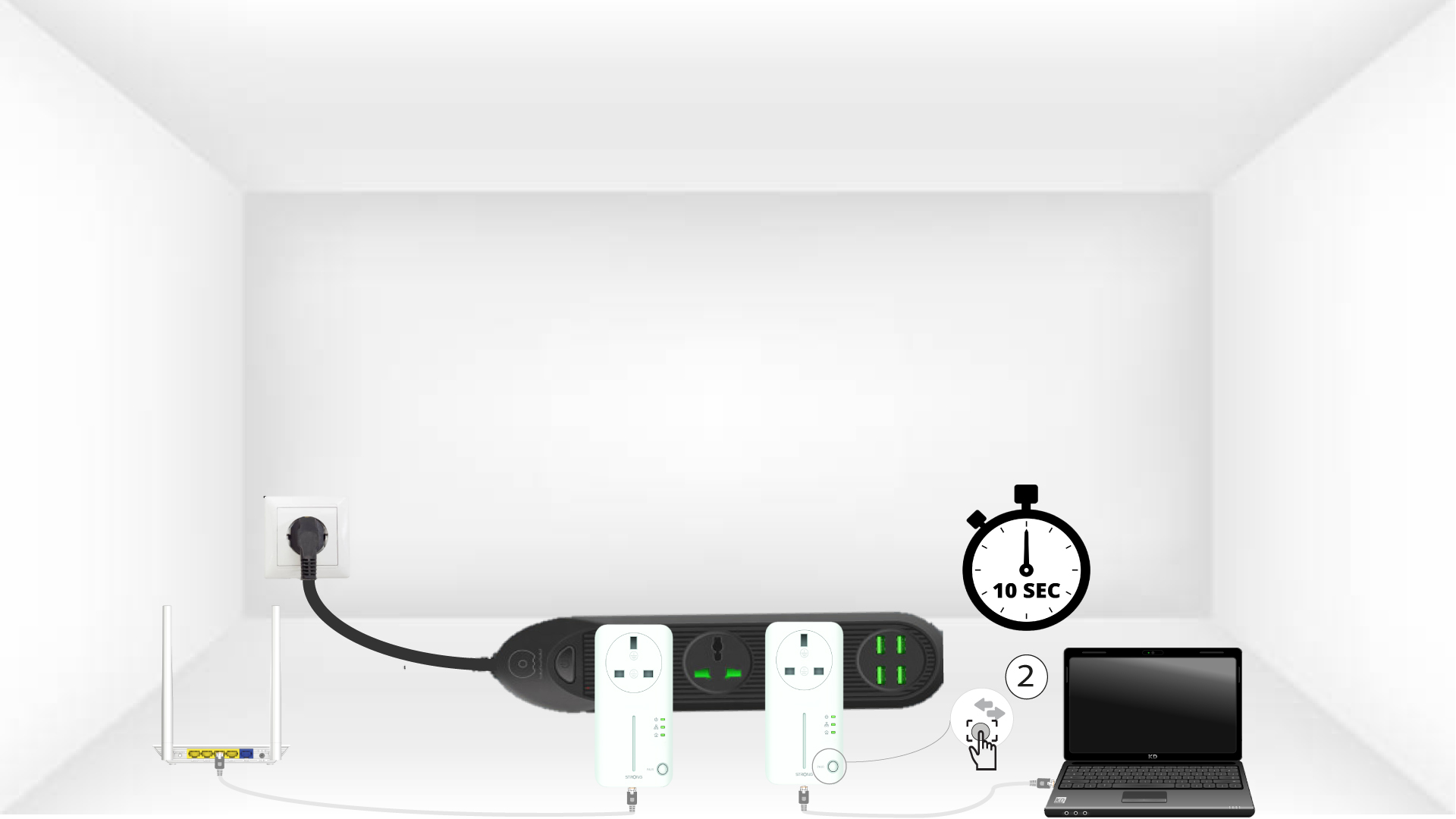
4. Premereil pulsante “Connect & Secure” (secondo adattatore)
Premere il pulsante “Connect & Secure” sul pannello frontale del secondo dispositivo per 10 secondi. Si hanno a disposizione fino a due minuti per premerlo.
5.La spia LED "Home" lampeggia
Il LED con l'icona della casa dovrebbe iniziare a lampeggiare sui dispositivi.
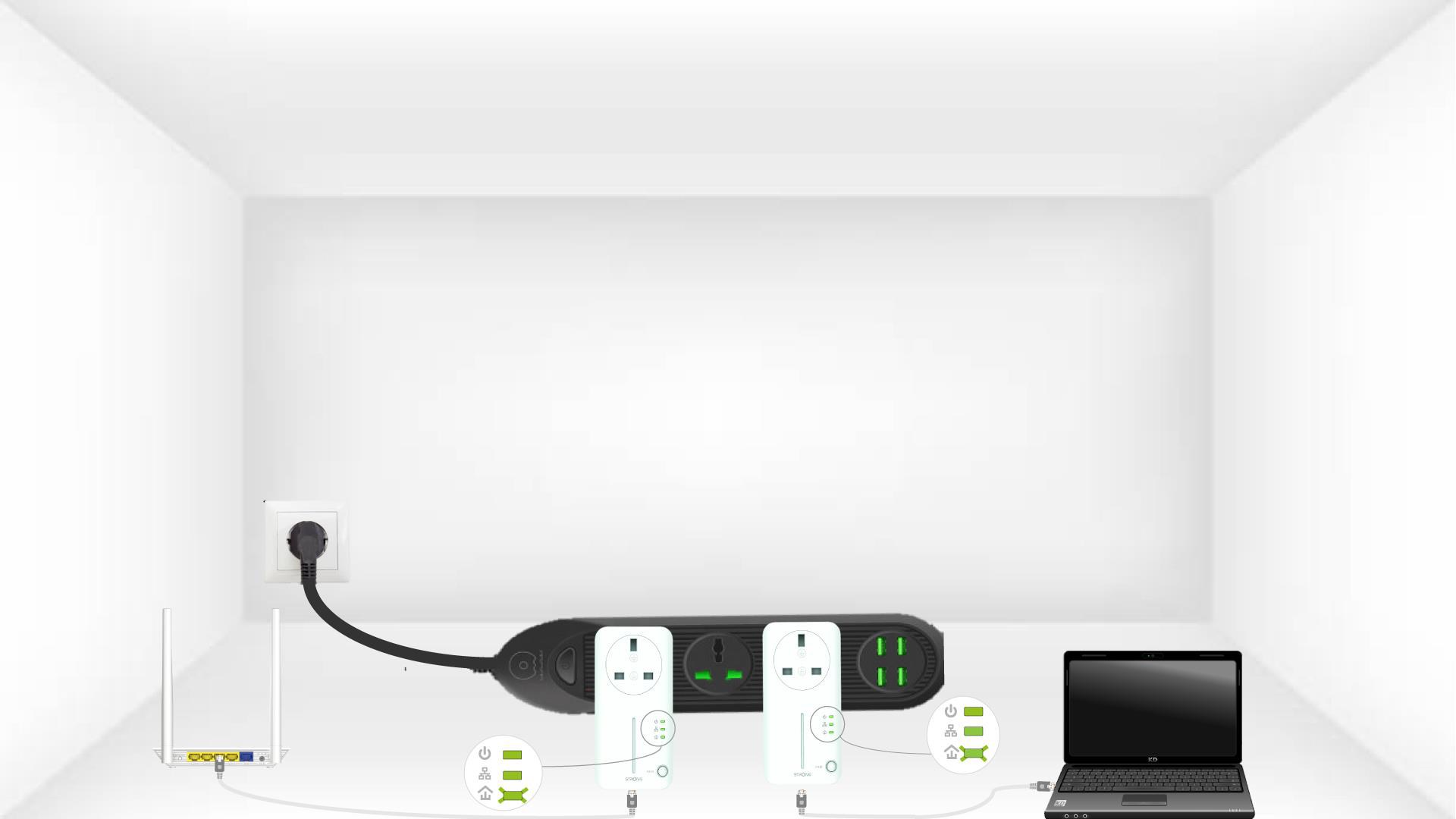
6 Gli adattatorivengono resettati
Al termine delle operazioni, tutti i LED devono essere verdi.
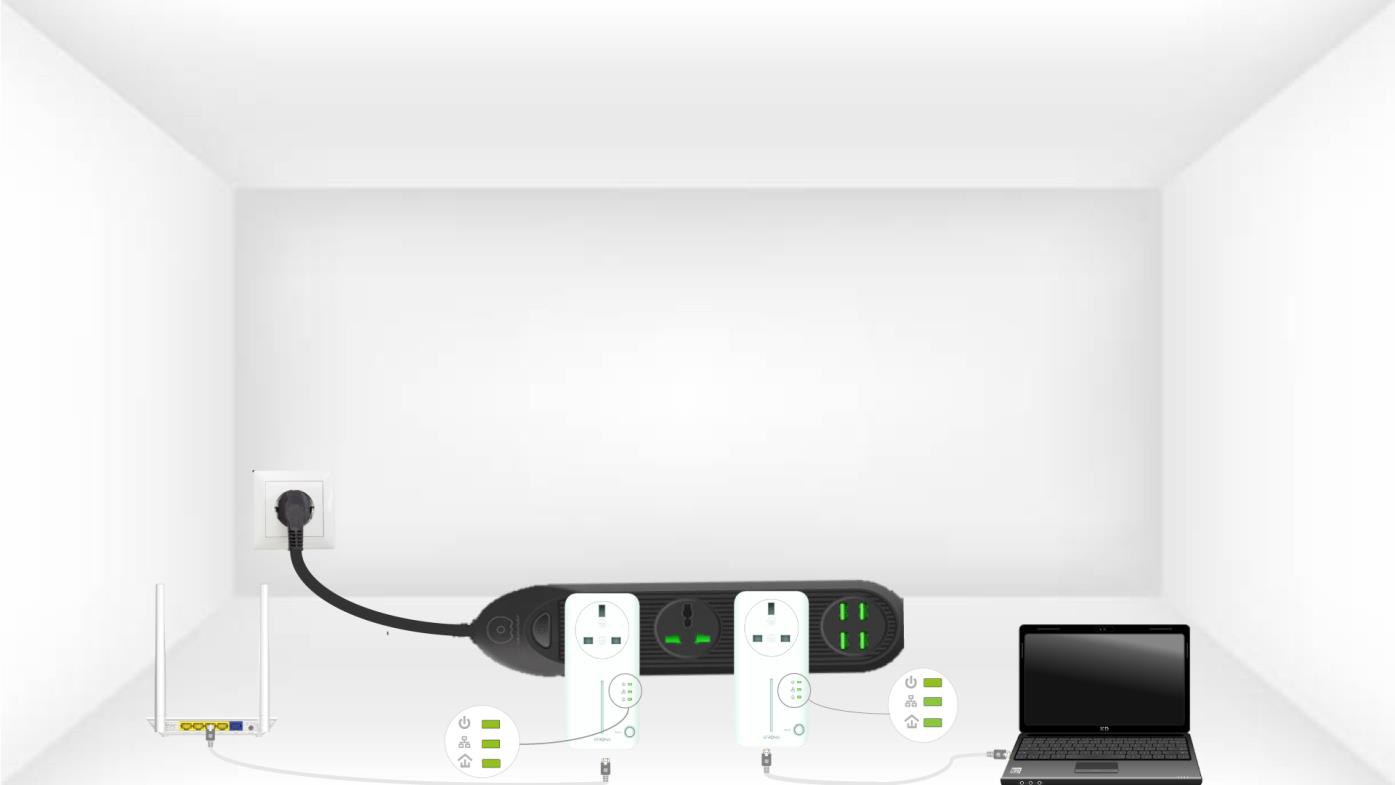
Ripeti la stessa operazione per un terzo powerline. È possibile collegare fino a 8 Powerline 600 alla stessa installazione elettrica.
Dopo aver accoppiato tutti i dispositivi, puoi collocarli nella stanza in cui ne hai bisogno.