Powerline Wi-Fi - Confezione da tre
Nessun articolo trovato.
Nessun articolo trovato.
Tutte le domande
Powerline Wi-Fi - Confezione da tre
Nessun articolo trovato.
Nessun articolo trovato.
L'LED con l'icona della casa è acceso sull'adattatore Wi-Fi, ma non riesco a collegarmi alla rete Wi-Fi dell'Powerline e 500.
1. Connettitial Wi-Fi
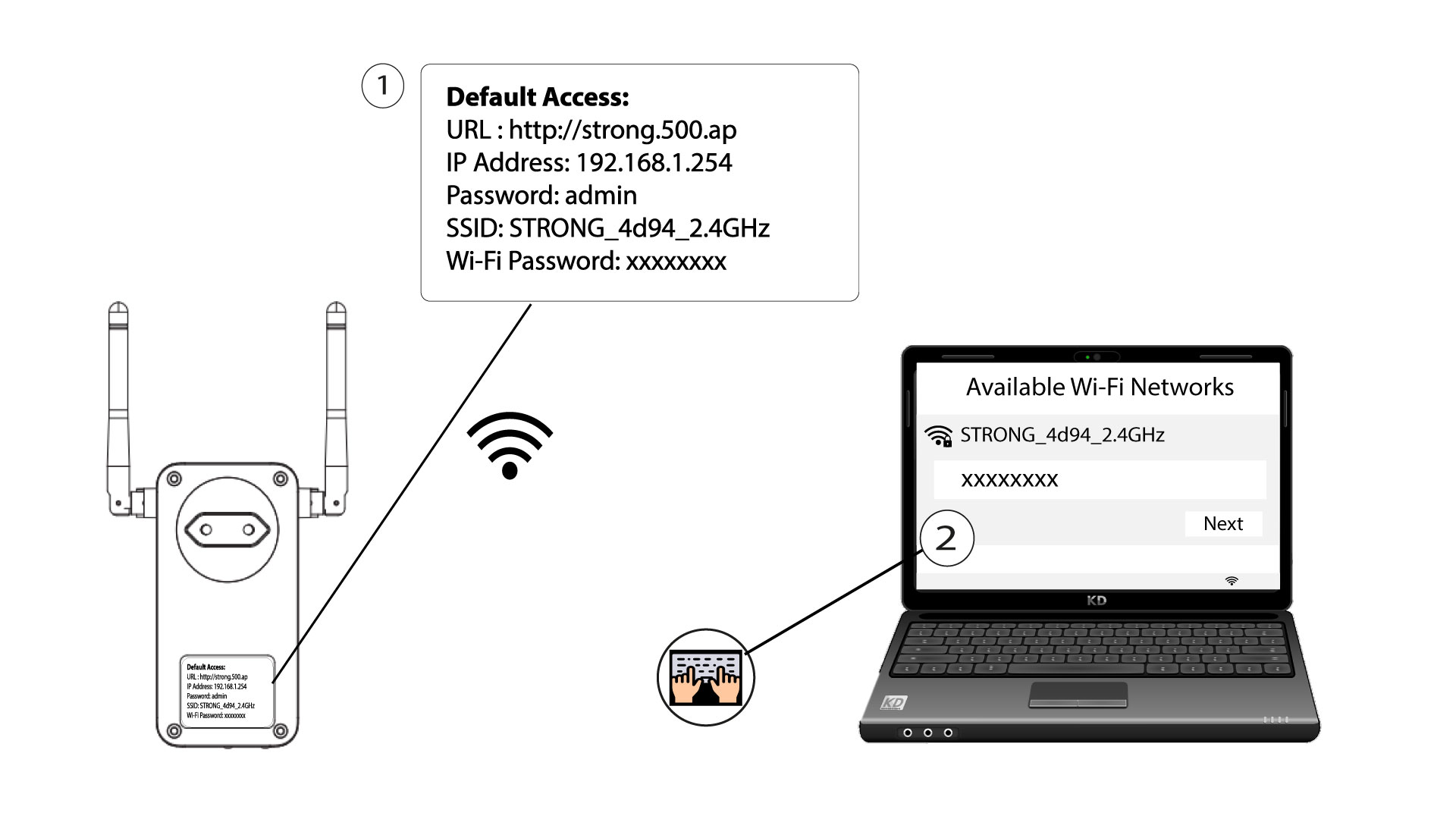
Per connettersi alla rete Wi-Fi del proprio Powerline per la prima volta, è necessario connettersi all'SSID indicato sul retro del prodotto e utilizzare la password Wi-Fi ivi riportata.
Si prega di tenere presente che la L minuscola può essere confusa con la i maiuscola, pertanto si prega di provare le diverse possibilità
2. Ripristinal'adattatore Wi-Fi
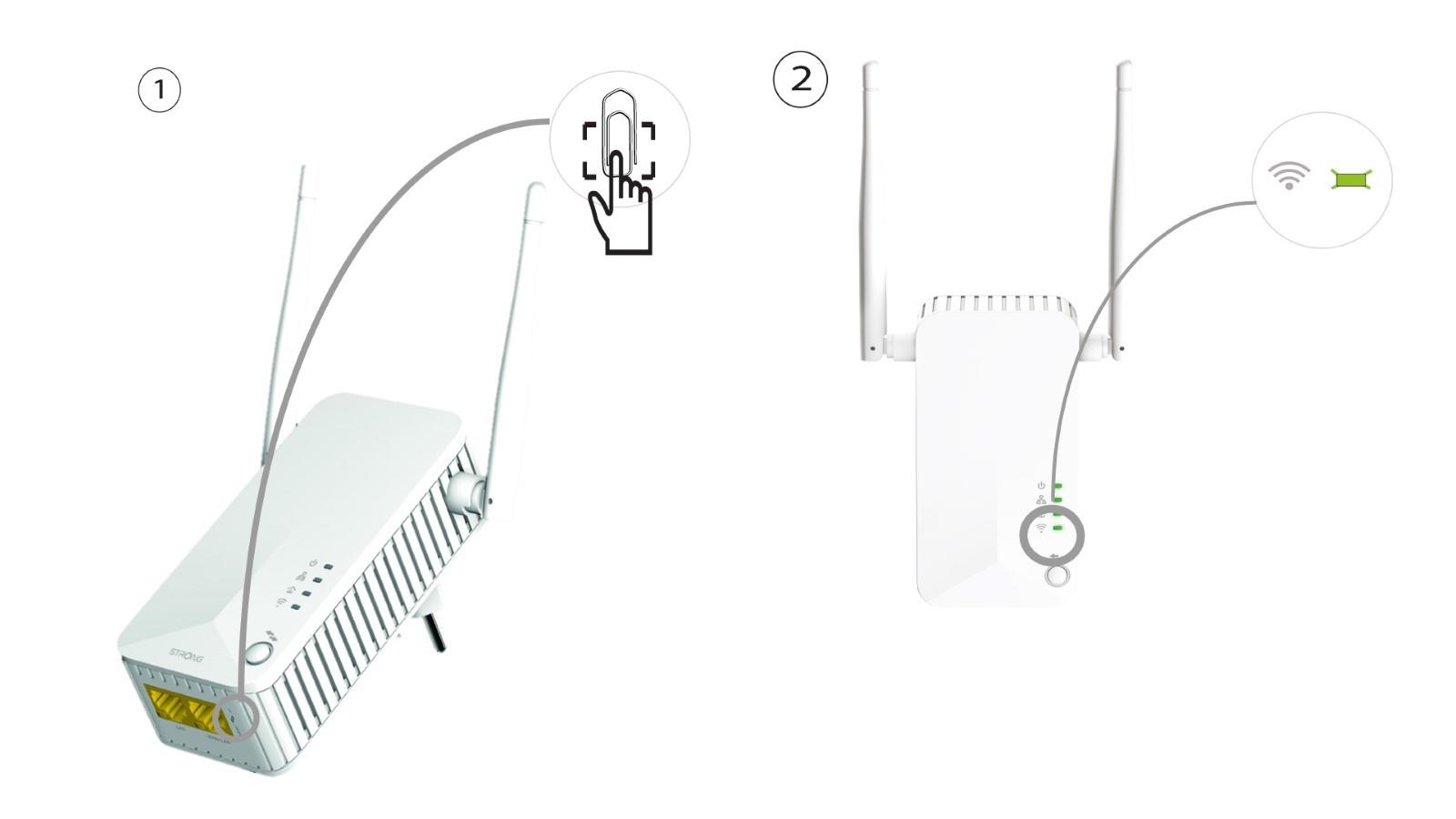
Se non riesci ancora a collegarti alla rete Wi-Fi “ Powerline 500”, ti preghiamo di resettare la rete Wi-Fi “ Powerline ” inserendo una graffetta nel foro situato sotto il dispositivo e tenendola premuta finché i LED non iniziano a lampeggiare.