CPL 600 Duo Wi-Fi FR V2
Tutte le domande
CPL 600 Duo Wi-Fi FR V2
Perché la mia connessione Wi-Fi a 2,4 GHz subisce delle interruzioni e in che modo può essere d'aiuto passare ai canali 1, 6 o 11?
Perché la mia connessione Wi-Fi a 2,4 GHz subisce delle interruzioni e in che modo può essere d'aiuto passare ai canali 1, 6 o 11?
Per ridurre al minimo le interferenze, ti consigliamo di impostare il canale Wi-Fi su 1, 6 o 11. Questi canali sono sufficientemente distanziati tra loro da evitare sovrapposizioni, riducendo così il rischio di interferenze da parte di altre reti e dispositivi nelle vicinanze. Scegliendo uno di questi canali, potrai migliorare la stabilità e le prestazioni della tua connessione Wi-Fi.
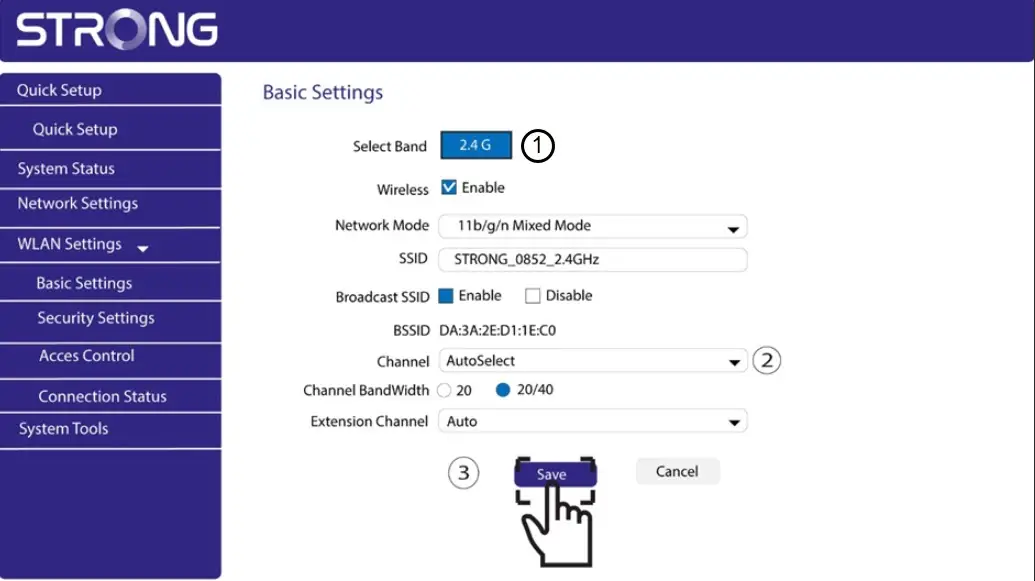
Per cambiare canale, accedi alle impostazioni del dispositivo Wi-Fi Powerline tramite l'interfaccia web. Cerca la sezione Impostazioni WLAN > Impostazioni di base e seleziona il canale 1, 6 o 11.
1. Connettitial Wi-Fi
Per farlo, inserisci l'SSID e la password del router nel tuo dispositivo.

2. Inserirel'indirizzo IP dell'interfaccia utente web
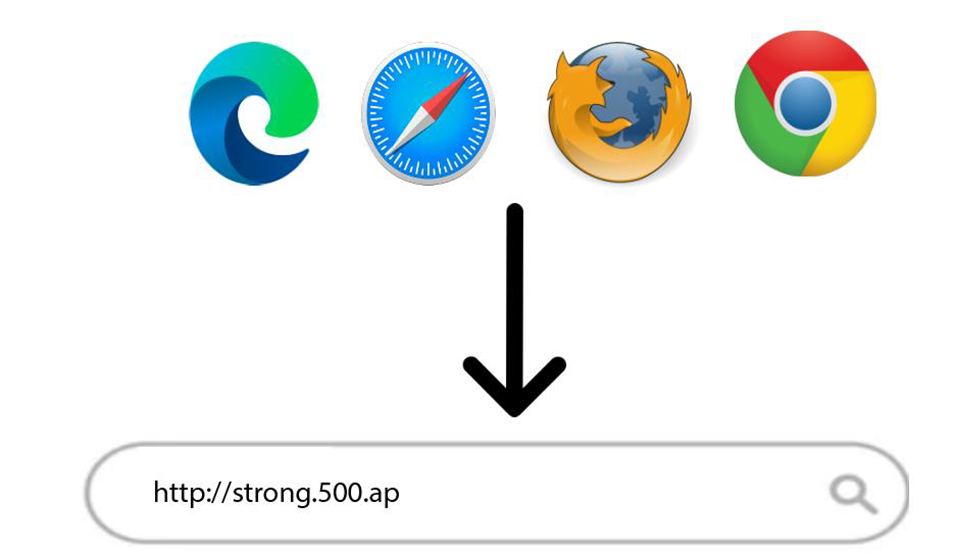
A questo punto, inserisci il seguente indirizzo IP nel browser: http://strong.500.ap
3Pagina di accesso
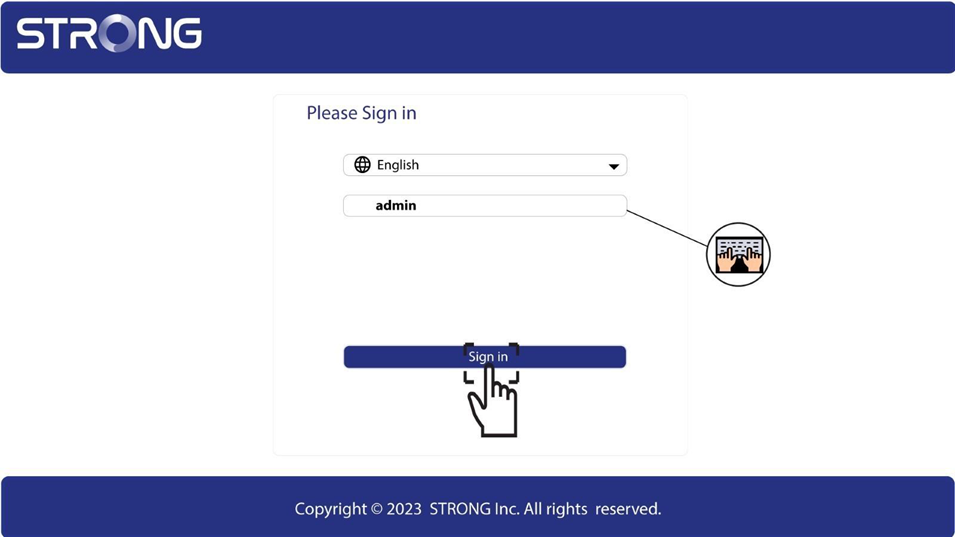
Una volta raggiunto l'indirizzo IP, clicca; dovrai inserire il nome utente (admin). Quindi, clicca su "Accedi".
4. Impostazioni WLAN
Fai clic su "Impostazioni WLAN" e poi su "Impostazioni di base".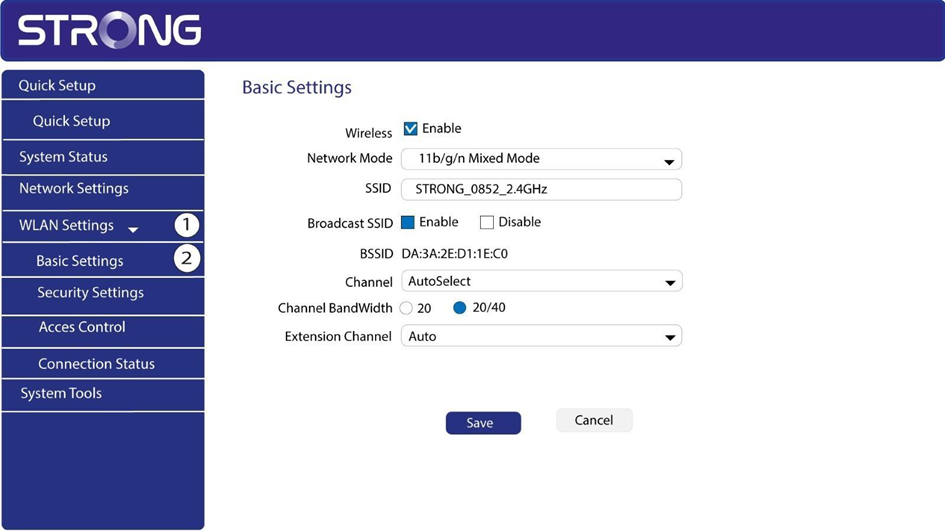
5. Selezionarela banda di rete
Selezionare la banda di rete 2,4 GHz. Quindi, selezionare il canale dall'elenco a discesa (1, 6 o 11) e fare clic su Salva.