ATRIA Wi-Fi 6 Mesh 3000 UK 2-pack)
Alle vragen
ATRIA Wi-Fi 6 Mesh 3000 UK 2-pack)
Kan ik een gastnetwerk instellen voor mijn Mesh -netwerk? (Geval 1: webinterface)
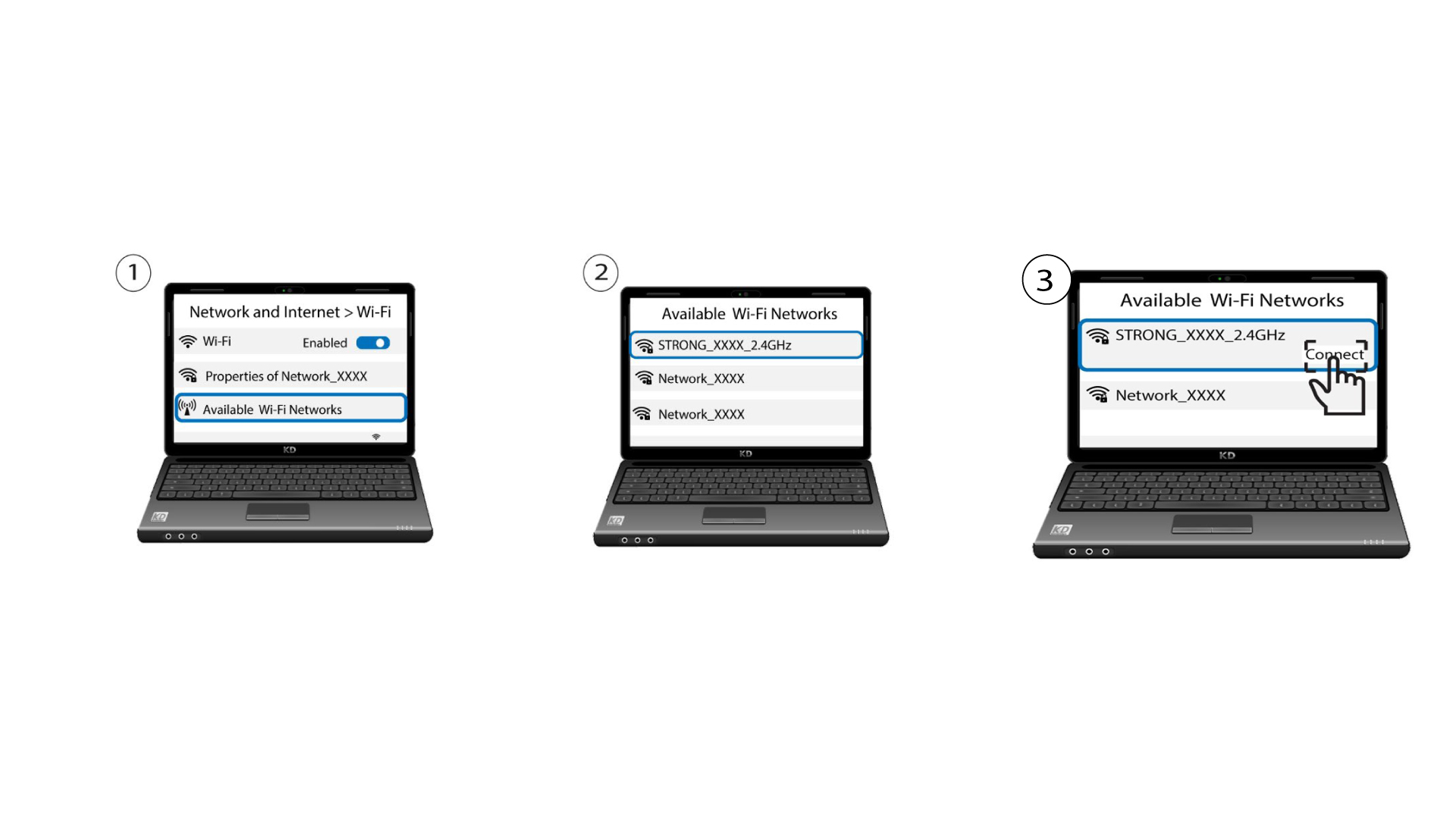
Om toegang te krijgen tot de webinterface moet u verbonden zijn met het wifi-netwerk van uw apparaat, nadat u de RJ45-kabel in de WLAN-poort van uw apparaat en van de internetbox hebt aangesloten.
1Maak verbindingmet het wifi-netwerk van het apparaat
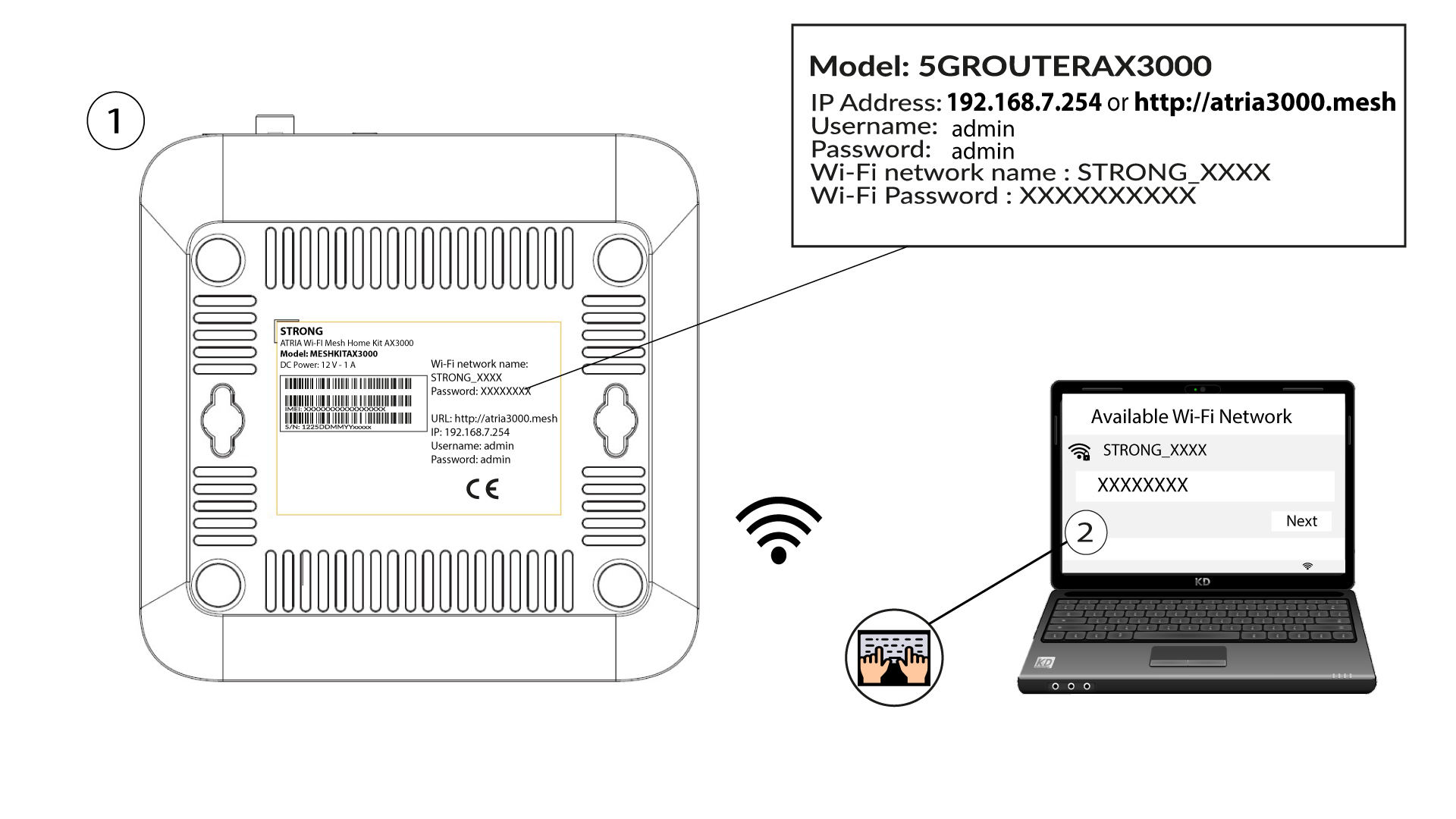
Voer hiervoor de SSID (naam van het wifi-netwerk) en het wifi-wachtwoord van de router in op je apparaat:
2. Ganaar het IP-adres van de webinterface
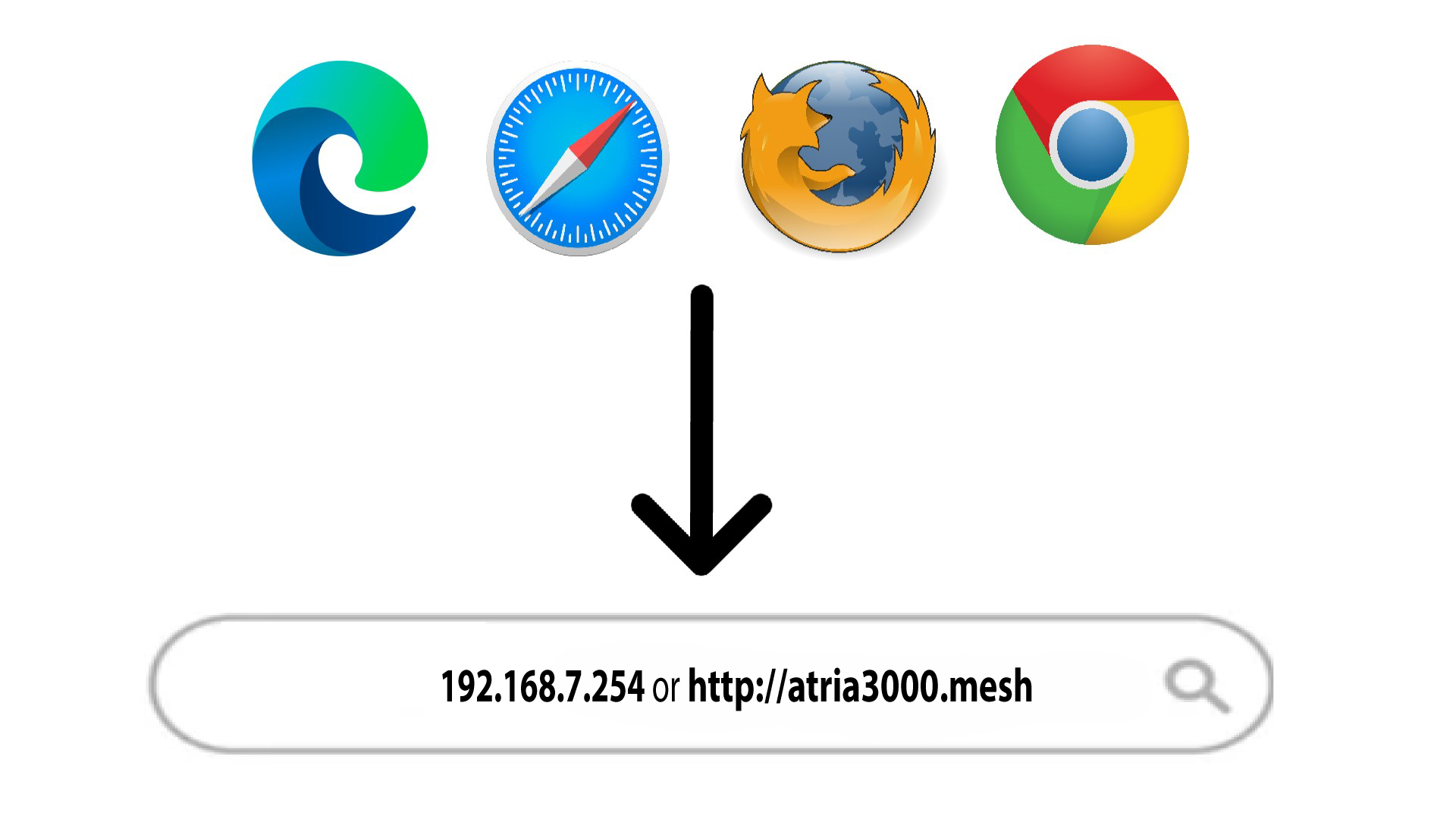
Voer vervolgens het volgende IP-adres in je browser in: 192.168.7.254 of typ het volgende adres in: http://atria3000.mesh
3Voeruw inloggegevens in
U moet de gebruikersnaam (admin) en het wachtwoord (admin) invoeren (let op: na de eerste keer inloggen stelt u uw eigen beheerderswachtwoord in, wat betekent dat het wachtwoord dat op het productlabel staat niet meer werkt). Klik vervolgens op ‘Inloggen’.

4WLAN2,4 GHz en 5 GHz
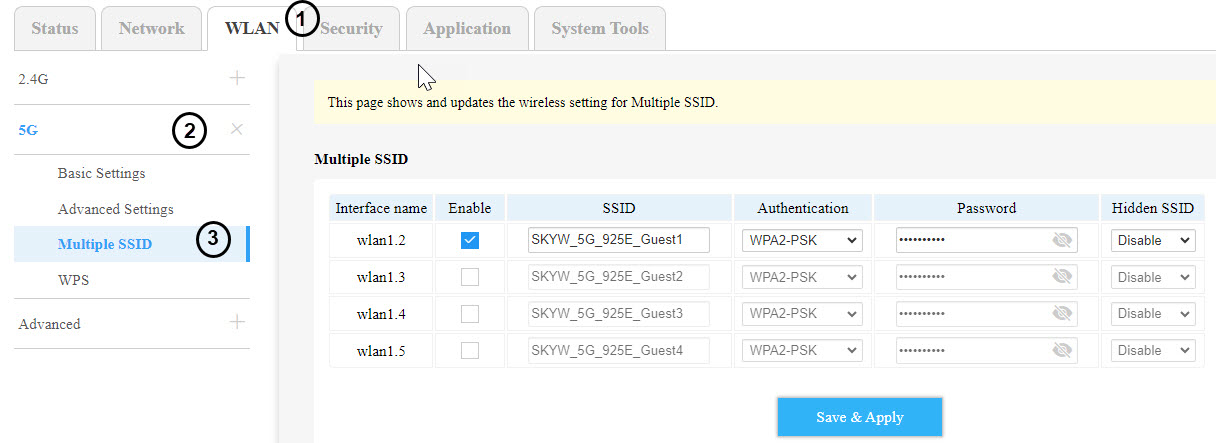
Klik vervolgens in de bovenste balk op ‘WLAN’, ga naar het gedeelte ‘2,4G’ of ‘5G’, afhankelijk van het netwerktype waarop je bent aangesloten, en klik daarna op ‘Meerdere SSID’s’.
5. Instellen van meerdereSSID’s
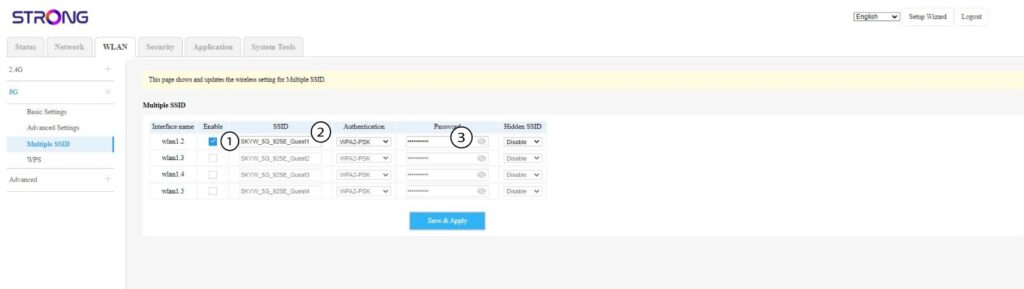
Klik nu op ‘Inschakelen’ voor het nieuwe gast-wifi-netwerk dat je aan het netwerk wilt toevoegen. Je kunt de SSID (de naam van het wifi-netwerk) aanpassen en een uniek wachtwoord instellen. Je kunt ook het authenticatietype kiezen en de SSID verbergen als je dat wilt.
6. Slade wijzigingen op
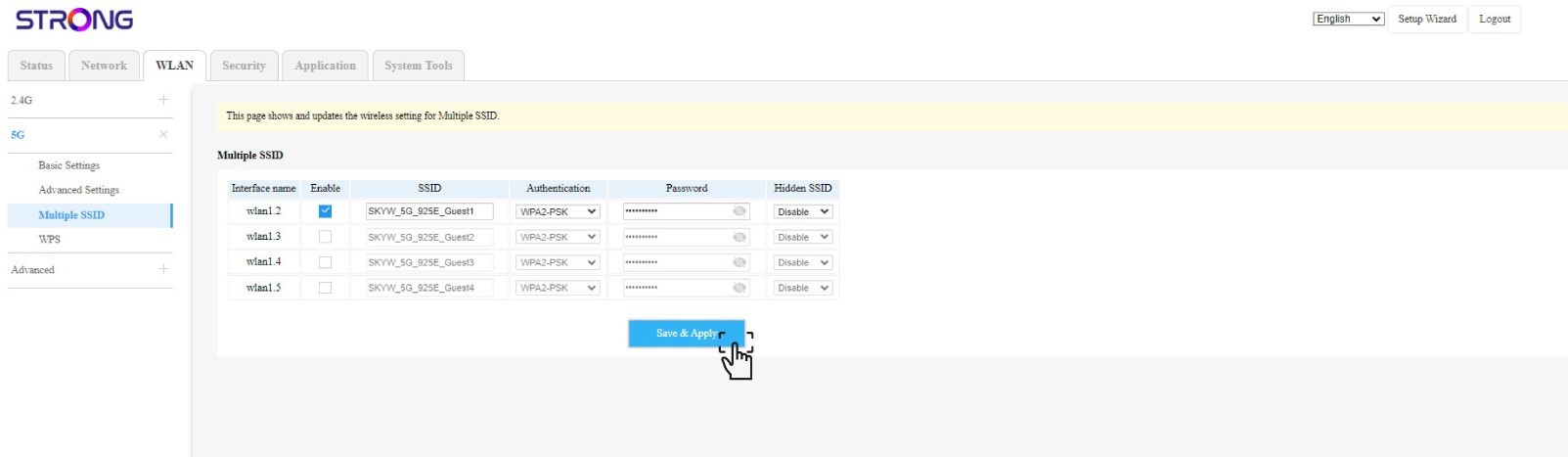
Klik op ‘Opslaan en toepassen’.
7. Controleerhet nieuwe wifi-netwerk
Het nieuwe gastnetwerk is nu zichtbaar in de lijst met wifi-netwerken op uw apparaten.