
Powerline 600 Duo Wi-Fi Mini UK
Alle vragen
Powerline 600 Duo Wi-Fi Mini UK
Hoe kan ik de SSID-naam en het wachtwoord van het Wi-Fi-netwerk van de Powerline 600 Mini wijzigen?
Hoe kan ik de SSID-naam en het wachtwoord van het Powerline 600 Wi-Fi Mini-netwerk wijzigen?
1Maak verbindingmet het wifi-netwerk ‘ Powerline ’
Lorem ipsum dolor sit amet, consectetur adipisicing elit. Culpa enim esse excepturi nemo nesciunt officia officiis optio.
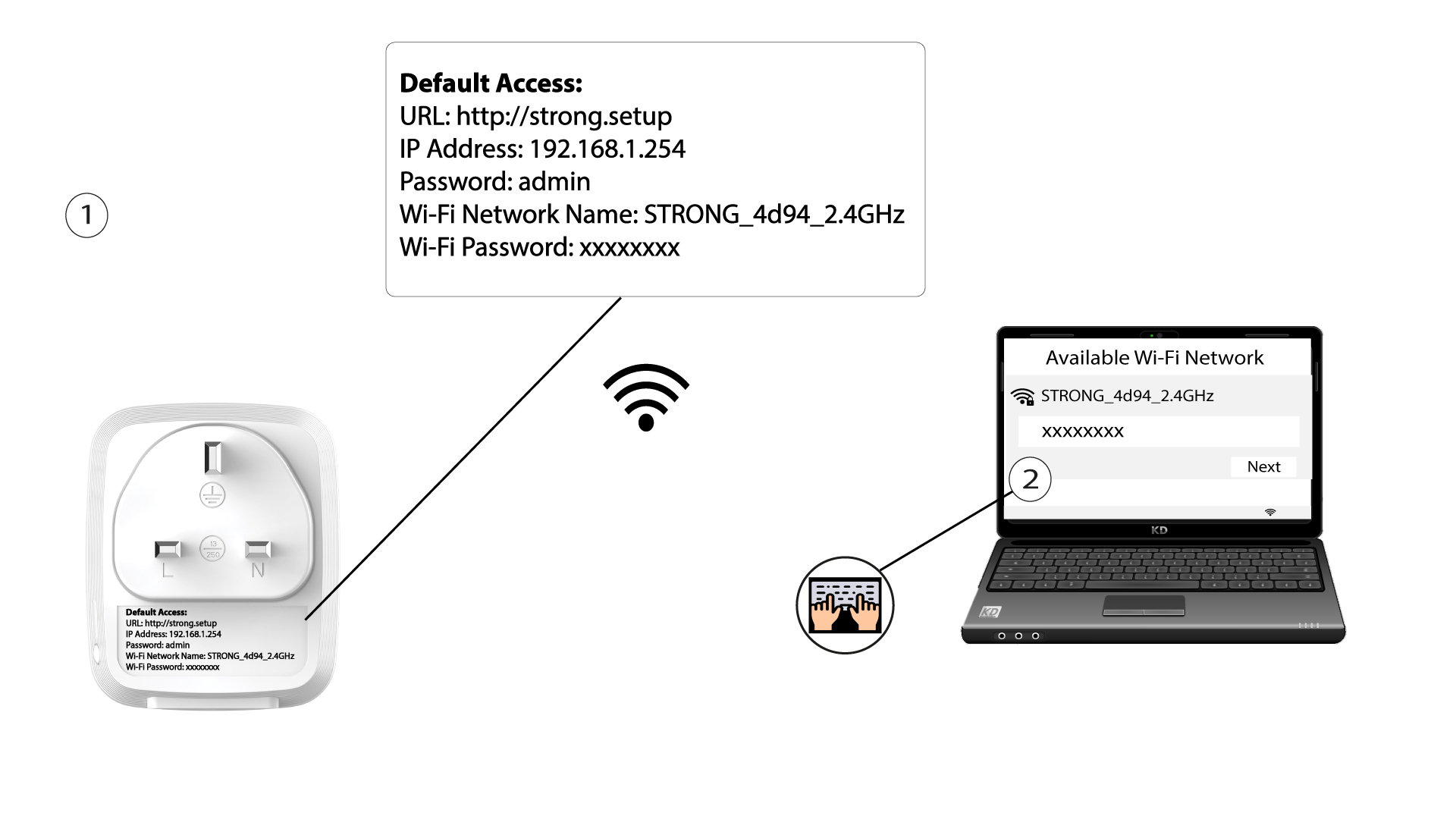
2. Ganaar het IP-adres van de webinterface
Open de gebruikersinterface door de URL http://strong.setup in de adresbalk van uw internetbrowser in te voeren, of het IP-adres 192.168.1.2543.

3Voeruw inloggegevens in
Typ vervolgens het wachtwoord: admin

4. Snelleinstallatie
Ga naar het menu, selecteer „Snelle installatie”, klik vervolgens op „Toegangspunt (AP) ” en klik op „VOLGENDE”.

5. Voerde nieuwe netwerkgegevens in
Wijzig de SSID en de wachtwoordzin. Vermijd bij het instellen van de nieuwe wachtwoordzin de hoofdletter I en de kleine letter l, aangezien deze gemakkelijk door elkaar kunnen worden gehaald. We raden u ook aan een wachtwoordzin te kiezen die bestaat uit een afwisseling van hoofdletters, kleine letters en cijfers. Klik op ‘VOLGENDE’ om uw wijzigingen op te slaan wanneer u klaar bent.

6. Noteerde nieuwe netwerkgegevens
Noteer de nieuwe SSID en het nieuwe wachtwoord op een stuk papier en verbind vervolgens al uw apparaten opnieuw met de Powerline 600 Duo Wi-Fi Mini met behulp van de nieuwe instellingen.
