
4G AIRHOME 200 Mini-router met afneembare 4G-antennes
Geen items gevonden.
Geen items gevonden.
Alle vragen
4G AIRHOME 200 Mini-router met afneembare 4G-antennes
Geen items gevonden.
Geen items gevonden.
Hoe verbind ik mijn apparaten via WPS?

Het is niet mogelijk om een mobiele telefoon via WPS te verbinden. Om je telefoon eenvoudig met het wifi-netwerk te verbinden, scan je de QR-code op de achterkant van je router. Je wordt dan automatisch met het netwerk verbonden zonder dat je het wifi-wachtwoord hoeft in te voeren.
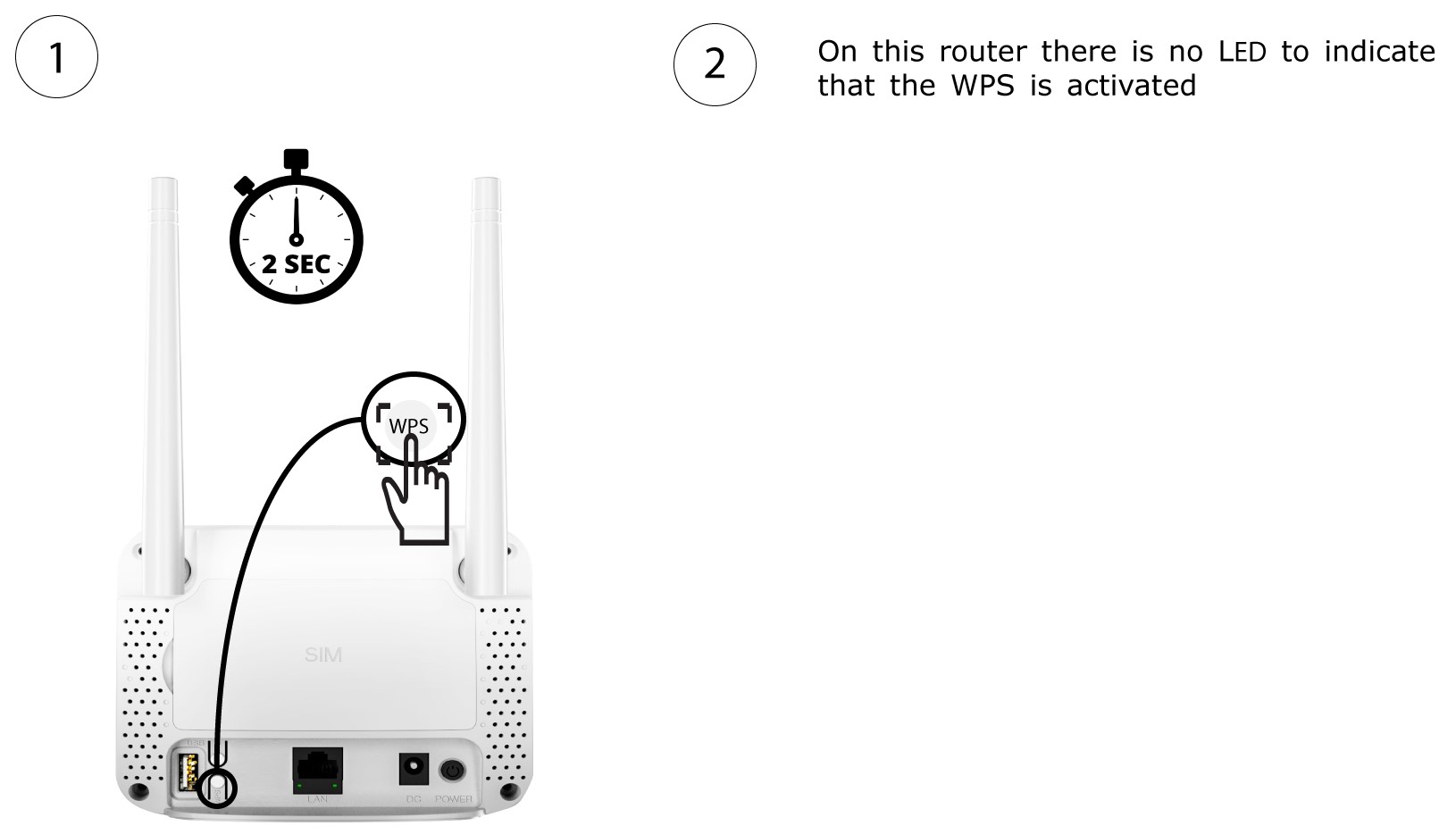
1. Activeerde WPS
Druk 2 seconden lang op de WPS-knop aan de achterkant van de router, zodat elk compatibel apparaat in uw huis automatisch verbinding kan maken met het wifi-netwerk van de router.
2. Selecteerhet wifi-netwerk in de lijst
Ga naar de wifi-instellingen van je computer en klik op de naam van de router om deze te selecteren.

3 Maak verbindingmet het wifi-netwerk
Klik vervolgens op de knop ‘Verbinden ’.
