Geen items gevonden.
LEAP UNA | FHD Android TV met HDR10+
Geen items gevonden.
Alle vragen
Geen items gevonden.
LEAP UNA | FHD Android TV met HDR10+
Geen items gevonden.
Hoe sluit ik mijn LEAP UNA aan op mijn tv?
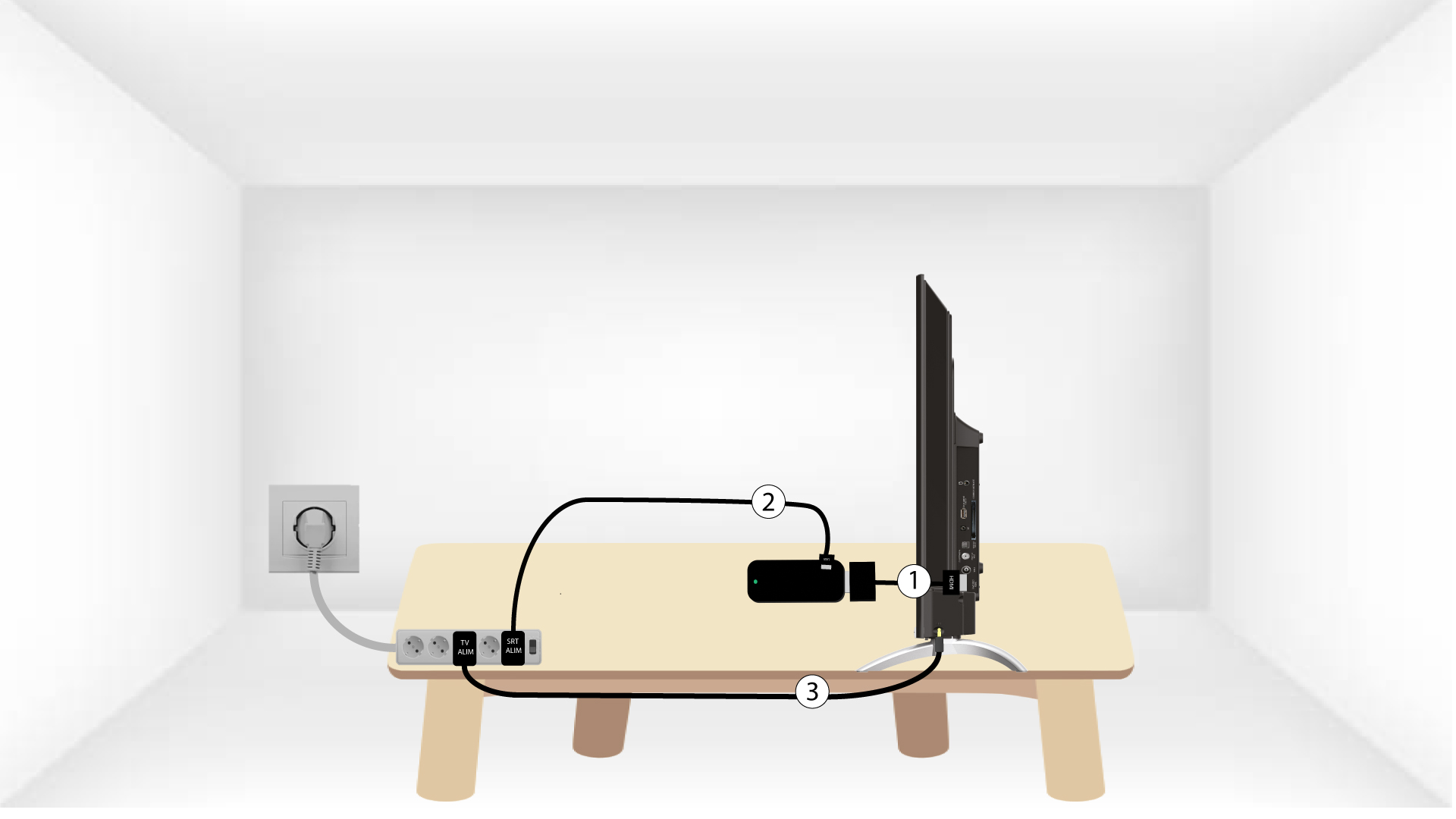
Sluit de HDMI- stick en de HDMI-kabel op elkaar aan en sluit deze aan op de HDMI-poort van je tv (1). Steek vervolgens de USB-kabel in de SRT41 , sluit deze aan op het stopcontact (2) en sluit je tv aan op het stopcontact (3).