
4G AIRHOME 210 UK vaste 4G-antennes
Geen items gevonden.
Geen items gevonden.
Alle vragen
4G AIRHOME 210 UK vaste 4G-antennes
Geen items gevonden.
Geen items gevonden.
Hoe zet ik mijn router terug naar de fabrieksinstellingen?
Het kan soms voorkomen dat uw apparaat niet goed werkt en dat u geen toegang tot internet hebt. In dat geval raden we u aan uw apparaat terug te zetten naar de fabrieksinstellingen en de firmware daarna indien nodig opnieuw bij te werken.
Je hebt twee manieren om dit te doen: je kunt het apparaat resetten door op de resetknop te drukken of via de webinterface.
VOORBEELD 1: Resetknop
Druk hiervoor twee seconden op de resetknop aan de rechterkant van de router.

1GEVAL2: Resetten via de webinterface
Volg de instructies in het artikel ‘Hoe krijg ik toegang tot de web-UI?’ om verbinding te maken met de web-UI.
2. Firmware-update
Klik vervolgens op ‘Firmware-update’.

3Fabrieksinstellingen herstellen
Klik op ‘Overige’. Klik in het gedeelte ‘Opnieuw opstarten en resetten ’ op ‘Fabrieksinstellingen herstellen’.
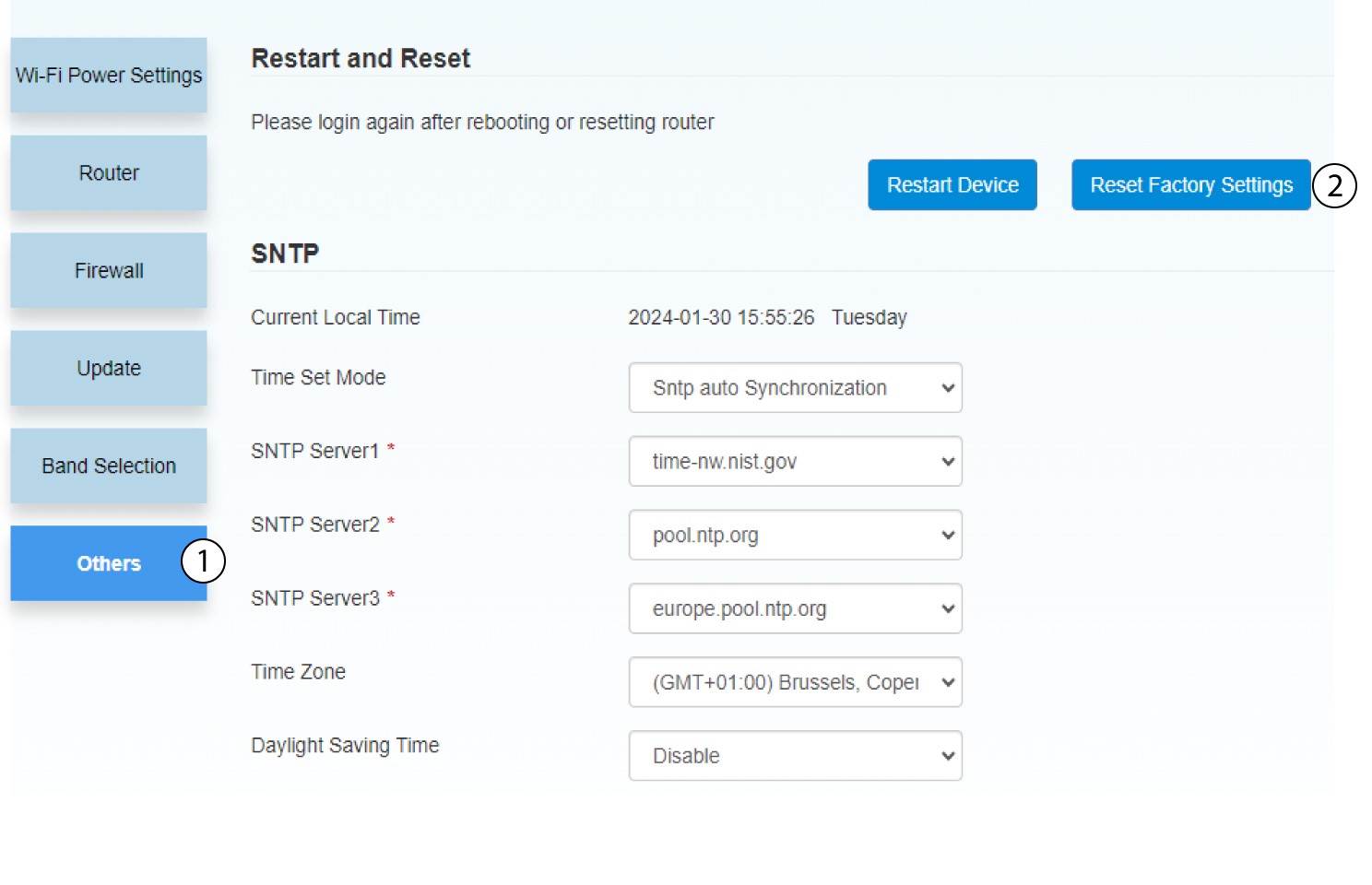
4Pop-upmelding
Klik op JA in het pop-upvenster.
