Geen items gevonden.
4K GOOGLE TV BOX S3+ | DOLBY VISION ATMOS
Geen items gevonden.
Alle vragen
Geen items gevonden.
4K GOOGLE TV BOX S3+ | DOLBY VISION ATMOS
Geen items gevonden.
Hoe zet ik de LEAP S3 terug naar de fabrieksinstellingen?

Waarschuwing: Wanneer u uw apparaat terugzet naar de fabrieksinstellingen, worden alle apps en aangepaste instellingen verwijderd. U zult al uw apps helemaal opnieuw moeten installeren.
1. Schakelhet apparaat in
Zet je tv en je LEAP S3 aan.
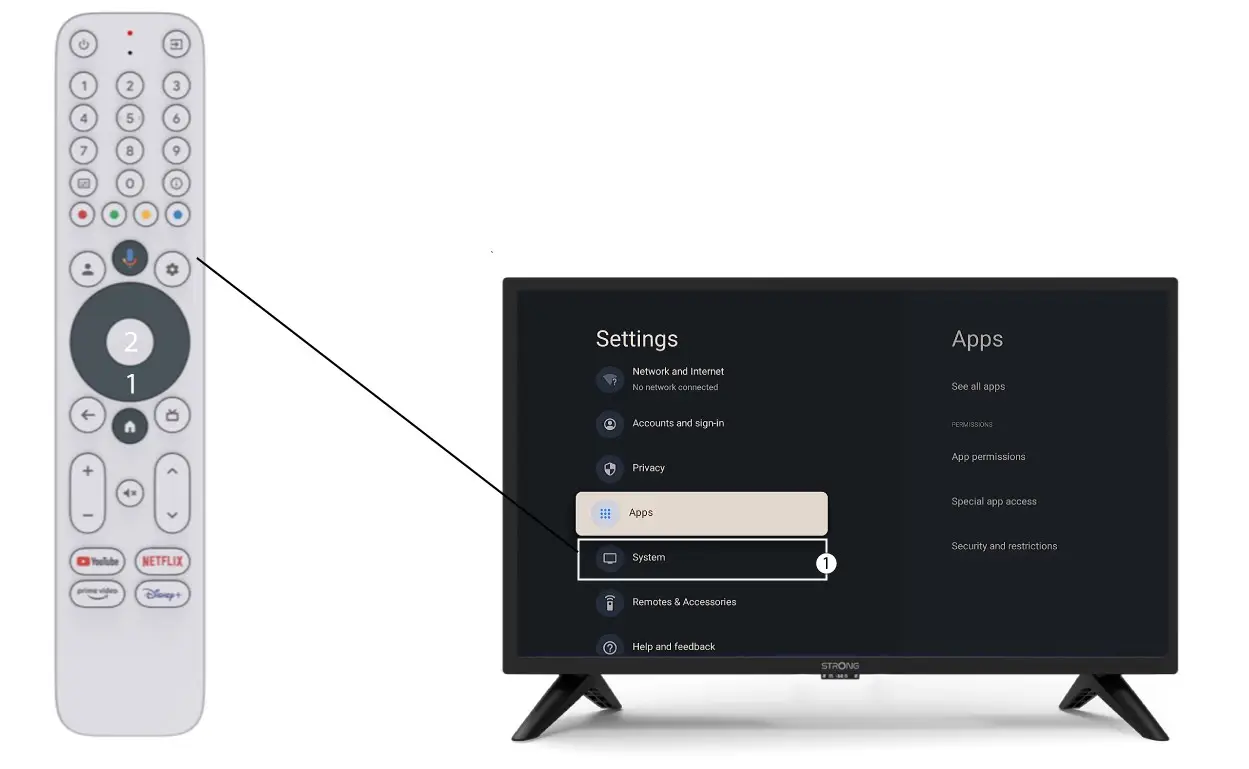
2. Ganaar het menu ‘Instellingen’
Druk op het tandwielpictogram (de knop ‘Instellingen’) op de afstandsbediening. Druk vervolgens op de OK-knop op je afstandsbediening om het instellingenmenu te openen.

3Systeeminstellingen
Selecteer in het menu ‘Instellingen’ de optie ‘Systeem’ en druk op OK.
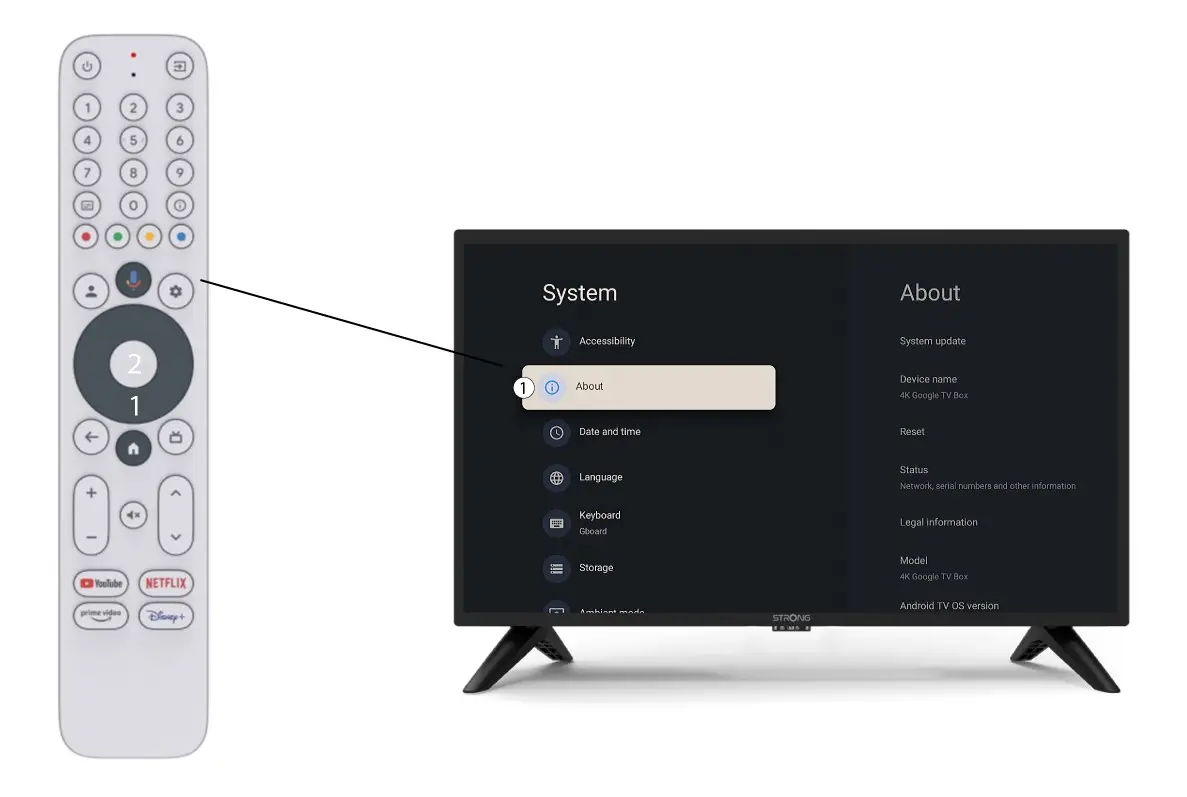
4Over
Kies ‘Over’ in het menu ‘Systeeminstellingen’ en druk op de OK-knop op uw afstandsbediening.
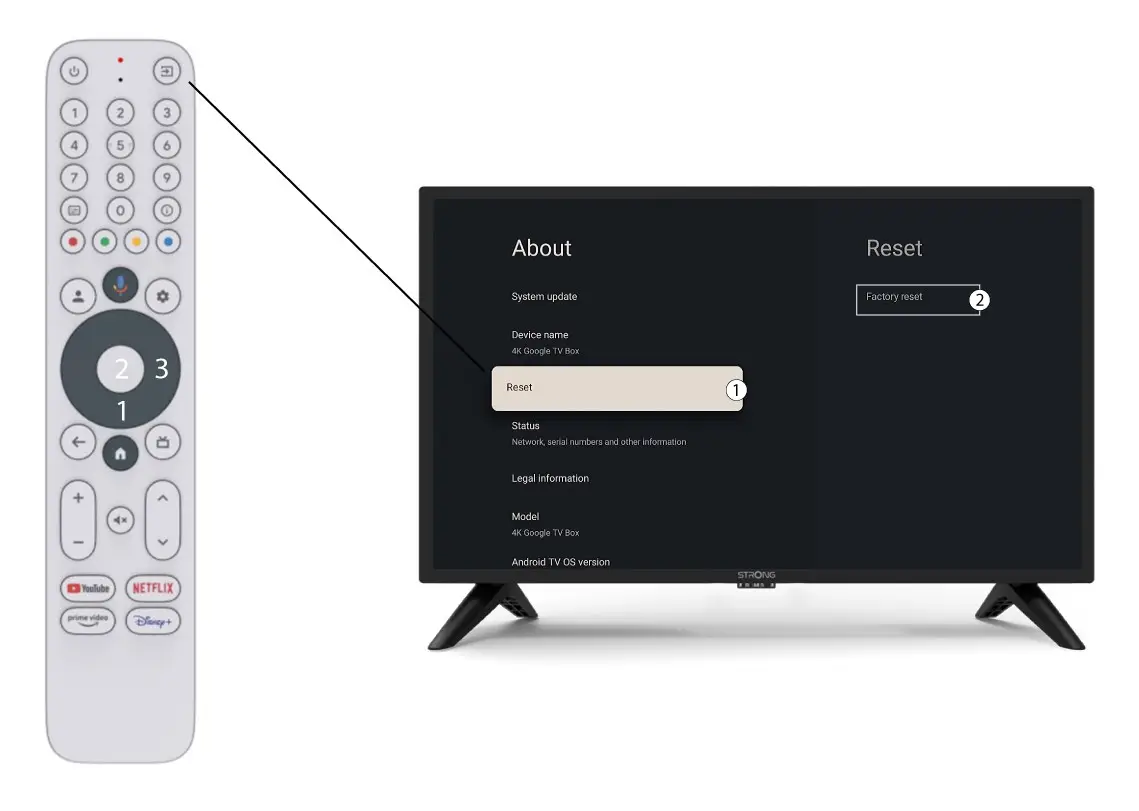
5 Fabrieksinstellingenherstellen
Kies 'Reset' en selecteervervolgens 'Fabrieksinstellingen herstellen' voordat u op 'OK' drukt.