4G AIRHOME 300 Mini-router met afneembare 4G-antennes
Alle vragen
4G AIRHOME 300 Mini-router met afneembare 4G-antennes
Hoe kan ik de firmware van het apparaat bijwerken?
Wanneer u bent ingelogd op de webinterface, moet u de firmwareversie van uw apparaat controleren via de optie voor online updates in de webinterface. Hierdoor wordt de nieuwste firmwareversie geïnstalleerd.
Als u een andere versie hebt, volg dan de onderstaande procedure om uw firmware bij te werken.
1. Maak verbindingmet het wifi-netwerk
Om de firmware van het apparaat bij te werken, moet u verbinding maken met het wifi-netwerk van uw apparaat.

2. Ganaar het IP-adres van de webinterface
Voer vervolgens het volgende IP-adres in je browser in: 192.168.0.1.

3. Inlogpagina
Klik vervolgens op ‘Inloggen’.

4Voeruw inloggegevens in
U moet de gebruikersnaam en het wachtwoord invoeren. Klik vervolgens op ‘Inloggen’.

5 Geavanceerdeinstellingen
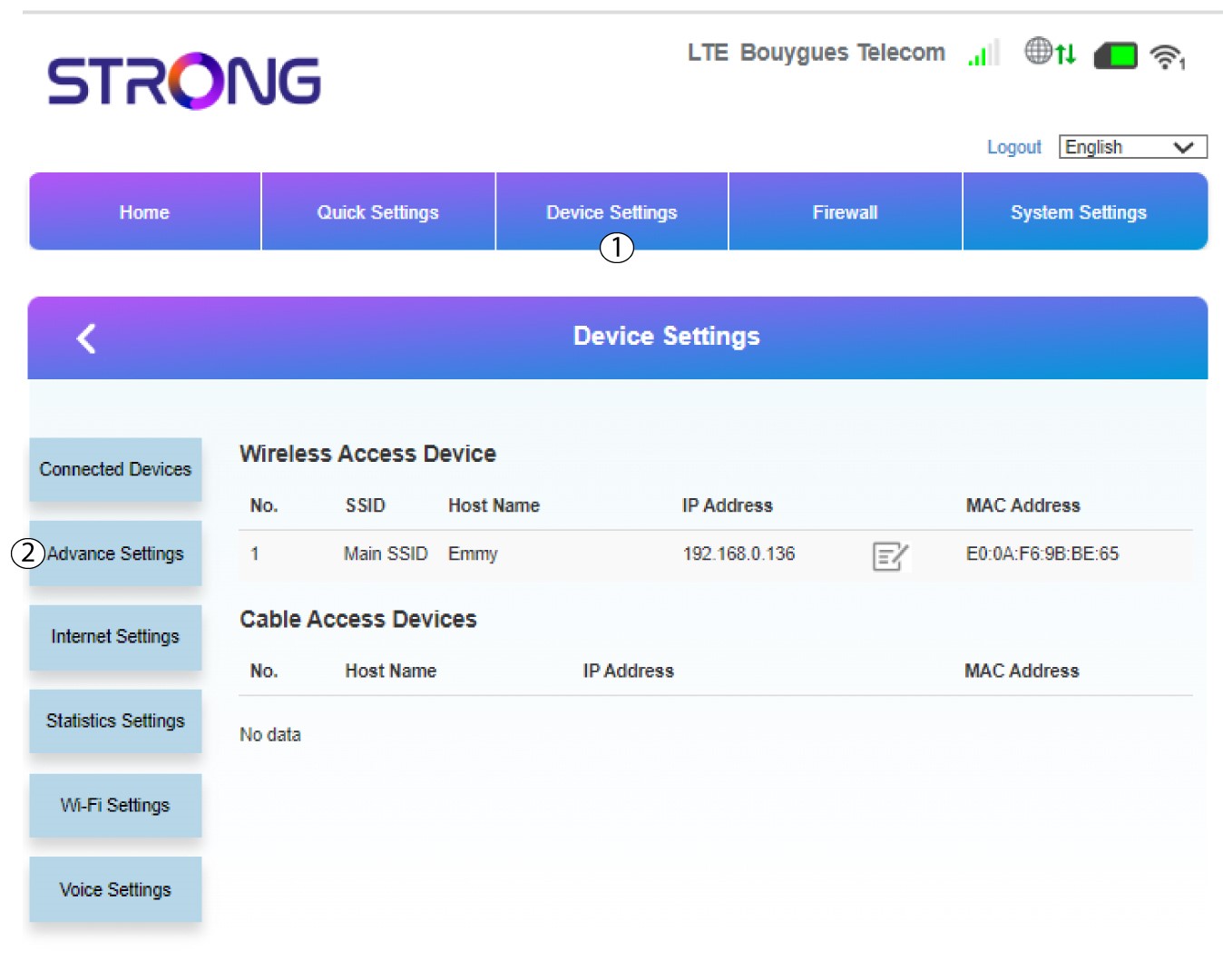
Klik op ‘Apparaatinstellingen ’ en selecteer ‘Geavanceerde instellingen’.
6Online-upgrade
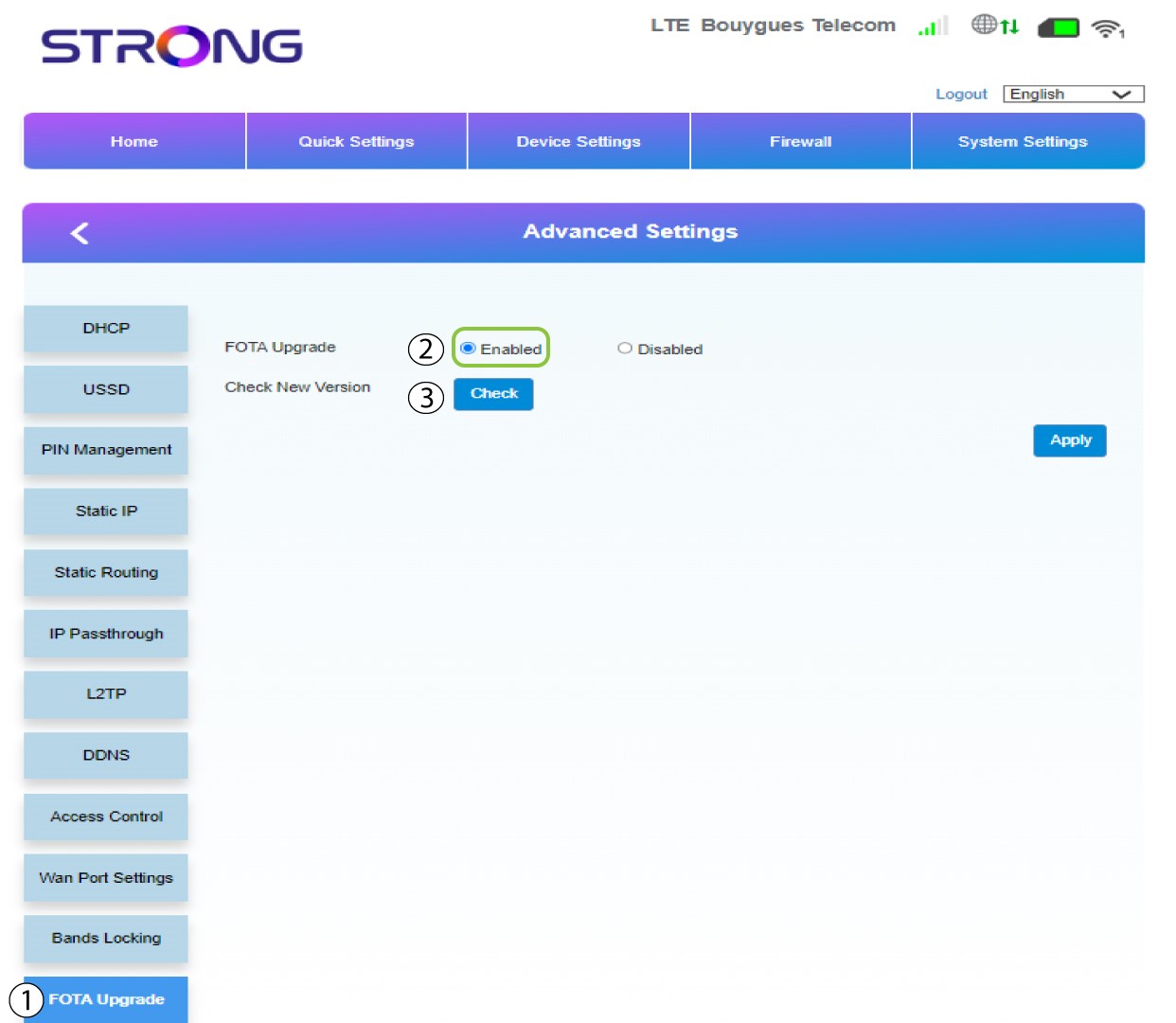
Klik in de geavanceerde instellingen op ‘FOTA-upgrade ’ en selecteer ‘Ingeschakeld’. Klik vervolgens op ‘Controleren’.
7Geval1: waarschuwingsbericht (firmware is up-to-date)
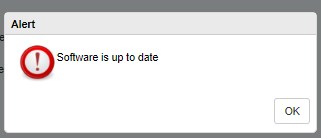
Er verschijnt een melding om u te laten weten of er een update beschikbaar is. Als dat het geval is, klikt u op Ja, zodat de software wordt gedownload en geïnstalleerd. Als de software up-to-date is, ziet u het volgende bericht:
8Geval2: Er is een nieuwe firmwareversie beschikbaar
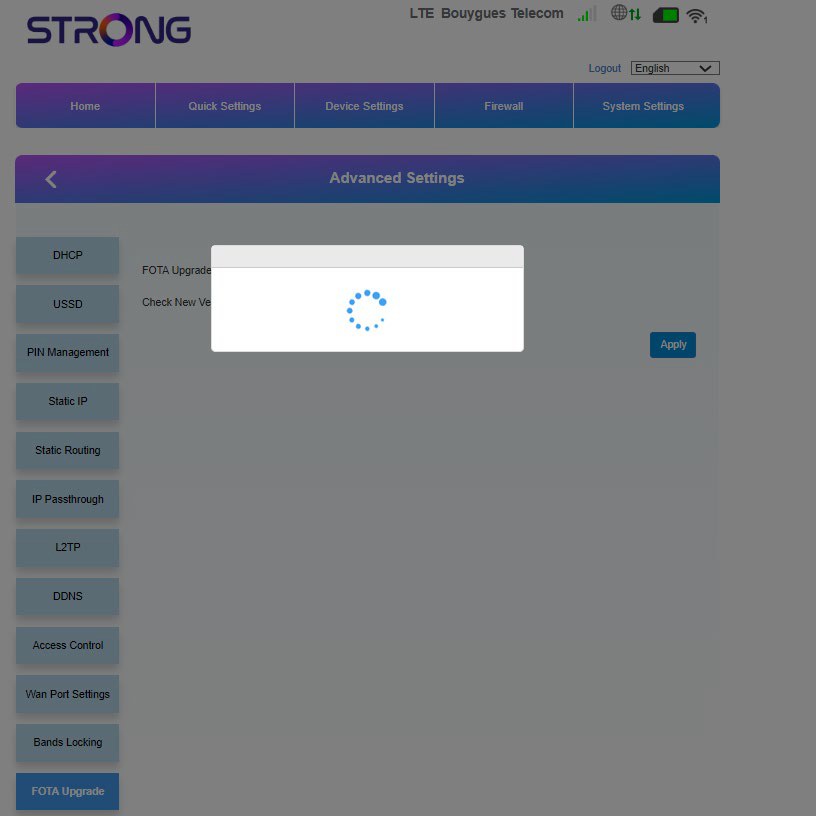
Bij een update moet u wachten tot de update is voltooid. Tijdens de update lichten de LED’s van de apparaten blauw op en beweegt het blauwe licht van links naar rechts, van het ene pictogram naar het andere. Zodra de update is voltooid, krijgen de pictogrammen weer hun oorspronkelijke kleur. De update kan tot 5 minuten duren.