
Powerline 600 Duo Wi-Fi UK V2
Geen items gevonden.
Geen items gevonden.
Alle vragen
Powerline 600 Duo Wi-Fi UK V2
Geen items gevonden.
Geen items gevonden.
Hoe stel je beveiligingsniveau 2 in op je powerline -producten?
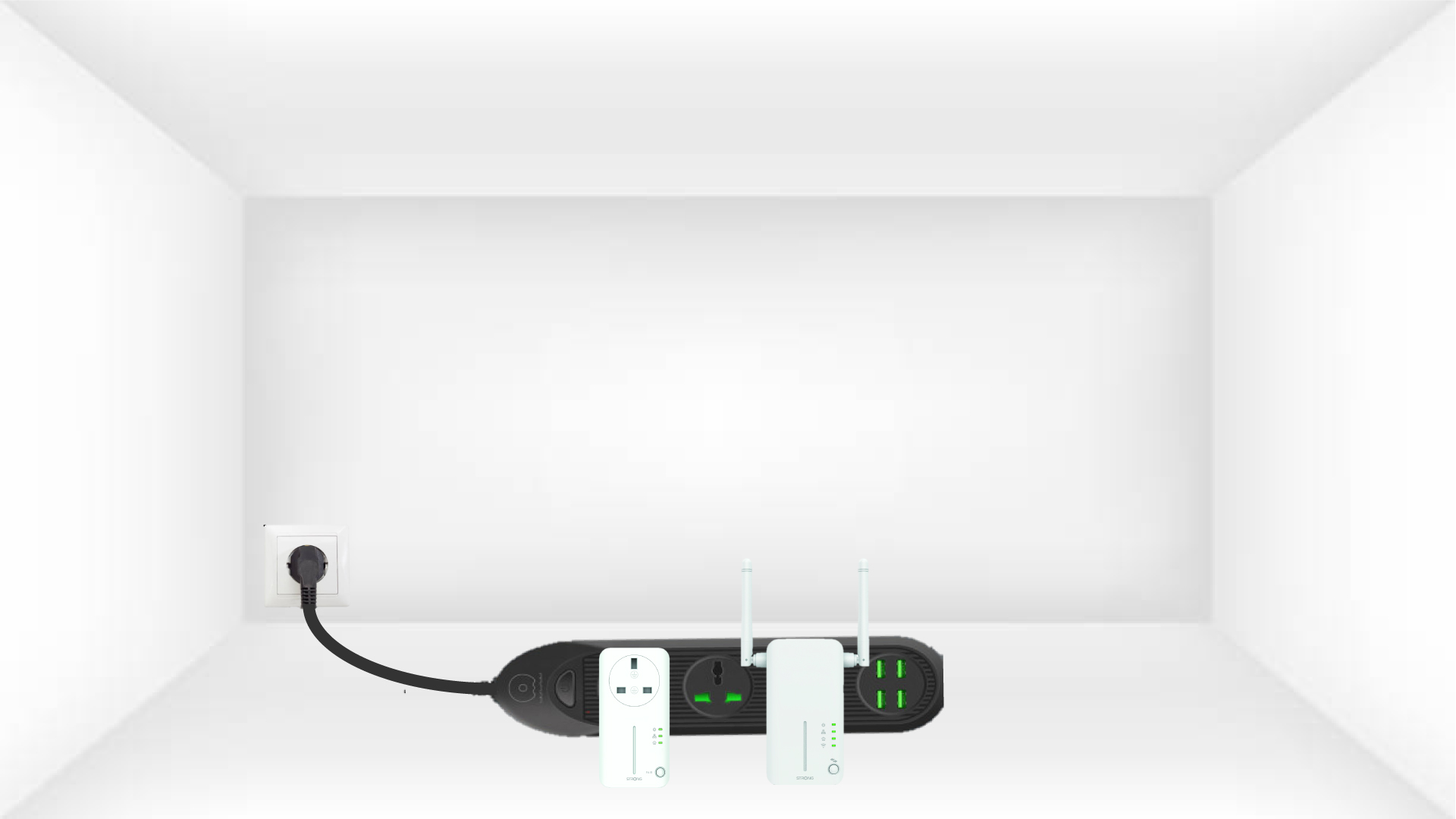
1. Sluitde adapters aanop een stekkerdoos
Neem een stekkerdoos en sluit alle powerline -adapters daarop aan.
2. Sluitde adapters aanop het internet
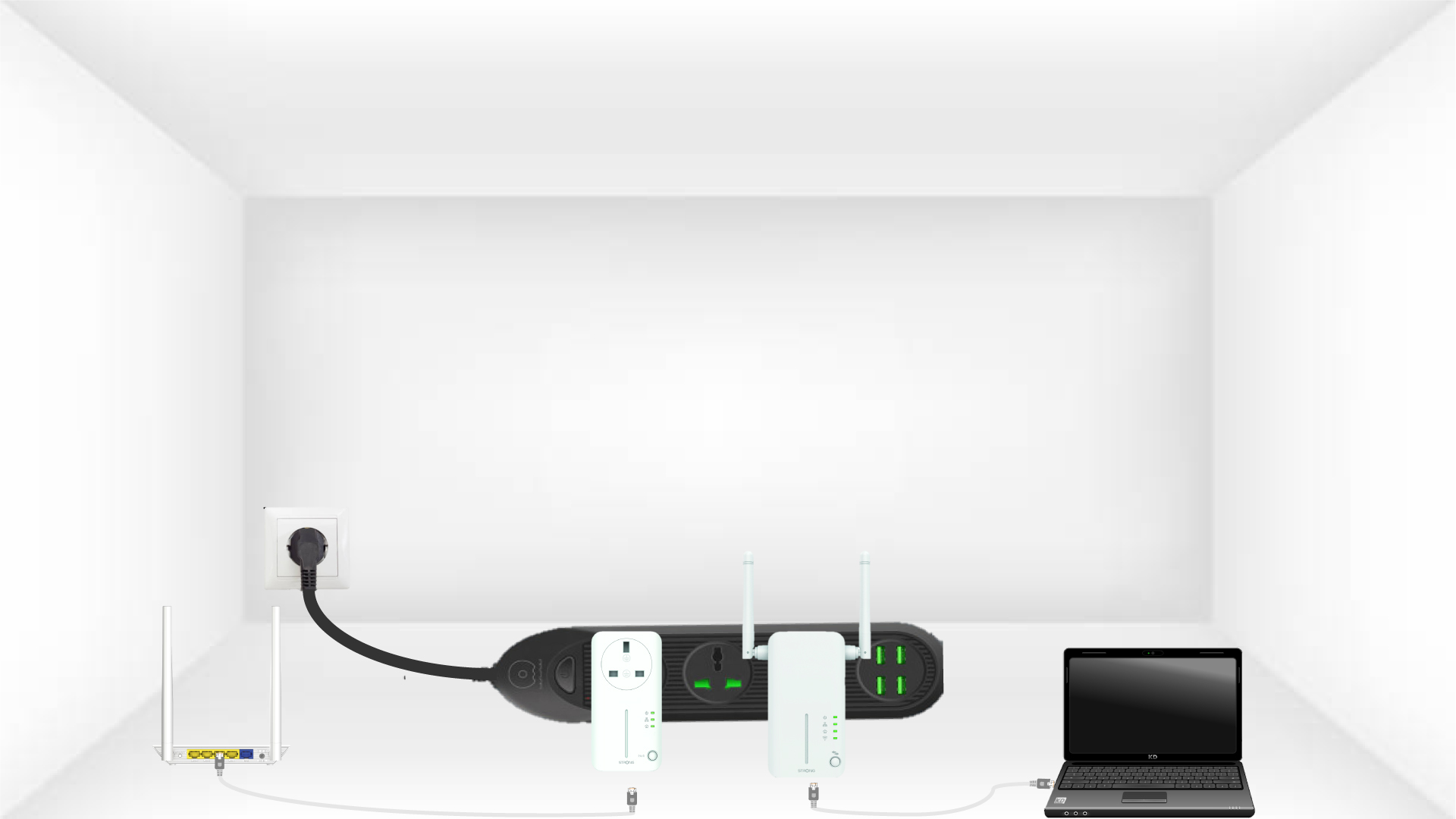
Sluit een van de CPL-adapters aan op de internetgateway/router met een RJ45-stekker.
3. Druk opde knop ‘Connect & Secure’ (eerste apparaat)
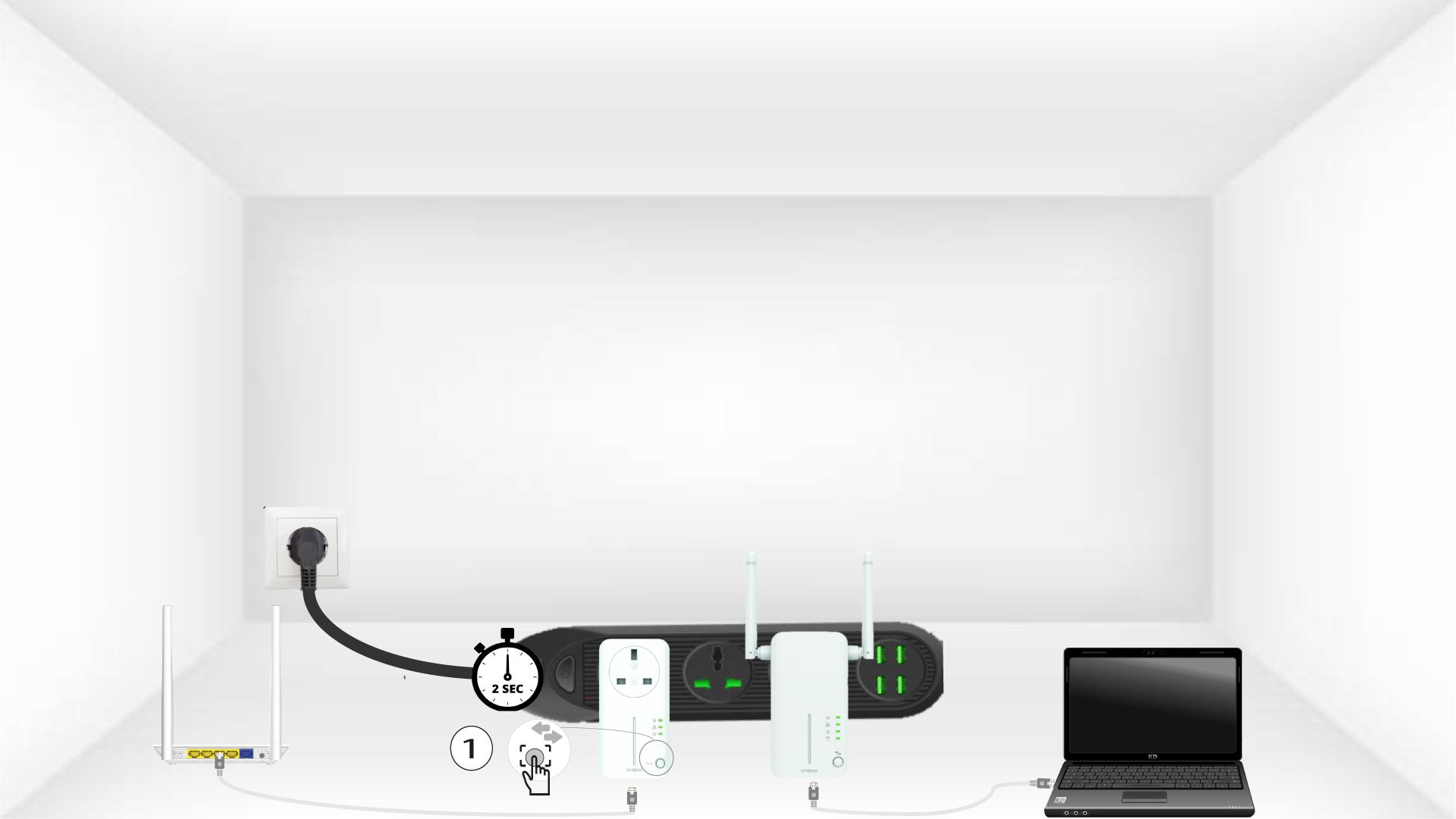
Druk vervolgens op het eerste apparaat 2 seconden lang op de knop ‘Connect & Secure’.
4. Druk opde knop ‘Connect & Secure’ (tweede apparaat)
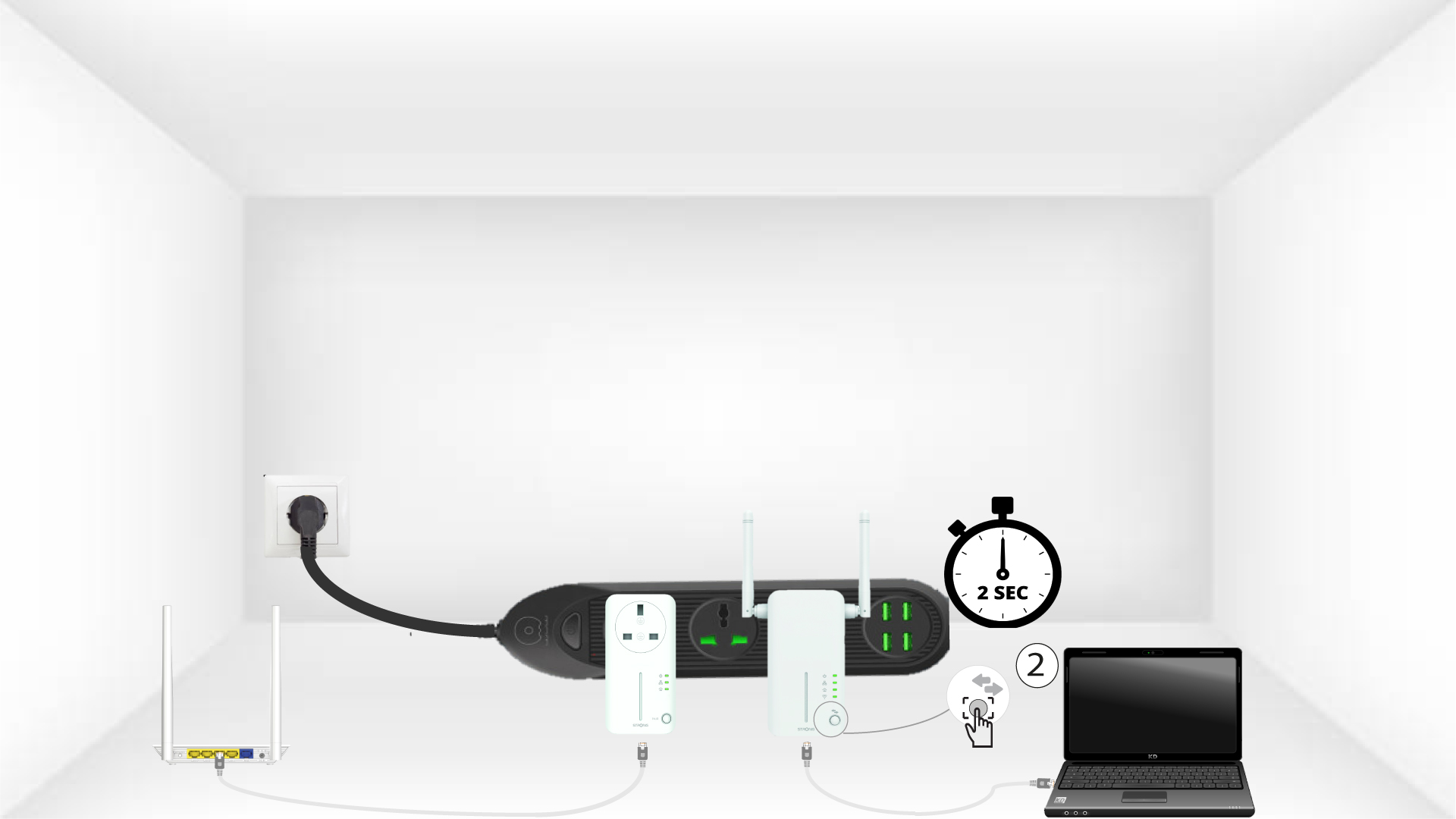
Houd de knop„CONNECT & SECURE” op het tweede apparaat 2 seconden ingedrukt. Je hebt hiervoor maximaal twee minuten de tijd.
5Home-LED knippert
Het 'Home'-lampje moet op beide apparaten knipperen.
4.
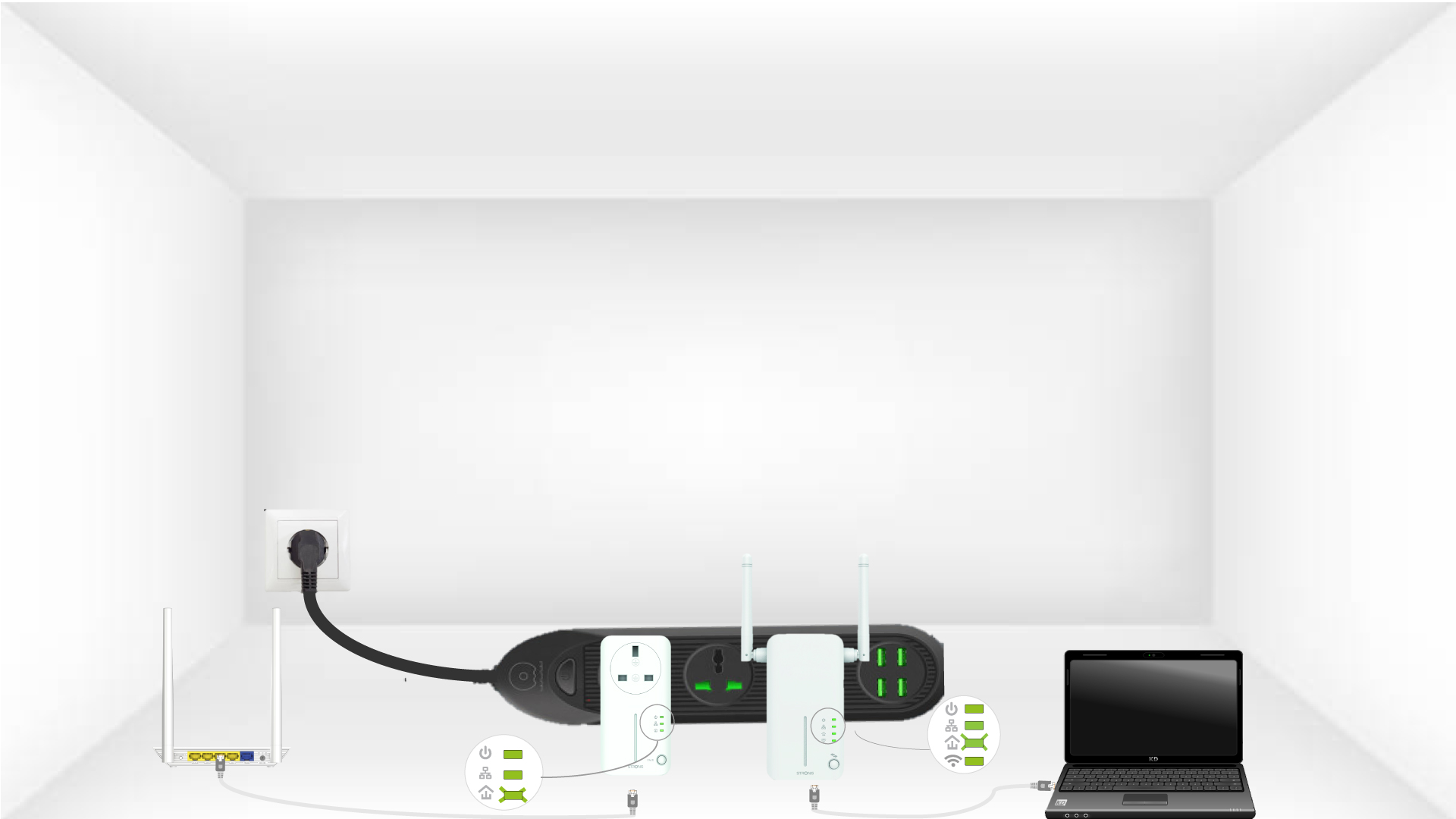
6Denieuwe versleutelingssleutel is ingesteld
Uw unieke versleutelingssleutel is nu ingesteld en alle LED’s van de apparaten zouden nu groen moeten branden.
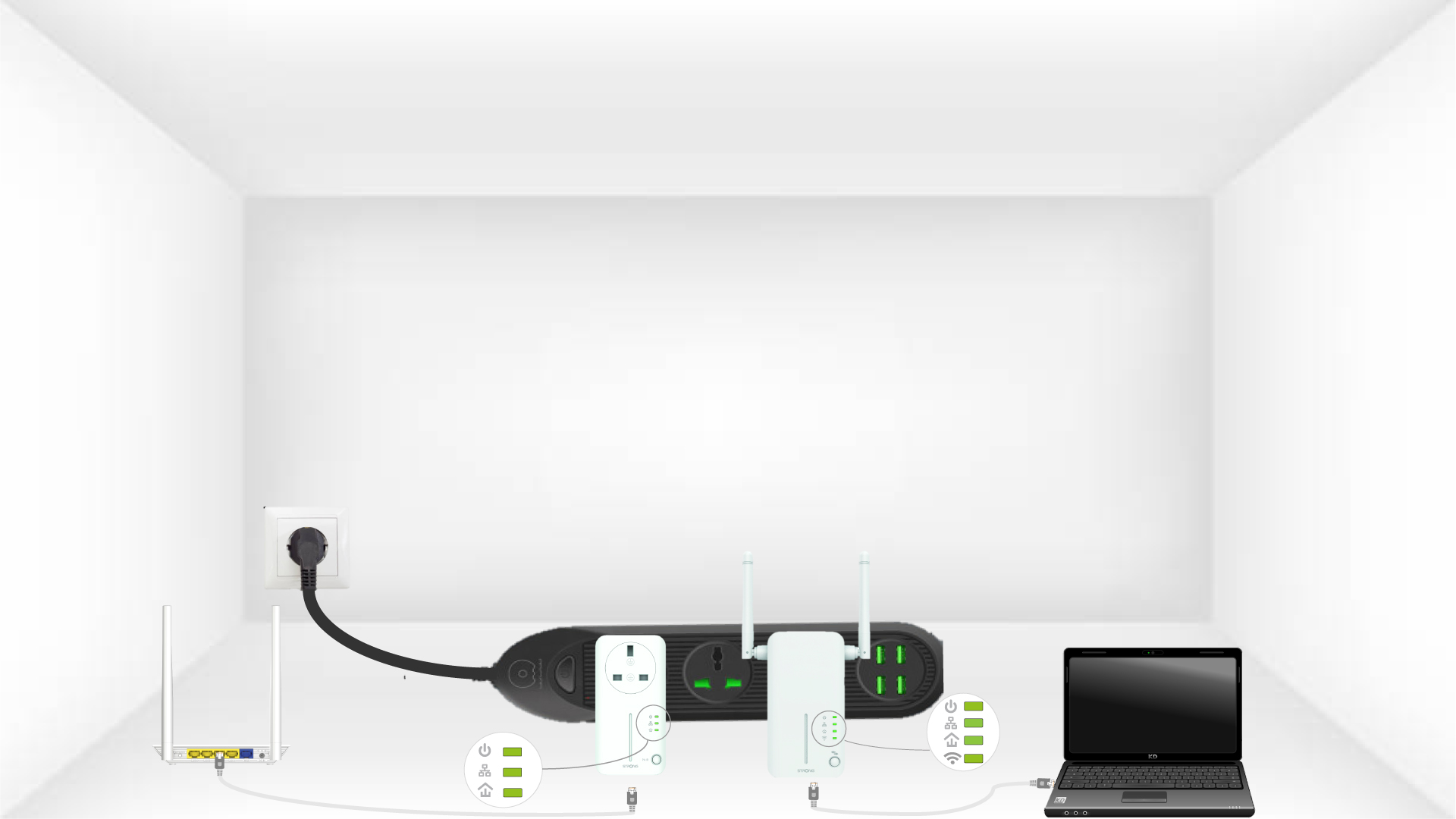
Nu moet u de adapters installeren in de kamers waar u ze nodig hebt. We raden u ten zeerste af om de adapters op een stekkerdoos aan te sluiten.