4G LTE Router 300 Mini UK
Geen items gevonden.
Geen items gevonden.
Alle vragen
4G LTE Router 300 Mini UK
Geen items gevonden.
Geen items gevonden.
Wat kan ik doen in de webinterface?
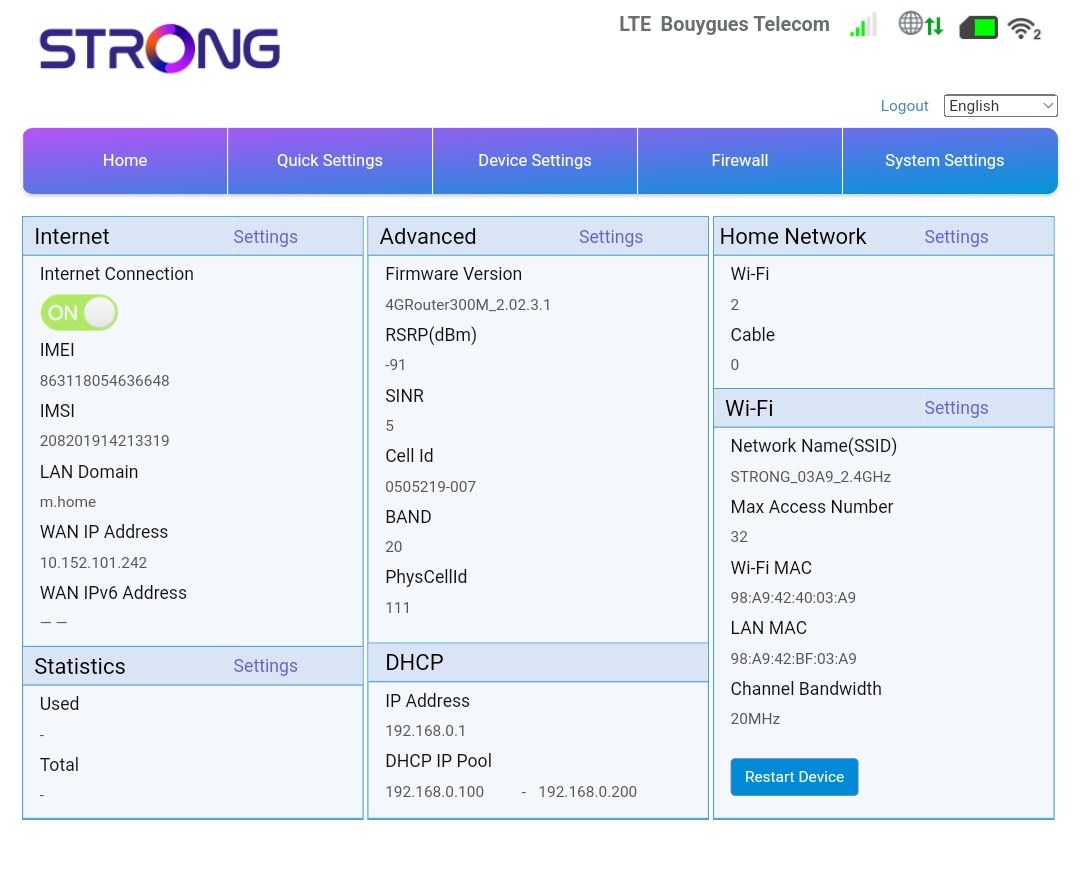
De webinterface is onderverdeeld in 5 secties; zie hieronder voor meer informatie .
• Home: hier vind je de belangrijkste informatie over je router, zoals de status van de internetverbinding, de firmwareversie, het IP-adres, informatie over het wifi-netwerk en het thuisnetwerk, enzovoort...
• Snelle instellingen: hier kunt u uw SSID en wachtwoord wijzigen.
• Apparaatinstellingen: hier kunt u het aantal verbonden apparaten bekijken, instellingen voor IP-adressen, pincodes, antenne-instellingen, wifi-instellingen, internetinstellingen enzovoort beheren.
• Firewall: hier kunt u beveiligingsparameters instellen.
• Systeeminstellingen: hier kunt u updates uitvoeren, het apparaat opnieuw opstarten of uw instellingen wijzigen.